All About Navigator
Category: Legacy Docs · Tags: eurorack, expedition, navigator · Posts: 1
#1 — Z0NK0UT · 2019-07-17
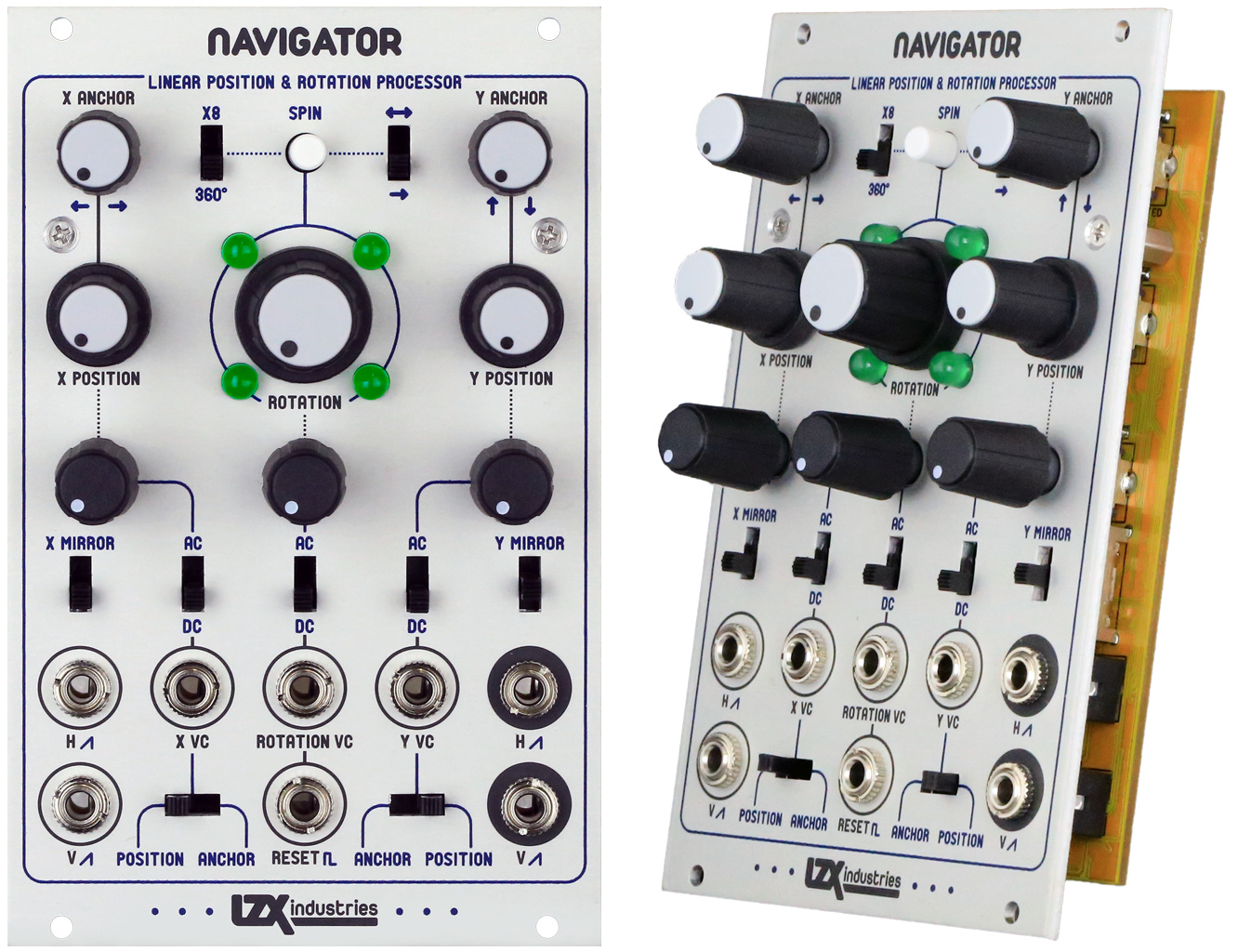
Uncharted Waters, New Horizons
Making shapes spin and move is notoriously difficult for pattern synthesis based only on oscillators synchronized to horizontal and vertical frequency ranges. Navigator is a large piece of a new method of video synthesis technique that I have been researching, simulating, and developing for the past few years since the initial release of our video synthesizer modules. Rather than using VCOs as a primary signal generator, this method uses horizontal and vertical ramp waveforms as a method to convert voltage to screen position. For example, with horizontal and vertical ramps that go from black-to-white across the screen, we can identify an X,Y position on the screen with two voltages. The point at which each ramp is at 0.5 volts (medium gray) is the center of the display.
Once a screen position can be identified in X/Y points, we can use analog computing techniques to perform operations such as position modulation and the 2D rotation transform (involving four 4-quadrant multipliers and 2 summing blocks, it’s a big circuit!) Navigator maintains video rate signal path from input to output.
We get lots of requests about using our modules for vector rescanning techniques using oscilloscopes and XY displays. Due to some careful consideration on signal paths, Navigator is perfectly at home in this environment as well.
Navigator is a functional block of a 2D analog graphics engine. Designed to take two input voltages representing X and Y points on a display, it can perform adjustment and modulation of their position, anchor point, and continuous rotation in 360 degrees. A typical use case is to process the horizontal and vertical ramp waveforms generated by Visual Cortex, before passing them to a shape or pattern generator. In this case, Navigator repositions and rotates the resulting shape. Since the entire signal path performs at video rates from input to output, the processing opportunities are limitless: cycle color components of external video, rotate objects inside of rotating objects with series processing, or patch your outputs into an XY display, laser projector interface, or oscilloscope to open a whole new world of possibilities.
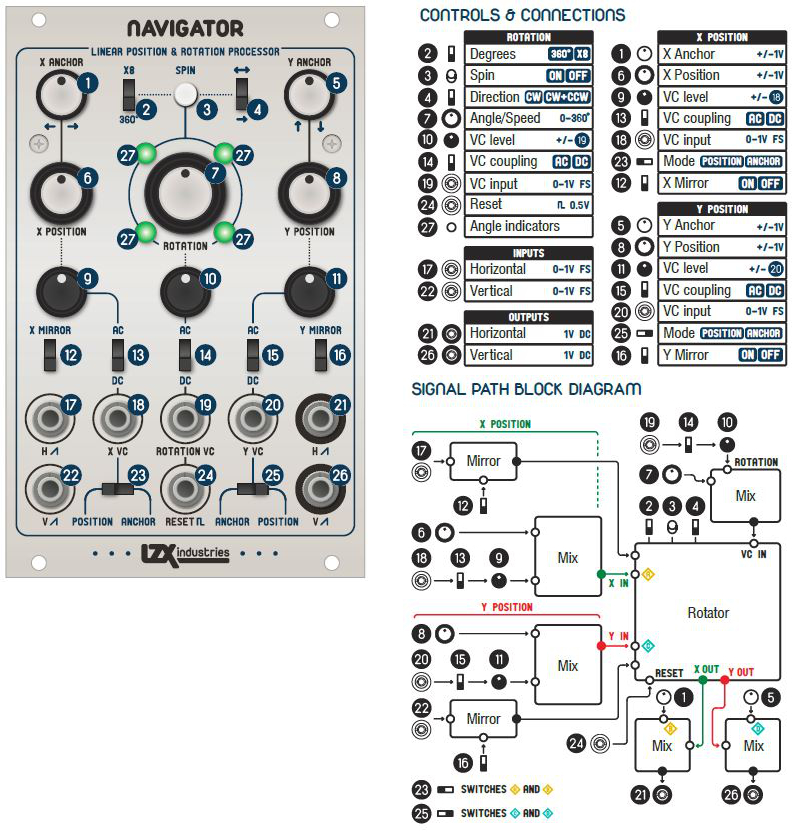
- Voltage controlled XY position and anchor point channels allow summing of a modulating voltage before and after rotation processes.
- Analog rotation processor with digital control allows modulation of the hue angle directly, or of the rotation spin speed in clockwise or counterclockwise directions.
- Dual full wave rectifiers allow for ramp-to-triangle shaping of the input signal. This enables quadrilateral and bilateral symmetrical mirroring of the resulting transformations.
- Signal path performs at high frequency, video rate speeds from input to output.
- AC/DC input coupling switches and inverting level attenuators on voltage control inputs.
Specifications
- Width, 16HP
- Mounting Depth, 32mm
- Power +12V @ 130mA
- Power -12V @ 100mA
Technical Notes
Navigator is an analog computer for the following formula:
cos(α+β)=cosαcosβ−sinαsinβ
sin(α+β)=sinαcosβ+cosαsinβ
sinα and cosα are the H and V ramp inputs.
sinβ and cosβ are the internally generated Sine/Cosine quadrature waveforms.
sin(α+β) and cos(α+β) are the HV outs
The “spin” mode just increments the phase of the Sine/Cosine modulators infinitely backwards or forwards, whereas the manual rotation mode just sets the angle directly.
Anchor point translation sums an offset before rotation.
Position point translation sums an offset after rotation.
User Reference
Videos
Patching Tips
- Modulate X/Y position and rotation using external oscillators (or video) to get a good handle on what happens under modulation.
- Play with all of the various rotation modes and switches to see how they effect the output signal.
- View the difference between “Position” and “Anchor” modes on the selection switches at the bottom, while X & Y position are being modulated.
- Try feeding H & V with 2 color channels from an RGB video source to achieve colorspace rotation.
- Use only one input (H or V) and use the H & V outputs as a cyclical signal panner.
- View the difference of rotation and position with the X & Y mirror switches both on and off.