Memory Palace Micro SD Connector
Category: Helpdesk · Tags: memorypalace, microsd · Posts: 4
#1 — Nathan · 2019-07-19
I was unsuccessful with updating the firmware on my MP, on boot up it stalls on the opening screen. System recovery needed I suppose.
The manual explains the system recovery procedure as having to remove the MicroSD card from the back of the MP and manually downloading the update onto the card through a reader connected to my computer.
I cannot seem to work out how to remove the card from its connector in the MP.
Manual states:
“remove the MicroSD card from its hinged connector. To do this, push gently upward on the hinged connector (away from the power connector), and then lift it upwards to access the MicroSD card.”
Ive pushed in all directions (including away from the power connector) and need assistance with which way is “up” when looking at the back of MP. Im used to the regular sliding card connectors.
Id really like to get to using my Memory Palace and don’t want to brick it beforehand.
Any help?
#2 — 337is · 2019-07-19
Here’s a link to a thread on the FB group page which may be of use to you:


https://www.facebook.com/groups/lzxindustries/permalink/1243912192446765?sfns=xmwaAnyone got any tips on how to get the Memory Palace SD card out? I very nearly bricked mine trying to do a firmware update and want to try the brute force way but can't seem to work out how to open...
Link: Stefan Goodchild
#3 — Z0NK0UT · 2019-07-19
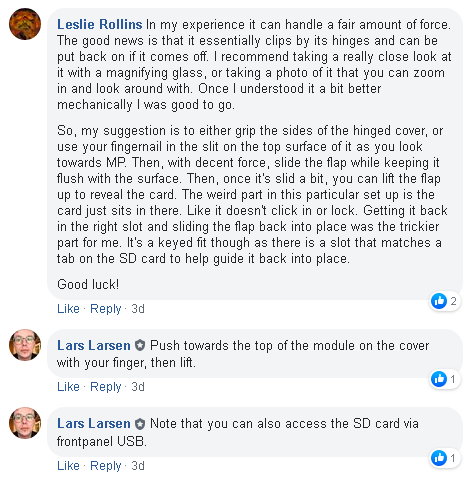
#4 — Nathan · 2019-07-23
Thanks.
Leslies tip with the fingernail on the metal casing did the trick.
The problem previously was that I was pushing on the actual card… the card doesnt move at all hense the concern something might break.
The metal outer casing moves quite easily however.
Cheers