Capture and recording interface recommendations
Category: Unknown · Tags: capture · Posts: 99
#1 — creatorlars · 2018-07-21
Please post your recommendations and reviews of capture and recording devices, along with notes on setup that may be helpful to other users.
At LZX Industries we love the Blackmagic Intensity Shuttle. While some devices may be quicker to set up and configure, you can’t find a better quality analog recording interface for the same price:
https://www.blackmagicdesign.com/products/intensity
#2 — creatorlars · 2018-07-21
#3 — bsarps · 2018-07-23
I found out the hard way that these Intensity Shuttles (at least the usb3 model) are very picky about the USB chipset you’re using.
After some research, I found this card https://smile.amazon.com/gp/product/B00ITJ7X9K/ based on a NEC chipset. It seems to work quite well for capture in Windows 10 with Adobe Premiere for standard capture.
Originally, I bought this to use for live VJ purposes but I can’t get the shuttle to work very reliably with my late 2016 Macbook Pro (at least with VDMX/Resolume). I get frame drops whenever I try to do basic operations like using the menubar. I plan on doing some additional testing with other hardware manufacturers in the near future (I’ll add to this thread when I manage to get around to it).
#4 — creatorlars · 2018-07-23
That’s definitely something worth mentioning here: avoid the USB version of the shuttle unless you can confirm your chipset. We have the Thunderbolt2 models and use them with a desktop PC and Thinkpad laptops. They are trouble free but sometimes we have to to reset the format settings after plugging them in.
#5 — a_digital_index · 2018-08-19
I’ll just add here that’s I use the TB2 Intensity Shuttle as a way of outputting full color video into my LZX System. This is using a Current MacBookPro (TB3,Touchbar variety). I’ve used it without issue with FCP7, Resolve and Premiere to output video.
So it is fine with a TB3 to TB2 adaptor between it.
And they run hot!
#6 — andavolley · 2018-11-18
For the Vidiot, I’ve had good luck with Vidiot -> Gana AV2HDMI -> Magewell HDMI Plus -> Resolume. I already had the Magewell to work with streaming with my G85. For quick recording, I also use Elgato, but it only seems to work with the Elgato recording app. I want to try Blackmagic, but the reviews lately seem mixed on them.
#7 — Jesse · 2018-12-02
I’m REALLY happy with the Blackmagic Intensity Pro 4k PCI-E card. $199
https://www.blackmagicdesign.com/products/intensitypro4k
On Win10 & can use their utility or Premiere to capture. Of note, it allows recording & sending video out at the same time (full duplex or something) so it’s possible to be sending clips to LZX for processing & recording the LZX output at the same time from the same puter. Admittedly I haven’t messed with that much, noticed it lagged some and haven’t gotten around to toying with settings to see if that can be diminished. I rarely hit record (bad habit) so it fell low in the priority queue.
Can upscale real-time while recording too, again I never do that but works A-OK far as I could tell.
#8 — bsarps · 2019-02-18
I’ve had mixed results with BlackMagic devices (frame dropout and increased latency when using with VJ apps like Resolume and VDMX).
Magewell USB DVI Capture Plus - It hits the sweet spot for me since it comes with a breakout cable that can capture all of the following: DVI, HDMI (1080p60), VGA, CVBS, Component. I’ve been using it with Resolume 6 on a Windows 10 laptop (I notice about a frame of latency and it runs silky smooth 90% of the time).
(Side note) Ambery S-Video to Component is great for converting CVBS & S-Video to Component.
#9 — 48HourVideo · 2019-02-18
We’re currently using the Atomos Connect Convert Scale Analog-to-SDI/HDMI to merge Visual Cortex component output with 3.5mm stereo audio data from an H6 audio recorder line out, delivered over HDMI cable to an Atomos Ninja Inferno for recording to SSD.
The Atomos uses dip switches, although it can also be connected to a computer as well. We’ve used it straight out of the box with dip-switch settings only.
Some preliminary results: https://youtu.be/eTViN2wljvU
#10 — efp3 · 2019-02-18
Just got my BM thunderbolt shuttle connected. Running a MacBook Pro with Touch Bar. They do run hot! I am still trying to get my audio captured, I am new to this. Update. Got the audio capture to work.
#11 — efp3 · 2019-05-16
I get my BM thunderbolt to capture video and audio, to my MacBook Pro, and it looks good in Media Express, but when I go to export it I loose definition in the edges. Not sure what I am doing wrong. Can anyone advise?
#12 — Tremendm_Labs · 2019-05-21
For composite and s-video signals, at Tremendm Labs we prefer the Elgato Video Capture. We use it every week on our stream!
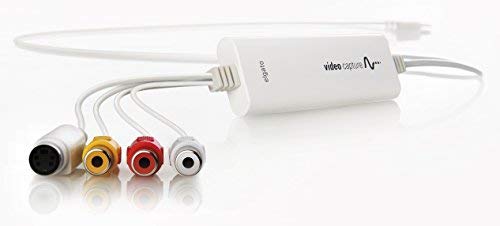
https://www.amazon.com/Elgato-Video-Capture-Digitise-iPad/dp/B0029U2YSA
Link: Amazon.com: Elgato Video Capture - Digitize Video for Mac, PC or iPad (USB 2.0):...
For HDMI signals we use the Elgato Cam Link, which we also use live weekly, but hope to phase it out soon with the Roland V4-EX.
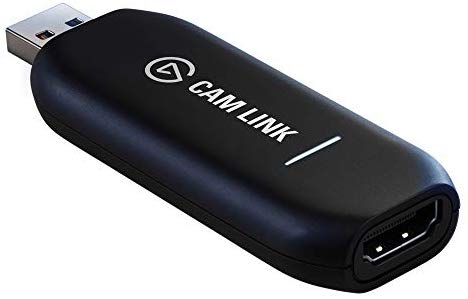
https://www.amazon.com/Elgato-Cam-Link-Broadcast-Camcorder/dp/B07K3FN5MR
Link: Amazon.com: Elgato Cam Link 4K — Broadcast Live, Record via DSLR, Camcorder, or...
#13 — Z0NK0UT · 2019-06-08
There is a new video up on the LZX YouTube that offers lots of good tips for capturing video.
#14 — Landlord · 2019-08-23
I am looking for a stand alone capture system for svhs. I tried the HDMI output (from Panasonic DVD/HDD) but due to HDCP, the Ninja Flame could not accept. How does Atomos converter handle HDCP (starting from s-video)?
#15 — Dr_Rek · 2020-04-17
I started out with an Intensity Shuttle TB2 with a MacBook Pro 2013, but it started to have capture dropouts very frequently after a year or so.
Currently I am using an Atomos Ninja 2, it’s been great as both a monitor and capture device. Highly recommended and cheap to acquire now as they are out of date tech in the Atomos lineup.
#16 — hhuuhhuuhh · 2020-09-01
How’s the Atomos Connect Convert been working for you? I’m trying to make up my mind on which analogue to SDI converter to get.
#17 — nerdware · 2020-09-01
I have no experience with Atmos devices, so I’m also interested.
However, I’ve had consistantly good results using a BLM Analog to SDI Mini Converter for the last 5 years. I mainly use it for capturing/monitoring the component output from a VC, but I’ve also used it for composite video. I’ve yet to capture any S-Video, but I could do that too if I had an S-Video breakout cable. I use a number of other BLM Mini Converters, too.
I’ve also had good results with the BLM HDMI to SDI Micro Converter. I really like the small size and that it can be powered from a standard USB power source. I use a 5-port PSU to run a number of small converters, video players etc.
#18 — pitfiend · 2020-12-11
Continued from a Chromagnon thread:
What type of workflows should I consider to run a single video through Chromagnon multiple times successively? The goal is to take a dry video, pass it through Chromagnon for luma (or chroma/shape, order isn’t important), record the wet video, send that wet video back through for chroma, then shape, and then end with it digitized. I’m trying to think of an elegant way to do this.
I’m agnostic on standalone vs. computer based, but I only have USB 3.0 and I’ve heard the BMD Intensity Shuttle can be persnickety. It’d be cool to end with digital files of each pass for editing together. And since Chromagnon can do 1080i, component would be neat.
Has anyone used a workflow like this? I’m trying to figure out what the options are. Laptop HDMI > HDMI to component > Chromagnon > component to HDMI/SDI > standalone recorder? Media player and a standalone? My ideas seem either too slow/finicky, or push the cost high.
#19 — Z0NK0UT · 2020-12-11
Lots of different ways to do this, of course. The cheapest method I can think of is to use an Andor media player as the source and record with your laptop. That way you can put the recorded videos onto a USB drive and quickly move them over to the Andor for playback. To get Andor into Chromagnon, you could use a cheap HDMI to component video box. To capture video from Chromagnon you could use a component to HDMI box, then go into an HDMI to USB adapter and record in OBS (or VLC or preferred recording software). There are definitely higher quality (and more expensive) ways to do this.
#20 — wednesdayayay · 2020-12-11
I’m recording to component → extron 300a → hyperdeck shuttle 2 (SSD) then playing back via AndOr
rinse and repeat as many times as you want.
I’m also recording and playing back via two VHS decks
it offers a lot of flexibility.
Eventually I’ll get it set up where I can also playback from the hyperdeck shuttle 2 when not using it to record but that isn’t really how I’m working right now.
you can see this technique all over this video of mine
https://www.youtube.com/watch?v=a-FgQAn9rxkHere are a couple other things I wrote that will be helpful.

https://scanlines.xyz/t/how-to-capture-video-wiki-stand-alone-or-otherwise/168wikicamerathis is a wiki feel free to edit/add this post (I’m trying to only add things that I’ve used so if you see something that isn’t on here put it up!) the goal here is to help describe different methods of capturing video to some kind of medium. ...
Reading time: 6 mins 🕑Likes: 36 ❤
Link: How to capture video wiki (stand alone or otherwise)
https://scanlines.xyz/t/hardware-video-converters-scalers/102wikiComposite / S-Video > Component Extron DVS 204 Extron DVS 304 Ambery SDv1 retrotink - 2X classic (also 240p>480p) Analog Way EFD341 EasyFade (also basic switching, keying and picture adjustment; for scaling, EasyCut is functionally the...
Reading time: 1 mins 🕑Likes: 5 ❤
Link: Hardware video converters/scalers
#21 — pitfiend · 2020-12-11
Z0NK0UT wrote:
cheap HDMI to component / component to HDMI video box
These seem to range from $25-$250+. I’ve been looking at Ambery’s $25 pair of HDMI > Component and Component > HDMI. Is the bottleneck on quality the HDMI version, color depth (if noted), and the bandwidth (the Mhz/Gbps figure)?
wednesdayayay wrote:
Here are a couple other things I wrote that will be helpful.
I didn’t know you wrote them, but I’ve been referencing them heavily. Much appreciated!
Seems like Player > Laptop, Laptop > Recorder, or Player > Recorder are the options. Is it possible to do some kind of laptop > laptop system, where you’re outputting and inputting from the laptop?
Since Component <> HDMI options seem limited, would the biggest upgrade in quality be using SDI? For repeated processing, the whole chain would have to be the same quality in order to not get bottlenecked. In that scenario, it seems like Two BMD recorders with SDI > Analog and Analog > SDI converter boxes are the easiest solution.
Thanks for the pointers. Lot to work out still. A composite 480i setup is a piece of cake, but the lure of 1080 component is strong.
#22 — sean · 2020-12-11
While it doesn’t sound like my particular setup will be a good solution for you, I will say that I personally find computer playback, from VJ software where I can easily make various manipulations (sometimes just minimal ones like slightly different scaling/cropping), and standalone capture to be the most convenient workflow.
The gotcha on that Ambery scaler has always been that it outputs 480 progressive rather than interlaced, so it’s a no-go with Visual Cortex. But if I am not mistaken Chromagnon’s TBC should handle 480p (and more) just fine, so that should be a viable option with it (if the quality is okay; a bit wary of that thing since it appears to be the same one available even cheaper via Ebay/Amazon, though general feedback here on items which Ambery stocks seems to be positive).
#23 — pitfiend · 2020-12-12
I’ve been doing a deep dive into this. It seems like the Blackmagic Ultrastudio HD Mini + 1 converter is a good option, but it uses TB3. There’s the Decklink Duo 2 that does SDI in/out, which would require two converters and is PCIe.
It looks like the best potential option is the BM Intensity Pro 4k. It’s also PCIe card, but it has component (RGBLR) ins and outs. It says it supports 1080i60, And there’s one report on the FB LZX group of successfully using it for I/O playback/capture. Unless I’m missing something, that seems like a really strong option. I’ve found some negative reviews around online but most of those people seem to be using it for different use cases (HDMI, UHD workflows).
Edit: it appears there’s a previous version of this card, the Blackmagic Intensity Pro. Very affordable second hand, but I’m not sure how it works with current OSes, current firmwares, and specific motherboards. Also can’t tell if it does simultaneous i/o or just thru monitoring.
#24 — Tundra_Tides · 2021-01-06
following on from comments about the Atomos Ninja V, what converters are people using?
#25 — vhsdestroyer · 2021-01-07
I was just sellin an elgato!! Pretty solid in my experience, little lag but thats to be expected.
#26 — Tremendm_Labs · 2021-01-07
Yea we actually are looking to upgrade to a BlackMagic Design ATEM mini pro. It has 4 hdmi inputs, can record straight to an external hard drive via usb c, with the ability to stream to any platform without having to run it into your computer but if you still want to run it into your computer for recording/streaming you can use the usb c as a video capture, you just won’t be able record from the usb c but instead to your computer. Super powerful tool for anyone that is streaming or recording with multiple inputs
#27 — Vibes · 2021-02-14
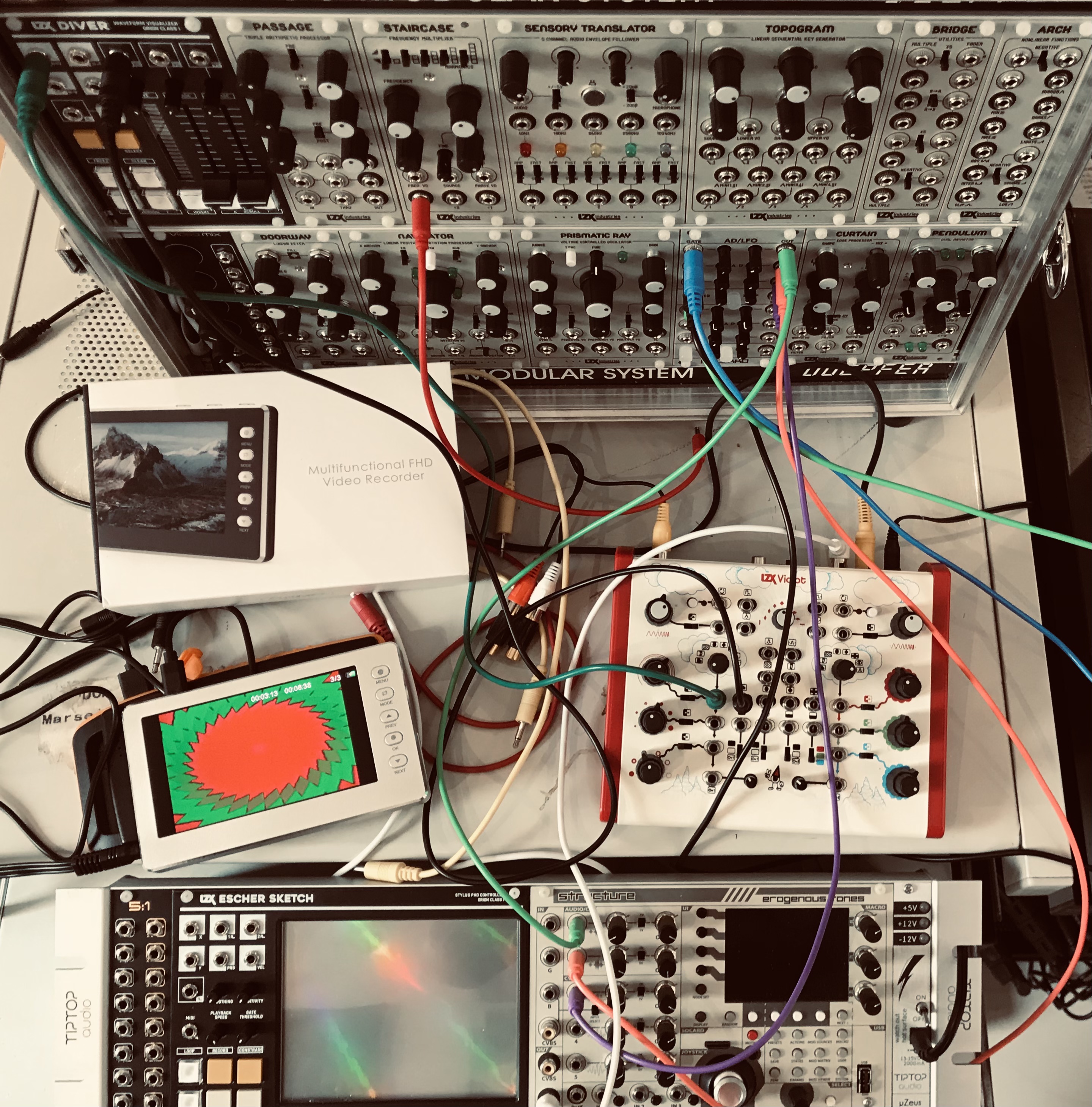
I love this av & HDMI capture box with superb 5" screen. the Internal battery and speakers are rubbish but the captured sound is good and it can be powered with a 5v power-bank.
It is possible to connect another screen on av or HDMI while recording but I did not try this.
it froze a couple of times when I received it but with the right parameters it works like a charm .
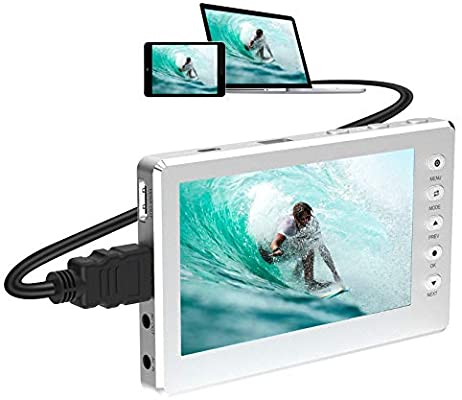
https://www.amazon.com/dp/B08PBMY6TD/ref=as_sl_pc_tf_til?tag=&linkCode=w00&linkId=&creativeASIN=B08PBMY6TDBuy DIGITNOW HD Video Capture Box 1080P 60FPS USB 2.0 Video to Digital Converter with 5" OLED Screen, AV&HDMI Video Recorder Capture from VCR, DVD, VHS Tapes, Hi8, Camcorders, Gaming Systems -Silver: Internal TV Tuner & Capture Cards - Amazon.com ✓...
** $199.99 Link:** Amazon.com: DIGITNOW HD Video Capture Box 1080P 60FPS USB 2.0 Video to Digital...
#29 — midi_marc · 2021-07-12
I purchased this HDMI to NDI converter for $229 and it works very well! Low latency and low CPU usage on OBS machine when brining in NDI source.
https://www.tbsiptv.com/tbs2603se_ndi_supported_h.265_or_h.264_hdmi_video_encoder
#30 — esnho · 2021-09-16
Hi!
Do you have a sample video for that box?
Which is the recording format?
#31 — Vibes · 2021-09-17
I am not at home so this is to be confirmed, but I think it is .MOV up to 1920x1080 @ 60FPS, H.264 with Linear PCM audio (44.1KHz/16bit).
this is one of my impros recorded with the Digitnow.
https://www.youtube.com/watch?v=Zoq8hRNXEUo
#32 — dryodryo · 2021-11-13
I thought I was clever, buying an Intensity Shuttle for USB 3.0. “Ooh, this is one of those cool devices they don’t make anymore, and it will work without upgrading my computer.” How wrong I was. It seems to capture video fine, but audio is hopelessly distorted, both input and output.
I had no idea about the massive compatibility issues. Now I guess I need to cram another PCI card into my PC. But the whole point of getting the external box was to avoid that. GRRR.
In one of the many extremely long Blackmagic forum posts, someone mentioned using a powered USB hub. Anyone here ever tried that? It sounds plausible, the Shuttle is trying to draw more current than the motherboard can reliably supply. I have a very solid power supply in the PC, but I can’t control the motherboard specs.
#33 — nerdware · 2021-11-13
FWIW, I use a mini converter to convert to SDI. No problems, ever. The Intensity Shuttle is the only BMD product I’ve seen people complain about.
#34 — nerdware · 2021-11-13
You can avoid adding a PCI card to a computer by using one of the disk-recording devices. I use a Hyperdeck Shuttle, which is discontinued, but there are many alternatives. I prefer using a computer for playback, but there are devices for that too. I have one of the LZX players.
However, definitely try a powered hub first.
As with anything this complex, the options can be summarised as “Fast, cheap, reliable; pick any two.”
#35 — jbg · 2021-12-29
Just created an account to ask - how are you getting along with the DIGITNOW capture box since your post? I happened upon this device and there’s very little info in the video synth world - mainly just wondering about stability, as there seems to be a lot of reviews mentioning that it crashes a lot.
#36 — stith · 2022-01-15
Curious about this as well, it seems like a really nice solution but not if it’s crashing often.
#37 — Kent · 2022-02-26
Hello all,
Does anyone have any insight into or option regarding the AJA IO HD?
Anything to look out for? I’ve got an opportunity to pick one up for 200€.
Tied to Firewire800 but will also function as a convert anything to anything standalone device. I’d like to use it to record my noodling and hardware convert to ProRes.
Thanks!
#38 — reverselandfill · 2022-02-26
Kent wrote:
AJA IO HD
200,- is probably a good price for this, looks expensive! (I see new prices at 3000,- dollar)
featurewise it is pretty great, right?
reviews are also good. I’d say, go for it!
#39 — a_digital_index · 2022-02-28
I use the AJA IO XT which is the same but Thunderbolt version. Rock solid. I use it to send the output of Premiere into my LZX system. Does a great job downscaling 1080 to 525i in real time.
#40 — vhsdestroyer · 2022-02-28
BMD ultrastudio HD mini is a super solid option if you have a computer that supports thunderbolt 3. Average price between 300-400 but captures are super clean. HDMI and SDI conversion and output as well are real nice.
#41 — Kent · 2022-03-01
Thank you, all. I very much appreciate it.
I’m very much holding off on going Thunderbolt as my entire studio is running on Firewire800; all drives, audio interfaces, etc.
The UltraStudio does sound nice though.
This may change during 2022, yet I’d probably keep using the same MacIntrash for conversion to ProRes.
#42 — Kent · 2022-03-02
I just picked up a different one for 200€.
The first guy flaked out on me but I got another, along with some free BNC coax thrown in.
I’m literally headed home with it and could only test it for communication via the control panel on my Mac. Everything seems to be fine. Will probably install it tomorrow morning and give it a test.
Thanks for advice and encouragement.
#43 — a_digital_index · 2022-03-09
Kent,
AJA configurations can be pretty tricky at first. PM me if you need help getting up and running and we can get on a zoom. Also, there are ways to use it as a passthrough converter without your computer which BMD just won’t ever do.
#44 — Kent · 2022-03-09
Thanks! I’m waiting upon a USB to RS232 unit so that I can update my scaler. I will go YPbPr out of the scaler to the AJA io HD for capture and conversion to something that my PVM can handle.
I’ll take advantage of your generosity should I run into trouble. Thanks again.
#45 — stith · 2022-03-16
I bought this DIGITNOW recorder and tried it out at my first live gig last week. It was… fine? Quality was alright and having a little screen to position as a monitor was really nice. It didn’t crash on me during the show luckily, though it has crashed while I’m at home playing around randomly.
But! I would not recommend it to anyone else who is trying to record live performances. The docs are very open about the fact that the max recording file size is 4GB. What they don’t mention is that when the file reaches 4GB, it stops the recording and restarts it again, causing a gap of 3-4 seconds in your recorded video!
Fine for many applications, unacceptable for live

idk if it’s the kind of thing they can improve with a firmware update, but unless they do I’d say make sure you know your use-cases before you commit to buying it.
#46 — Agawell · 2022-03-16
Hi stith
I’ve got a few quick questions:
were you recording from component?
if so how long was the 4GB file that was recorded?
was this with stereo audio?
after the 3-4 second gap was a second file started? so file1 stops recording when it gets to 4GB then there’s a 3-4 second gap before file2 starts recording?
#48 — stith · 2022-03-17
the unit only has HDMI input, not component. i sent my cortex’s component signal into a converter and split the HDMI out from there to the DIGITNOW and then to the main screen.
the files were about 26 minutes long, with stereo audio from a 3.5mm cable injected in at my converter. and yeah, you have it right. it stops recording and then automatically starts again a few seconds later. presumably it’s like… finalizing the file or something.
#49 — Agawell · 2022-03-17
It looks like there’s a DIGITNOW recorder with a screen and component in and hdmi output - which is a decent price - I might give one of them a go then - 26 mins is long enough for me…
ah just checked it’s composite - might skip for now then and just keep on using iphone iphone - just have to find my usb adapter (again) to record audio
#50 — complaintdept · 2022-03-27
One cheap solution that I don’t see mentioned regularly (I don’t think anyways) is using a mini DV camera to firewire to computer. Some of you may already be fully equipped for this if you have a firewire port.
A lot of old mini DV cameras can convert AV to DV so you can just connect via firewire and capture. I use S-video out of VC into a canon zr40 (these can be had for very cheap on ebay, under 50USD, I’m sure a number of other cameras can handle this conversion, this just what I have on hand) then firewire out to an old desktop with Premiere to capture. I suppose you could also capture your video to mini DV tape then capture later if you wanted a more mobile standalone, computer-free capture.
Not sure how much the camera used affects the conversion. Definitely curious how much of a factor that is. I also have an El Gato, which works well, and while I haven’t done any scientific side by side comparison, the video captured via DV camera generally looks better.
Another nice feature is that it works the other way too, you can send video from firewire into your system with AV-DV off.
Maybe this is obvious, but hopefully it’s helpful to someone out there!
#51 — 337is · 2022-03-27
Not obvious to me and SUPER helpful. Thanks!
#52 — giantmecha · 2022-03-29
Has anyone’s Intensity Shuttle Thunderbolt suddenly stopped showing ProRes as an option for capture format? Quicktime Uncompressed and DPX are now the only choices I have. Didn’t update my OS or anything…this just started happening out of nowhere. Black magic indeed.


#53 — droningbrightnessav · 2022-08-28
Hey ya’ll,
does anyone have capture recommendations for use with ESG3? i’m trying to explore some affordable 1080 options before my preorder is shipped (hopefully very soon

) in the past ive stuck with camera capture but i’m now leaning towards stand alone or capture card/interface with composite and/or component input. my PC should be more than capable of handling captures. Is converting to sdi before capture worth it? what would be a solid recording setup?thanks for your recommendations,
Keith
#54 — Robbertunist · 2022-08-28
Hello Keith, @droningbrightnessav
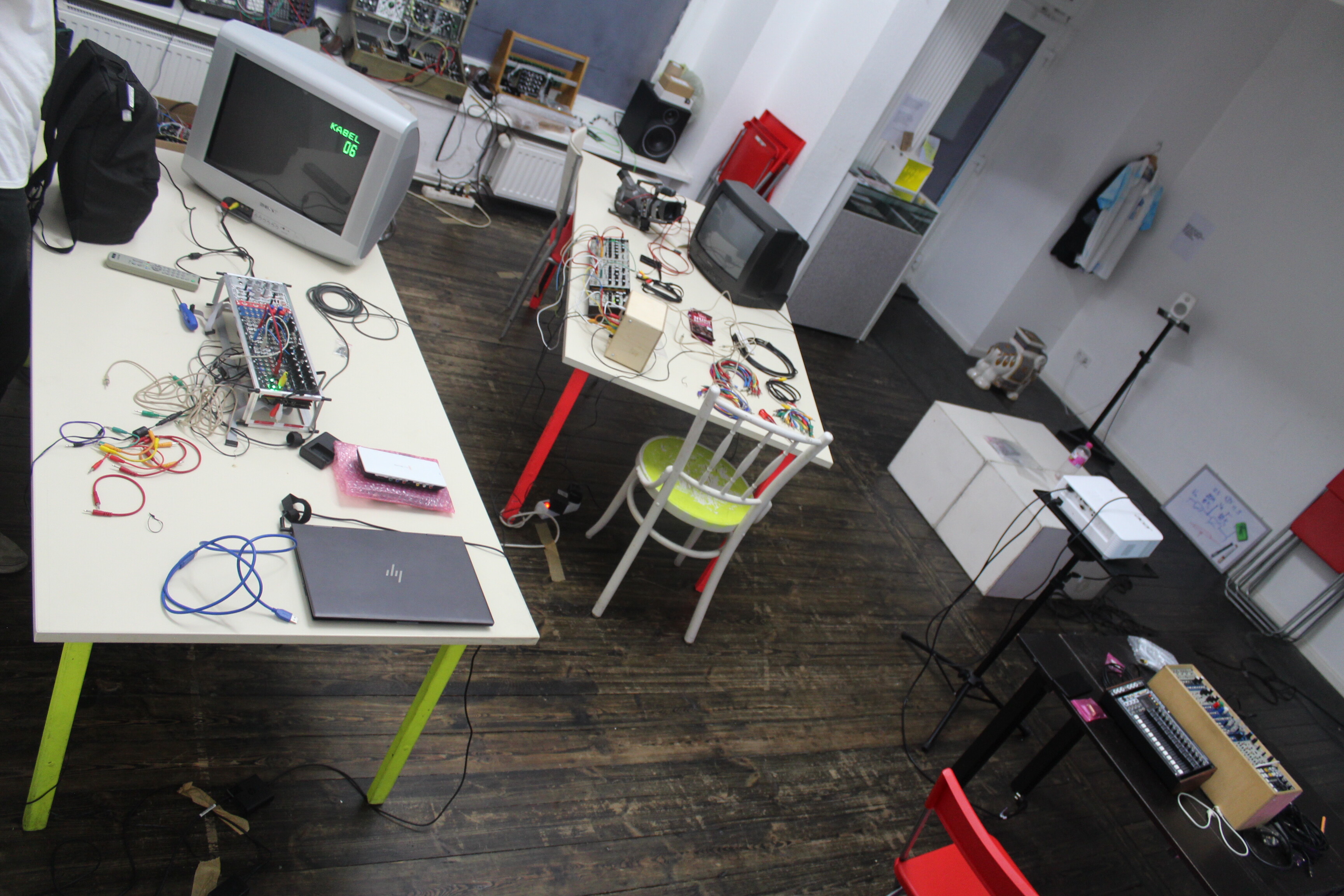
Myself & @cinema.av gave a workshop & Gen3 demonstration in Berlin yesterday evening & used my BlackMagic Intensity Shuttle (USB3 version) with my HP laptop & it worked perfectly fine capturing video with OBS. Evan set it up so it was about 3.1MB per second, about 200MB per minute. I’m sure it was set to 1080p25 PAL via the dip switches.
I hope this helps.
Here’s the CCTV perspective of the workshop once we’d finished

#55 — nerdware · 2022-08-28
Robbertunist wrote:
BlackMagic Intensity Shuttle
Can you still buy a BlackMagic Intensity Shuttle?
#56 — Robbertunist · 2022-08-28
Good point @nerdware, it’s long out of stock but they’re easily found used & are often very reasonably priced with current drivers still available from the BM website for Windows 10, my laptop is about 4 years old & I picked up my BMIS only about 2 months ago

This site says the driver is compatible with Win 11:

treexy.comhttps://treexy.com/products/driver-fusion/database/sound-video-and-game-controllers/blackmagic/intensity-shuttle/Get the latest official Blackmagic Intensity Shuttle sound, video, and game controller drivers for Windows 11, 10, 8.1, 8, 7, Vista, XP PCs. Update drivers with the largest database available.
Link: Download Blackmagic Intensity Shuttle Sound, Video, and Game Controller...
#57 — droningbrightnessav · 2022-08-29
hmmm i wonder about windows 11 compatibility.
#58 — droningbrightnessav · 2022-08-29
oops just saw the link posted. good to know. thanks for your input.
#59 — prakodr · 2022-08-29
Blackmagic Design still make the Intensity PCIe version if that works for anybody
#60 — Dr_Rek · 2022-08-29
My Atomos Ninja 2 is still doing great, but just found out it won’t capture 1080p 59.94/60 fps, but can do 720p 59.94 fps for now. Looking for a used Blackmagic Video Assist 5" 3G for my next capture device, as I’ll be able to use a Black Magic component to SDI converter to capture 10-bit color as well. Need those smooth gradient captures for my studio work. Alternatively, I may try to revive my Intensity shuttle TB2 with a TB3 adaptor and 2020 Intel MBP for home studio captures, but I don’t recommend the Thunderbolt model.
#61 — creatorlars · 2022-08-29
For what it’s worth, the Gen3 formats cap out at 1080p30/1080i60, so you don’t need it to support 1080p60 capture, if recording ESG3 is the goal.
#62 — Dr_Rek · 2022-08-29
Yea, it’s low down on budget priorities due to this and having other options at home already. It’s more a pipe dream for me, or info for others searching for a solution at the moment. But I can do 720p 59.94, and then upscale in my Roland V-40HD to 1080p 59.94, so would have liked to be able capture that at a show someday.
#63 — Dr_Rek · 2022-09-02
Roland V-40HD mixer reminded me why this is important again today. It won’t do 1080p 29.97 output. So 720p 59.94 is my capture limit via Ninja 2 from the main video mixer. I’ll probably be getting a BMD camera assist soon

#64 — giantmecha · 2022-09-05
Have any Mac users been able to get their Intensity Shuttle to recognize any of the HD formats from ESG? I’ve tried all the 720/1080 options on multiple computers, and using multiple capture softwares (Media Express, OBS, VDMX, BlackSyphon), but no luck so far.
#65 — Fox · 2022-09-05
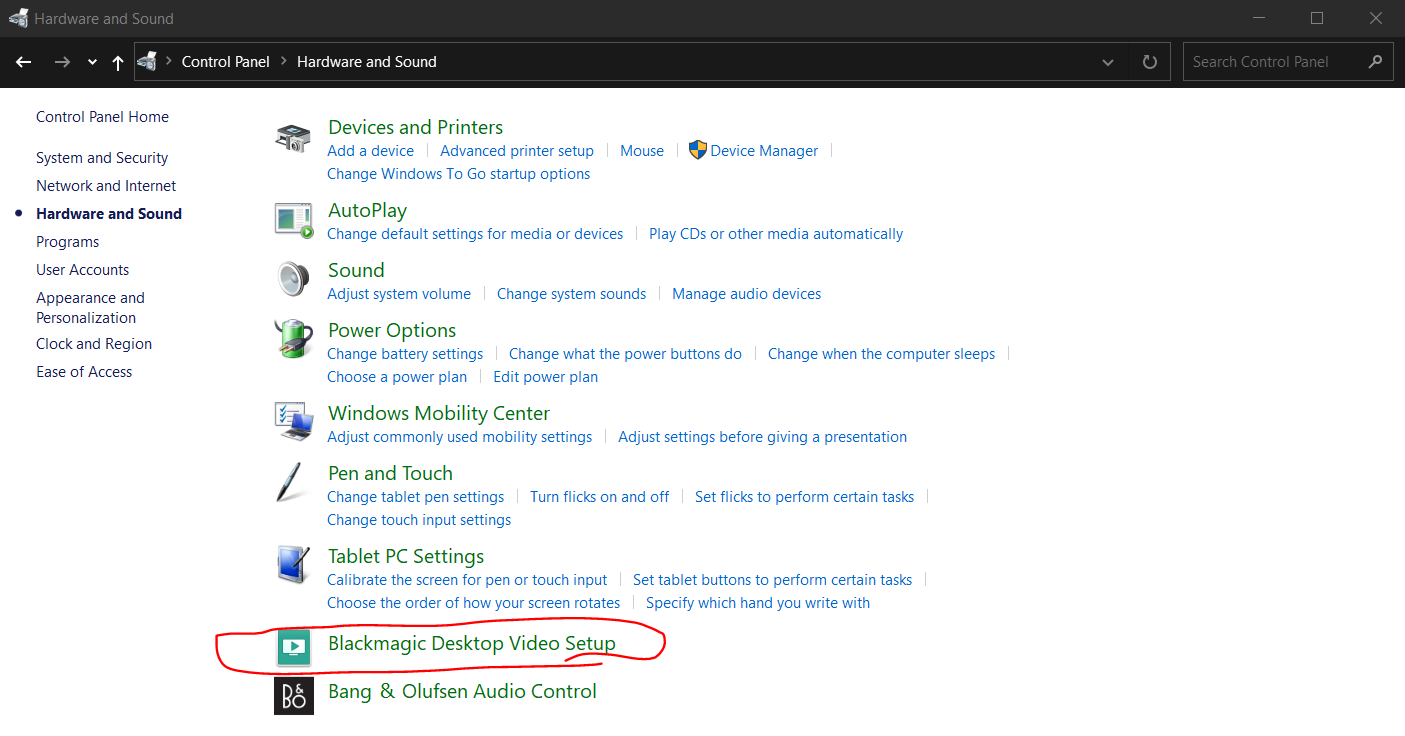
Have you configured the BMI to look for the correct input with the Black Magic Desktop Video Setup?
#66 — giantmecha · 2022-09-05
Yep, it’s set to component input. Oddly ESG HD into (USB) Intensity Shuttle works on PC, but neither USB nor Thunderbolt Shuttles are finding it on Mac.
#67 — Fox · 2022-09-05
Oh, sorry. I glazed right over “mac users.” I won’t be any help. Good luck!
#68 — creatorlars · 2022-09-06
giantmecha wrote:
Yep, it’s set to component input. Oddly ESG HD into (USB) Intensity Shuttle works on PC, but neither USB nor Thunderbolt Shuttles are finding it on Mac.
That’s a really good note (and weird!) We’re kitting up and writing test plans for a week of in house testing right now. Intensity Shuttle behaves well for us on our Thinkpad Laptops with Thunderbolt 3, but we haven’t tried with the Mac Mini we have here.
#69 — giantmecha · 2022-09-06
Thanks, Lars! Yeah, it’s strange. Oddly enough there’s a (mandatory) Intensity Shuttle firmware update that must have gone live in the past few days, but I wasn’t having any luck with HD capture before or after updating.
Oh, also: I think @meudiademorte might have mentioned the same issue somewhere, but I haven’t yet had luck getting the BM Analog-to-SDI Mini Converter to lock to any of the HD formats either.
Awesome work on the Gen3 stuff btw, working with these new tools is a joy

#70 — meudiademorte · 2022-09-06
Esg to component in hd is no problem with my bmis. Problem starts if i use a bm analog to sdi. Cant get a signal. Short cables, updated Firmware, even checked the bm converter set up if i need more gain.
#71 — giantmecha · 2022-09-06
@meudiademorte are you using the BMIS with a Mac or PC? USB or Thunderbolt version?
#72 — meudiademorte · 2022-09-06
Mac (still on high siera) & usb
#73 — giantmecha · 2022-09-06
Hmm interesting, I tried one Mac running Mojave and another on the latest OS but no luck with either Shuttle. Will keep messing around with it.
#74 — Agawell · 2022-09-07
I just took delivery of a BM Analog->SDI, UpDownCross and Ultrastudio Recorder 3G…
Unfortunately I didn’t check the blackmagicdesign forum before ordering as it looks like the Recorder 3G is really picky with Thunderbolt cables… I bought a belkin Thunderbolt4 (alledgedly 100% compatible with T3) and whilst it shows up in the Mac system info it doesn’t in either BM Video Desktop or Media Express - looks like people have had issues with M1 MacBook Pros and cables that aren’t the Apple T3 cable - ordering that tomorrow - fingers crossed it works…
update - issue appears to be related to security settings in macOS - Both Desktop Video and Media Express both see the Ultrastudio Recorder 3G with the t4 cable - hurray - will test full chain tomorrow (it’s very late here now!)
further update - intended resolution (1080p25) and colour are now working (dip switch examples appear to be upside down and back to front in manual!!!) - now to change the aspect ratio!
soon Lumen->LZX->v4 output will be recorded in glorious HD
and another update - Got it all working - started recording… recording is very good!!! then I tried running the output of the Ultrastudio recorder 3G into Lumen - to create a feedback loop - and managed to crash the thunderbolt bus!!! worked again after a reboot… and managed to crash it again - about to try another reboot…
#76 — Dr_Rek · 2022-09-12
@giantmecha@meudiademorte So the Blackmagic Design Mini Converter Analog to SDI isn’t compatible with ESG3 / LZX timings?
That was my plan for full 10-bit capture using a BM Camera Assist 3G to capture the SDI conversion…
Maybe the BM Intensity Shuttle TB2 with a TB3 adapter on Intel MacBook Pro 2020 will work though for studio captures, will test it next week.
#77 — nerdware · 2022-09-12
I’d consider that a failure if it’s true.
#78 — meudiademorte · 2022-09-13
it shouldwork with bm analog to sdi but wasnt with my esg. also had some other troubles so its on the way back to lzx to get it checked.
#80 — Agawell · 2022-09-15
the analog to SDI works with my visual cortex via a v4…
#81 — Dr_Rek · 2022-09-16
Sorry this is in reference to HD timings, sounds like it was a bug in their two modules though. If anyone can confirm HD timings work with their ESG3 and BM analog to sdi, would love to know.
#82 — creatorlars · 2022-09-16
We’ve characterized the compatibility issue with Analog-to-SDI Mini Converter thoroughly at this point. It is related to the coasting frequency of the ESG3 crystal clock and locking range of the mini converter. We have solutions in the works, and we’ll publish some official info on this soon. In the mean time, we can confirm the Analog-to-SDI 12G Teranex converter does not produce the same issue, and has no problem recording ESG3 under any conditions.
#83 — Dr_Rek · 2022-09-19
creatorlars wrote:
Analog-to-SDI 12G Teranex converter
Dang that’s expensive, I’m on the lookout for better and cheaper solutions, please share if anyone finds something that works…
#84 — nerdware · 2022-09-19
I may simply wait for this flaw to be fixed. Hopefully in the next batch.
#85 — Dr_Rek · 2022-09-19
Anyone tried this?

magewell.comhttps://www.magewell.com/products/usb-capture-dvi-plusUSB Capture DVI Plus supports one 2048x2160 DVI input and loop-through. It brings DVI signal with resolution up to 2048x2160 to any computer for video conferencing, streaming and more via a USB 3.0 interface.
Link: USB Video Capture - Capture&Loop out one-channel DVI signal - Magewell
It may also be a solution for getting component into Andrei Jay devices. Like his upcoming gravity waaaves HD mixer
#86 — a_digital_index · 2022-09-20
We use the Magewell SDI to usb at work and they are very durable. Not sure about the overall image quality but it passes 1080 pretty well for our use-case.
#87 — brendanleespengler · 2022-11-18
Retiring my BMIS and needing to capture RSG3 w a trash can Mac Pro, which is only Thunderbolt 2. Have read through this thread, but am still totally confused. Please help!
#88 — Boneoh · 2022-11-18
I’m guessing that you meant ESG3, not RSG3. I was scratching my head on that. “I’m trying to think but nothing happens”, yeah I’m the last guy to ''get it" when we see a car with a funny personalized license plate.
I’m sure that others will post their recommendations.
In my case, I had a real budget for gear at that time. I bought a BM Analog to SDI mini converter and a BM HyperDeck Studio HD Mini. I believe in the old saying 'buy once, cry once". I really like the HyperDeck, it has an FTP server built in, so easy to just push the record button without having to move across the room to my computer.
#89 — nerdware · 2022-11-18
I have a Hyperdeck Shuttle and a 240 GB drive. That let’s me record 23 mins of HD video. Unlike the Studio model, it can’t format new drives, and it doesn’t like my 2 TB drive formated by a Win10 machine. The red LED flashes and I get errors on playback. Perhaps the drive is too big. When I can, I’ll test it with a smaller drive. 500 GB, maybe.
#90 — brendanleespengler · 2023-02-25
Hello, does anyone know if the Blackmagic Design UltraStudio 4K (TB2) has any hang ups with the OS you’re using, as the BM Intensity Shuttle does? Still looking for a capture solution from my ESG3 to my MacBook Pro. Thx!
#92 — acidk · 2023-05-06
Thanks again for being part of this awesome community!
Some answers of questions nobody has asked
- but maybe it could be useful for people starting on this topic like me two months ago, saving a lot of money
I do not own any LZX-module yet (shame!)
Core modules of my setup are currently two Erogenous Tones Structure!
Capture devices mentioned here are reflecting some personal experiences for MacOS (can’t comment on any solution for Windows).
Everybody recommended the Black Magic Intensity Shuttle, which works perfectly fine, a long as you are working on an INTEL MAC. Newer M1 or M2 Macs are not supported!
For my M2 MacBook Pro (2023) the Black Magic 3G recorder is a super choice as a capture card (not even expensive)!
I made a comparison video on Intensity Shuttle (capture and upscaler) and 3G recorder + cheapo-upscalers:
https://www.youtube.com/watch?v=UOqExmb-b6wSince I wanted to get away from all those adapter and upscaler-/capture-combinations,
I gave the Black Magic Ultra Studio Mini a try:

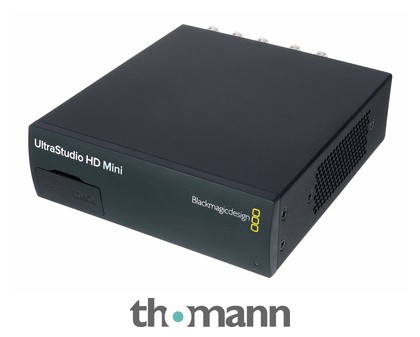
https://www.thomann.de/de/blackmagic_design_ultrastudio_hd_mini.htmBlackmagic Design UltraStudio HD Mini; tragbare Aufzeichnungs- und Wiedergabelösung mit Thunderbolt 3; kompakt genug, um ihn überall mit hinzunehmen und so leistungsstark, dass sie sich auch für High-End-Projekte eignet; kann alle Formate bis...
Link: Blackmagic Design UltraStudio HD Mini
Here, I was able to capture, but was not able to upscale to 1080 (the settings were grayed out in BM-Media express, but I also failed in OBS). No Idea, what went wrong here (maybe related to M2 - I don’t know). Super annoying fact (at least for me): you her the fan running ALL THE TIME!
My current (and final solution) is the combination of a RetoTink 5Xpro and the Black Magic Recorder 3G:
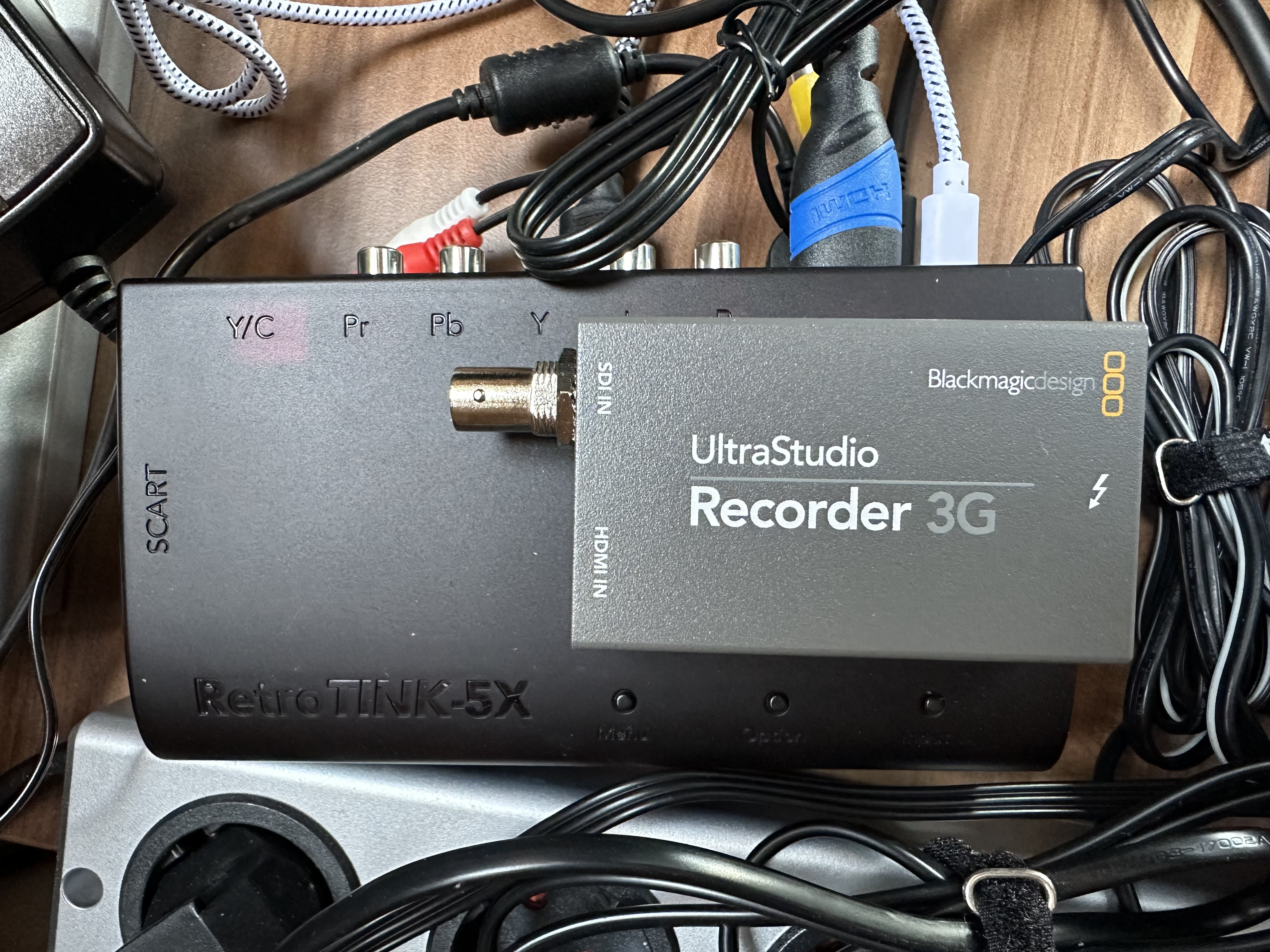
Quality of the RetroTink is absolutely awesome!
Still off my to-do list:
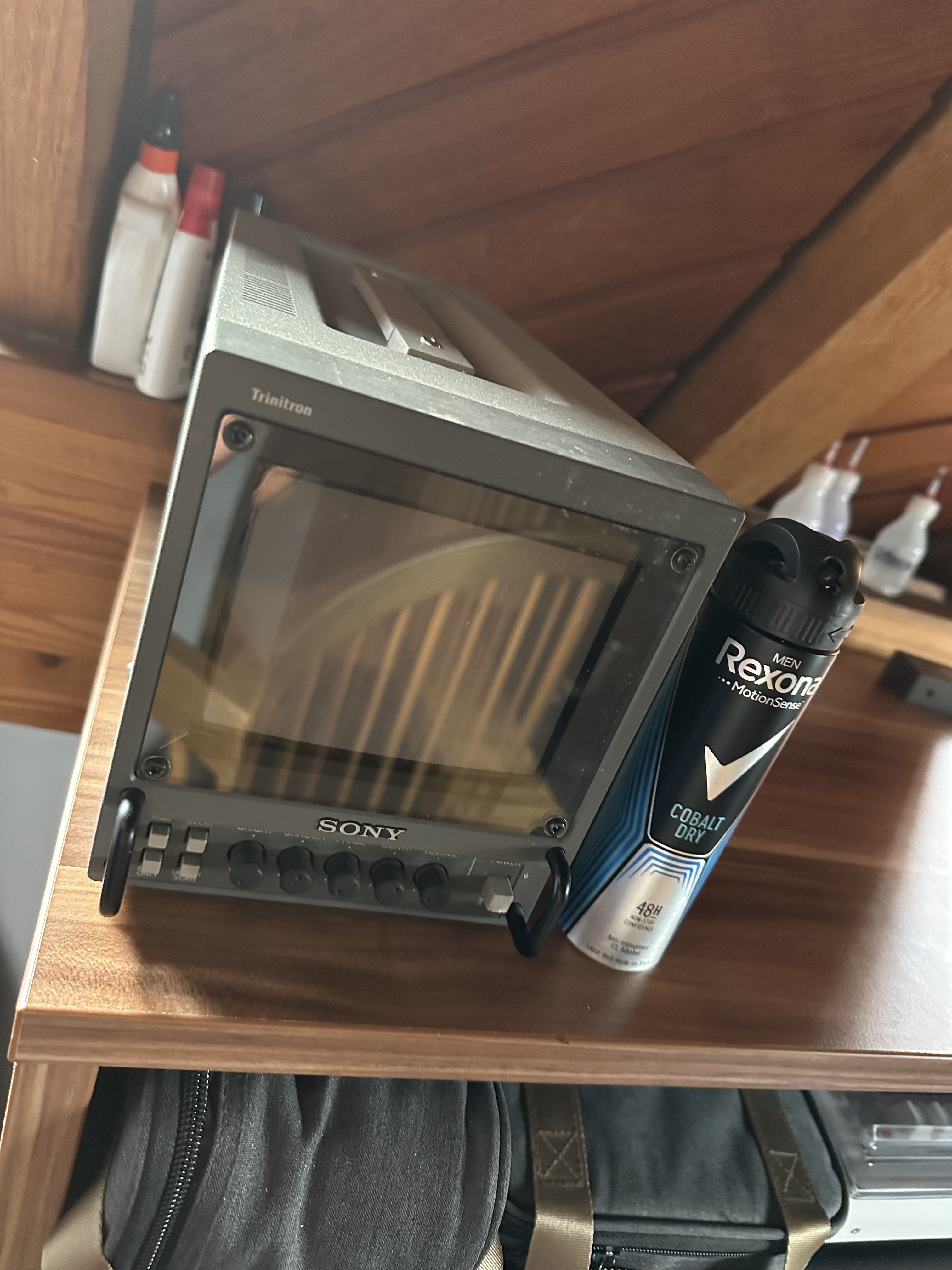
Rescanning of my tiny 5" PVM-6041QM with a Black Magic Pocket 4k (Sigma 56mm f 1.4)
#93 — nerdware · 2023-05-06
You have a good set of hardware, I think. I started equally small, or perhaps smaller - just a pair of LZX modules and a composite to DVI converter for monitoring (and I soon upgraded the monitoring). So I’d say you’re way past that point now.
I recommend upscaling in post-production, maybe in a video editor. (I use FFmpeg.) However, I find upscaling only makes sense when I’m combining SD and HD video. I’ve explored some other compositing/post-production techniques recently.
Rescanning at 4K sounds like a good move. There may be some advice on that elsewhere on this forum. BTW, I use short focal lengths for video feedback. So I recommend trying that too.
#94 — acidk · 2023-05-06
Thanks! Honestly - I never thought of upscaling in post (but I would have to convert the composite signal to HDMI anyway - in order to capture). Moreover, I wanted to have a rescanned picture of the LCD on my desk.
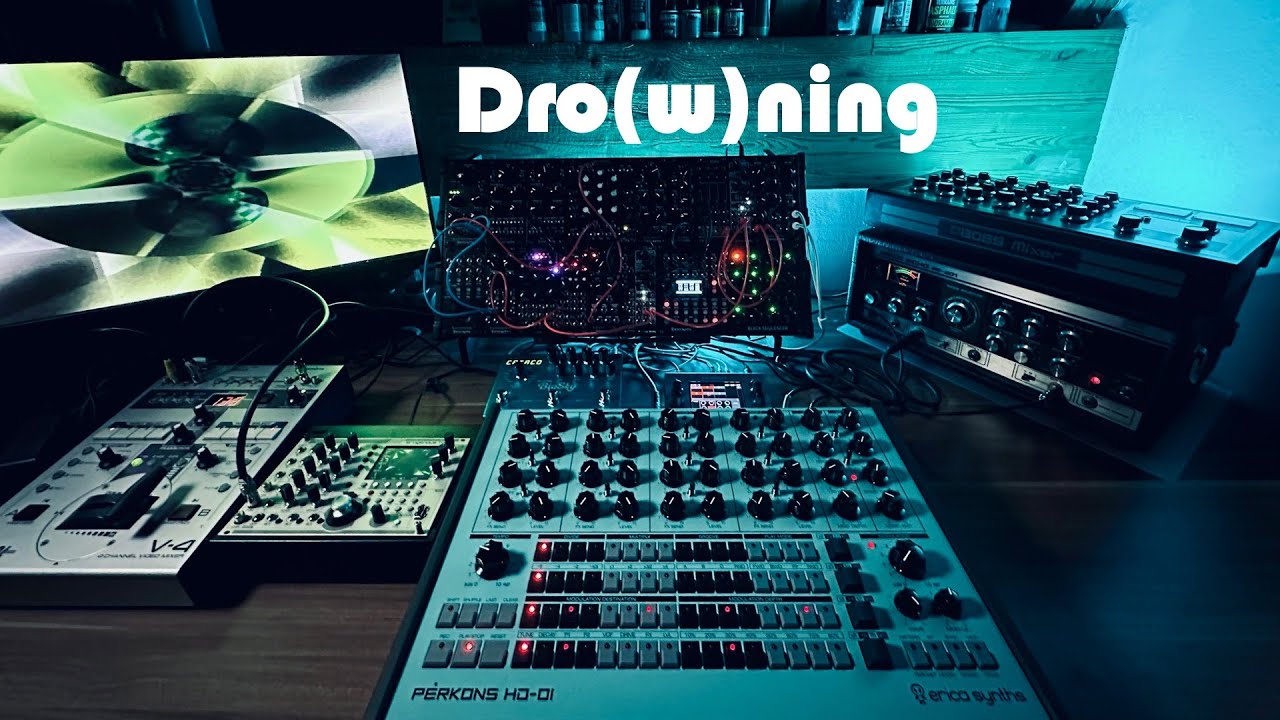
I try to work with an A -roll (BMPC) filming me and my “performance”, B-roll is a live mix of media player, security cam of an different angle compared to BMPC and a mix of the Structures.
Re-scanning would be a C-roll (but not from a live recording - since I have only one BMPC
)Music in this example rather on the experimental side (typically my stuff is between techno, house and idm):
https://www.youtube.com/watch?v=QehlU0vmj1M
#95 — giantmecha · 2023-05-06
@acidk - getting in the weeds here a bit, but did you need to do anything special in macOS to get your Blackmagic 3G (is it the UltraStudio Mini Recorder?) working with your M1? Running into a wall with mine

#96 — acidk · 2023-05-07
It’s the Ultra StudioRecorder 3G - as shown on the earlier post above.
With the UltraStudio MINI HD I was able to capture, but was unable to upscale.
#97 — Boneoh · 2023-05-07
The BMD HyperDeck HD Mini does not perform any upscaling or downscaling. The menu setting had me confused as well. The manual says the Default Standard setting is for playback when a video file has more than one video format. The device always records using the format of the input stream.
From the manual:
A good example is if you have turned on a HyperDeck Studio, it has no video input connected and you insert a disk with files on it with 2 different video standards. Which video standard should the HyperDeck play? The default video standard will give it an indication which video standard you prefer and it will switch to that format and play those files.
The default video standard is also useful when you first turn on a HyperDeck, and it has no video input and no media disk inserted. In this case, the HyperDeck Studio does not know which video standard to use for the monitoring output. The default video standard will guide it on what to do.
…
It’s a similar situation with recording. If you press record, the HyperDeck will just record whatever video standard is connected to the video input.
#98 — acidk · 2023-05-07
Thanks - but:
You are mentioning the HyperDeck HD Mini:

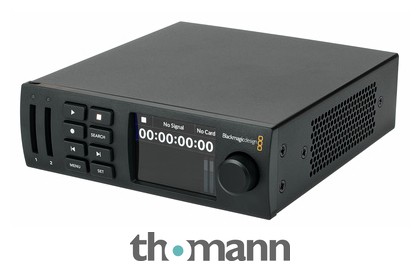
https://www.thomann.de/de/blackmagic_design_hyperdeck_studio_hd_mini.htmBlackmagic Design HyperDeck Studio HD Mini; Broadcast-Deck für Aufnahme und Wiedergabe von H.264-, ProRes- oder DNxHD-Dateien in SD/HD-Formaten bis 1080p/60 auf SD/UHS-II-Karten oder externe USB-Laufwerke; 3G-SDI-Ein- und Ausgänge; HDMI-Ausgang;...
Link: Blackmagic Design HyperDeck Studio HD Mini
I tried to get going on the UltraStudio Mini HD?

https://www.thomann.de/de/blackmagic_design_ultrastudio_hd_mini.htmBlackmagic Design UltraStudio HD Mini; tragbare Aufzeichnungs- und Wiedergabelösung mit Thunderbolt 3; kompakt genug, um ihn überall mit hinzunehmen und so leistungsstark, dass sie sich auch für High-End-Projekte eignet; kann alle Formate bis...
Link: Blackmagic Design UltraStudio HD Mini
Cheers
flo
#99 — killumina · 2023-06-04
Agawell wrote:
I bought a belkin Thunderbolt4 (alledgedly 100% compatible with T3
Since the changes are in the controller not the cable, only difference should be in futureproofing and what data rate it supports up to, I would imagine?
#100 — Agawell · 2023-06-04
yes, you’d expect that - although I’ve seen reports of some cables not working… the belkin T4 cable I bought definitely does work with the 3G recorder though!
#101 — unnameable · 2023-06-16
Something I haven’t seen mentioned in this thread yet is devices from Osprey like the 460e 4 channel capture card. They’re PCIe cards that are Windows / Linux only (no Mac), but the drivers are far and away the best of any capture device I’ve used. They feature configuration options that go well beyond any other device I’ve used, even high-end ones (BMD, Magewell, Epiphan). The drivers even have video scope views built-in. I run mine in an external Thunderbolt to PCIe chassis without any issues. They are EOL so you have to find them used, but they show up on eBay for $200 or so fairly regularly. The Windows 10 drivers work fine under Windows 11.
Also, I’ve never really had big problems with USB 3.0 BMD Intensity Shuttles. I think the chipset compatibility issues really only applied to first gen USB 3.0 chipsets. That said you absolutely need full bandwidth to the device for it to be happy, so if you’re trying to run it off a standard hub with some other stuff attached you might be in for a bad time. I have 4 of them running simultaneously hooked up to a CalDigit Thunderbolt 4 Element Hub that has 4 5.0 Gbps USB-A ports. Again, no problems running these in Windows 11, but I think they’ll only run on Intel Macs.
#102 — thenoiseoftime · 2023-06-18
Nice about the capture cards, this is something I was wondering for a while…
#103 — Strutter · 2024-04-29
So it would be expected that an Apple Mac mini M1 16 Gt, 512 Gt (MGNT3 late 2020) and the BMD Ultra Studio HD Mini would be a good combo?
The Mac has a TB3.
I’m using the ESG3 as my output.
I find all this stuff so damn confusing I decided to ask you guys for affirmation.
#105 — complaintdept · 2025-07-31
Another heads up, since I don’t think I’ve seen them mentioned yet, but I have a Datavideo standalone unit that works well for video capture. There are a few different models with varying features, but the DN-400 that I have has composite, s-video, and component ins and outs. It records to a removable external hard drive, so you don’t need to be tethered to a computer. I believe it can do some HD capture as well, but I have never needed to do this, so I haven’t investigated. Can be had on ebay for 200-300 USD.