Memory Palace V19 Firmware Release March 2020
Category: Unknown · Tags: memorypalace · Posts: 120
#1 — creatorlars · 2020-03-04
Hello everyone! I’m happy to release a new version of the Memory Palace firmware today.
You can download the firmware update package here:
https://github.com/lzxindustries/firmware/raw/master/memorypalace/memorypalace_v19.zip
If you are updating from V18 or V19 beta
You will see a prompt after upgrade that requests you format internal memory by pressing yellow+orange buttons. This is normal, proceed with the instructional prompts. Fully power off your system and then restart it if you see the prompt more than once or have trouble booting into V19.
#3 — dzu24 · 2020-03-08
During Update-Process, I was asked for the memory format then I was shutting down the power. After restart, there comes now always the same Syslog screen where I should format and then power on/off. What should I do now?
#4 — 337is · 2020-03-09
Try powering off several times at that point. Meaning hold the buttons as instructed and power off one time. Then, when it asks you to hold the buttons and do it again, DON’T hold the buttons and simply reboot.
#5 — dzu24 · 2020-03-12
It works now. Thank you
#6 — Spacenoodle · 2020-03-14
Really nice work on the menu. The way MP works is easier to understand now and the new features broaden its capabilities quite a bit. It will take a while to explore all this!
The menu refresh rate - can that be improved or is it already as fast as it will ever be?
#7 — creatorlars · 2020-03-16
I will be able to improve the menu refresh substantially on V20. It got de-prioritized for V19 due to time limits. Now is the time to put in your suggestions, thoughts, and feature requests!!
#8 — wednesdayayay · 2020-03-17
I’ll be spending some good time with it soon as i’m almost done with scrawl update!
will report back for sure
#9 — Spacenoodle · 2020-03-18
I’d like to see more options with tiling, namely the ability to set them up in triangular, pentagonal or hexagonal patterns. Also capability to warp tiled patterns into 3d-ish perspective with a horizon line. Then, using all the existing capabilities with mirroring, one could make rooms and tunnels with visually active walls, for example. Additionally, like the tiles, I think mirroring could go into new territories beyond quadrants. Dreaming big here but if you could then fold the patterns into 3d shapes, that would be insanely cool.
This video shows how simple in theory patterns can be distorted into realistic perspective just by moving a few points where lines intersect.
#10 — tenshun · 2020-03-21
so I am having some problems uploading this new firmware. I currently have v.18 and want to upgrade to the new one.
my screen is now stuck on this SYSLOG page where it keeps telling me to press the Yellow + orange buttons and then power it back on. After I do that it keeps loading the same page.
The screen says:
UI Init OK
SD Card OK
ERROR: Could Not access internal memory Press yellow + Orange buttons to reformat.
Do I have to hold the 2 buttons down the whole time when it tells me and turn it off?
Or do I just simply press the 2 buttons, let go and then reboot?
Ive done the same prompt may 90 times and it keeps taking me to the same screen.
Im sure all these power ups and downs isn’t good for the modules?
So far it seems my Memory Palace is bricked.
Any help would be great!
#11 — Entropist · 2020-03-21
I ran into this too after having to pull SD card and loading files directly from PC. In hindsight, I should have just tried booting from SD without pulling. Seemed like the SD cage thing was glued down and ended up popping off while trying to flip it up. Or I’m just a doofus

I tried following prompt a couple times to end up stuck in SYSLOG screen loop. As mentioned above, try power cycling without doing format. Worked on mine at least. Hope this helps!
#12 — tenshun · 2020-03-21
ill tried turning it on and off without pressing the 2 buttons and see if that works and it still stuck on SYSLOG.
is there a way to just revert back to Version 18? or am i just screwed
#13 — monads · 2020-03-21
Any chance to decrease the fan speed on the module in V20??? I noticed it’s extremely loud in a studio setting. Maybe it’s possible to mod the fan or install a larger one?
#14 — monads · 2020-03-21
You tried removing the micro sd card, formatting and copied the files over? Next step would be with the power off Hold down the “BOOT FROM SD” button located on the rear and power on.
#15 — tenshun · 2020-03-22
i just tried the method you describes now my Memory Palace turns on with a Black screen and nothing pops up.
This is turning into a big mess . i just want to go back to Version .18 Where it was working .
#16 — Entropist · 2020-03-22
Damn, sorry that didn’t help.
Please note that I’m only guessing and definitely don’t want to give you anymore advice that doesnt work!!
I would think that you could still rollback to v18 https://github.com/lzxindustries/firmware/tree/master/memorypalace. The user guide on here has instructions on updating firmware when it doesnt boot. Memory Palace User Guide I found removing the SD quite unpleasant so hopefully you don’t end up having to do that.
#17 — tenshun · 2020-03-22
I finally got it back to version 18. I will most likely stick with this one. Trying to update to this new one has given me nothing but troubles.
#18 — Entropist · 2020-03-22
Glad you were able to get it running at least!
Im liking the updated UI for v19 and extra features look promising but will most likely roll back to v18. Tile mode glitches out and I use quite frequently. Was really hoping there would be a way to get rid of or adjust the size of border that Tile mode puts around Vidiot image. Which is strange because there is no border when tiling internal images. Entirely possible I’m just oblivious to a way to do this already
#19 — wednesdayayay · 2020-03-22
this was solved simply for me by pressing the two buttons and allowing it to restart
then just power down (when it tells you to press the buttons again) like normal and back on
#21 — cburst · 2020-03-23
i’d just like to reiterate my request for triggering stills with cv or a slideshow mode for stills
#22 — Z0NK0UT · 2020-03-23
V19 allows you to cycle through stills in a folder. It’s really fun!
#23 — Z0NK0UT · 2020-03-23
The way to break the yellow & orange button loop is to use the “boot from microSD” button on the back. If you reached a black screen (with the module still receiving power) make sure you are set to internal sync and power cycle.
#24 — VanTa · 2020-03-23
Whats the method for that, didn’t manage to have it running yet.
#25 — Z0NK0UT · 2020-03-23
Just hold down the button on the back of the module while powering up. Make sure you are set to internal sync.
#26 — tenshun · 2020-03-23
thanks for the input and help. but I’m just gonna stick this V.18 . This whole update thing was just giving me problems. It kept going to the SYSLOG page and kept telling me to format and restart over and over. I even did the boot from sd card and then it takes me back the the SYSLOG page all over again and takes me in that loop.
Im happy with this old firmware until they figure out a better way to update. Or at least make a detailed instruction on how to do update and if there is problems on how to trouble shoot it.
#27 — Z0NK0UT · 2020-03-24
I totally understand your desire to stick with V18. Sorry that V19 has been a hassle.
The firmware update instructions in the User Guide are working for most people, with the addition of following the SYSLOG prompt once, then using the “boot from microSD” button the next time.
If you are using a Mac, it may be necessary to remove and reformat the micro SD card and run CleanMyDrive2 befor installing V19.
#28 — tenshun · 2020-03-24
none of those instructions work.
I downloaded that cleanmydrive app and reformatted my card. Now the SYSLOG page the sd card does not even pop up.
I think that cleanmydrive app really messed up my sd card now.
Even after reformatting and coping the the zip folder of V19 onto it.
Tried doing the boot from sd card and it just goes to blank screen and nothing happens.
If I don’t do the boot from sd card then it just takes me to the SYSLOG loop.
#29 — Z0NK0UT · 2020-03-24
Do you have Memory Palace set to internal sync with nothing else plugged in?
#30 — tenshun · 2020-03-24
Yes. i have it set on Internal sync with nothing plugged into the back.
So i was able to revert the Memory Palace to V18 again.
Here are the steps that I do:
- turn on memory palace
- go to screen that enable usb connection
- connect memory palace to computer
- load firmware onto the drive that pops up on computer
- make sure it overwrites old files
- after loaded on memory palace eject from computer
- disable usb access on memory palace
- Update firmware
- memory palace restarts to SYSLOG page
- Press yellow + orange buttons to format internal memory
- restart modular system with Internal sync switch on and nothing plugged in, also pressing boot micro sd button
- turns on with SYSLOG page with the message:
UI INIT OK
SD CARD OK
ERROR : COULD NOT ACCESS INTERNAL MEMORY
PRESS YELLOW + ORANGE BUTTONS TO REFORMAT
- turn on and same thing happens
#31 — creatorlars · 2020-03-29
Hello everyone. I’m so sorry it’s taken long to complete some missing instructions on this firmware update. The document posted below should clear up any confusion:
A new Memory Palace Firmware Update Guide has been posted below. This should explain the extra steps required to update from V18 to V19 clearly. Please comment below if you have any problems at all with the update process. If you already have V19 and are upgrading to a newer firmware, simply copy over the BIN file to Memory Palace and select “Update Firmware” in the System menu (then choosing the location of the new BIN file).>
#33 — JunkRhythm · 2020-04-01
I’ll drop in over here as well for those not interested in using the FB group.
I finally updated to v19 a few days ago and I’ll confirm experiencing the same issue. I’ve had it happen 3 or 4 times over the last two days.
#34 — Z0NK0UT · 2020-04-01
Do you mean that the media you are displaying disappears until you power cycle? Do the menu controls continue to function?
#35 — JunkRhythm · 2020-04-01
Yes, the image completely disappears and attempting to reload the file has no effect until the system is power cycled.
#37 — Z0NK0UT · 2020-04-01
That is very strange. I would expect overall functionality to completely lock up at that point.
#39 — Z0NK0UT · 2020-04-02
I think we’ve found the issue in the V19 code. Firmware improvements are already in progress.
Thank y’all for finding these bugs. Please continue to share any issues you are having.
#41 — Z0NK0UT · 2020-04-06
Do you mean that when you freeze an image in Paint mode, the Clear button doesn’t make it disappear?
#43 — Z0NK0UT · 2020-04-07
It seems that in V19 Paint mode, Freeze doesn’t allow the frozen image to be painted over. When you press Clear, the painting resumes.
#45 — Z0NK0UT · 2020-04-07
Is the Clear button working when you use the Freeze function? That would be the best way to check if your button is working correctly.
#46 — csboling · 2020-04-08
This is my experience also, I recall using this feature when I first got my Memory Palace, but have been keeping up with the beta releases and don’t think I’ve been able to use this since the first time I updated the firmware. After engaging FREEZE, the CLEAR button does toggle FREEZE off, so the button is working.
#48 — wide_closed · 2020-04-08
Agreed. New MP user here… After watching that 2nd tutorial I definitely felt confused why that wasn’t working. I would certainly see the buffer clear feature being very useful.
#49 — dni_br · 2020-04-12
Yes i m not able to clear the buffer anymore.
I think i’m going back to the previous OS.
#50 — wednesdayayay · 2020-04-12
someone on the facebook group asked about slit scanning
I posted a video we made and one that someone else did of slit scanning with the memory palace
It spurred me on to turn the system on and I tried to get slit scanning on the new firmware up and running
I’m having some issues
Slit scanning issueThere are two ways to approach as far as I can understand
both involve RGB coming from visual cortex expander going into the input of memory palace
1 involves using the AUX/A input on memory palace for a ramp output
2 involves changing the routing on memory palace to RGB/Media (loading a ramp on the media, luma key)
so in warp mode using method 2 (RGB from VC> RGB MP | route RGB/media(media on ramp))
things work like I expect where I can use the width/center controls to dial in an amount of the Ramp to use as a key for the incoming RGB video
however when switching over to paint (leaving everything else the same)
It seems like it ends up using the luma from the RGB source instead of the media
now I’ve been playing around with method 1 after messing around with the controls a bunch I dialed it in to something similar I think!
I would still prefer to be working with internal stills as ramp sources doing this kind of thing.
AUX sliderAnother issue I’m having my AUX slider doesn’t seem to engage on the screen until it is about 3/4 of the way thrown. On the screen itself the AUX slider only goes to about 50%
Even though it doesn’t show it on the screen it does seem like the part of the slider that isn’t registering on the screen (bottom half or so) is changing things in the system so I guess it is just a UI issue maybe
although maybe this is the normal function and I’m just not understanding
#51 — wednesdayayay · 2020-04-12
these all have to do with the X&Y params on the memory palace
X&Y parameters if slew is on light/heavy CV in doesn’t seem to work (“value” is unchanged)
CV in reads the values just fine though
some times slider &or value will jump to something other than 100% but then just go right back to it
if X/Y slew are on light/heavy the sliders on MP only works for ~50% of the throw (50-100) when in the 0-50 range it doesn’t change the value
when no slewing is on sliders work in full range though
is there any way to have X&orY sliders on the MP (while X&orY scroll is ON) still scale the scroll time of X&orY while CV is present?
#52 — dni_br · 2020-04-13
I m doing slitscan too. I went back to V18, it s much straightforward for that kind of practice. Paint mode is unusable without the clear buffer function.
#53 — jevergreen · 2020-04-16
I’m also new to the MP, and have noted the same thing about the clear function as others. So far, I’ve been altering the width, center, and softness to clear the buffer. Freeze stops the keyed image from being added to the buffer, and clear resumes that action. The benefit is that you can stutter or flicker the feedback, layering foreground/background, then resume without blanking the screen. I figured that it was an intentional trade-off in functionality, since there are new/different possibilities to the way it is now.
#54 — jevergreen · 2020-04-16
My v20 suggestions each relate to alternate preview/monitoring output modes.
a. Could there be an option to make the video outputs match the RGB inputs rather than the RBG outputs, allowing for a display of the pre-feedback image, something one could monitor on the input on Liquid TV, for example? I understand that all the video outputs would probably need to be the same, since there is just one output encoder on the MP, but I’m sending the RGB feedback outs to the VC for final compositing anyway.
b. Could the Y output be assigned to be the key, as defined by the MP mode and fader settings, rather than the luma of the RGB outputs? Again, I was imagining this could be useful in sending to the Liquid TV, and also useful in patches, for any of a number of possibilities.
It feels odd even making suggestions at this point, because it’s such an awesome device as it is, and I love the new goodies in v19!
Best Wishes to everyone out there!
#55 — dni_br · 2020-04-17
I m not agree. I think it s a bug. I set the ext trigger input to the clear function, it doesn t work either.
Maybe someone from LZX can tell us ?
#56 — jevergreen · 2020-04-17
I agree with you, something doesn’t seem fully resolved. On my MP anyway, clear does still have a function, which is to resume feedback on top of what is already there. I like the effect of stopping/starting, but it would be easier if Freeze would toggle on/off, rather than lock, and Clear could again erase the buffer. Again, I don’t know how things behaved before v19, and I’m just sharing some of my first impressions.
#57 — Z0NK0UT · 2020-04-18
The clear function was designed in V19 to clear the frozen image from the buffer.
#58 — dni_br · 2020-04-18
So there s no more a kind of clear screen function ?
In paint mode it’s weird
#59 — Z0NK0UT · 2020-04-19
You can use the keyer controls (Width & Center) to clear the background, typically.
#60 — Genlok · 2020-04-20
I don’t know if this has been brought up or addressed already, but navigating the media folders could be made a little simpler by using the enter key to select/open files or folders, then up or down to navigate/select, and enter to exit that branch. This would allow one to go backward and forward.
Additionally, it would be nice if folders and files didn’t auto load when they’re selected. Maybe a long press on the enter key could be a “load folder” and “load file” command so it’s not necessary to load things in sequential order only.
#61 — Z0NK0UT · 2020-04-20
Agreed! This navigation upgrade won’t be in V20, but more likely in V21.
#62 — Dr_Rek · 2020-04-27
Feature request:
ability to zoom or overscan input slightly to remove sync line borders when using Vidiot as an input
(feature available in the ET Structure, TBC2 $800 module isn’t a realistic solution for just this issue, so Structure has become my Vidiot RGB output processor for now

)Documentation request:
Ghost and Scene mode
I kind of understand scene mode will play still animation folder loops, but unable to get anything out of ghost mode yet.
#63 — Genlok · 2020-04-27
I’m messing with Scene mode a lot and I love it! Superb for making animated moire patterns.
Lars said on Facebook I should be able to load two different images into Scene mode by using the media loader for one layer and the delay slider for the second layer. This doesn’t seem to work for me. The delay slider does change the image offset from the media loader, but it changes both layers identically. Is there a trick or setting I’m missing to accomplish this?
#64 — Genlok · 2020-04-27
Also, in case it hasn’t been documented yet, Scene mode is fairly unstable for me. Lots of hiccups in the image, blanking, etc. Happens with media or ARGB input. Not experiencing it in Warp mode.
#65 — sean · 2020-04-28
I’ve noticed the slight undersized image of Vidiot output too (when I capture). I wonder if there is a trimpot inside that can perhaps fix this?
#66 — Genlok · 2020-04-28
I’ve also got a black bar on whatever video source I plug into Memory Palace, visible when you I tile/reflect, even with an external scaler. But they’re aware of it and pretty sure Lars said that’s getting addressed in V20
#67 — wednesdayayay · 2020-04-28
yeah it would be pretty awesome to get that black bar sorted
it can be neat sometimes but it really threw me for a loop at first
#68 — Genlok · 2020-04-29
What does the firmware reset do that resetting to defaults doesn’t? Does it reformat the whole thing, ie wiping any internal content I’ve added?
#69 — Z0NK0UT · 2020-04-29
Reset firmware reverts your firmware to shipped version. The folders on the SD card remain untouched.
#70 — Jesse · 2020-05-11
DISREGARD, Discussed on FB and still functions, just a UI glitch
Found a weird bug.
In Paint mode, Chromakey
Have softness set to CV ±1v
I send a negative voltage & the slider value gets stuck @ 0 in parameter view. It shows the CV coming in (a range of - values moving about) & shows the slider % changing but not the VALUE…it’s stuck @ 0. Modulation stops doing anything & so does sliding the slider (in terms of to the actual picture).
Switching to Luma & Back to Chroma unzoinks it but the second I send another neg voltage it’s fuct again.
Works perfectly fine in Luma mode - functions exactly as expected. The second I switch to Chroma mode w/ that neg modulation source to softness it’s bork’d. Removing the modulation source it’s still stuck.
#71 — efp3 · 2020-05-12
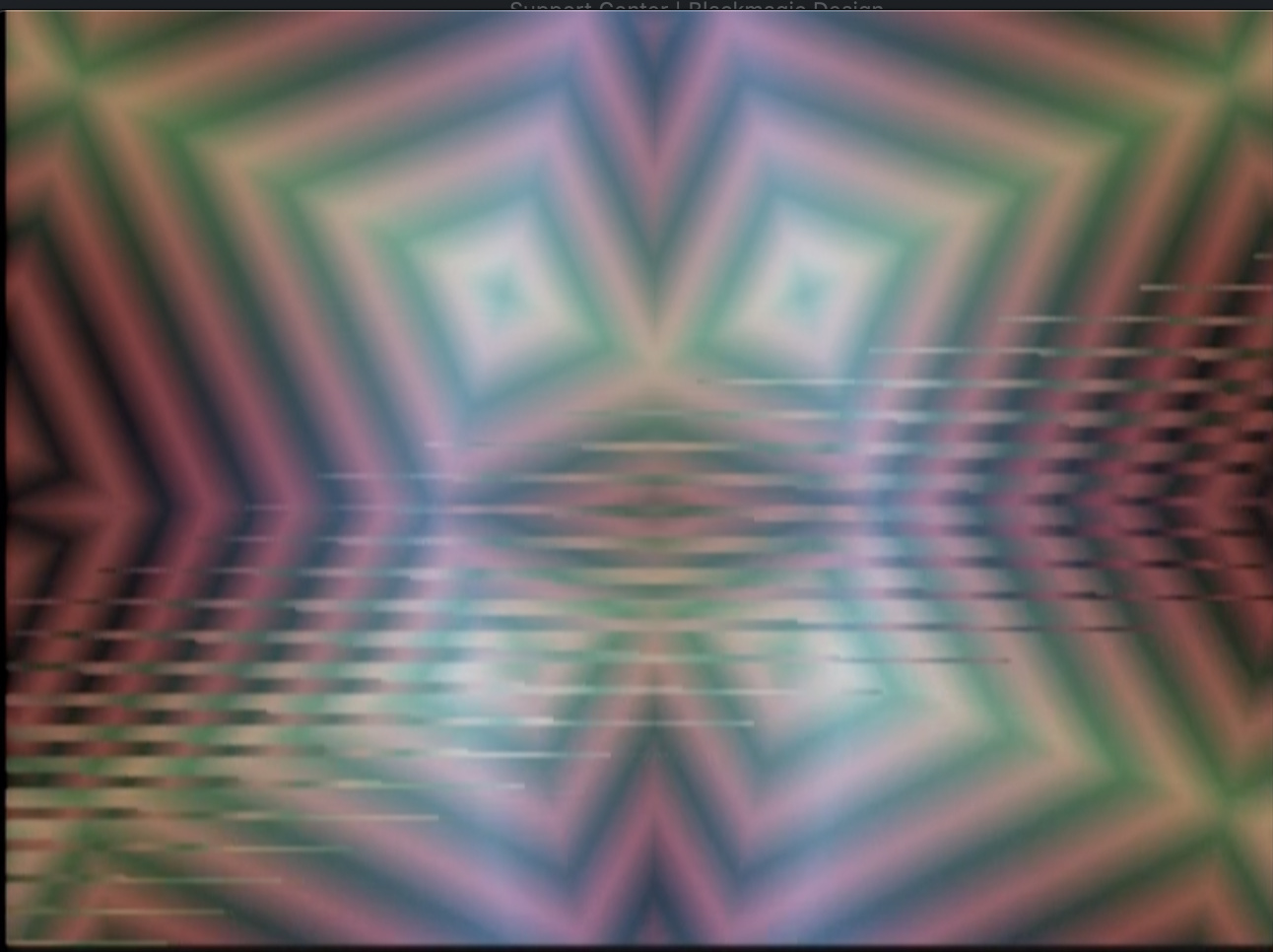
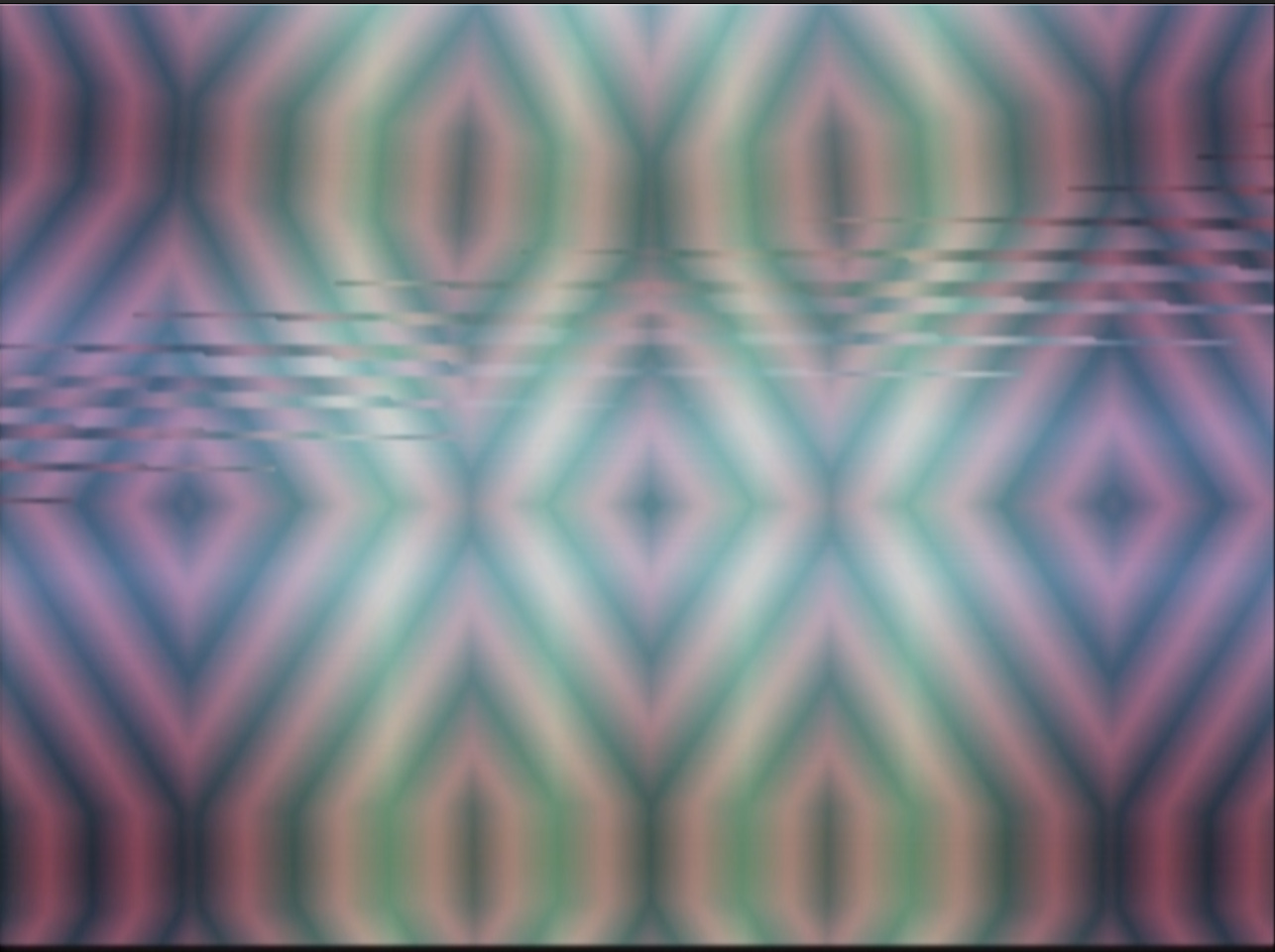
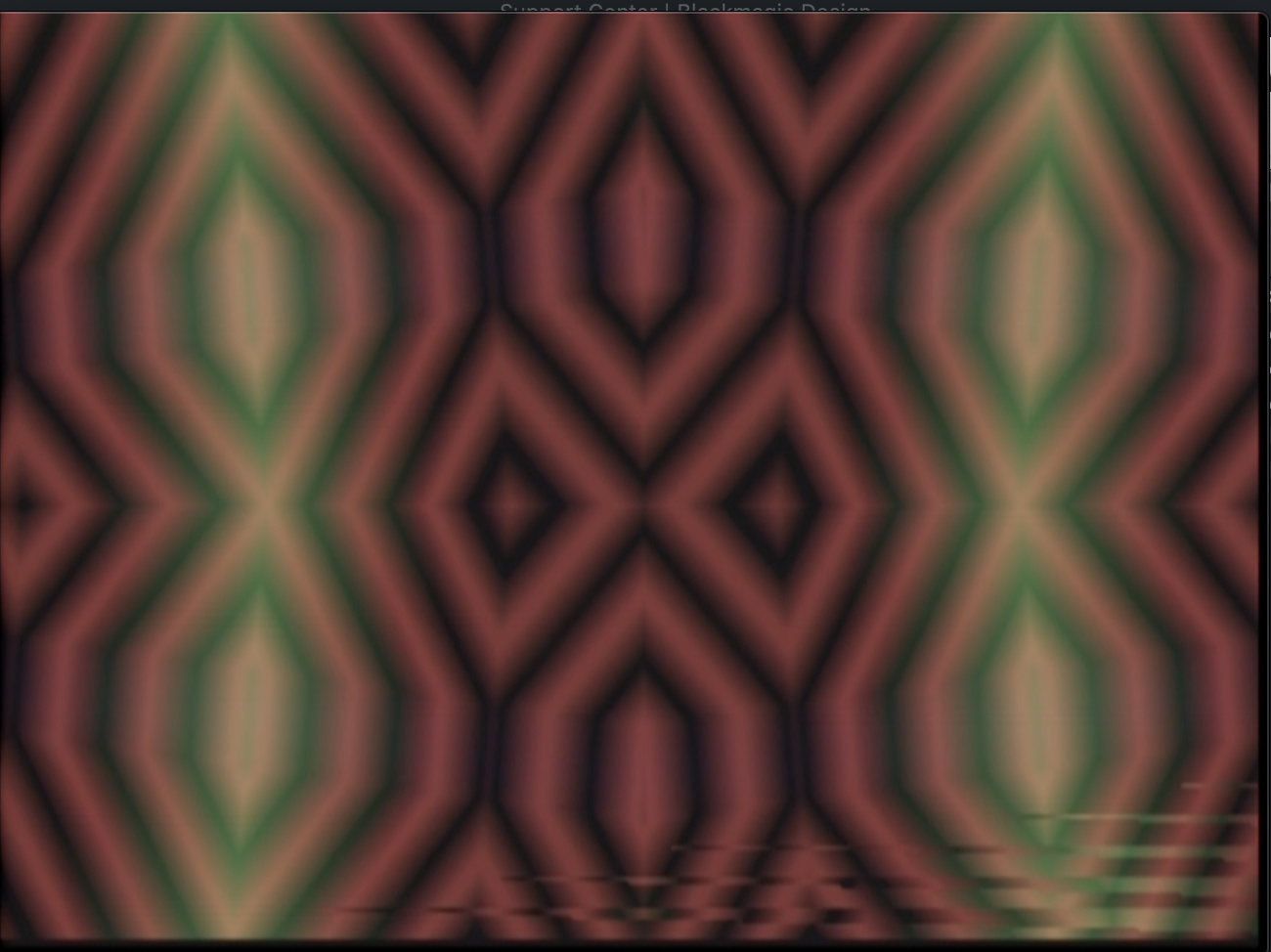
Does anyone know what this glitch with the Memory Palace is? When I am trying to create something smooth and relaxing, this glitch kinda ruins it. It will be running smooth and then gets jerky.
#72 — Z0NK0UT · 2020-05-13
This is a known issue with V19 that will be corrected in V20 (coming soon!). Sorry for the trouble.
#73 — efp3 · 2020-05-13
Good to hear! Thanks for the fast response!
#74 — giantmecha · 2020-05-14
I’ve never able to get anything going through the alpha or aux inputs on my MP. Does anyone have any tips? Generally working in Warp mode, and nothing I patch into those inputs seems to do anything. :-/
#75 — Genlok · 2020-05-14
How these inputs work is conditional on the settings you have in the main menu page.
When the key mode is set to alpha it allows you to use an external key instead of luma or chroma keys.
The rest is in the Aux Mode, which controls alpha opacity, vertex mesh, or vertex spatial resolution. Patch some oscillators or ramps into aux and alpha and play around with those latter two modes, you’ll have a blast! Make sure to use the Aux slider.
#76 — wednesdayayay · 2020-05-14
when using the mesh stuff do yourself a favor and put some kind attenuation before the alpha input
I find it is so nice to use the AUX input and have control over the amount of the signal going to the effect
I use the bored brain splix so as to not tie up anything extra in the rack koma cable these work too but I find the bored brain generally works better over more of the range of the slider
#77 — rempesm · 2020-05-14
I’d be really interested in a firmware setting or hardware modification that would allow this. I can live with it but it would be nice to not have turbine sounds.

#78 — Daisuk · 2020-05-20
I’m probably just not very good at searching - but where does it say what features are new in V19? Can’t seem to find that info anywhere.
#79 — Z0NK0UT · 2020-05-20
The Memory Palace User Guide has a description of the current (V19) features.
#80 — Genlok · 2020-05-20
When doing mesh stuff do yourself a favor and put a Doorway before the alpha input
#81 — Daisuk · 2020-05-20
Cool, thanks!

Do you have any more MP tutorial videos in the pipeline, by any chance?
#82 — Z0NK0UT · 2020-05-20
Yes, there will be a full module walk-through when V20 is released.
#83 — Daisuk · 2020-05-26
Woho, awesome! Thanks again.
#84 — giantmecha · 2020-05-27
I noticed the option for 5V scaling on the VC inputs seems to be gone on the latest firmware (I only see 0 to 1 and -1 to 1). Or am I missing it somewhere?
#85 — giantmecha · 2020-05-30
Also thank you @Genlok and @wednesdayayay for the alpha input tips! Finally wrapping my head around that action. Appreciate the help

#87 — cburst · 2020-06-09
any idea when v20 will descend from the heavens?
#88 — Z0NK0UT · 2020-06-09
Soon! Have you tried the beta release?


https://github.com/lzxindustries/firmware/tree/master/memorypalaceLZX Industries Firmware Downloads. Contribute to lzxindustries/firmware development by creating an account on GitHub.
Link: lzxindustries/firmware
#89 — DUHACIDBUM · 2020-06-10
Is the newest update “memory palace v2.0.1 beta”?
#90 — cburst · 2020-06-11
i have not, super tempting, how risky is it?
#91 — Z0NK0UT · 2020-06-11
Zero risk if connecting via USB, slightly riskier if removing the MicroSD (but still low risk).
#92 — monads · 2020-06-13
^yes that would be me damaging my MP by removing the MicroSD card! It was stuck and wouldn’t dislodge when I tried pushing/removing so I thought it was a ‘pull’ instead of locking. That damaged the locking mechanism. yeah so now my MP is sitting at LZX awaiting repair!! So might want to just try the USB route
#93 — cburst · 2020-07-02
i have a question about stills and the memory palace firmware.
will it ever be possible to use a parameter (e.g., aux or delay) to scroll through stills while in warp mode?
#94 — Z0NK0UT · 2020-07-02
I think you’ll be pleasantly surprised with the upcoming firmware.
#95 — efp3 · 2020-07-02
What’s the estimated eta on that?
#96 — cburst · 2020-07-03
can’t wait! beta working great btw!
#97 — Genlok · 2020-07-10
I’m not sure if this has been brought up anywhere else before, but the X mirror is never centered on a 4:3 screen, even when using MP in 4:3 mode. Being able to offset this manually in the options would be handy.
#98 — Z0NK0UT · 2020-07-10
Centering is definitely in the discussions.
#99 — louis.leon.90 · 2020-07-19
My update experience:
I went for the SD card right away and wasn’t ware that the sdcard holder needs a push in of the card in order that it comes out again. I applied some force (not much) until I realized how it works.
The boot afterwards failed stuck on line “media ok” until I set the sync to internal and then on “frame 1 ok”. Pushing the red and yellow button lead to an SD card error. Pushing the boot SD button on the back lead to a black screen.
I pushed the sd card on the back in several times and appied some force in the direction of insertion on the little clip that holds it. Since then the Mempal boots normal again.
Please add some red cap note in the update manual about the sd card slot if others can confirm this issue!!! It might happen to others as well.
#100 — monads · 2020-07-24
^You’ll notice my posting earlier where I damaged!! Still in the LZX shop awaiting repair. Just go the USB route honestly. I think it’s safer and don’t have to bother removing the module from your rig to access the microSD card.
#101 — Dr_Rek · 2020-08-10
Hey there, I noticed in my DJ stream this weekend, that y Symmtery is inverting not just the image but also the field dominance order too in some cases. So as seen here the lower y mirror still image has stair stepping the the upper does not.
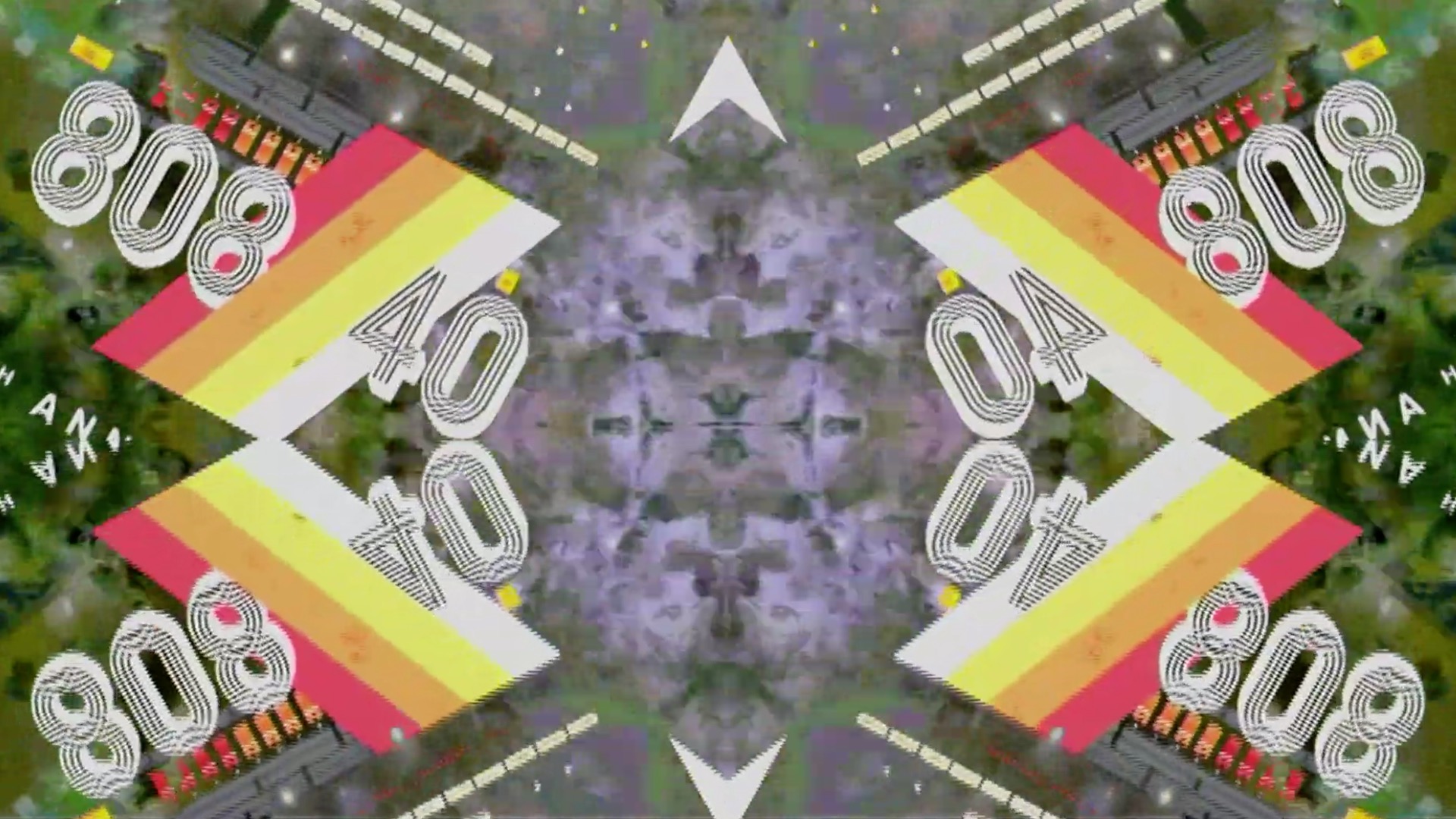
Anyone else encounter this? Something that could be improved in future firmware I wonder? https://www.twitch.tv/videos/705590424In relation to symmetry, several others have already mentioned the Y being lower than middle of frame with Memory Palace. I also noticed X being off center, and generally have to fix it with a slight scale and reposition of 20-23 pixels. But the X off center seems to happen with all my various brands of synths and video mixers, so better not to change the X, but looking forward to the Y position update. =)
#102 — monads · 2020-10-07
How’s the beta v2.0.1 coming along? I haven’t tried it yet waiting for official consumption.
#103 — Z0NK0UT · 2020-10-07
The beta works great. You should try it out. Updating is very easy. Simply put the BIN file into either the SD or internal drive and select UPDATE FIRMWARE in the System menu.
#104 — Second_Breakfast · 2020-10-07
Oh really? You don’t have to do the usual firmware update process involving a PC?
#105 — Z0NK0UT · 2020-10-07
You will have to connect via USB or remove the MicroSD card to add the new BIN file to either the card or internal drive.
#106 — monads · 2020-10-09
Updated to v2.0.1! USB route is the easiest and preferred here!
#107 — Daisuk · 2020-10-20
Is there an overview anywhere over what’s new in the beta firmware? I just loaded it up, but can’t immediately see anything different.
#108 — Z0NK0UT · 2020-10-20
The Beta just fixes bugs present in V19. The upcoming firmware will have lots of new features.
#109 — Daisuk · 2020-10-20
Ah, ok, thanks! I still have a bit of a “jittery” image that I had on the last firmware as well when using the media loader as source - it’s like there’s an ever so slight movement going on with the aspect ratio or something. But I’ll try it out some more tonight, see if maybe there’s some setting I have on that’s causing it.
#110 — Z0NK0UT · 2020-10-20
The beta definitely doesn’t solve all of the bugs in V19. Lars is investing a ton of time into V20 official to make sure there aren’t any future issues.
#111 — Daisuk · 2020-10-20
Sounds great - thanks for the info! Looking forward to it.
#112 — HardScience · 2020-10-26
Hey folks. Just wondering something about the V19 firmware. In V18 when in the WARP mode, I was able to have the original keyed image stationary in the foreground with the feedback in the background that could be zoomed, moved, rotated, stretched as needed. I believe this was just a matter of selecting the routing of the keyer(?). Am I missing something, or has that option been removed from V19? If so, would be nice to have that feature back in a future update.
Also, incase it hasn’t been mentioned yet. In lieu of notched sliders to indicate the dead zone, it would be nice if the display noted when the slider was at the 0 position. Either with a value, or a colour, or other indicator.
Oh, and this was a suggestion that I made previously for the V19 firmware, but it doesn’t look it made the cut. It would be great to have option for what the rotation is relative to. The way I prefer the rotation orientation is so that when adjusting vertical or horizontal movement, the rotating object moves relative to the display, not relative to the rotated frame’s orientation. Does that make sense? In other words, if the object is rotating, adjusting the Y slider up will always move the object up no matter where the frame is in its rotation.
Thanks!
[Edit: I wrote all of that not realizing that a Beta v20 firmware was released eons ago. Apologies if any of the above was addressed in V20]
#113 — wednesdayayay · 2020-11-03
just another little possibly bug report
when in paint mode you can use the softness slider as a decay so that your paintings fade out.
this is awesome!
I’d love to see a bit more decay time possible. It seems like there is a tiny jump between not fading out and fading out pretty fast.
(using latest firmware)
however if reflect or tile are on then softness seems to stop working altogether.
#114 — rempesm · 2020-11-05
Are there future plans to add in a snapshot feature from the ARGB inputs? I wouldn’t imagine it could do full frame rate sampling but I’d be very interested to see an extension of the animation looping where individual frames could be directly pulled into the Media Loader in Memory Palace.
#115 — Z0NK0UT · 2020-11-05
You can already loop the most recent 64 frames of incoming RGB (using Freeze and A/B in any mode but Warp). To put that into the Media Loader, you’d have to capture your video output, split into frames, and load back into Memory Palace via the usual route (which is fun to do over and over again).
#116 — rempesm · 2020-11-05
Yup, that’s roughly my current process for playing back animations with content generated within the LZX system. Just trying to save a few steps.
#117 — Danyel · 2021-08-05
When you’re playing through frames on the media loader, it would be cool to have an option to add a fade transition between frames rather than being a hard cut.
#118 — Genlok · 2021-08-27
Any hints on when we’ll see some updates to memory palace?
#119 — creatorlars · 2021-08-27
Any hints on when we’ll see some updates to memory palace?
Release of a bugfix update to clear some existing issues is in a WIP state right now (but being actively worked on.) We should see that in 2021.
I’m reserving Q1 2022 next year just to bring all the firmware to the same place, so that’s when we’d see Memory Palace integrate some of TBC2’s new code. From that point, we should have our development pipeline stabilized and be much more responsive across all products. This is the current plan.
#121 — rempesm · 2021-08-30
Read from this post down for info on that:
Will Memory Palace Mk2 have different functionality than Mk1 or is this just a move to standardize the brain behind these offerings? >> A move to standardize the FPGA brain PCBA used across multiple products, and update Memory Palace to Gen3 power expectations. This won’t have any effect on future development – firmware will be running on the exact same platform (7Z010), so both versions of the hardware will run the same firmware image and have the same functions. > Usually we completely overhau…>
#123 — creatorlars · 2021-08-30
DesertMuseum wrote:
I saw mention of MemPal MK2 and was hoping you could expand a little on this. I understand integrating the same parts required for TBC2 to make manufacturing, sourcing parts, and firmware compatibility easier and more seamless, but was there something discovered in developing that would cause a need for MemPal to need a complete MK2 revision and what might that involve?
Was there an issue with the new sync standard that will require new hardware?
I am guessing the DVI output will be replaced with component but what other changes will be made that will differ from MK1?
To elaborate a bit:
I don’t have all of those answers for you right now. We haven’t reached any firm decisions on what will change about the Mk2 hardware, or when that change will happen. We have not done extensive testing of Memory Palace to determine it’s capability to run natively in any of the new Gen3 sync modes. Only that we need to make the revision before it goes back into production. Since Memory Palace is one of our main products, getting it back into production is a priority. So we’re planning for Q1 2022, which is probably the first we’d be able to tell you more.
Our main mission will be to ensure that firmware development will continue on Mk1 and Mk2 hardware platforms in parallel.
Whatever the case with hardware sync/processing modes capability – remember, your Gen3 system can always run in NTSC & PAL modes and be 100% compatible with anything before Gen3. So at a minimum, there is full backwards compatibility already planned.
#124 — wednesdayayay · 2021-08-31
this also makes me wonder how the Escher sketch will do with the new non ntsc/pal sync possibilities
#125 — creatorlars · 2021-08-31
this also makes me wonder how the Escher sketch will do with the new non ntsc/pal sync possibilities
Escher Sketch is much simpler, since there is no video rate outputs or inputs, it can run without sync.
#126 — jwsmithwick1 · 2021-08-31
What about using a passage or doorway with the gen 3 modules? Will those expedition modules be able to process Automata signals (oscillators, ramps) that are synced to HD rates?
#127 — rempesm · 2021-08-31
If they don’t have a sync connection on the back, they’ll just work. Maybe some slight softening of the image but I’d imagine no where close to when using audio rate modules. HD is faster than SD but it’s much smaller jump than from audio rate to video rate signals.
#128 — jwsmithwick1 · 2021-08-31
Thank you very much for clarifying that. I had a feeling that might be the case. Hopefully the softness is minor and useable.
#129 — rempesm · 2021-08-31
I really doubt you’ll get the extreme blur you might be envisioning but we’ll all see for certain when we get our hands on these new modules and start patching 'em up!
#130 — creatorlars · 2021-09-01
Yes, this update to Gen3 isn’t a huge bandwidth boost on the analog side or anything. We expect the Gen3 modules to perform a little better on the bandwidth side of things, but most of the update on the circuitry has to do with noise floor and signal integrity in general.
The sync timings are not hugely different from each other. The big resolution increase comes at the point of sampling or digital conversion. An HD signal is sampled with a 74.25MHz pixel clock instead of a 13.5MHz clock typically used for SD signals. So it’s the same analog signal either way. It just gets sampled more times, in HD mode.
So how soft some images get in the HD timings, I don’t know. It’s not the analogue path that’s fundamentally changing – it’s the way that path is being encoded and sampled.
#131 — Z0NK0UT · 2021-09-01
As this topic is supposed to be about Memory Palace V19, I’m going to shut it down. Could y’all post further suggestions/requests for future firmware in this thread?
Hi guys, first of all thanks for creating the memory palace, I have two and they are not enough. > I created this tread for possible suggestions for future implementations on the module sw. > I’ll start with this: > is it possible to implement a menu selection for the folder because it takes a long time to load them all one by one if you want to switch to another specific one?>
Questions about Gen3 Modules can go here:
Hello everyone! > Here is a preview of the six modules we’ve had in development this year. Two of these (FKG-3 and SMX-3) are in production now. These six designs extend directly from our Gen3 design efforts; which are a complete redesign of the system’s core circuitry from the ground up. > This design era includes Chromagnon, and the release of Topogram from Expedition series was our transitional module into new design practices using discrete OTA cores, 6-layer PCBs, ultra-low noise integrated…>