Memory Palace Firmware Update Guide
Category: Legacy Docs · Tags: memorypalace · Posts: 29
#1 — creatorlars · 2020-03-29
A new Memory Palace Firmware Update Guide has been posted below. This should explain the extra steps required to update from V18 to V19 clearly. Please comment below if you have any problems at all with the update process. If you already have V19 and are upgrading to a newer firmware, simply copy over the BIN file to Memory Palace and select “Update Firmware” in the System menu (then choosing the location of the new BIN file).
raw.githubusercontent.comhttps://raw.githubusercontent.com/lzxindustries/firmware/master/memorypalace/Memory%20Palace%20Firmware%20Update%20Guide.pdfhttps://raw.githubusercontent.com/lzxindustries/firmware/master/memorypalace/Memory%20Palace%20Firmware%20Update%20Guide.pdf1218.36 KB
Link: Memory%20Palace%20Firmware%20Update%20Guide.pdf
#2 — tenshun · 2020-03-30
Hello ,
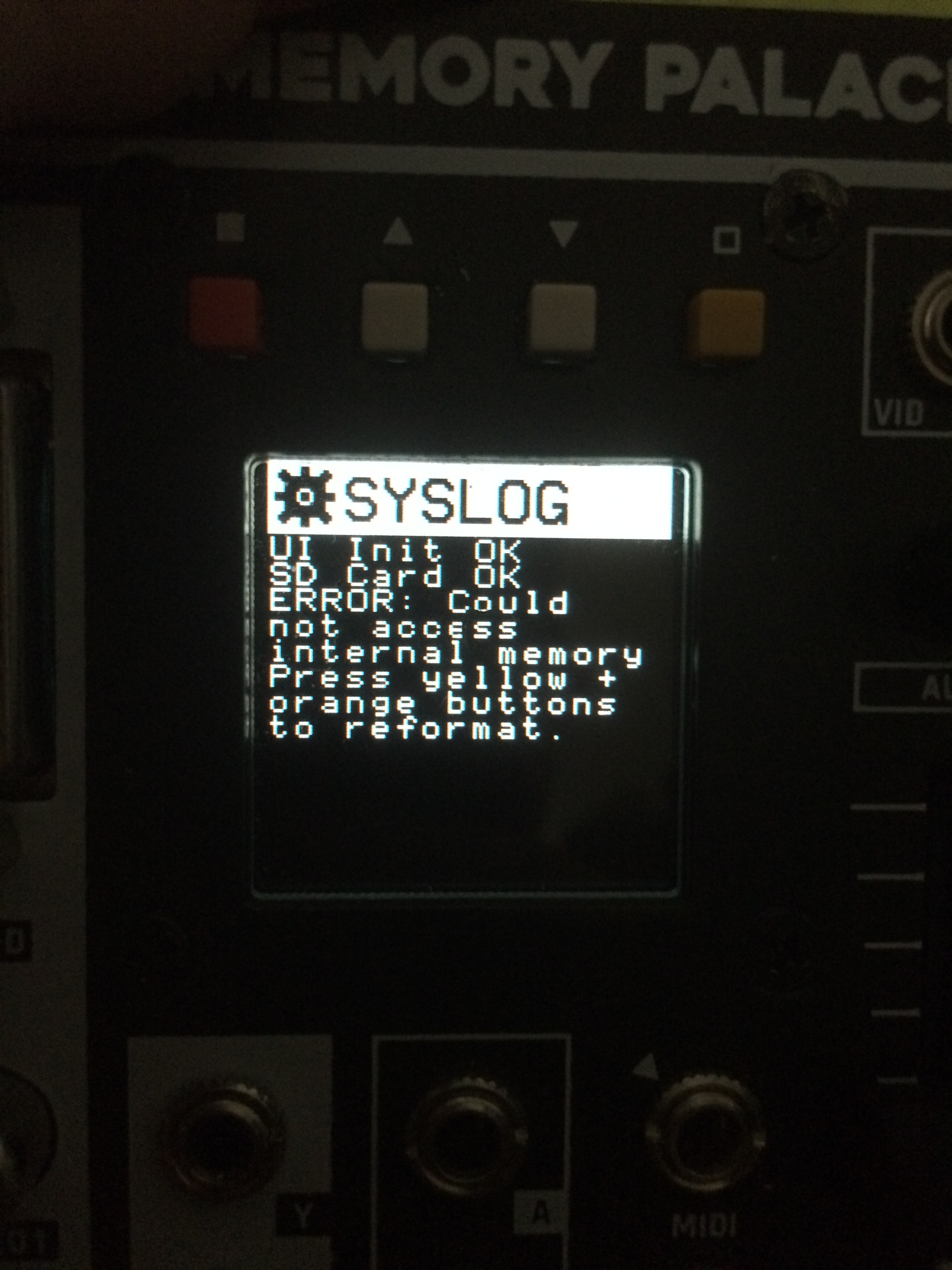
I followed the instructions on the pdf and my module still gets stuck in the SYSLOG loop.
No matter how many times I turn off and restart the module holding down the Boot MicroSD button on the back.
I am using a MacBook and read To use a app to clean the Mini SD card.
I have done that and it still does not work.
I noticed that my Memory Palace PCB is marked 2018. I don’t know if that has anything to do with it?
As on the instructions it says Upgrading from 2019 Production Units.
I have done all the procedures of taking the SD card out and loading the software on it. Also loading the firmware from the front USB port. I see it gets written on the card.
#3 — creatorlars · 2020-03-30
Might be best to send your unit back to us so we can see if there’s something else going on! It sounds like you’re doing everything correctly. Please send an e-mail to support@lzxindustries.net to arrange an RMA.
#4 — Yatsek · 2020-05-01
How to tell which firmware version I have?
#5 — Z0NK0UT · 2020-05-01
Does it start up in the PARAMS menu? Do you have Ghost mode? If so, you have V19.
#6 — Yatsek · 2020-05-06
Yes and I have Ghost mode; thanks
#7 — Nathan · 2020-05-08
Ive downloaded the upgrade onto my mac.
It didnt recognise MP through the USB connection so I was forced to take out the sd card and download it onto that.
I followed the instructions, deleted old files and loaded new files.
While placing the sd card back in the holder the metal flap dislodged. I was able to get it on again and the card is situated where it should be.
I followed instructions to update firmware:(Press the hollow square orange button)
It stalls for about 4minutes and then goes to the main screen, doesnt restart.
I navigate back to Update firmware and the menus contain undecipherable icons. Something is corrupted!?
I have a 2019 unit and I dont see any messages that internal memory must be initialised.
What can I do?
#8 — Z0NK0UT · 2020-05-08
Could you include a photo of the weird icons you are seeing?
#9 — Nathan · 2020-05-09
Ive reloaded the Sd card from the downloaded file. Is it supposed to look like this?
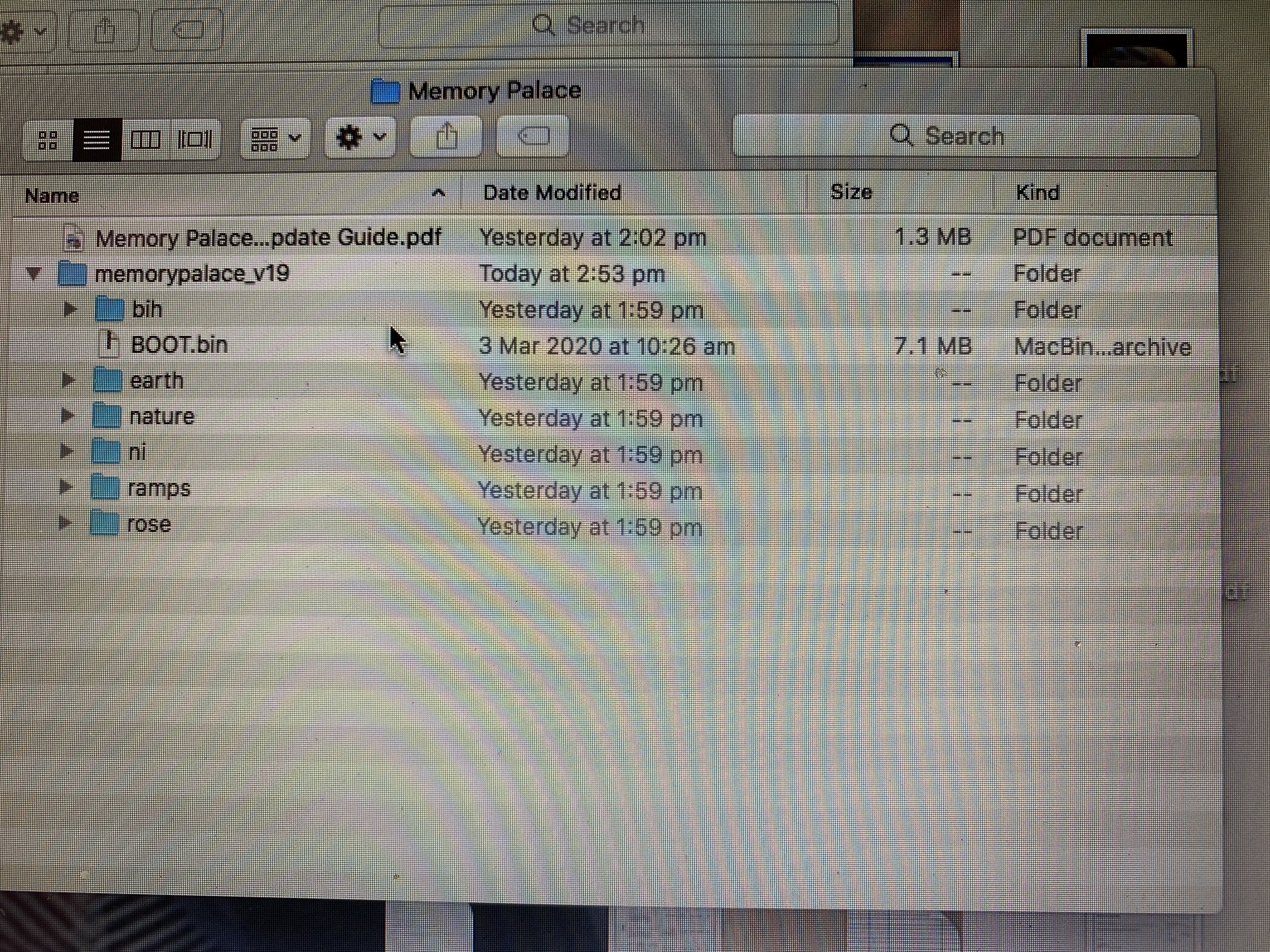
The funny characters dont appeat anymore but when I upload new firmware in the menu it stalls then shuts down for about 3minutes. The fan and lights on the back are still on though.
I took a video of it but this forim doesnt allow vids. Maybe put that up on fb community?
When it comes back on it doesnt go through the Memory Palace splash screen but goes straight to the menu.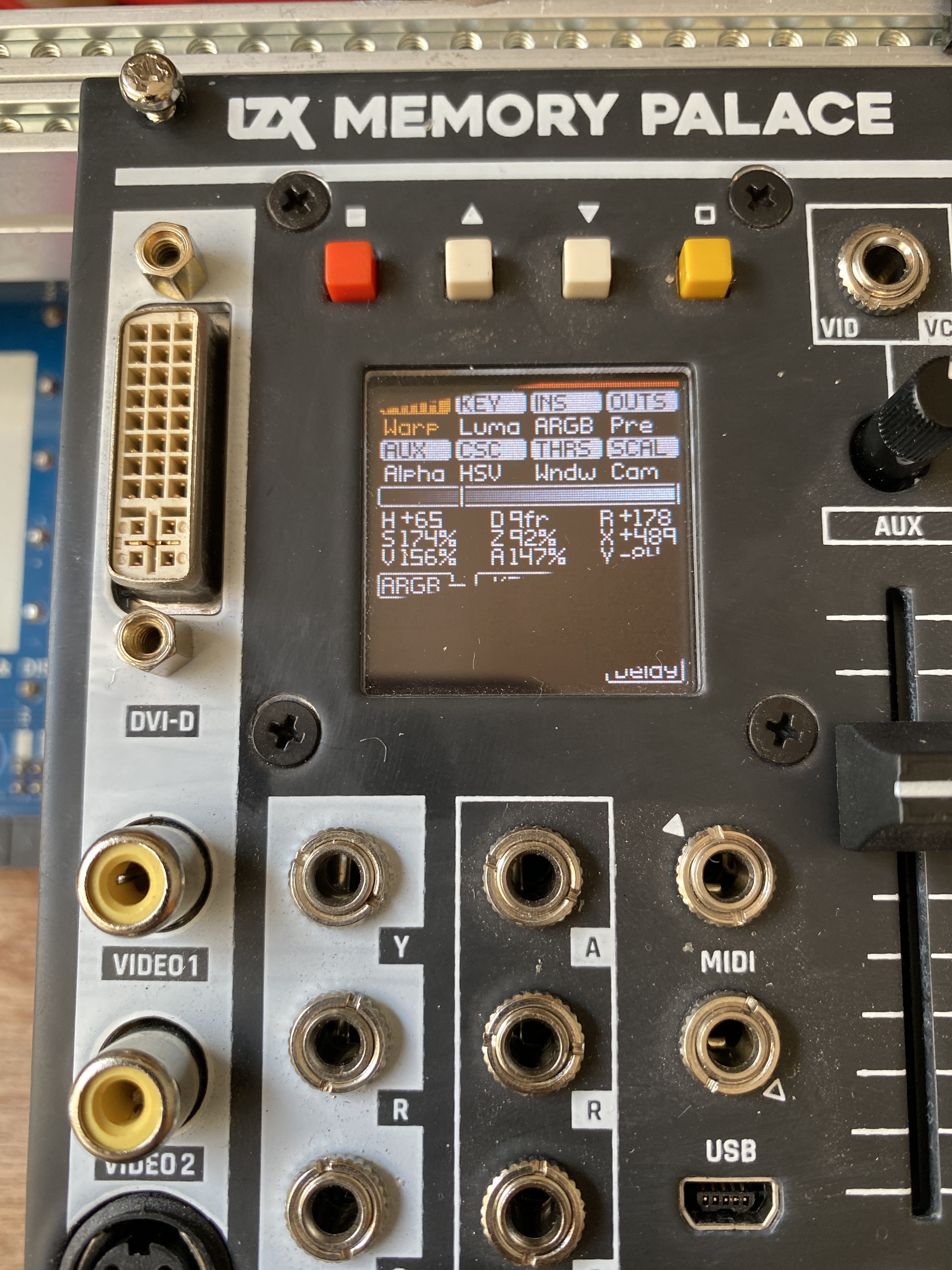
I wish I could do the usb method, opening up the metal door on the sd card gives me anxiety, I fear Ive damaged it already, it doesnt click into place as well as it used to.
#10 — Z0NK0UT · 2020-05-09
Did you run CleanMyDrive2 on the SD card after reformatting?
Did you power on the module while holding down “Boot from SD” and the red and yellow buttons (simultaneously)?
#11 — Nathan · 2020-05-10
It seems reformatting and cleaning the drive was the guidance I needed. Its working now, thankyou.
Perhaps its obvious to do this but for me it would have helped to have this info in the update guide .pdf so I didnt need to waste your time.
Thankyou
#12 — Z0NK0UT · 2020-05-11
Sorry about that. It isn’t always necessary, but seems to help some Mac users.
#13 — efp3 · 2020-05-12
The clean my drive solved a bunch of issues for me as well.
#14 — tenshun · 2020-07-21
i never got this new firmware working/ loaded .i just gave up on trying to update it.
As i am using a Apple and tried the clean my drive app and everything i could think of.
Mailing it to lzx just for a update during covid19 and the postal service being sketchy is a bad idea
#15 — creatorlars · 2020-07-21
You can send it in with FedEx or UPS
#16 — dora · 2020-09-13
Is there a way to tell what firmware version one currently has in memory palace?
#17 — Z0NK0UT · 2020-09-14
Could you share a photo of the System screen? The current V2.0.1 beta firmware will show the version on the system screen, but V19 does not.
#18 — dora · 2020-09-14
I figured out I have V19 and will soon try V20. In any event, I was surprised to see that an earlier version is much easier to read…
#19 — LILWILLY · 2020-09-27
Hi friends,
I have a 2018 Memory Palace, an early preorder unit. Attempted to update the firmware today on windows, via the USB port on the front. Followed the .pdf instructions, and am stuck in the SYSLOG loop, pressing and holding the Boot from SD button doesn’t seem to help.
Has anyone resolved this issue? Much appreesh.
Z0NK0UT wrote:
“Boot from SD” and the red and yellow buttons (simultaneously)?
Resolved the issue by holding the Boot from SD button, and the yellow and orange buttons, while having my significant other power on the case. Perhaps this could be added to the guide for us crustly old 2018 folks.
#20 — tenshun · 2020-11-21
So I am still trying to update my old 2018 memory palace to the v.19 firmware. I keep getting stuck on the SYSLOG loop.
I tried you method of holding down - Boot Micro SD button ,Yellow and Orange buttons on startup.
I saw new screen saying updating “firmware will take a few moments” after that the module goes back into the same SYSLOG loop.
I don’t feel like sending my module to LZX due to slow shipping system of Covid.
And I really want to try out this new to me settings on the V.19 firmware.
How did you get past the SYSLOG loop?
please help.
I feel like smashing this module with a bat everytime I see that SYSLOG message
#21 — Z0NK0UT · 2020-11-21
Let’s get you out of the woods. First, do you have the module set to internal sync, with nothing patched to it? Did you use a Mac or PC to update the firmware?
#22 — tenshun · 2020-11-21
Hello,
I am using a MacBook Pro (13-inch, 2017 - 3.1 GHz Dual-Core Intel Core i5
I have nothing plugged into the back of the module besides the power connecter.
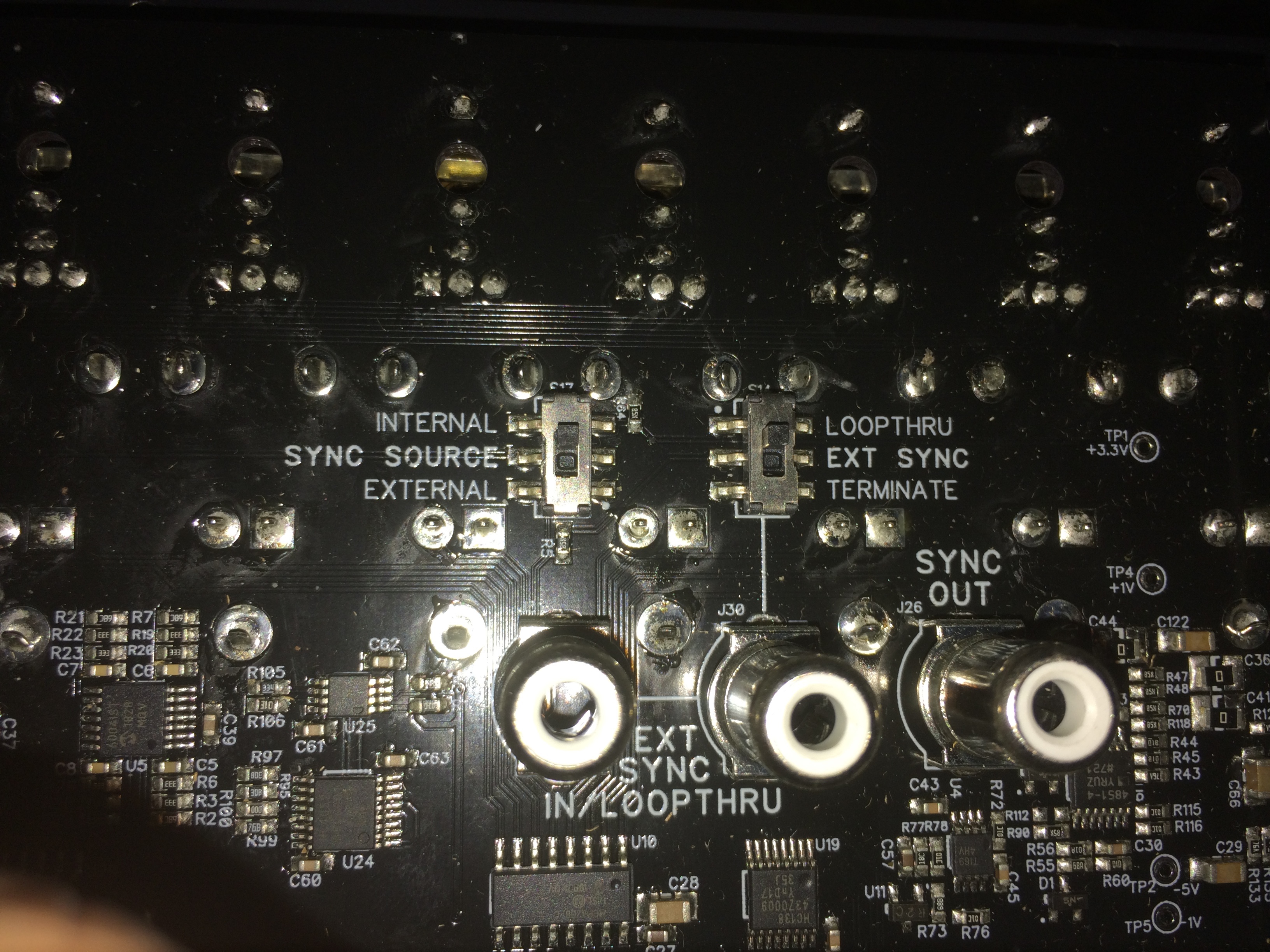
I have set the sync to internal sync - external. Whatever setting I still get same result
I followed the pdf on updating firmware exactly as described . I get same result.
I have tried the sd card method . Same result.
I tried holding down Boot Micro SD on start up. I tried holding down yellow and orange on start up. I tried hold all 3 of them down on start up. Same SYSLOG message.
I have formatted the SD card using the “Clean my drive” app. I trashed every single thing inside the folder.
Still get the dreaded SYSLOG
#23 — tenshun · 2020-11-21
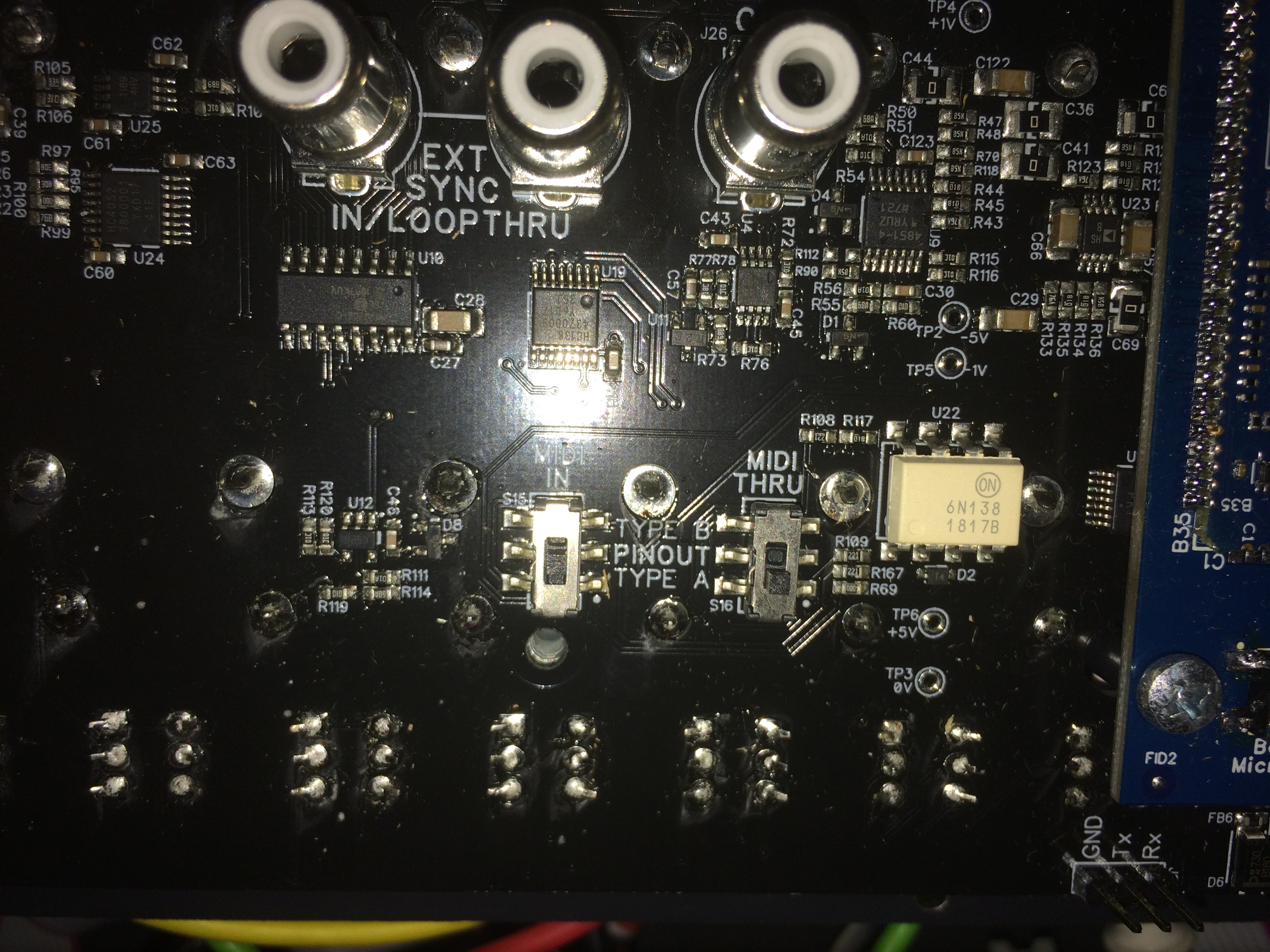
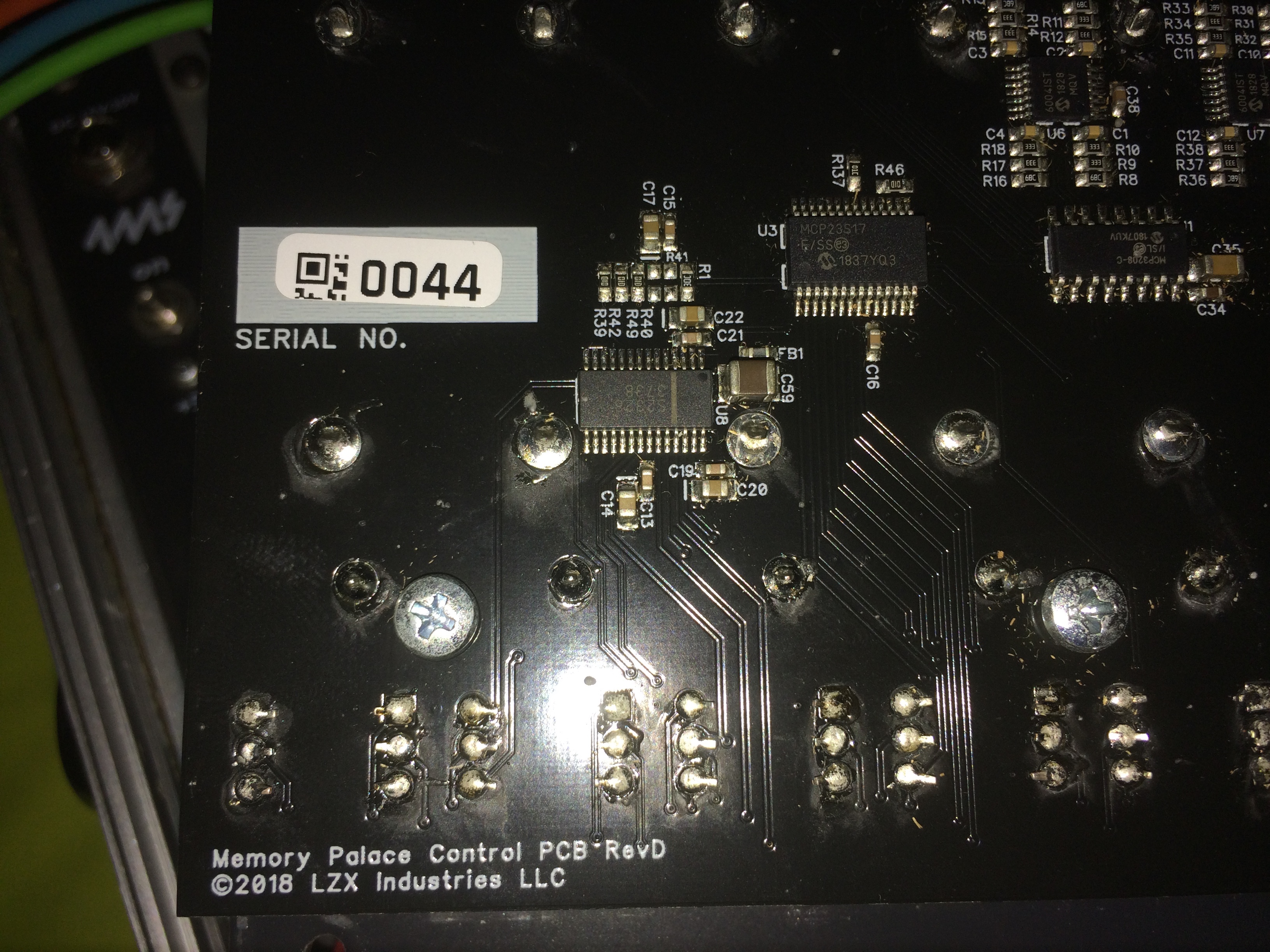
here is a picture of the switch setting if it would help:
#24 — wednesdayayay · 2020-11-21
you might try terminating your sync by setting the EXT SYNC switch to terminate (rather than loopthrough)
since you aren’t sending it anywhere in this instance
I don’t think that should be causing this issue though
#25 — tenshun · 2020-11-21
I am using the sync signal coming from Visual Cortex which is going to Memory Palace and then Navigator.
Would I still have to set the EXT SYNC to loop thru though? or Terminate?
#26 — wednesdayayay · 2020-11-21
tenshun wrote:
I have nothing plugged into the back of the module besides the power connecter.
I guess I’m confused how can you have nothing but power but also sync coming in from VC and going to nav?
you can totally using memory palace like this in fact that is how mine is set up (not master and passing sync through)
but if you are troubleshooting I would unplug all of that and just try to MP by itself 100%
#27 — tenshun · 2020-11-21
when i am using the memory palace as a normal module doing video synth stuff. i have the Visual Cortex as the master sending the sync signal to Memory palace. The sync through rca jack is then connected to Navigator where the sync signal ends.
When doing the firmwarw update i unplug all the rca cablesand set memory palace to internal
#28 — Z0NK0UT · 2020-11-23
The error message makes me think that there is some other issue with your Memory Palace. Could you send an email to support@lzxindustries.net so we can set you up with an RMA?
#29 — brock · 2025-08-13
Is it possible to downgrade firmware? Many of the tutorials are using the v1 and I’d like to match whats being shown.