Scriptable Video Module
Category: Unknown · Tags: — · Posts: 73
#1 — luix · 2018-08-13
@creatorlars mentioned on the FB group that there are plans to develop/release a “video scriptable module” and we can start the discussion about it. So here I wanted seed the topics about this that I think are relevant, so feel free to comment on them, to add new or whatever you feel.
1. GUI: Regarding the medium of programming, there are (at least but not limited) to mainstream approach to program. To use “boxes” and “wires” (a-la-Max) or traditional plain text. I personally prefer just a text editor but that because I’m a developer and can handle, the boxes-wires are almost universally in the software industry to break or lower the bar regarding the users of the platform. The problem is that creating a UI with dragable elements and connections in a way that is intuitive and easy to use is not trivial or a small task, meaning that development of this eurorack module with its full-fledged GUI with boxes is not viable as a product to sell. A good alternative could be to use an existing software platform (maybe like Axoloti Platform Patcher or even Max???) and integrate the module into it. In this case I would try to go with opensource always (avoiding Max).
2. Programming Languages: as for the PL I suggest going with some specific-domain one, like Processing. I would totally avoid using python in the same way that Criter&Guitari made on the ETC (I love python, I program in python almost every day at work…).
3. Hardware interface/uploading sketch: I would definitely want to have a direct USB-serial connection to upload the sketch into the module or similar, an alternative can be a SD card and swap it, but that will mean that as a programmer I will need a “renderer” on the computer.
4. GPU/opengl/glsl: If the module have a GPU we could even do hi quality shaders and other advanced video effects, that would be amazing.
- http://glslsandbox.com/
- http://glgraphics.sourceforge.net/
- https://www.critterandguitari.com/products/etc
- https://www.shadertoy.com/
- https://shaderfrog.com/
5. Mac, Windows, Linux:, as a Linux user I have when software is Mac only compatible :(, but this is something I cannot complain too much as there are many reasons why developers (like me) choose proprietary platforms over opensource, and thats its because those platforms are more common among users that you to promote use of the software you are creating. Still there are multiplatform options.
6. Controls: standard controls for digital modules would be nice:
- assignable control to variables inside the sketch
- encoders with buttons rather than pots for more software flexibility each one with CV input+att.
- 1 or 2 toggle buttons
- maybe OLED? to select from the menu which program to load/save etc…
Please comment, even if you don’t know how to program (or are interested in it) because maybe the final module will be a hybrid to allow non-developer users to use it and be happy with it, but to let all the depth for exploring to more advanced users.
#2 — luix · 2018-08-13
7. Live Performance: for live performance how this could be achieved:
- with a laptop connected thru cable or wifi (I really dont like that module has wifi…)
- no laptop, saved renders/shareds/rasters/scripts on SD and loaded on the fly
#3 — luix · 2018-08-13
I completely forgot to mention, something regarding point 3 that I think is relevant, there is very good support for javascript to do usb-serial transmission.
https://www.google.es/search?q=usb+serial+javascript+library
This means that if there are no plans to go with an existing platform (Axoloti, Max, PureData, etc…) it will feasible to make a simple GUI on html+javascript to create a browser plugin (firefox/chrome) to upload data into the Scriptable Module, there are good examples of this with some Drone racing configurator softwares like Cleanflight and Baseflight that allow you to updload configuration/software into a external device via usb-serial and thats a very good multiplatform integration.
This could also be potentially useful for upgrading firmwares to the new Orion series from the front usb of the module.
#4 — reverselandfill · 2018-08-13
I would prefer a “boxes and wires” GUI, because I’m used to that type of programming.
That would make it usable for a larger group of users too. I really like the axoloti / patchblock software!
Would this module spit out analog video?
Digital effects would be cool!
#5 — luix · 2018-08-13
reverselandfill wrote:
Digital effects would be cool!
I dont know if will have digital effects… it will be probably to generate rasters (or vectorgraphics) I really dont know.
I totally understand your appeal to boxes-and-wires.
#6 — wednesdayayay · 2018-08-13
I honestly love how the shbobo shnth handles this
you can write your code in a text editor if you want and it works perfectly
you can also use the app and program with nesting modules which I find easier than boxes and wires
as someone who has only ever programmed for fun I much prefer boxes and wires to text
this is a module I’ve wanted for a long time
wouldn’t the [http://erogenous-tones.com/modules/structure/](http://erogenous-tones.com/modules/structure/) cover some of this territory?
and I’m not really familiar at all but the https://www.critterandguitari.com/products/etc seems like a standalone version although it is python based
#7 — creatorlars · 2018-08-13
Thanks for opening this discussion! Mainly I want to be a spectator at this point, and just get my finger on the pulse of what you all want or are imagining.
My thought is more of a devboard (like Raspberry Pi or Arduino), but with perhaps a module version, of what is currently the Memory Palace/TBC2 platform. There are several devboards out there with video in and out, but it is pretty much always HDMI only and the boards with more than a single input are few. What I think we could offer is the devboard with at least two external video input channels and an output that runs synchronous to the inputs. This means you have proper analog genlocked I/O, and the device can then be modular and expandable. We would put into place all the basic infrastructure in the FPGA for time base correction/frame sync, frame buffering, and all the drivers. So it would effectively be a user scriptable video mixer/effects processor. Add MIDI controller and code to make pretty much whatever dedicated machine you wanted.
#8 — luix · 2018-08-13
TBH its fine ifs its a standalone, that means the board can be bigger if needed by design, and I can save some hp on my briefcase, and bring the board to gigs if I want.
#9 — creatorlars · 2018-08-13
The primary things I’m interested in knowing right now are: What are the use cases for you? What problems does this solve? What can you do with this that you can’t do with existing gear? How far is your imagination taking you when considering a scriptable environment?
We haven’t made the decision yet, but we may also open source the software portion of the Orion modules (the VHDL/FPGA portion would be fixed.) This would make each module in the series a reprogrammable video DSP focused on whatever video processing is going on in the FPGA core (in the case of Memory Palace, for example, there is a hardware accelerated texture-mapping unit, colorspace converter, chroma/luma keyer and alpha compositor.)
All of this stuff requires, at the least, clean code and documentation on our part. So we need to get through our first release cycles and let the firmware mature first. After that though, we may have a really great platform to springboard off of.
Check out the Pynq board… it’s a Python scriptable environment for Zynq (the architecture we’re using.) One option Ed’s brought up is to fork the Pynq platform and then implement device drivers for it for our various FPGA/DSP cores. That would provide a good basis for further extension.
Another selling point of a devboard is that it could be used as an OEM base for other people’s video synth/video mixer products – the same way we use the Raspberry Pi for our Andor 1 media player.
#10 — luix · 2018-08-14
creatorlars wrote:
Pynq
I’m reading on it and I’m already in love with the idea, seems like a very powerfull and dev-friendly platform.
The idea to embedd a jupyter notebook on the A9 cortex (linux) its very amazing.

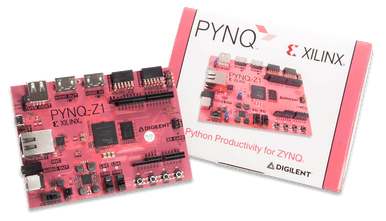
https://digilent.com/shop/pynq-z1-python-productivity-for-zynq-7000-arm-fpga-soc/Program Xilinx Zynq ARM/FPGA SoCs without the need to design logic circuits. Use Python and the Pynq open-source framework to accelerate development!
Average Rating: 4
Price: USD 299
Link: PYNQ-Z1: Python Productivity for Zynq-7000 ARM/FPGA SoC
Regarding what are the use cases I can think of:
-
Machine Vision (Artificial Vision and Machine Learning) for tracking objects from the input video, and provide that information as analog signals to the modular, or to stick an tracking point or object into that position in the video, in real time!.
-
Video Effects, to write filters like in ffmpeg (like this or this videos I made) or like https://deepart.io/video/, but again like in real time.
-
Complex/Dynamic Key Generators, for video mappings but in real time?
So some of this can be done on computers but in batch process (non-real time). Most of this falls in the research areas of Computer Vision / Computer Science and its not very artsy. Or maybe it is!

Here are some examples of video effects that are scripted thru filters in ffmpeg its very interesting oioiiooixiii: FFmpeg
#11 — destroythings · 2018-08-14
I work a lot with Touch Designer, Quartz Composer and Isadora so my dream module would be something that includes a visual programming language. That would make it much more accessible to people form a non programming background.
#12 — dni_br · 2018-08-15
Hello
My point of view
What i like about eurorack is their simplicity / ergonomy : one module / one function and patch cable.
The best scriptable module i know is a laptop. If i miss a module it s something like Expert sleepers ES8 ( cv《》usb) with video rate frequency ability, to interface lzx with say pure data or jitter…
thx
#13 — luix · 2018-08-15
I agree with you partially, but there are stuff that its too complex to write for a GPU or it will work too slow on a CPU, so having a FPGA on board is a completely different thing. Because its basically reprogramable hardware, so you can change the hardware (make the physical logial gates change) based on your source code (known as VHL), this is super powerfull for highly concurrent and real time applications that, as I said before, can be solved in a Laptop but in a batch process, not in real time.
#14 — dni_br · 2018-08-15
right. i inderstand.
But what i m doing with jitter is enough for me , real time and an interfacing module would be great
#15 — reverselandfill · 2018-08-15
as for me, I’d like a video effects unit that can do the things a Korg Entrancer can do, but then in full PAL format.
It would be great to be able to edit weird digital functions and then use them on analog video.
and automation come to mind.
#16 — peloazul · 2018-08-16
(I’m an HPC / Scientific R&D person IRL.)
I’m happy to do anything up to and including writing code in Vivado (but I suppose that depends on the licensing…). I don’t care so much for visual programming for something like this, personally, but I understand the appeal as it is a natural analogue for patching. I would worry about the cycles eaten up by a framework that made things easier. I enjoy hybrid programming models - and I think the Zynq type parts are really exciting in that way.
The part of a video processing module that I would find the most daunting (and thus the greatest value add) is all of the integration and testing of the peripherals (jacks and thus ADCs, encoders, display, etc.) that are connected to the SoM.
#17 — creatorlars · 2018-08-16
That’s definitely the value add from our perspective too. There aren’t any existing Zynq or FPGA+MCU boards out there that provide extensive interfacing to analog video encoder/decoder peripherals, so that makes it hard to tinker.
While a visual programming language would be awesome, and it may even be possible to port existing ones to run on this board, we’re thinking more at the primitive level of just the platform with core drivers – so any visual programming language would probably be another layer on top of that, and on the user application side. Maybe there’s an OEM/devboard that’s more barebones and a visual scripting/reprogrammable interface module is something else in the Orion Series lineup. All the “Orion Class III” modules (currently TBC2 and Memory Palace) use the core architecture of Zynq SoM + loads of video related hardware peripherals.
#18 — Dewb · 2018-09-25
I’d be pretty excited about any kind of devboard version of the MP/TBC2!
Pretty agnostic on language but I’d hope there would be both a high level and a low level way to engage with it. I have a C&G ETC and while I think they did a great job with that platform, PyGame doesn’t cover everything I want to do with a programmable system. I’d be interested in doing more demoscene-style low-level programming, ideally with a mix of CPU and GPU, 3D geometry, etc. I’ve also been daydreaming lately about a FPGA RNN/GAN implementation, so you could train models on a PC and then apply them with low latency in hardware.
My #1 request, though, would probably be a video module with a long sample buffer (whether an official Orion module or the devboard) that can participate in the monome i2c serial messaging system (teletype/ansible/mannequins/ER-301/Matrixarchate/etc.) I’d be most interested in some ways of scripting loop points on a sampler to recreate Raphael Montanez Ortiz style chopping & sliding buffer effects.


https://www.academia.edu/2370556/Unmaking_The_Work_of_Rafael_Montanez_OrtizUnmaking: The Work of Rafael Montanez Ortiz
Link: Unmaking: The Work of Rafael Montanez Ortiz
#19 — VanTa · 2018-09-25
For me the most interesting point right now would be a Perlin/Simplex noise generator. It is an essential part of my digital work (instagram.com/vantaslog) and would love to see how a staircase performs as an fbm. Lars asked me about this idea long ago and I’ll be happy to either take the challenge on developing it myself or helping others in the task.
A second point will be to gather in one module few of the effects present in devices like the roland entrancer. Flip-flop, slit-scan, pixelate, etc. In the direction of what Memory Palace would be able to do but in a smaller factor.
#20 — wednesdayayay · 2019-05-27
I’d like to see something that reacts to the video input and gives correlated CV/video outputs
so we could say get a static (if the picture is static) CV amount correlated to the amount of Green in the picture
building patches that react to the video output is something I’m interested in
I’m going to continue thinking of other things and re read this thread but I really enjoy the idea of programming some video synth tools
#21 — creatorlars · 2019-05-28
@wednesdayayay Great thoughts – I have a lot of ideas like this for image analysis across multiple frames (longer temporal constant.) Another constant CV value it would be nice to have is angle of movement, amount of motion across the frame, etc.
#22 — luix · 2019-05-28
this in real-time


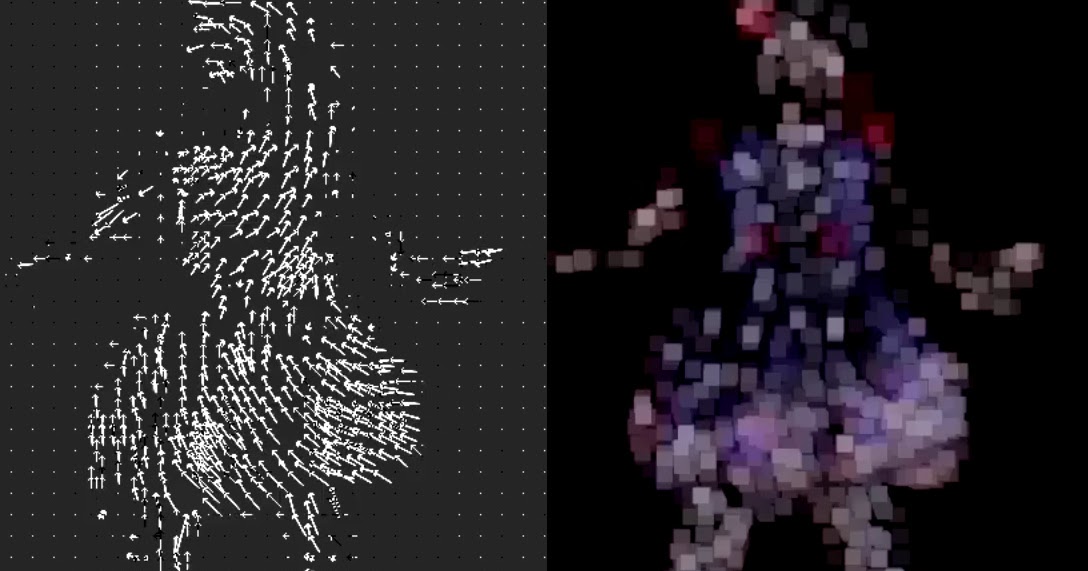
http://oioiiooixiii.blogspot.com/2018/04/ffmpeg-colour-animation-from-macroblock.htmlanimation, dance, FFmpeg, Japan, programming, video, 日本, りりあ (LILIA),
Link: FFmpeg: Colour animation from macroblock motion-vectors
a system like the ffmpeg filters that can be cascaded/chained/routed would be awesome
#23 — wednesdayayay · 2019-05-28
angle of movement sounds rad too
this is maybe a little off topic maybe not
paint by numbersI was recently painting a backdrop for our production of winnie the pooh
the way we typically do this is project onto the flats trace then some shading then paint over it in whatever the desired style is
what I would like to do simply is
chroma key out several major colors (maybe just RGB since we tend to only buy RG&B plaint and mix ourselves anyway)
under each color would be an oscillator (static image is just fine)
maybe Red would be full horizontal Green would be between horizontal and vertical and Blue would be vertical
this seems doable in a system with 3 oscillators, 3 polar fringes, 3 doorways and a visual cortex
is this too ridiculous of a use case?
scrolling bangwith the additional scrolling options that diver and memory palace open up perhaps it would be interesting to derive triggers/gates/bangs/go messages for scripting from a settable threshold for NESW faces around the outside of the viewing screen and allowing these triggers etc. to be assigned wherever
this could really open up some self playing/wiping
picture in picturepicture in picture being a bit easier would be very nice but would require more than one RGB path on the module, multiple modules or a 3 channel grayscale PIP workflow which would still be fun and elevating I feel.
thinking back i seem to remember the sampler module being talked about as a video collage module so maybe some similar territory is covered
color pick and switchsomething like the polar fringe chroma keying where in addition to picking the color you want to pluck out or around you also pick the color that goes in there instead
“typing this out loud” made me realize that polar fringe and color chords would cover this but it would be neat to have it as a simple programmable & reusable module so we can that could be stacked for a larger re-colorization patch
Quadrantsperhaps even something where you could assign quadrants of the screen ( I seem to remember someone mentioning this a while back and I’ve got some of my own experiments going that I haven’t written about yet in this territory) tasks
if we could write conditional statements based on the location (within the quadrant) of a color blob meeting a specific requirement for size and color that would be pretty neat
#24 — wednesdayayay · 2019-05-31

https://synthetik.com/Studio Artist automatically paints, draws and rotoscopes using Artificial Intelligence. Anyone can create amazing art or animation. Download for Free
Link: Synthetik Software | Studio Artist 5.0 Intelligent Graphics Software
automatic and or guided drawing could be neat the more I look into this application the more I see spaces where memory palace should be able to function similarly I think
but having it be scriptable rather than more about the physical patching could be very interesting
I’m going to dive into this application and get some more concrete suggestionspiggy backing on @luix post above from that same website
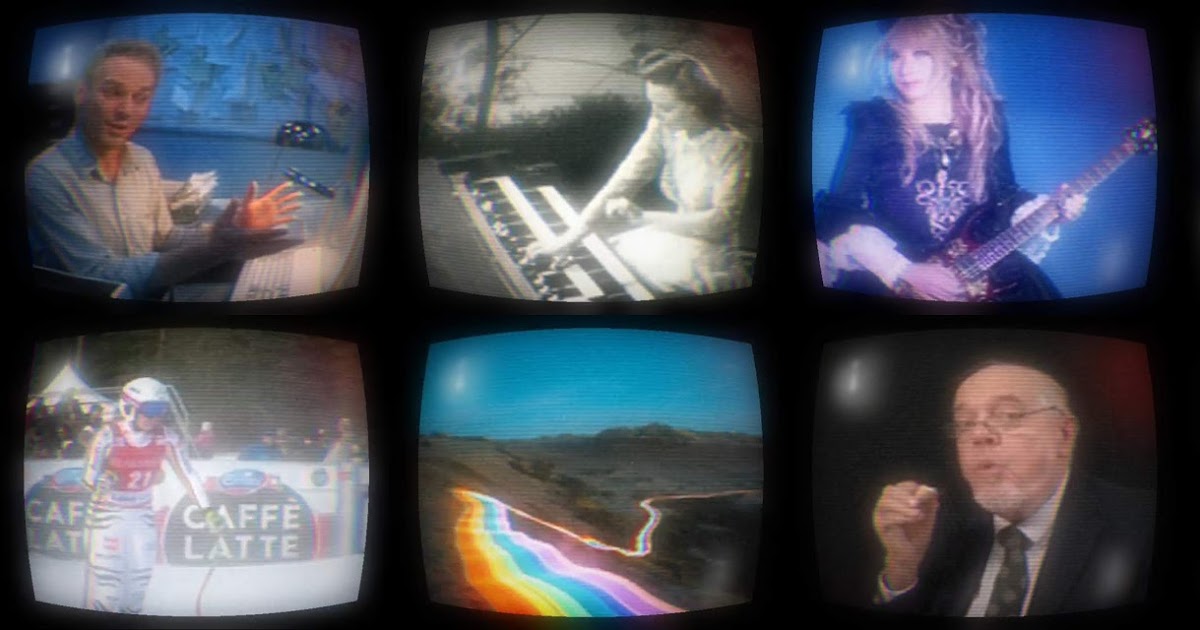
http://oioiiooixiii.blogspot.com/2019/04/ffmpeg-crt-screen-effect.htmlanimation, FFmpeg, programming, video, scripts, television,
Link: FFmpeg: CRT Screen Effect
some kind of CRTifying would be greatI believe something that allows for ASCIIing live video with a live keyboard input for swapping in and out letters (like muting and and unmuting that “letter channel”) would take the idea further into some new territory
#25 — peloazul · 2019-06-03
wednesdayayay wrote:
I believe something that allows for ASCIIing live video with a live keyboard input for swapping in and out letters (like muting and and unmuting that “letter channel”) would take the idea further into some new territory
I think there was an old-school Quicktime demo that did this; source code and all. I’d guess from the 2004 or so era, but maybe earlier.
#26 — wednesdayayay · 2019-07-20
so I really enjoy watching the processing tutorial video from here


https://www.youtube.com/user/shiffman/videos?app=desktopAll aboard! The Coding Train is on its way with creative coding video tutorials on subjects ranging from the basics of programming languages like JavaScript ...
Link: The Coding Train
and he just recently released a video about a new application called runway that I think anyone interested in this machine learning area may want to take a look at
that being said it is helping me focus what I want to see from the video synth
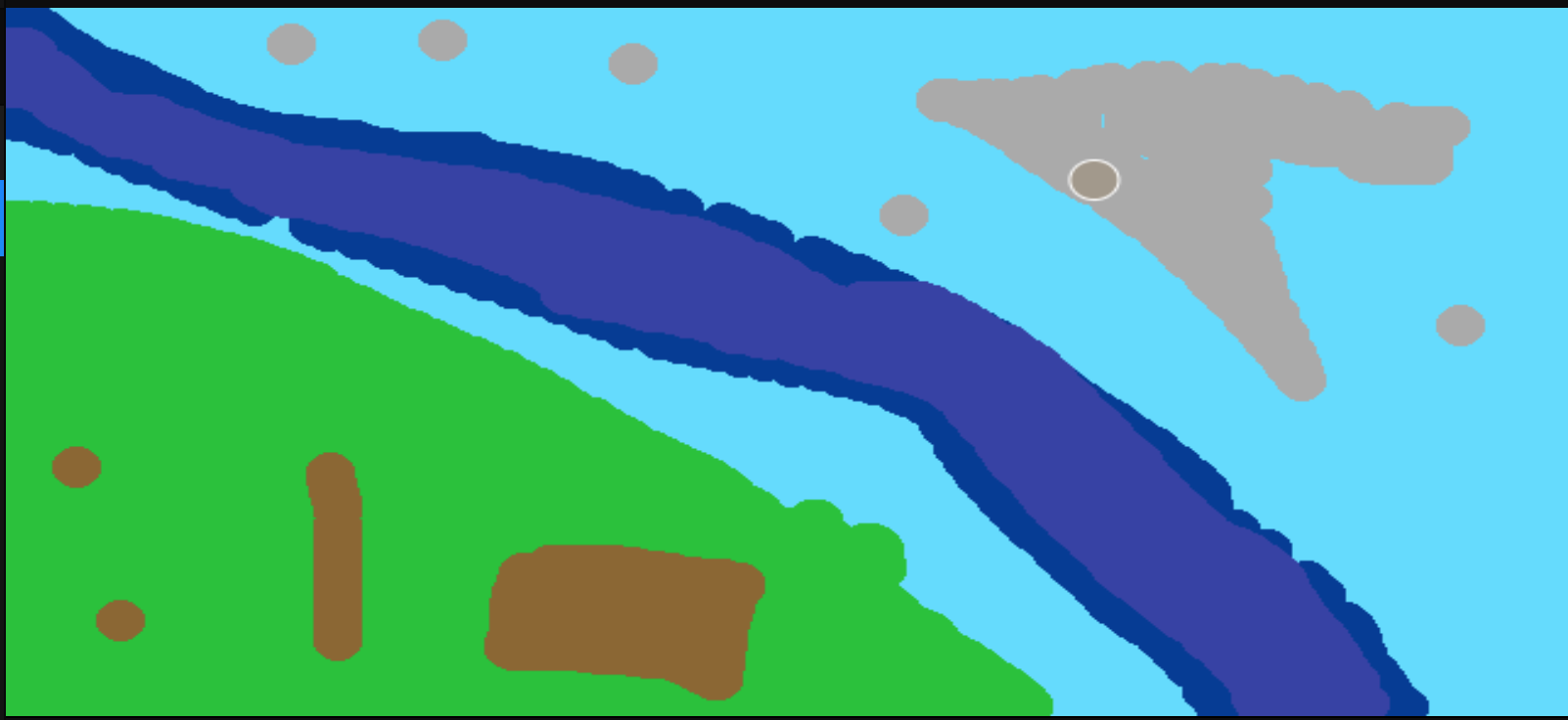
spade cocoso one of the models (spade coco) allows for you do import or draw with certain colors that have been trained for so dark blue might be ocean and green might be grass
you draw (using a built in basic drawing app) or import an image and then it is translated into a picture you can see what I drew and the result
the idea that we could potentially have something drawing images soley based on the colors present in our LZX patches opens up some very interesting possibilities

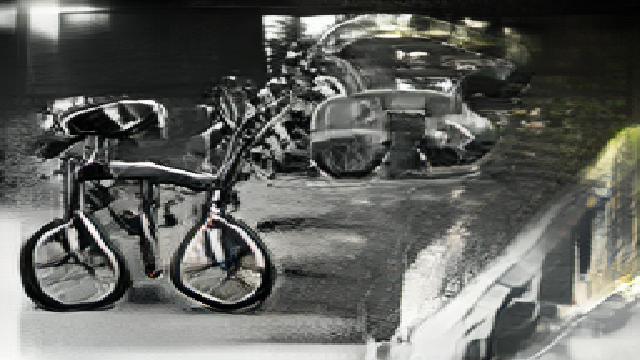

trackingI think the skeleton / face tracking would be very useful too if we could key either the resulting XY space from face detection input or the skeleton out of the input so that it could be composited in somewhere else
it would be a lot of fun to take the resulting “skeleton key” through doorway and get it nice and soft then mix that back in with the original through a visual cortex/marble index
spade landscapesso there is another model (spade landscapes) which takes text input and outputs a picture
“the sun is on fire a bucket of fish and ten little boys”

obviously if you make an effort to work within the confines described models then you will get a more “pleasing” output
I’m not sure how to make this work with LZX just yet…
although there is another model that takes an input image and outputs text…
we could create the google translate of video synths
create an image to be described textually
then create an image from that text
rinse repeat
so I just tried the im2txt model on that same image I generated above
and it gave me
“a fire hydrant that is on a sidewalk .”
sending it back through the original model
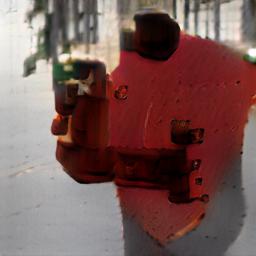
then I got
a red fire hydrant sitting on the side of a road .
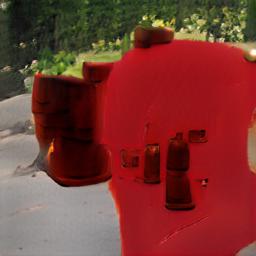
then it got stuck in a loop
so the tasty aspect here would be keying in video synth stuff with the images thus throwing things off a bit so that we don’t end up getting stuck in a loop 
dense depththere is a great model (dense depth) which predictably gives a grayscale output that represents the depth of the input
I can only image patching in depth in this way combined with a dual cortex/projector setup
red/blue the outputs of cortex 1/2 slightly offset (projectors) in the X axis and we should be able to make some 3d video synth…
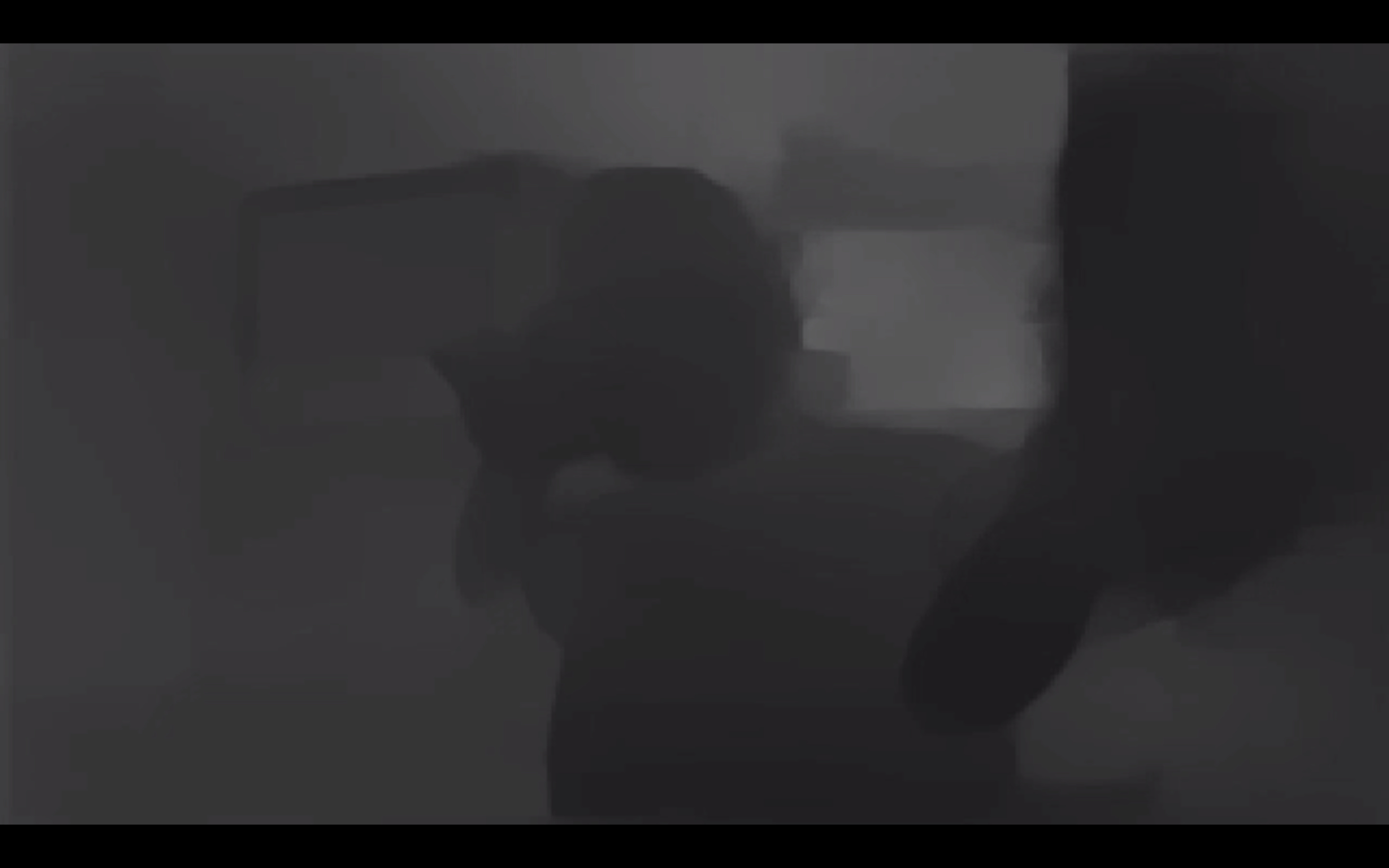
Photosketchthere is one called Photosketch
this is a wonderful effectI have only played around in runway for an hour or so and it has been great fun
#27 — Sympathizer · 2019-12-02
I’m a big fan of the Monome Teletype and utility modules like Ornament & Crime… Having something like that for video - something that could respond to (and output) CV and have processing-like animation powers could be great.
#28 — Marizu · 2019-12-02
That sounds really cool.
What kind of funtions/primitives would you envisage it having?
#29 — luix · 2019-12-03
The type of primitives I would expect are some high level basic building blocks a-la-cadet or like in any LZX Expendition reference card the block-diagram. I.e. Navigator a mixer/inverter, a rotator, a gama function etc.
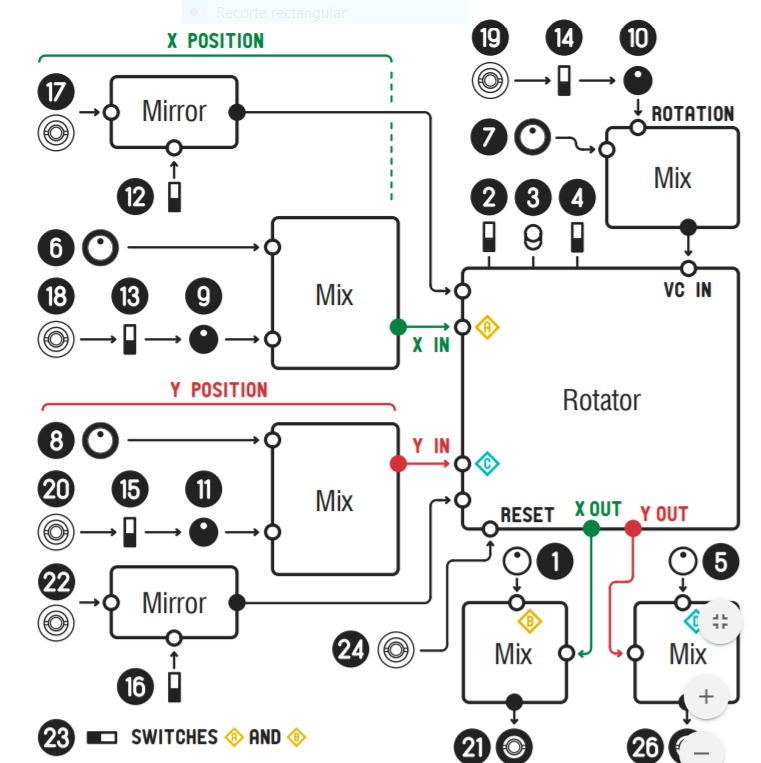
or Arch some analog functions.
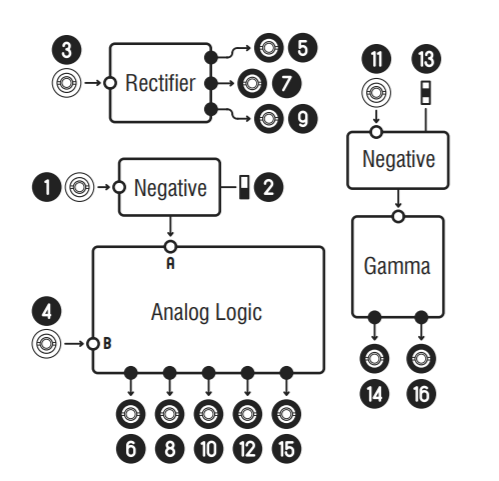
LZX has not said anything like this but thats what I would expect, remember we will be probably be doing a mix of VHDL (for defining some physical connections on the FPGA) and C++. Or maybe its possible to use an even higher level programming language like Python.
Im very excited to get started with it
#30 — luix · 2019-12-04
I see that lzxindustries GitHub account has forked the nodeeditor so maybe something on that direction


https://github.com/lzxindustries/nodeeditorQt Node Editor. Dataflow programming framework. Contribute to lzxindustries/nodeeditor development by creating an account on GitHub.
Link: lzxindustries/nodeeditor
Cant wait to see whats on the oven

Its gonna be amazing for sure
#31 — Gavin · 2020-06-30
As a less-technically minded lzx user, I use touchdesigner a lot with LZX, and I know other folks do. I’ve found it the most accessible and most ‘open’ system from my perspective, and pairs well with LZX already.
Pros:
Free to use
It uses python, (and glsl if you want) so guess that interfaces with Pynq, and you can approach TD in a script-y way as well as a node way.
Lots of easy realtime I/O options already ready to go - cv, osc, audio, midi, Kinect, laser, projection mapping, all sorts.
Lots of basic functions already there - (eg. perlin, simplex and other noises for VanTa above; image analysis across multiple frames is accessible for a noob like me to do in it already and one of the things I do with it, or more fancy motion detection). Also lots of free ‘nodes’ already made by people to do other stuff, eg. import OpenGL shaders, create mandelbulbs, whatever.
Mac and PC compatible (though Mac being non-NVIDIA now means its the weaker option for some things)
Lots of existing community and development stuff to connect to for future possibilities.
My use cases/problems solved/imaginary possibilities:
- I pipe stuff from TD into LZX and back into TD, with blackmagics in between. I’ve used it to create complex realtime sources in TD from sound modulation/osc or whatever, and send these (alongside cv impulses/lfos for timings) to LZX (eg. I use it as a noise generator looping into CV with lzx, but obv TD’s noise output is a video not cv). And I’ve sent LZX back into TD, to process LZX images/cv impulses to do things like make nice ramp patterns into 3d shapes or become part of more complex graphic outputs. The possibilities for me are about moving from 2D into 3D rendering in realtime, for general complexity, and being able to interact through osc, Kinect etc.
- I’m starting to explore machine learning stuff as more accessible tools for this appear (including via TD), this is a big growing area, and expect this would be a primary use case by the time this module was ready for the light of day.
The problems solved are basically that it would make things more self-contained in the rack, and more immediate/performable, than going back and forth to the laptop, but offer more creative openness and complexity than exists right now. I didn’t get an erogenous tones structure because it’s use of shaders as outputs seemed a bit basic and limited compared to what I could already do with TD and a circuit of cvs/blackmagics.
I’d like to see the ability to take a TD project made on a laptop and load it into a module’s bank of projects/patches, having set the project’s cv inputs and outputs and video in/outputs to match the module’s cv/video in/out so I can then perform it as a patch within my LZX patch. I guess the alternate option to putting TD into a module, as suggested above, is something like a video-rate-conversion expert sleepers to facilitate more laptop-lzx communication.
Wednesdayyayay, there’s a simple TD ASCII noise tutorial here where you can swap in symbols as whatever you like. You could pipe video in rather than noise in to it too: https://youtu.be/uTXZJrtjGV8
#32 — wednesdayayay · 2020-06-30
oh good lord
this is wonderful
I’ve installed TD on my computer twice but never really sunk into it
I love the idea of a video rate conversion expert sleepers type thing
I don’t have much to add at this point but am so excited to see how this gets pushed forward
#33 — Gavin · 2020-06-30
I found this TD tutorial great as my first ever dive into it to get my head around it: https://youtu.be/wmM1lCWtn6o and from there the Matthew Ragan (youtube) tutorials are really great intros, and this past 12 months or so several folks are now doing great youtube channels for specific techniques. The most video-synth-esque is maybe Paketa12, who does some astonishing things using only TOP(‘2d image’)-based analysis.
#34 — 337is · 2020-06-30
So on the TD/Video Tools discussion, Eric Souther has a recent tutorial series covering the topic of artist tool development which he shares within a TD learning environment. So it may be of use/interest to many of you. Link to part 1:
https://www.youtube.com/watch?v=vTokcDEf99Q
#35 — VanTa · 2020-06-30
I use the combo extensively, one thing I love to do is one particle in TD per ‘pixel’ of my LZX output.
If you want to get into shaders and GLSL in TD, my course is a good starting point: https://thenodeinstitute.org/courses/vanta-glsl-shader-in-touchdesigner/
#36 — Jesse · 2020-07-01
I’d like to second @wednesdayayay re: shbobo shnth & fish. If you’re not familiar shnth is a little reprogrammable wooden handheld synth - has some buttons, bars, antennae - all of which are assignable to different sounds, movements whatever.
Like you can program it so that when you press button 1 it triggers an envelope, or a horn, or any number of things. It’d be really Ace to have voltage control I/O that’s fully programmable to route to wherever & whatever.
I reckon the community would build alot of the “modules” within the software environment should the skeleton exist.
Also second whomever mentioned a long sample storage situation. Would be amazing to build a sampler
#37 — j4s0n · 2021-01-19
You’re all aware of Erogenous Tones’ Structure right?? It’s basically a tiny (4 nodes at a time) version of TouchDesigner in a module. CV, audio, and MIDI controllable GLSL and python with composite or LZX RGB video capture built in. (Edit: oops, I didn’t scroll back far enough, but they recently added python)
#38 — mauiey · 2022-01-22
The Raspberry Pi Zero 2 W makes a perfect scriptable video module! Tiny and budget friendly (for $20 you have all you need). I like to use simple shaders as a randomness/texture/gradient input and this is a great tool.
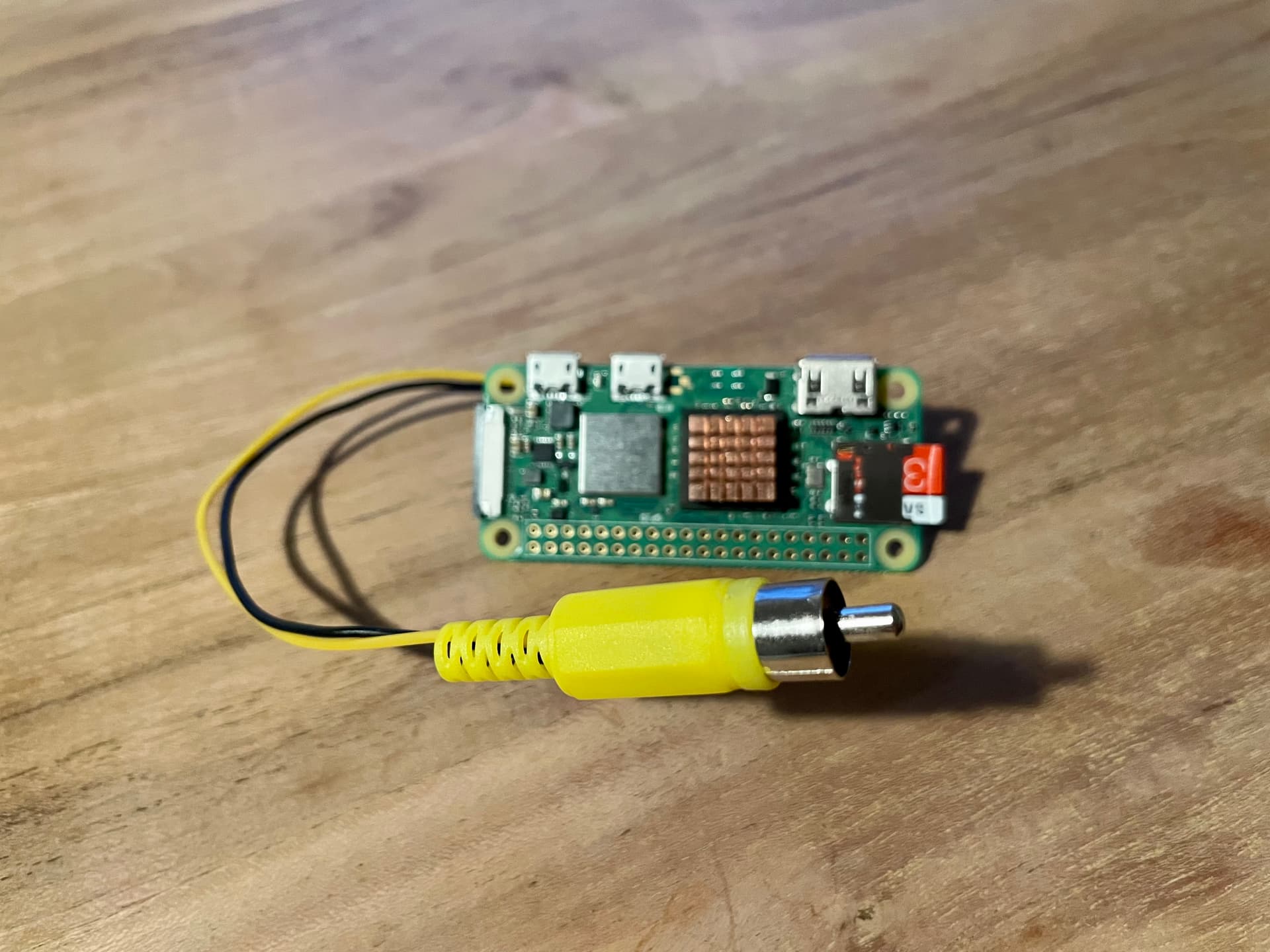
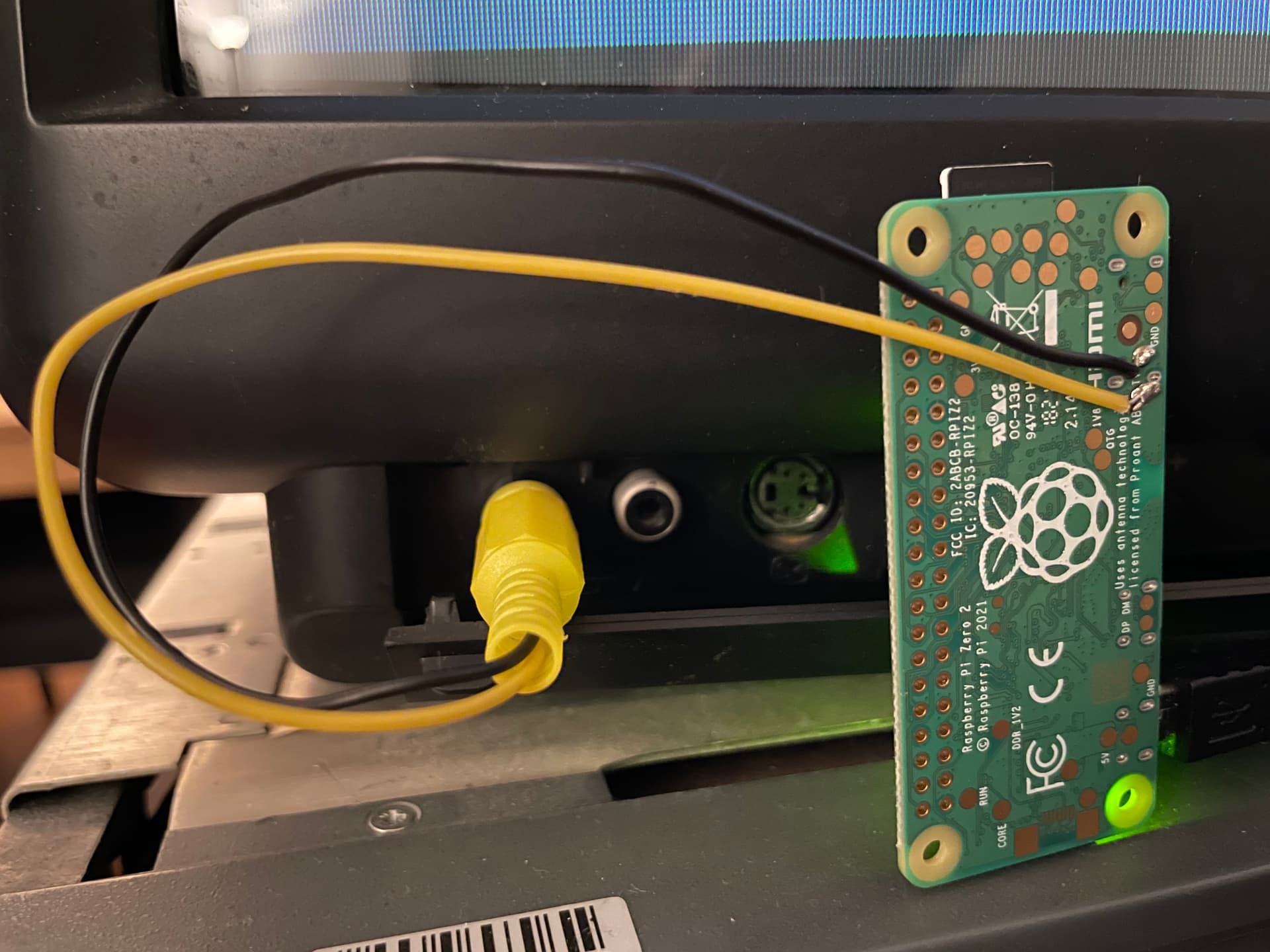
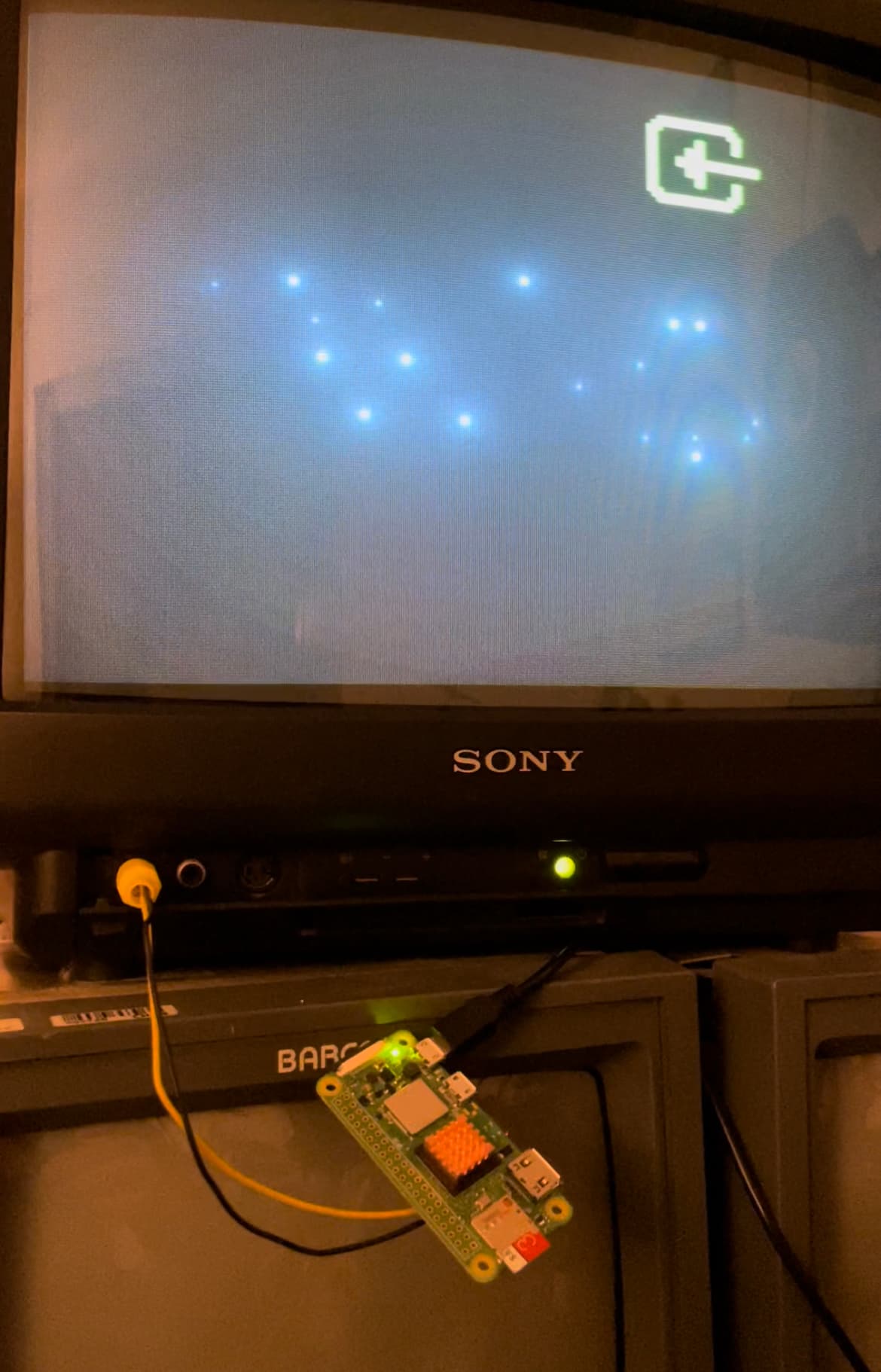
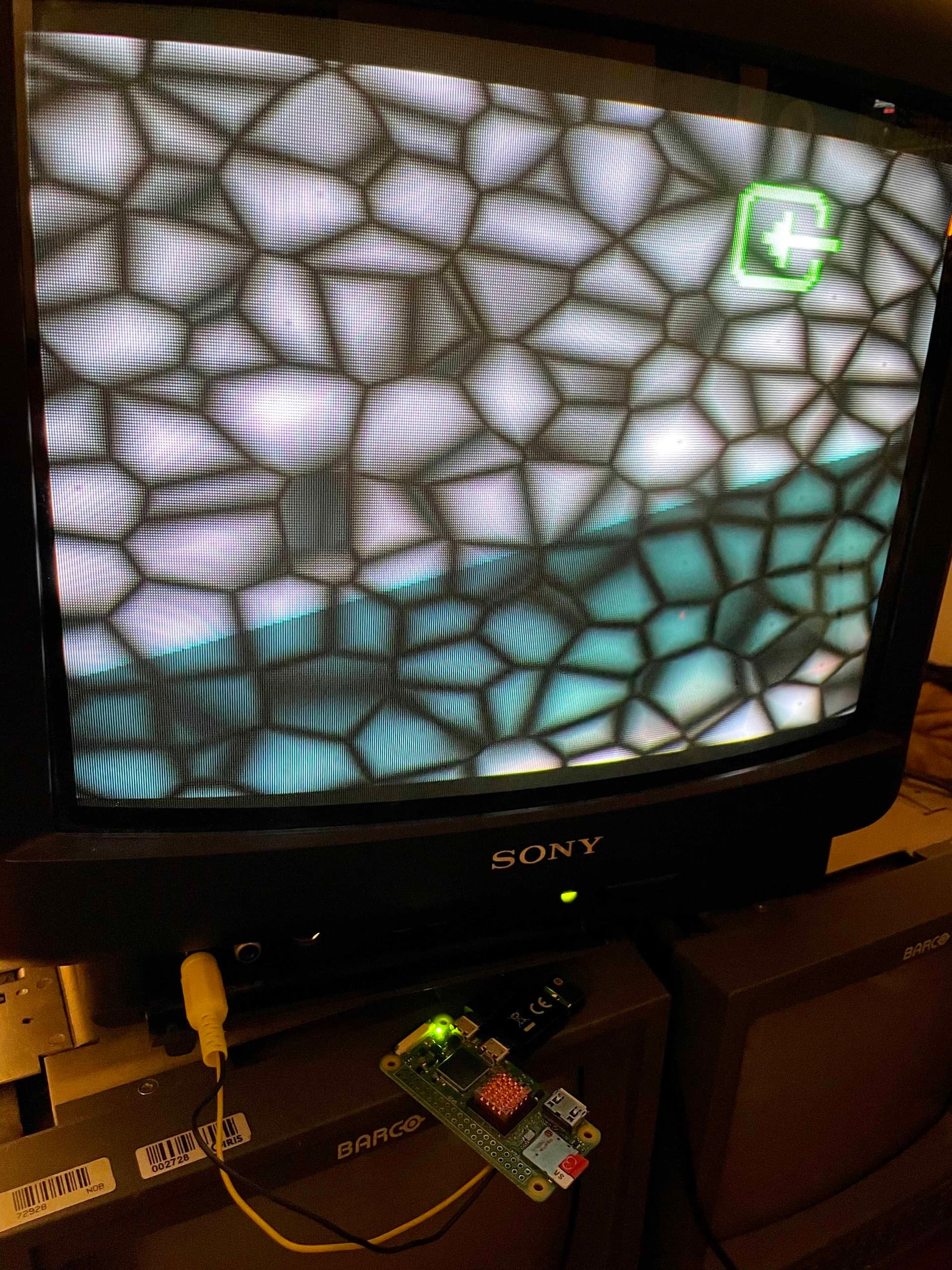
#39 — creatorlars · 2022-01-22
You definitely can’t beat the Pi in terms of generating video independently at low cost! The main limitation for our use case is that there’s no real way to genlock the output timing such that you could synchronize to an external video reference. So, for example, you can’t just mix the output of two Pis together passively – you need a separate device (video mixer) to do it. So that inhibits how far it can be taken in a modular, analog patching context.
#40 — reverselandfill · 2022-01-22
can you point me in the direction on how to get it to output those patterns?
This might be a good 1st Pi project for me
thanks in advance! martijn
#41 — mauiey · 2022-01-22
Sure! It took me a while to figure everything out - so here is a short guide in case more people are interested.
I’m running shader files with glslViewer on Raspberry Pi OS Lite (Buster). With this configuration you only have a command line interface (and the glslViewer window) so no resources are wasted on the windows manager.
From the command line, shaders can be run full screen like so:
glslViewer shader.frag
How to get there:
SSH
I find it easy to SSH into the Pi, because then you can easily copy/paste shader code from your main computer.
Prepare the image
Using the imager prepare Raspberry Pi OS Lite (Legacy - Buster).
In the imager, use shift+cmd+x (or similar depending on your OS) to show the advanced options. Make sure the hostname is set and SSH is enabled, and configure wifi.
Compile glslViewer
After booting up the Pi, follow the steps here - if you are on OS Lite, you need the steps for no X11.
On the compile step, use the following make command:
cmake -DNO_X11=TRUE -DFORCE_GBM=TRUE ..
(the manual reads as if you should use either one of the arguments, but you should use both)
Configuration
In the final step of the previous section you are told to make sure some lines are uncommented in the /boot/config.txt file. In addition to those lines, make sure to have the this uncommented as well (to enable the composite video out):
sdtv_mode=2
And you can set a smaller frame buffer size, which should improve performance:
framebuffer_width=320
framebuffer_height=240
Finally run
sudo raspi-config
And under ‘Advanced options’ set the GL Driver to G2 GL (Fake KMS).
Test
Reboot the Pi and you should be ready to go. Some examples are included in the glslViewer repo.
#42 — mauiey · 2022-01-22
Btw I took the cellular shader from here as a quick test.
#43 — Marizu · 2022-01-24
That specific pattern looks like a Voronoi.
Here’s a tutorial for generating them in a glsl shader. The Pi’s GPU isn’t powerful enough to smoothly animate that many cells using this algorithm.

https://www.youtube.com/watch?v=l-07BXzNdPw
#44 — reverselandfill · 2022-01-24
it would be cool to create a small instrument with a few controls on it.
one composite output and a few pots and buttons for adjusting variables
I was thinking about these types of noise, indeed
but I have no experience with the Pi yet.
maybe a collaberation with someone?
#45 — Marizu · 2022-01-24
There is already the r_e_c_u_r project. There is an i_n_c_u_r add on that gives you four pots and CV inputs for them.
There is also a chap called Erik Oostveen that has been posting on the Facebook Video Circuits group who is also doing a similar PI based shader project called SlimShader.
#46 — reverselandfill · 2022-01-24
Marizu wrote:
r_e_c_u_r
yes, I know that one. it is still on my “to do” list!
I was thinking more in the line of really simple shader source to be used as grayscale input into the LZX enviroment, without menu’s and/or interface. Just like 4 pots to adjust specific variables.
and it might be a fun way to get started with the Pi
#47 — VanTa · 2022-01-24
Count me in
for collaborations on that.
#48 — reverselandfill · 2022-01-24
cool!
It can even be a module with a Pi on the back, I realize now.
I don’t know which limitations there are for this type of applications, but anything really is cool.
Last year I tested grayscale gradient inputs with a standalone player, which was already very useful (but a bit unwieldy to use. (and premade, so no realtime control)
#49 — VanTa · 2022-01-24
Pi zero draw less current than the rest, it’s less powerful as well, but for some simple shapes it could work.
They eat a lot of amps generally
#50 — Marizu · 2022-01-24
reverselandfill wrote:
I was thinking more in the line of really simple shader source to be used as grayscale input into the LZX enviroment, without menu’s and/or interface. Just like 4 pots to adjust specific variables.
That makes sense. That’s how I use r_e_c_u_r and Structure most of the time, as if I take them straight into the Cortex, they are mono, anyway…
I would have thought that you would want to be able to switch between shaders, though.
I’d like to learn more about how to do this.
I’m also interested in learning how to make greyscale 3D terrains on an embedded device like the Pi. I’m not sure whether the Pi would be powerful enough to do this in GLSL, but I would have thought that it could handle simple mesh deformations.
#51 — wednesdayayay · 2022-01-24
EDIT: not sure if linking to a patreon is ok (it isn’t ours although we have backed them for a while)

instagram.comhttps://www.instagram.com/wraybowling/Welcome back to Instagram. Sign in to check out what your friends, family & interests have been capturing & sharing around the world.
Link: Login • Instagram
#52 — reverselandfill · 2022-01-24
Marizu wrote:
I would have thought that you would want to be able to switch between shaders, though.
that would be cool, indeed!
#53 — joem · 2022-01-25
That’s very close to what the recurBoy is. Though it still has a (small) screen.
#54 — mauiey · 2022-01-25
@Marizu actually it is! See below - by the way, the Pi is not overclocked.
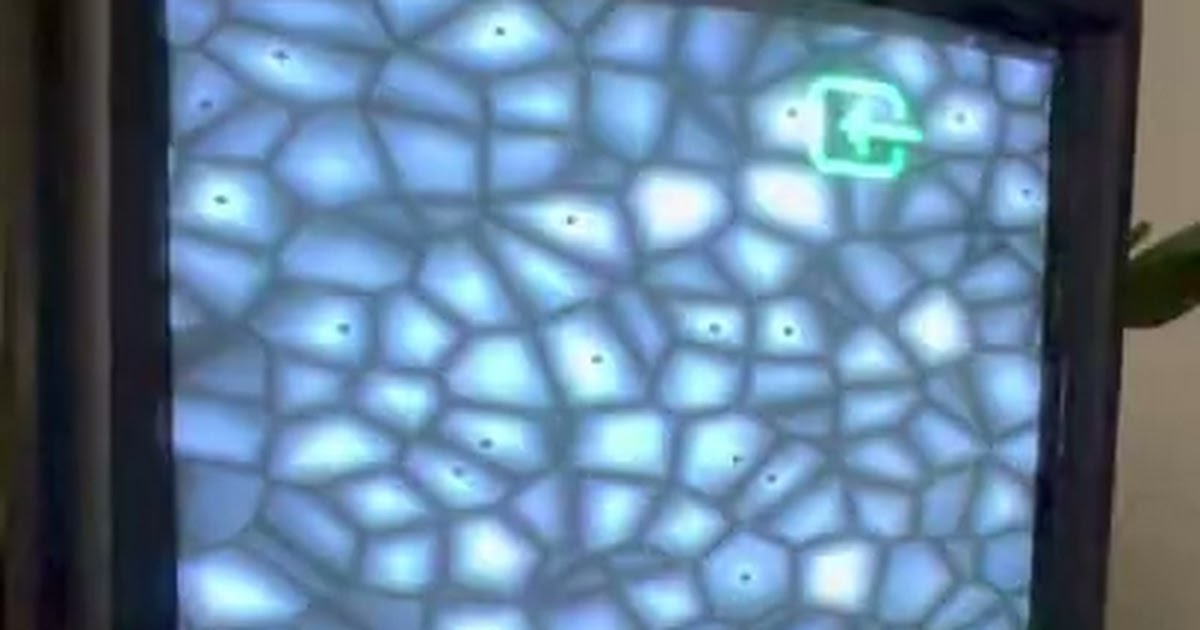
https://drive.google.com/file/d/1FZrrxOVDK2nEGyuEPRj10b_lqav-lGhm/view?usp=sharingGoogle Drive file.
Link: IMG_0573.mov
Here are some more examples to show the performance:
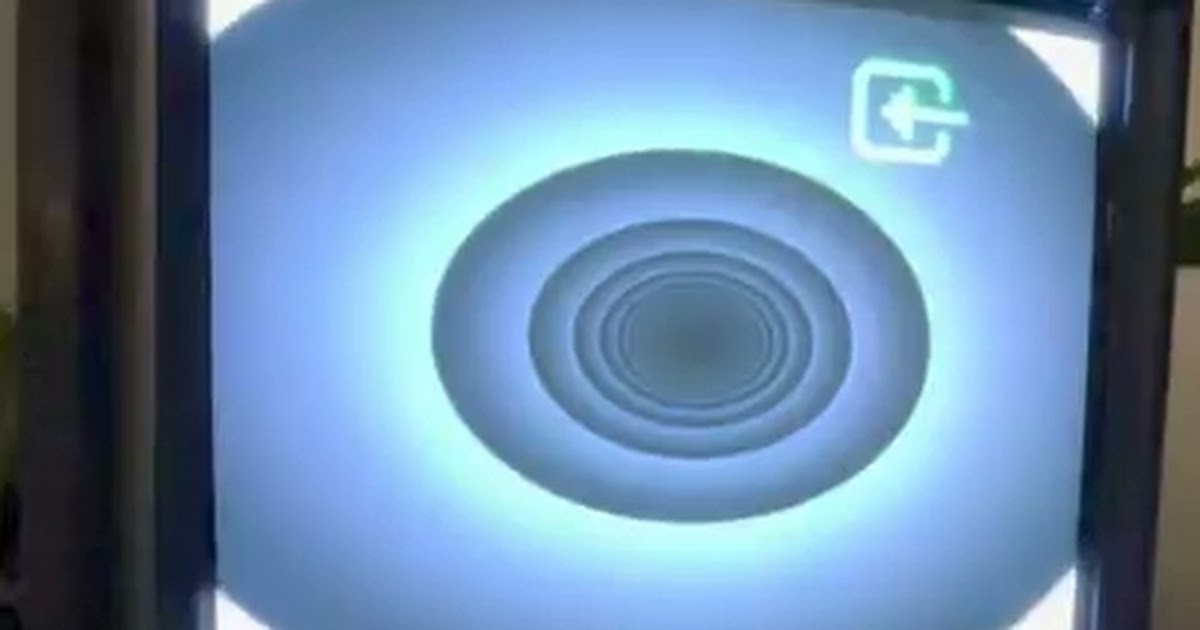
https://drive.google.com/file/d/1t5Cfgi50GdQUT7PRs769Fn3gTCYxHbwD/view?usp=sharingGoogle Drive file.
Link: IMG_0574.mov
Or an adaptation of this shader on the Pi
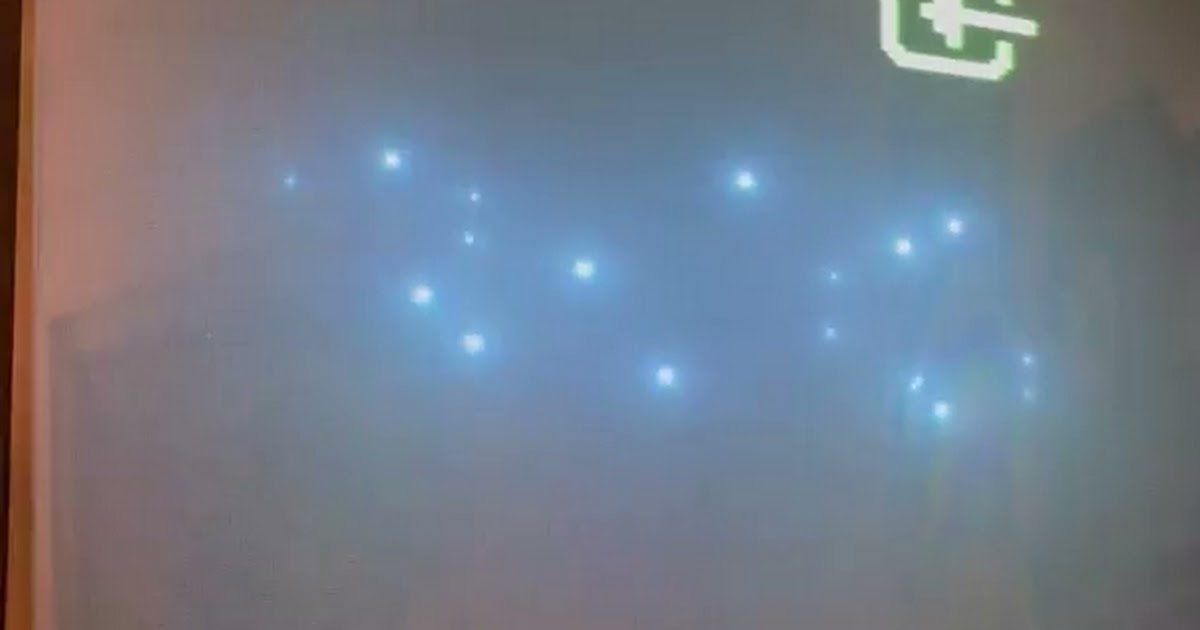
https://drive.google.com/file/d/1F3E2PR08qRninLlPeJDBMBVBa_JxI7fi/view?usp=sharingGoogle Drive file.
Link: IMG_0564.MOV
vs on Structure
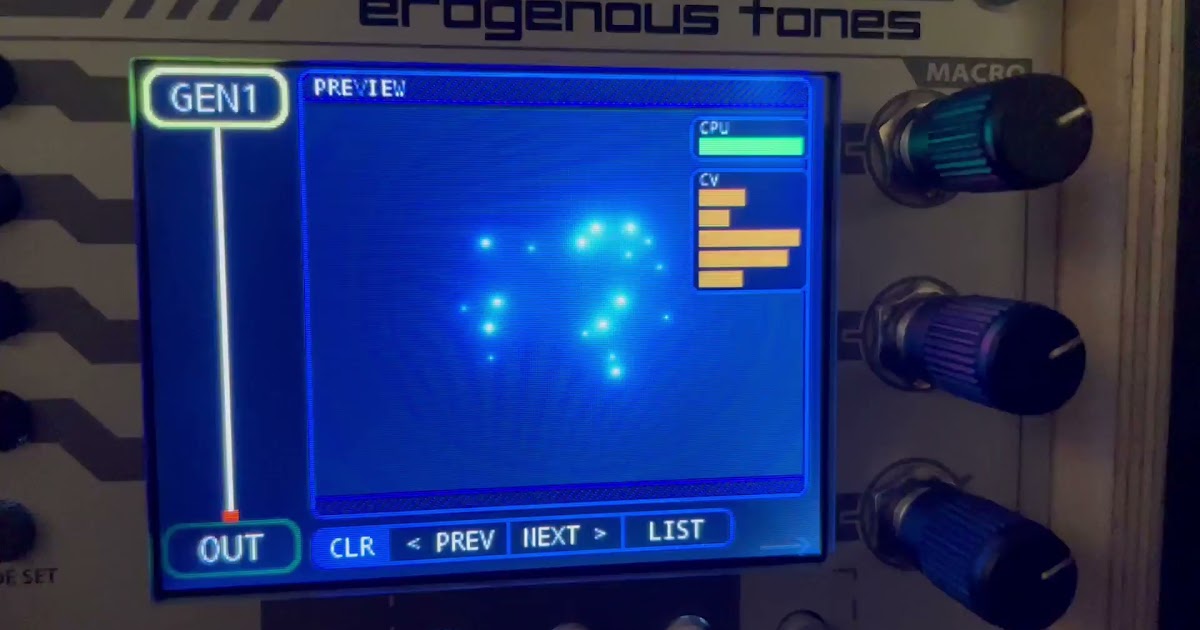
https://drive.google.com/file/d/1w6MmEsZ4SOT0F2qu2qw_vaZfPrbYPTX7/view?usp=sharingGoogle Drive file.
Link: IMG_0565.MOV
And finally a heavy one:
https://drive.google.com/file/d/1QMgRnCkRm6UsaCI6ONUwvPrPXQzRI3wZ/view?usp=sharingGoogle Drive file.
Link: IMG_0576.mov
#55 — mauiey · 2022-01-25
@reverselandfill this is what I was going for, the ideal texture/movement input module. Should not be too difficult to add some buttons to cycle through a list of shader files, and some basic controls.
@creatorlars regarding your earlier comment, you are right it’s pretty limited in terms of modular I/O. But for me personally, the goal would be to make a module as small and simple as possible. I mainly want to use it to add some depth and continuity to my patches and have a bit less repetition (like with oscillations and one-way movements).
I don’t think I’d want to play with this a lot anyway during performance, because there are lots of other modules for that. Also, most of the time spent with such a shader module would be on creating the shaders so you have them exactly how you want. That’s why I wouldn’t mind not being able to mix it, for example.
For people that are not into making the shaders themselves, there should be a shader selection available which is based on utility and compatibility (not so much visually pre-defined and obviously shaped). I’d be happy to share my personal utility shaders at some point if it can help with a module (@reverselandfill).
What I miss is something subtle and universal. Structure is awesome, but it sometimes feels like you are picking samples from a VJ loops package. Of course you can add your own shaders, but for just running one simple shader it’s a bit overkill (in terms of price and HP).
#56 — creatorlars · 2022-01-25
mauiey wrote:
regarding your earlier comment, you are right it’s pretty limited in terms of modular I/O.
It’s more about the video synchronization side of things – you can’t get the CVBS output of the Pi to output a video signal that will be synchronous with the rest of your patch, in the LZX 1V context anyway. You’d need to patch in via a TBC module or mix externally with a video mixer (which adds cost.)
Maybe this can be circumvented – we’ve looked into it before, but getting an external video rate clock source into the Pi is pretty closed off. If it could be solved, it would make some really useful functions (like small, dedicated modular shader engines) very accessible.
Of course, the project is worth pursuing even if video sync isn’t achievable!
#57 — reverselandfill · 2022-01-25
but patching it in the Cadet I & III will work, right?
#58 — reverselandfill · 2022-01-25
yes, that is exactly what I was thinking
a simple module with a video output , some controls and the possibility to read shaders
(adjusted to be manipulated by those controls, if that is possible)
cheap, small and fun!
#59 — creatorlars · 2022-01-25
reverselandfill wrote:
but patching it in the Cadet I & III will work, right?
Yes of course! My point was just that you can’t have multiple pi based shader units in sync with each other. So you’re just limited to one shader unit. Which is awesome of course, but not nearly so powerful as it would be to have several of them, and be able to mix their outputs seamlessly in-system.
#60 — reverselandfill · 2022-01-25
I get it now
if there would be one such module, you can’t have 2 in your system… (without external processing)but one is already pretty fun I’d image
#61 — creatorlars · 2022-01-25
Exactly! Just to illustrate my point, TBC2 is an ~$800 module that’s an integrated dual input/upscaler/downscaler. That sets the cost of an external video source at ~$400 per input, if you want to expand your system in a modular way (multiple shader units.)
So the first shader unit may only cost $100 (pi based DIY project or whatever, including all the parts and padding it a little.) But the second one costs you $500 (presuming you need to purchase the input infrastructure, whether that’s TBC2 or another solution.)
So, for the sake of illustration, if you wanted 5x shader modules in system, if you need external input modules that costs you $2100 (2x TBC2 + 5x shader units).
But if you could find a way to sync the video output of the Pi, that cost drops from $2100 to $500!
So sync’ing the Pi would be like finding a goldmine in terms of your system budget! That’s the point I’m trying to make.
#62 — reverselandfill · 2022-02-09
the raspberry pi zero2 w came in today.
now I’ll have to get some other stuff (5v adaper, SD card etc) to get started.
Looking at the recurBoy github again.
I’d like to make something like that but with less features (no sampler or FX)
and no menus would be my focus,
to have a couple of selectable noise gradients (like those in Touchdesigner) with cv control in a module or standalone tool.
#63 — vhsdestroyer · 2022-02-09
Curious if you would make this open source so people can develop their own modes?
#64 — reverselandfill · 2022-02-09
I don’t see why not, as all my products are opensource
note that I consider myself a beginner
#65 — VanTa · 2022-02-10
One place to start could be openFrameworks. I’ve made many projects with it and some on RPIS and it’s an ok environment to work on.
#66 — mauiey · 2022-08-20
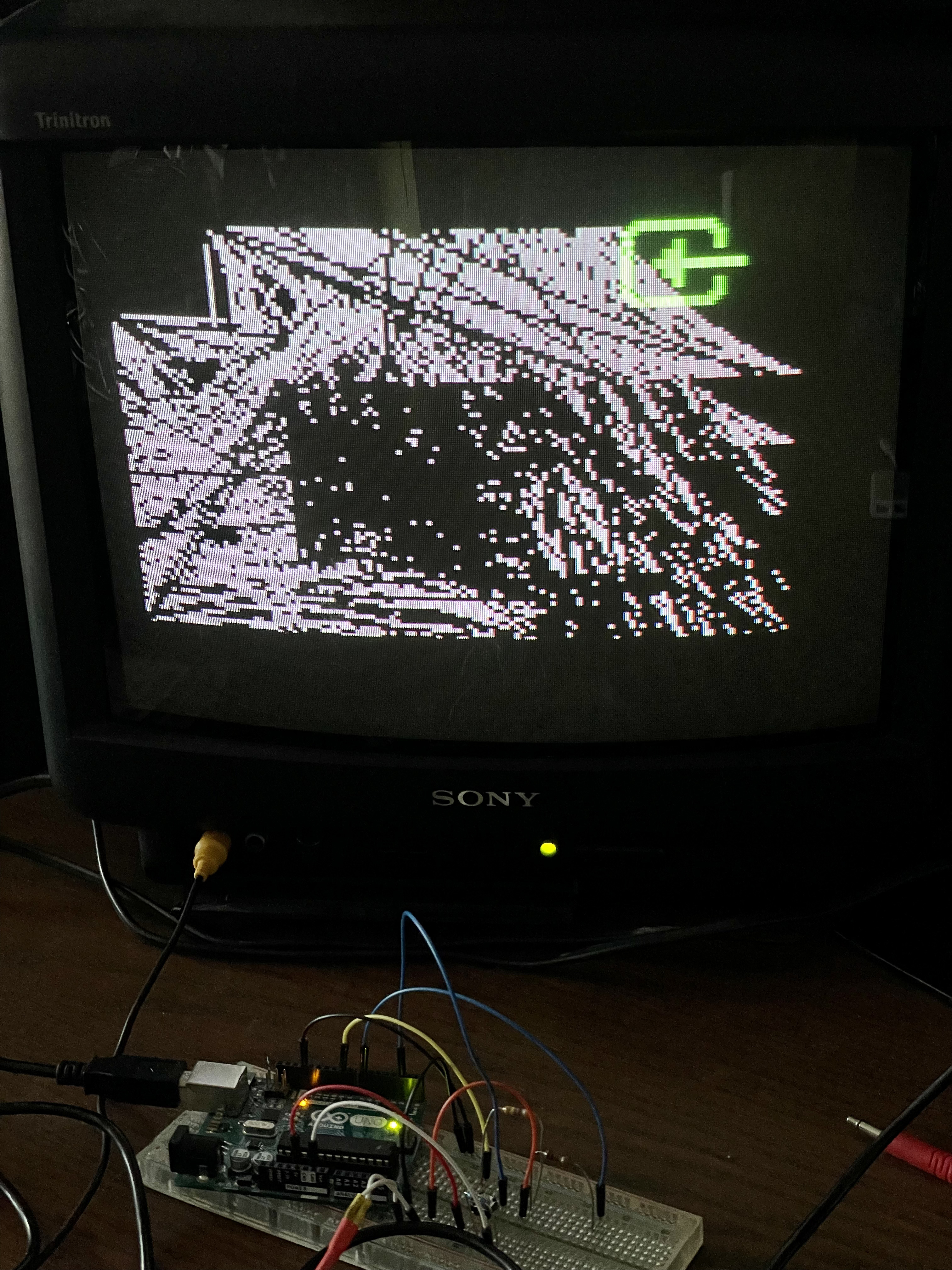
Inspired LoFi Future’s //SimpleViz (and while waiting for it to arrive) I tried the Arduino as scriptable module, here’s a how to. The TVout library is quite basic but compared to a RPi it’s a lot easier to set up a plug & play module that can be controlled with buttons and/or sensors.
#67 — VanTa · 2022-08-21
Can you cover the whole screen?
I always get black bars around the image.
#68 — mauiey · 2022-08-21
No I’m also not able to fill the whole screen. The script in the picture was supposed to plot lines from 0 to max width and height. Maybe some kind of sync issue?
#69 — VanTa · 2022-08-21
The micro is not fast enough I guess. Although they can generate sync good enough, like in the cadet, but having a while frame in memory and being able to spit it out on time is another question.
#70 — Gavin · 2022-08-25
btw, Erik has put his Slimshader module on GitHub and the Pi image on his site here, and it is a quite well-developed project to do what is being described here: http://www.erikoostveen.co.uk/Slimshader.html
#71 — Polite · 2026-03-08
could you not just clock against a sync signal via gpio?
Admittedly just realising this is pi zero and not Pico, where you probably don’t have as much cycle level control over rendering output timings.
#72 — joem · 2026-04-24
Yeah, Pi Zero can’t have its video synced to an external signal, as far as anyone knows. There may yet be an undocumented way, but no one’s found it so far. It’s kind of doubtful there’s even an undocumented way, though.
#73 — Polite · 2026-04-25
there are always ways.