Video capture (to standalone or not)
Category: Unknown · Tags: capture, tbc2 · Posts: 40
#1 — wednesdayayay · 2018-09-07
so with the forthcoming TBC2 and all the recent talk of upscaling I’m thinking more about video capture
I know people have used the intensity shuttles for input into the computer and thus recording. I expect once the TBC2 comes out we may even see a decent amount of the shuttles showing up for sale.
However I’m also considering an all in one solution as they seem to be getting to a nice point of price/size/performance
any thoughts on how you will be recording in the TBC2 future?
I have a matrox mini that I never figured out very well if I record a couple seconds of video it ends up being a crazy large file and it doesn’t want to playback. I hope I’ve just got something messed up in the settings but didn’t ever get any further with it. If anyone is willing to help me through that process or even just general settings that would be wonderful.
#2 — creatorlars · 2018-09-07
I’m very happy with my UltraStudio Mini HD for capture, but it needs additional converters to get analog outputs. It has two output channels for RGBA graphics (RGB + A.) I’m planning to experiment with sending full alpha channel motion graphics from the PC to Memory Palace (which has alpha channel input.) This should be lots of fun.
If you want to capture via Memory Palace’s DVI-D output, you will get the native quality of the A/D converters used in that module – in other words, 24-bit RGB in LZX native format! And you can use a much cheaper capture/recorder, like this:
#4 — creatorlars · 2018-09-08
@DesertMuseum Well if the Memory Palace output is what you want to capture, yes. The DVI-D will be the output in its native buffer format. If you want to capture your analog patch use a capture device with 10-bit YPbPr capture like Blackmagic Intensity Shuttle.
#5 — cmcavoy · 2018-09-10
wednesdayayay wrote:
so with the forthcoming TBC2 and all the recent talk of upscaling I’m thinking more about video capture
I know people have used the intensity shuttles for input into the computer and thus recording. I expect once the TBC2 comes out we may even see a decent amount of the shuttles showing up for sale.
I’m brand new to all this but enjoying the research. Does the USB port on the TBC2 mean that TBC2 can act as a capture device / output device similar to what I expected from the Blackmagic shuttle?
I caught the bug from a copy of Lumen. Have been considering the jump into either a Vidiot or small system based around Visual Cortex. If the TBC2 is a capture device, the that might make more sense for me than the Shuttle.
#6 — creatorlars · 2018-09-10
I’m sorry, TBC2 is not a capture device. We recommend Intensity Shuttle for capture/recording, but I prefer the UltraStudio Mini HD personally, it’s a bit more stable in my experience (but requires Thunderbolt 3 interface.)
Glad to have you and thanks for the question.

#7 — a_digital_index · 2018-09-14
I am a big fan of capturing output on a dedicated device versus using a computer (w/Intensity Shuttle) for capture. I do use the Intensity Shuttle to output video into the LZX system.
If you look for slightly older standalone recorders you can usually find them with Component Video I/O so you don’t need to buy any conversion boxes in line.
#8 — wednesdayayay · 2018-09-14
http://www.ambery.com/dihddvivgaco.html I was just looking at this one it seems like it is pretty decent
there is some room for growth from component output to having a scaler
ambery seems to be a pretty trusted place as far as video stuff goes
#9 — jnoble · 2018-09-17
Related to this: what’s a good standalone composite->HDMI converter?
#10 — creatorlars · 2018-09-17
A lot of the broadcast converters use SDI as the basic standard, so there are a ton of options if you look for Composite/Analog to SDI and then SDI to HDMI. If you want upscaling that sometimes requires another box. For example in my studio I have Analog to SDI -> UpDownCross -> SDI to HDMI for this (all Blackmagic Mini Converters.) I believe Atomos sells one that does Analog to HDMI with scaling. A dedicated rig is very useful and highly recommended.
#11 — jnoble · 2018-09-17
The use case is playing out at live shows: the house projectors at places around here usually have just a HDMI cable and no easy way to run anything else to the ceiling-mounted projector.
#12 — CountFunkula · 2018-09-18
I am a big fan of the Blackmagic UltraStudio Mini HD for capture to a computer, but don’t always have it set up (read: did not plan ahead :P) when the video gods are smiling. For quick jams and avoiding “I wish I had recorded that” syndrome, I love having a dedicated recorder. My workflow is largely SDI, and I use a Blackmagic Hyperdeck Shuttle SSD recorder for “standalone” capture. It also doubles as an HDMI capture device/cross converter. It has a built in battery (ALWAYS ready to record, even if you run out of outlets/forget the AC adaptor!) and is built so solidly you could use it for self-defense. Dedicated recorders have the advantage of also being dedicated PLAYBACK devices. It opens up a lot of additional flexibility for live performances.
Even if you don’t have a lot of SDI gear, I’d still recommend one. The Blackmagic “whatever”->SDI mini converters are VERY reasonably priced.
#13 — nerdware · 2018-09-18
I can second all CountFunkula’s comments on the Hyperdeck Shuttle. Totally solid and always ready to record. Mine sits under my monitor. The mini converter sits under the synth. I edit on a computer in another room. The internal battery means it won’t lose anything if the power suddenly goes off. It’ll always have time to save the last frame.
#14 — cmcavoy · 2018-09-28
Are all of the $30 usb -> component “digitize your old VHS tapes” dongles on Amazon total garbage? Are there any that are reliable?
#15 — creatorlars · 2018-09-28
You definitely won’t get professional results with them. It’s like being in a band when you’re a kid… you can use the cheap amps and cheap guitar and still write awesome songs, though.
#16 — cmcavoy · 2018-09-28
Makes total sense. Are there any that are at least so so? I’m not ready to buy a black magic product but I did recently get a sweet vcr from goodwill.
UPDATE: I picked up a webcam. Pointing the webcam at the television is easier for me at this stage, plus it ends up looking kind of cool.
#17 — Fritz · 2018-09-29
Lately, I’ve been live streaming my video explorations and performances. Live streaming would not be possible with a stand alone device. Using OBS (open broadcaster software) one can stream and/or capture to disk, even multiple sources. Works great for tutorial type videos. So typically I use a Canopus and Intensity Pro card at the same time to stream- PiP or switching sources. But, I’m pretty settled in and don’t play out much.
#18 — jnoble · 2018-09-29
Aja Helo will stream and/or record without a computer.
#19 — Fritz · 2018-09-29
Of course that exists! Thanks for the correction

#20 — a_digital_index · 2018-09-29
AJA HELO is a great addition to the mid level encoder world. Super stable. Front panel controls vs all browser controls.
Best in category!
#21 — Sympathizer · 2018-12-22
Hi hi,
I hope I’m asking this question in a way that isn’t too redundant, or has been already answered. In anticipation of the memory palace’s arrival:
Are there any drawbacks to using a run of the mill dvi-d to HDMI adapter (link to example below) before going I to a recording device (like hyperdeck shuttle ssd) - and out to a monitor?
I 'm all about the high quality conversation from analog to sdi, but my wallet can’t take that big of a hit right now. At the same time, I’m trying to get a recording of a higher quality than can be achieved by USB dongles.
Interested to hear your thoughts on wheather something like this would play nice with memory palace:
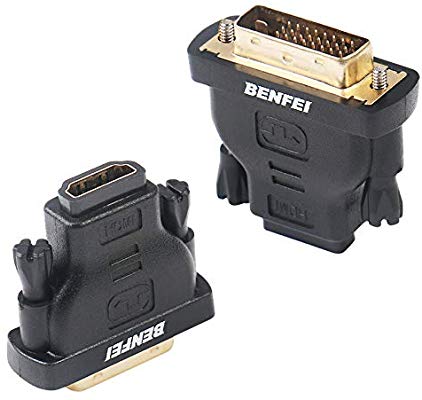
HDMI Male Cord to DVI Female Cord Bidirectional transmit from HDMI to DVI, from DVI to HDMI DVI-D Cord support digital signal transfer
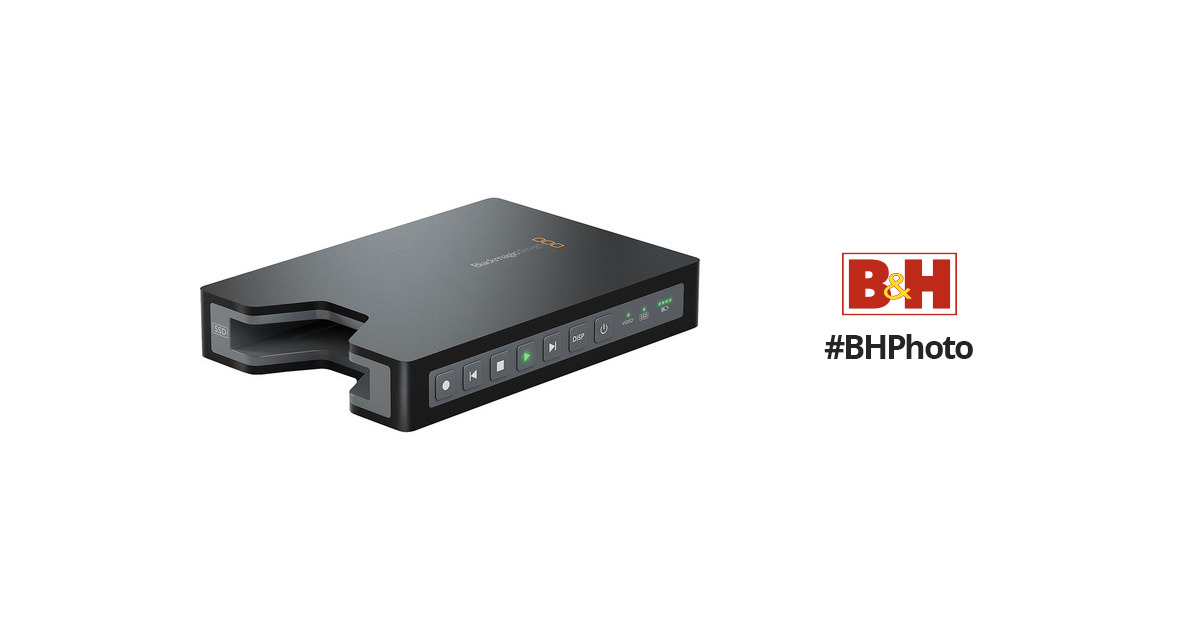
https://www.bhphotovideo.com/c/product/841023-REG/Blackmagic_Design_HYPERD_PT2_HyperDeck_Shuttle_2_SSD.html/?ap=y&gclid=CjwKCAiA3vfgBRB9EiwAkfpd3KA4Zb-QPcR9D6ynfFbAXVpo8KUbRSS21VcvLLRWJA4YOpN8JYuZmhoC_IEQAvD_BwE&lsft=BI%3A514&smp=YBuy Blackmagic Design HyperDeck Shuttle 2 SSD Video Recorder featuring Most 2.5" SATA SSD Drives Supported, Record Avid DNxHD 200x 10-Bit Codec Record ProRes HQ. Review Blackmagic Design
Link: Blackmagic DesignHyperDeck Shuttle 2 SSD Video Recorder
#22 — a_digital_index · 2018-12-23
DVI-D and HDMI carry the same information. They are just a different connector. HDMI is a more expensive connector. So, the adaptor should be fine. According to the MP page LZX will supply the MP with one.
“DVI-D/HDMI video output supporting 480p/576p SD progressive output. DVI-D to HDMI connector adapter included. [ Designer Note: We plan to enable other output video format options on the DVI-D connector.]”
About the Hyperdeck: At this point the MP looks to only output 480 progressive. So it is de-interlacing the incoming interlaced signal that you are feeding into the MP. It is not scaling to 1920 x 1080. So just confirm the Hyperdeck will accept that format.
If you want to upscale to 1080 you need the Hyperdeck to do that in your proposed signal-flow. You would need to confirm that it can do that as I am not too familiar with that particular product.
#23 — wednesdayayay · 2019-01-07
so I’ve just received a hyperdeck shuttle!
at first I tried simply sending it a feed from my switch via an ambery vga/component => HDMI transcoder (I don’t believe it is being sold anymore can’t find any info)
no luck

well some luck as you can see the whole image is green

at this point some of you probably already know what the issue was
so I tried the component out from the LZX rig through the ambery transcoder again just a green version of the lament configuration

I did some research and found that the hyperdeck is expecting the HDMI source to be YUV video not RGB so I had to start looking at all the manuals of my devices to see what would allow for going from RGB component to HDMI YUV
my first thought was to use the BMD intensity shuttle
while it isn’t a practical setup unless I was wanting redundant video recording (one to computer and one to SSD) I still wanted to see if it would work
and it did good news! (the source this time from a VHS player into a V440 mixer out via the s-video program output)
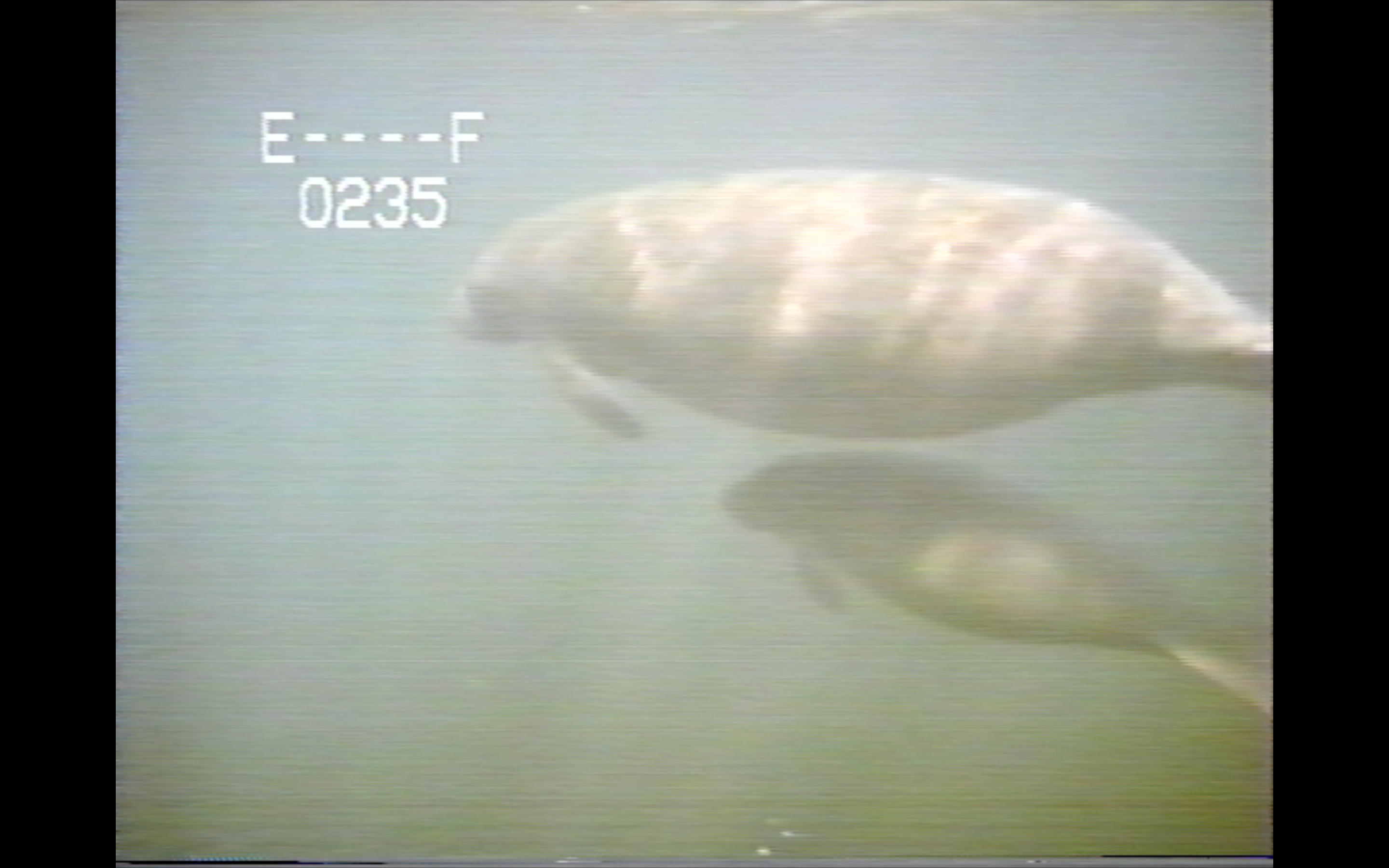
ultimately I’d like to be able to record to send video out from computer (intensity shuttle) and record straight onto a SSD (hyperdeck shuttle)
so I have a couple extron scaling boxes I bought for around $20 each off ebay and while looking back through the manual one stood out as it would happily change the colorspace from RGB to YUV via its on screen menu system
the one I ended up using first worked so I didn’t end up trying the others yet extron RGB-HDMI 300 A (i think “a” allows for 1/8 stereo audio input alongside the component/VGA input and even has some audio delay built in for proper lip syncing!)
so I went out with component from the LZX rig => a component to VGA adapter => the extron 300 HDMI box => the hyperdeck shuttle => the viewing monitor
I know this is a big rambly but I’m hoping that somebody will find it useful


#24 — JohnWynberg · 2019-02-25
If you have an old PC or MacBook, a cheap Video Capture device like the Digitnow (22.99€ from Amazon) seems to work fine.
Initially I was considering Blackmagic and Elgato, but I’ve read mixed reviews about the results using MacBook Pro and USB-C, and didn’t feel like throwing 150€ just to see if one of them works for me.
I doubt this Digitnow would run on my MacBook Pro, but for less than 25€… In any case, I was thinking in using the MacBook Pro for sending video, Lumen, etc., into the Visual Cortex, and the old Mac for recording.
The quality seems pretty good. If interested, I could list the codecs included and the maximum resolution. In any case, way better than my up-to-now attempts at recording from the TV (which included multiple unwanted reflections, knocking the camera off a few times, and the “textures” one gets from filming from TVs… though they also have their charm). Anyway, for now it’s just for fun, to record some experiments with the Visual Cortex. I have no illusions of becoming a Pro anytime soon.
#25 — Landlord · 2019-08-23
What about HDCP issues (s-video to SDI:To HDMI) ???
I tried a Ninja Flame without luch due to HDCP problems with upscalers from s-video to HDMI…
#26 — Grain · 2020-01-29
Thanks for the recommendation! I picked up an Extron 300A and I’m just waiting for it to arrive now. I’ve a similar setup to what you explain - Macbook > Intensity Shuttle > Visual Cortex > Hyperdeck.
I’m really curious about the audio delay feature. I find that my digital content, when it reacts to audio that I feed it, is fast to react (for example to an input sound triggering the opacity of a shape), but by the time that image is sent out of the shuttle, there’s some delay. So I’ve wondered for a while if there was some device I could get that would delay the audio that is heard, just a little. So that it matches the video.
If this will do that it’s gonna be amazing!
Plus I can record at a higher resolution, which is of course the main objective.
Excited!
so the Hyperdeck will then record video and audio both from HDMI?
#27 — wednesdayayay · 2020-01-29
I don’t think I’ve tried audio and video recording together much yet I always get too distracted by the video system to get the audio stuff up and running and hooked up

#28 — Grain · 2020-02-01
Man. Get some audio triggering things. It’s insane

Sensorary Translator all the way 
#29 — Grain · 2020-02-14
Just trying to get the Extron upscaler working. What settings do you use on the input / output?!
#30 — Grain · 2020-02-14
Panic over. Sorted. 50Hz seems to be good, and as for resolution, scaling it is a little fiddly, but then I got it nice and saved to user preset. All good
#31 — jsonpayload · 2021-01-20
@creatorlars do you capture 1080p (over 1080i or smaller resolutions than 1080) from the Hyperdeck Mini?
I’d imagine you capture progressive here rather than letting software convert to progressive later, but I’m very curious!
I’m mainly thinking about the following workflow: Visual Cortex -> an Analog-to-SDI converter -> Ultrastudio Mini HD or Hyperdeck Mini.
#33 — jsonpayload · 2021-01-21
Question about Cortex capture through ATEM Mini Pro:
I have a Blackmagic ATEM Mini Pro which records to a USB drive. It’s great but only takes HDMI inputs. I’ve been doing capture from Cortex S-Video -> V4-EX -> ATEM Mini Pro recently which has been adequate – but I’m realizing is subpar because
- I’m using S-Video not component out of the Cortex
- V4-EX internal processing is SD-based at 480p/576p Progressive.
I’m considering trying out Visual Cortex capture via component output -> BM Analog-to-SDI -> BM SDI-to-HDMI -> ATEM Mini Pro, but I don’t have either of those converters right now and I’m not sure if this would be a recommended route. While this seems like a long train of cables, but this actually seems like exact same train required for the Atomos Ninja-2 (replacing the ATEM) that is recommended in the LZX capture Youtube video. That makes me think this may be a plausible solution for quality capture. I’d rather switch to a standalone capture device in the future, over the ATEM Mini Pro, but perhaps it will hold up better than I expect for capture quality!
#34 — catbiscuits · 2021-01-22
Well it seems like the Intensity Shuttle days are over. I’ve upgraded to an M1 Mac and Blackmagic’s Desktop Video Software does not support the TB Intensity Shuttle (the USB Intensity Shuttle was end-of-life’d a while before). It’s a real pity since it was the ideal device for video input and output from my Mac (albeit in fairness, not at the same time ). I’m going to sell my Intel Mac since otherwise the M1 is just so superior, but I’m going to need to figure out another way to get video in and out. I’d prefer component of course.
Any ideas out there?
#35 — analogbrainsurgeon · 2021-02-24
The EASYCEL component to hdmi converter on Amazon is $35, way less expensive than the other options. That option will not output 1080i though, and has some mixed reviews. I picked up two of their hdmi to component converters in anticipation of TBC2. I’ve been using a thunderbolt intensity shuttle, but was considering an analog to sdi converter to go into the decimator for an hdmi output, and I think that’s the best upscale option. I’ve gone decimator to sdi-analog to get content into the system, but haven’t had the need to pick up the analog-sdi converter yet.
#36 — emsahp · 2021-03-04
Hi dear LZX geeks
I’m still in the journey of finding a relatively cheap, computerless, but proper way to capture my video synth
I’m trying to avoid the SDI to HDMI converter so here’s what I end up to :
Blackmagic Mini converter Analog to SDI to a (second hand) Atomos Samuraï with SDI IN
Anyone using this combo ?
#37 — Fallinggirl · 2021-04-27
I’m using an Atomos Ninja to capture and Lars is so right. It captures in a lossy codec resulting in artifacting and dull colors. Here’s an example of capturing on the Ninja MP4: https://www.instagram.com/tv/COL2m0ThPbo/?igshid=160ru27f1dll
#38 — DaisyC · 2021-06-03
I will always love my screen recorder. I downloaded it on Joyoshare. It helps me save streaming movies and virtual meetings in high quality with no watermark, no latency, and no time limit. Amazing and easy to use.
#39 — FranzKappa · 2021-06-13
Anybody working with blackmagic media express? It won’t let me capture in 1080i60,only625i60.I’m using the intensity shuttle and a 2014 imac for recording.
#40 — giantmecha · 2021-06-14
Capturing at that res is what I do. The Shuttle doesn’t upscale on capture…if you’re gonna upscale, best to do it in software anyway IMO
#41 — catbiscuits · 2022-02-01
Hi everyone! Based on this thread, I bought a Blackmagic Analog to SDI converter and their Hyperdeck Studio HD Mini. It’s nice to be able to get analog video in my computer again for the first time since I went to an M1 Mac (pity I vowed never to buy anything from Blackmagic again after they discontinued support for the Intensity Shuttle almost immediately after I bought it and that didn’t work out).
It works well, but it has problems when I connect my Vidiot to my Visual Cortex. Since I can see the video generated on my LiquidTV, sync should be established, right? But the little screen on the Hyperdeck Studio flashes on and off and it has trouble syncing up.
Any ideas?
#42 — catbiscuits · 2022-02-01
Problem solved. It had been a long time since I’d used the Vidiot. I needed to have the sync originate on the Visual Cortex not on the Vidiot. That took care of it.