ESG3 Sync Issue
Category: Helpdesk · Tags: esg3, sync · Posts: 29
#1 — sean · 2022-09-08
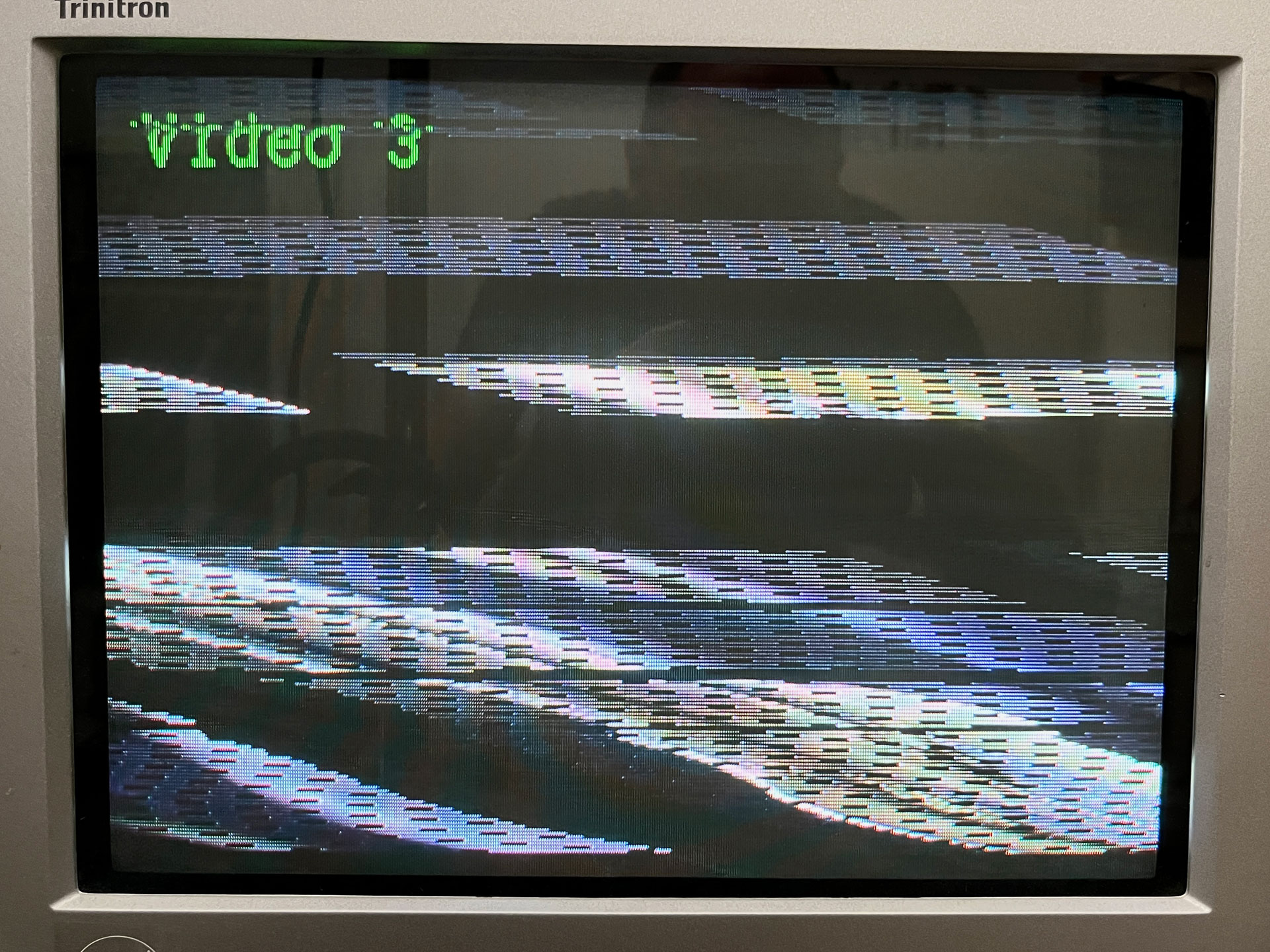
Finally tested out my new ESG3 and I seem to be having a sync issue.
Only tested NTSC thus far, but it doesn’t seem to work either generating its own sync nor taking sync from Visual Cortex. In both cases, I just get an erratically scrolling image via either YPbPr and/or composite outputs.
Some photos of connections and output (when trying to sync to Visual Cortex) below. Video output is fine through the VC, but f’ed up via ESG3. Am I doing something stupid or is there an issue with my ESG3?
I can also add that FKG3 seemed to sync to my VC just fine.
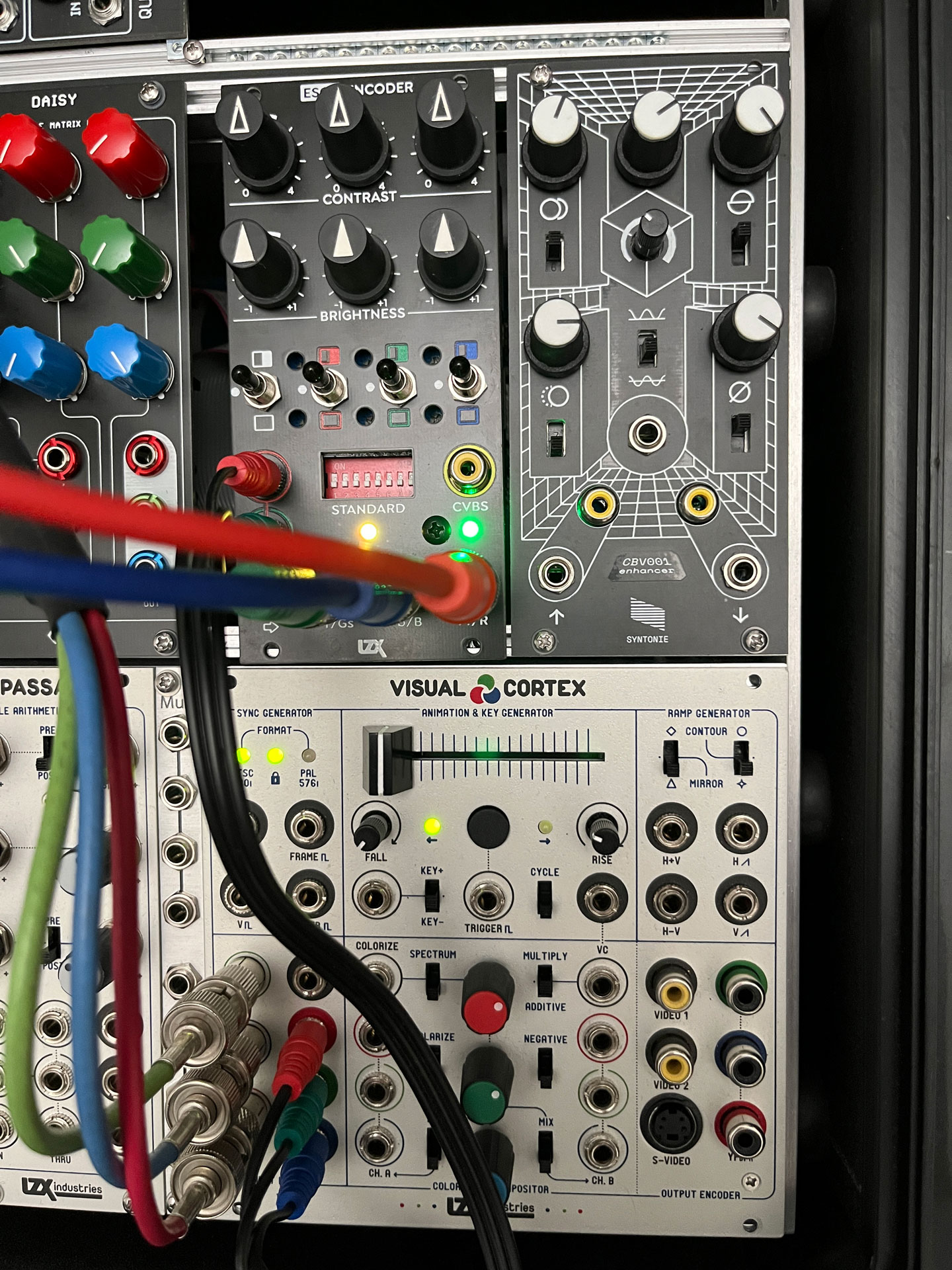
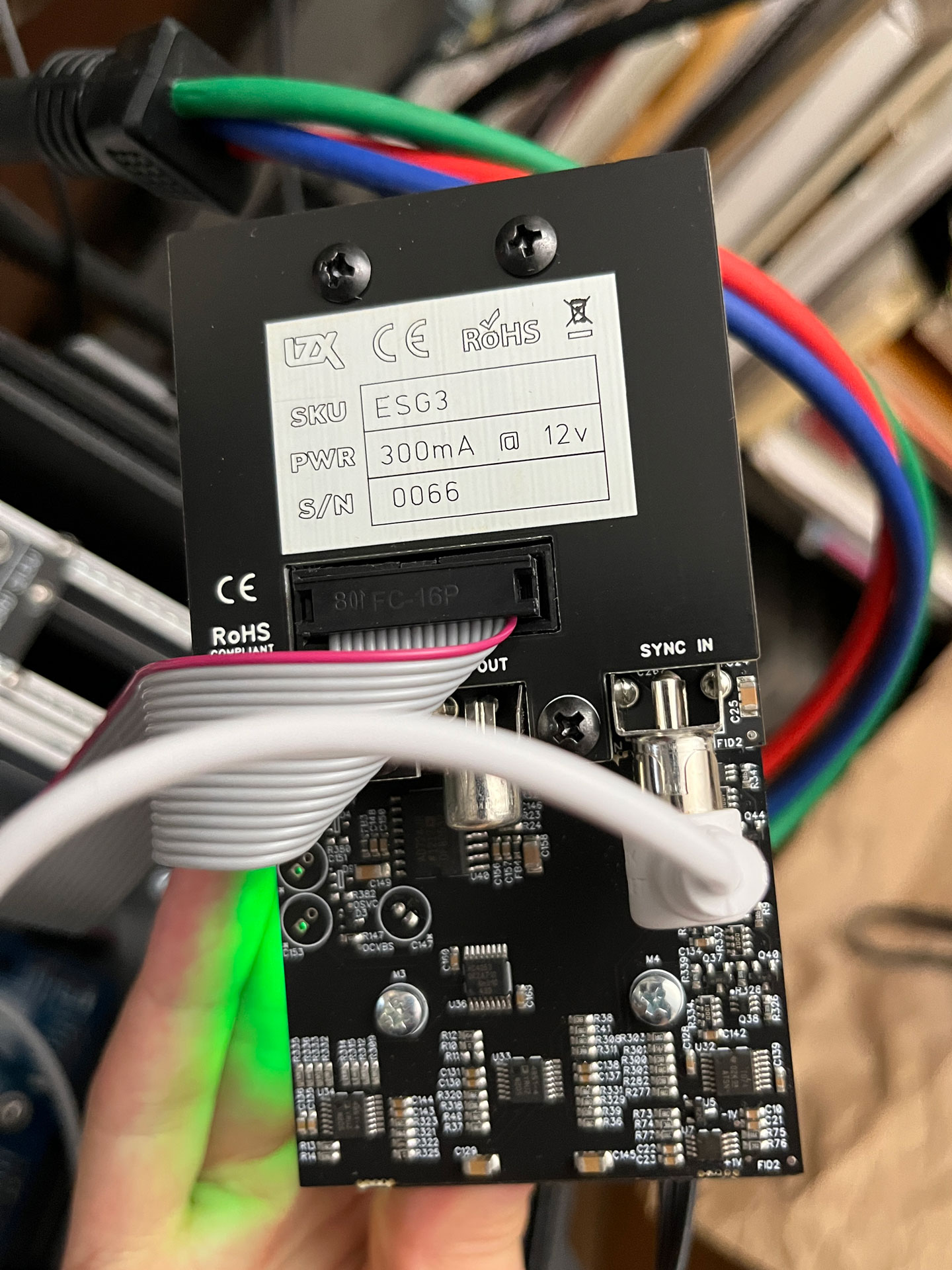
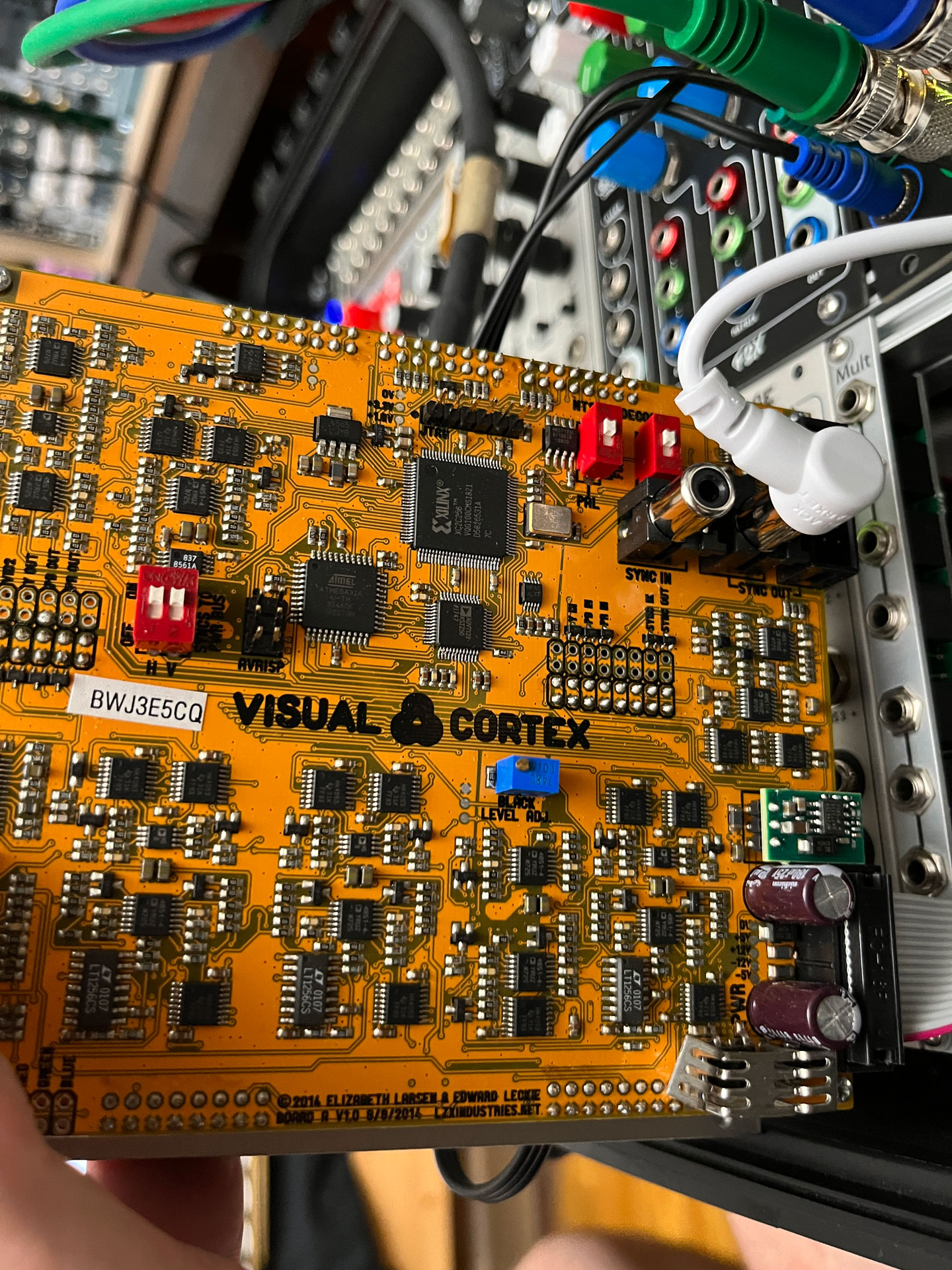
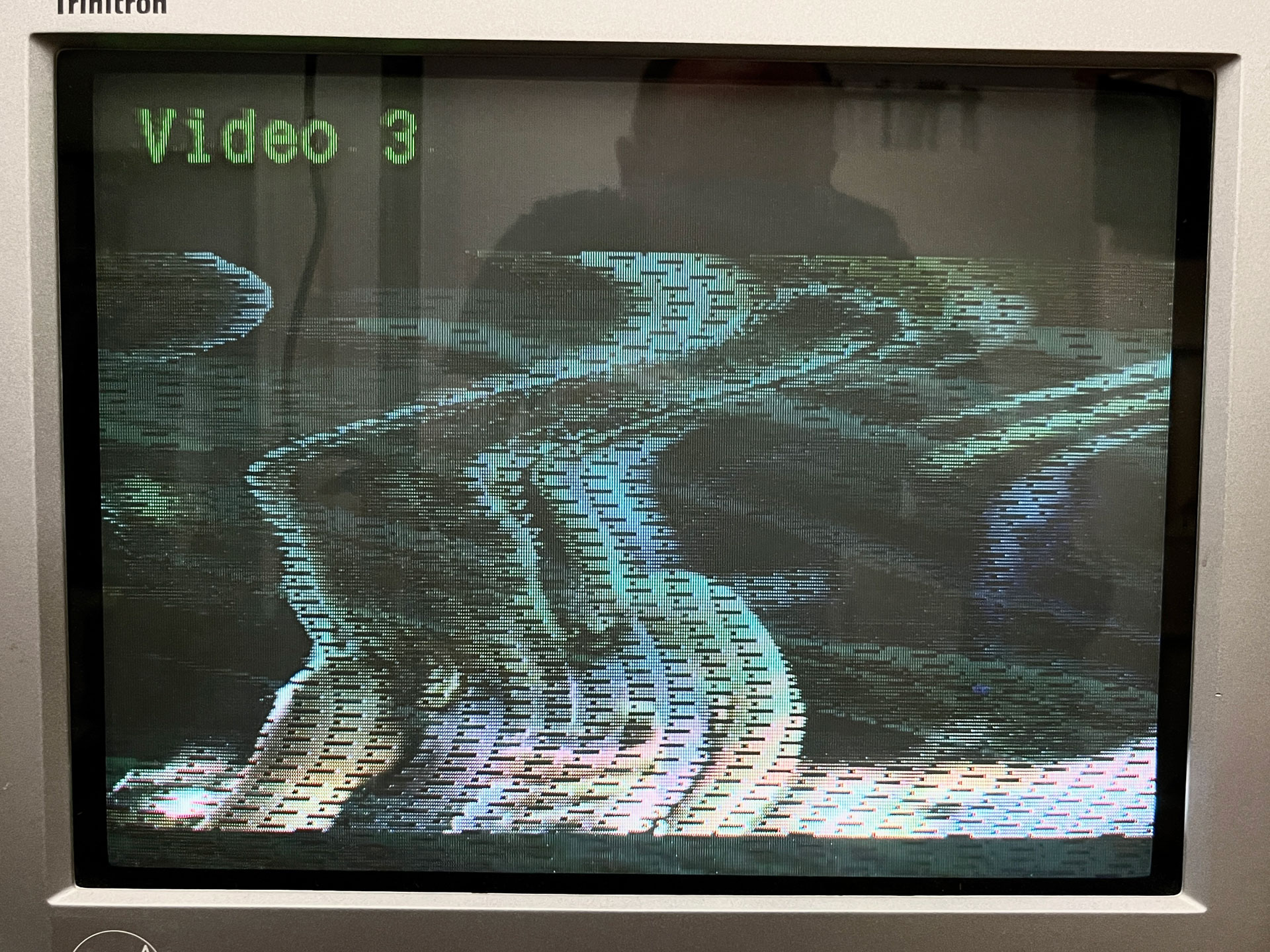
#2 — joem · 2022-09-08
You may have tried some/all of this already, but in case not:
I would test it first without connecting it to any other modules, no sync connection and no front connections. Just composite output to the tv, and then in a separate test just YPbPr to the tv. Make sure you have the dip switches set correctly for the output and format you want. In either of these states (only composite output or only component output), you should get a black output image if you have all the knobs and switches (normal switches, not DIP switches) set to their middle positions. If that works, test further by flipping the normal switches one by one up – when you do that, the module should output the respective color. If this works, that means the module is generating sync correctly (internally at least), and at least partially working.
If that doesn’t work, first plug something else that outputs the same format video into the same input on the TV that you were using for the ESG3, to check if there’s an issue with that format going into the specific jack/jacks on the tv. If the tv works fine with something else generating the same format video into the same input jack(s), then there may indeed be a problem with the ESG3.
If that did work when not connected to any other modules, the next step is to try it connected to another module. I’d first try to put something into one of the R, G, or B input jacks on the ESG3, when it’s hooked up in the way that was working before, just to see if that part of it’s working ok. Then I’d move on to trying to sync it to you Cortex, and trying to sync the Cortex with it, which you likely already tried, but you might have better luck now if you successfully got it working on it’s own before (maybe you were missing something before for some reason).
LZX Support will probably be able to step you through some more pointed testing too.
#3 — rempesm · 2022-09-08
sean wrote:
You can tell that it’s not genlocking correctly because the LED below the format selection DIP switches is yellow.
It will immediately turn green when a video signal running at the same timing format as ESG3 is plugged into the rear Sync In.
#4 — joem · 2022-09-08
Building on that, I should add that the light under STANDARD is yellow for me when I’m using my ESG3 as the sync generator without any sync input. So during the tests I described where it’s not hooked up to anything, I think it’s normal to be yellow in that case. (Edit: Just checked the docs and that light is green if sync is detected, and yellow if no sync is detected.)
#5 — sean · 2022-09-08
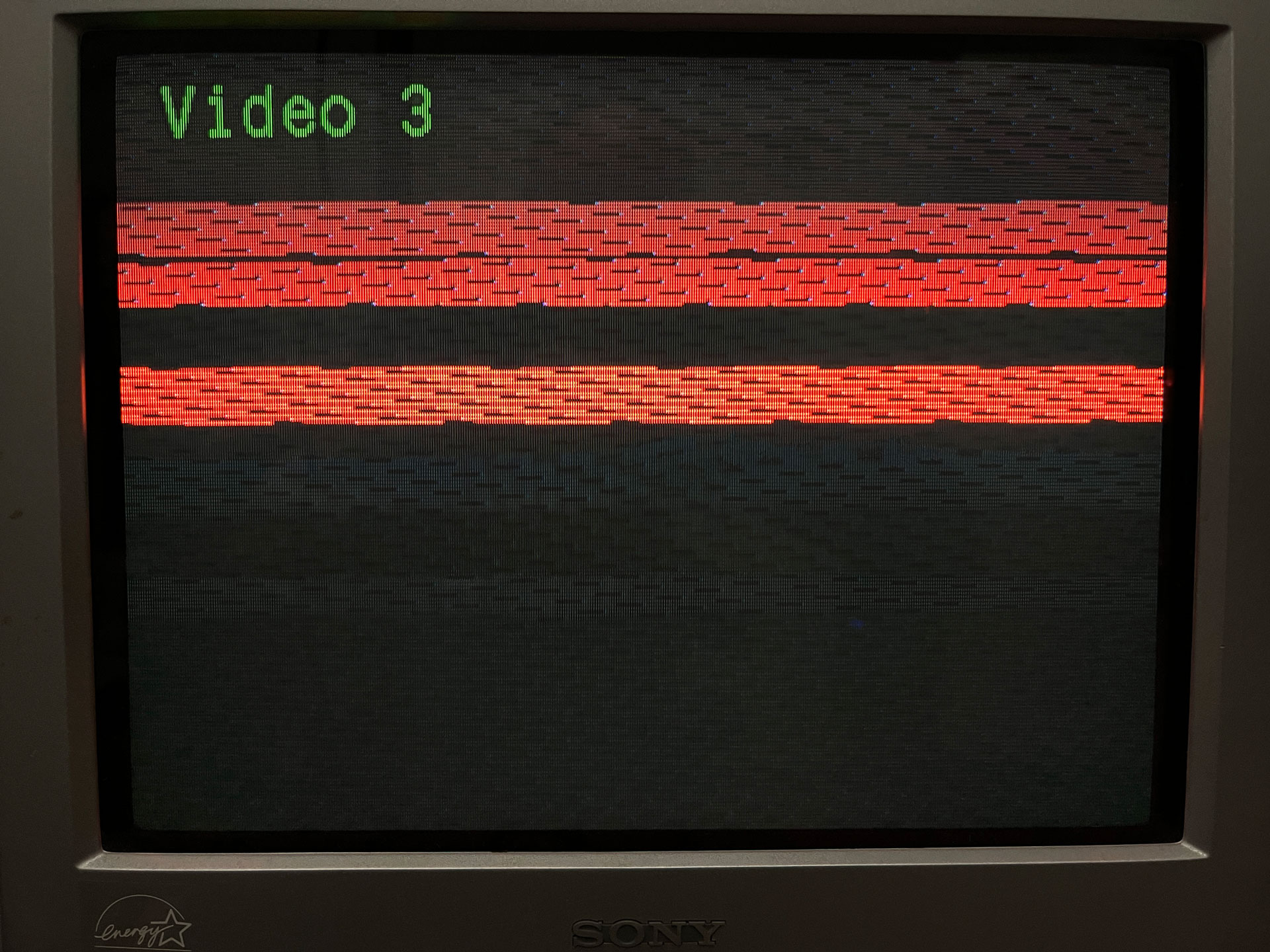
Yes, I tested without inputs. Sadly, output is similar to with inputs (just without an image).
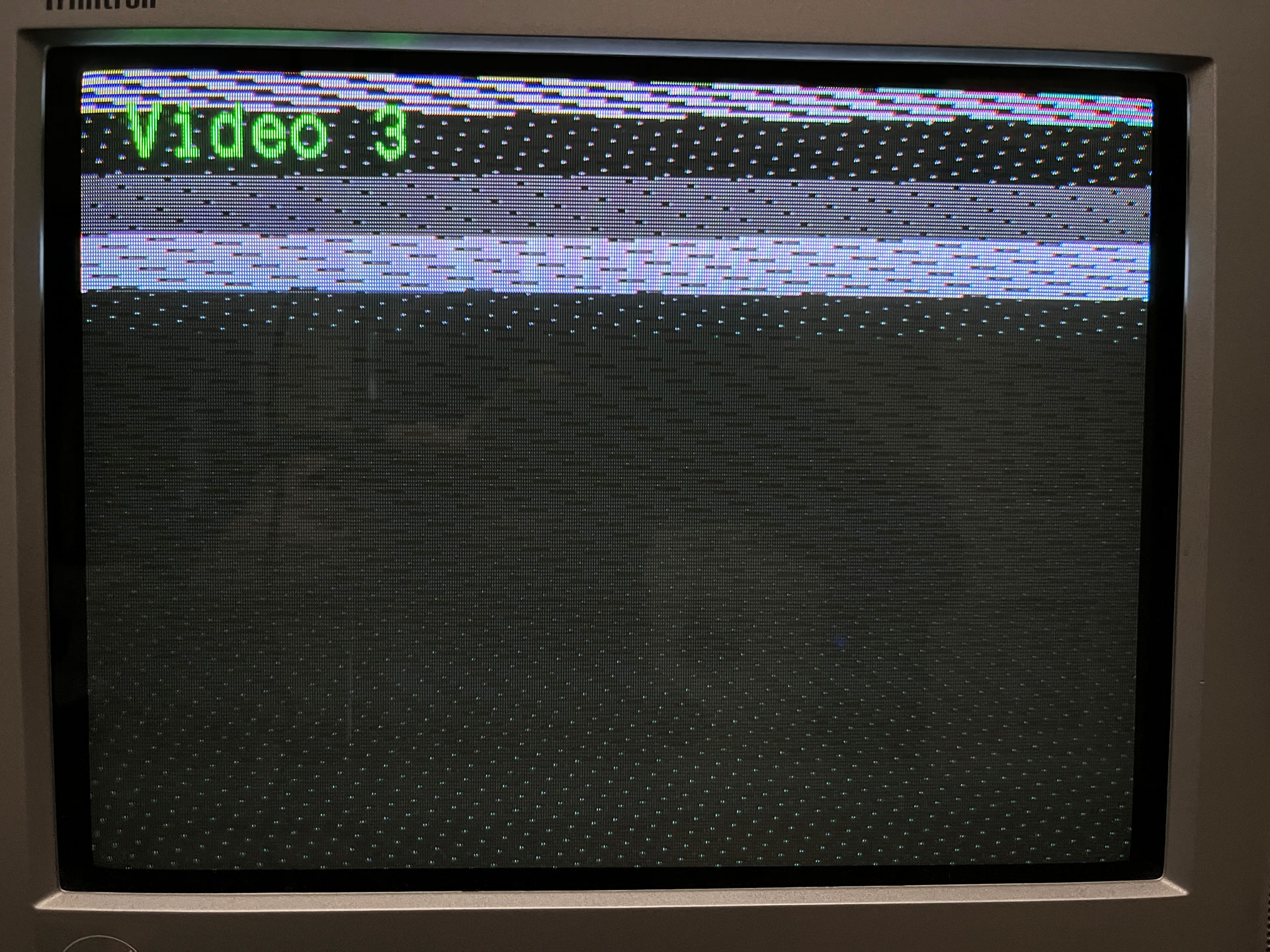
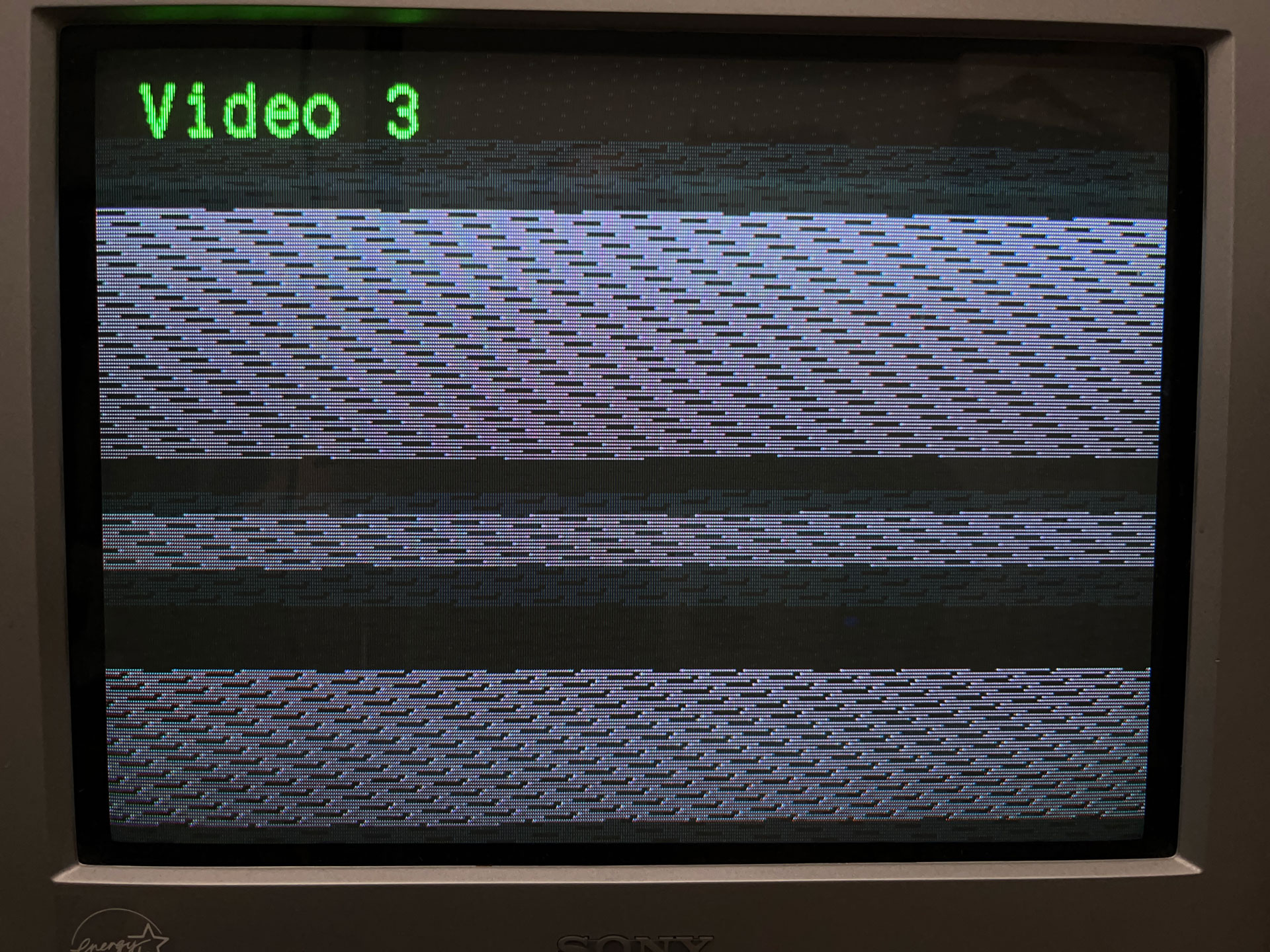
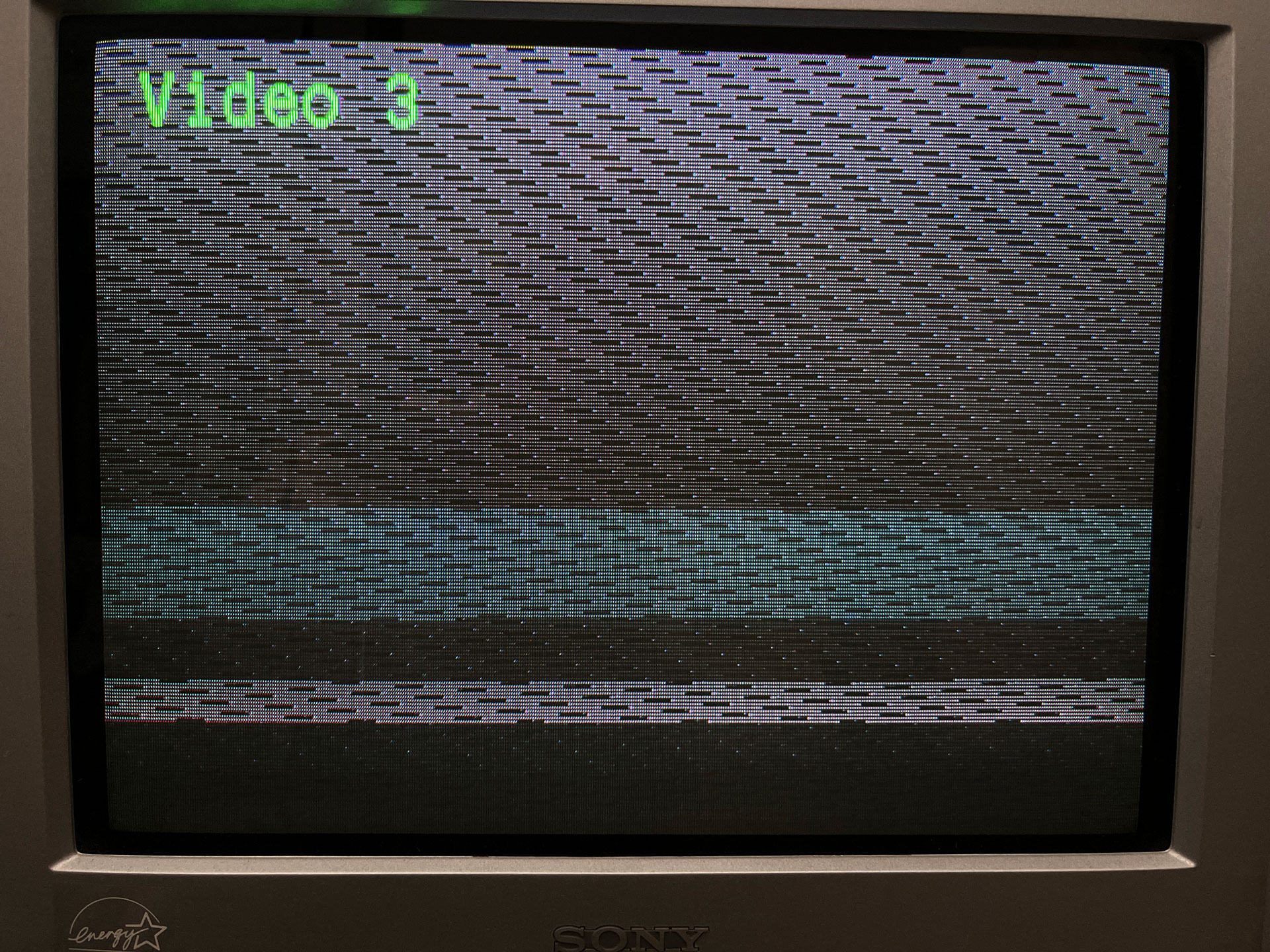
Color controls do seem to work however (this is with RED switch up; other switches and contrast/brightness pots all affect signal as expected as well).
#6 — sean · 2022-09-08
I assumed that since it was labeled as Sync Input LED in the doc, but wasn’t 100% sure TBH.
#7 — sean · 2022-09-08
Will test HD formats next, to see if I have any more luck with those, but need to rearrange some stuff first since my current rig is set up for an SD workflow.
#8 — Z0NK0UT · 2022-09-08
One last thing to try would be powering the module using the 12V barrel connection, to see if that improves things. If you see no improvement with this or any of the above suggestions, could you send an email to support@lzxindustries.net?
#9 — johnskynet · 2022-09-08
I am also having the same issue. It seems as though my esg can not create a stable output. I also pointed this out in the discord.
Things I have tried in HD (multiple formats on the esg front panel):
esg → bmi mini analog to sd → md-hx → atomos ninja
*When this is tried the md-hx will recognize that there is a hd signal coming into it but nothing will show up in the atomos until you go into the md hx change the “hdmi output” to “scaler” and change the “duc ref” to “free run”. Tried this both from barrel and eurorack power with things plugged into the esg and nothing plugged into the esg. everytime you do get an image in atomos it is accompanied by glitchy horizontal lines.
In SD:
esg → v4 → composite ntsc monitor
big glitchy blocks appear on the screen.
Thank you @joem for your suggestions, sadly none of them fixed the problem.
#10 — Z0NK0UT · 2022-09-09
Z0NK0UT wrote:
Thank you to all who are reaching out to support@lzxindustries.net and submitting support tickets. When sharing potential issues here on the forum or via email, could you please include photos and video, both of the patch and its output? It always helps to see what you are seeing.

#11 — sean · 2022-10-24
Figured I’d follow up on this.
Received repaired ESG from LZX a while ago and finally had a chance to test it out again today. And… sync now seems to be working as expected. This includes input into a Blackmagic Analog to SDI box — at both SD and HD resolutions (at least the ones I anticipate using; didn’t test every single sync rate) — so the fix they have cooked up for that issue seems successful as well.
Thanks, LZX!
#12 — nerdware · 2022-10-24
This is excellent news! Thanks.
#13 — rempesm · 2022-10-24
Great to hear, I need to get mine in for its RMA soon. I’ll do a similar test to this one with VU007B + BMD Analog to SDI + Video Assist but with ESG as the encoder once it’s back in the studio.
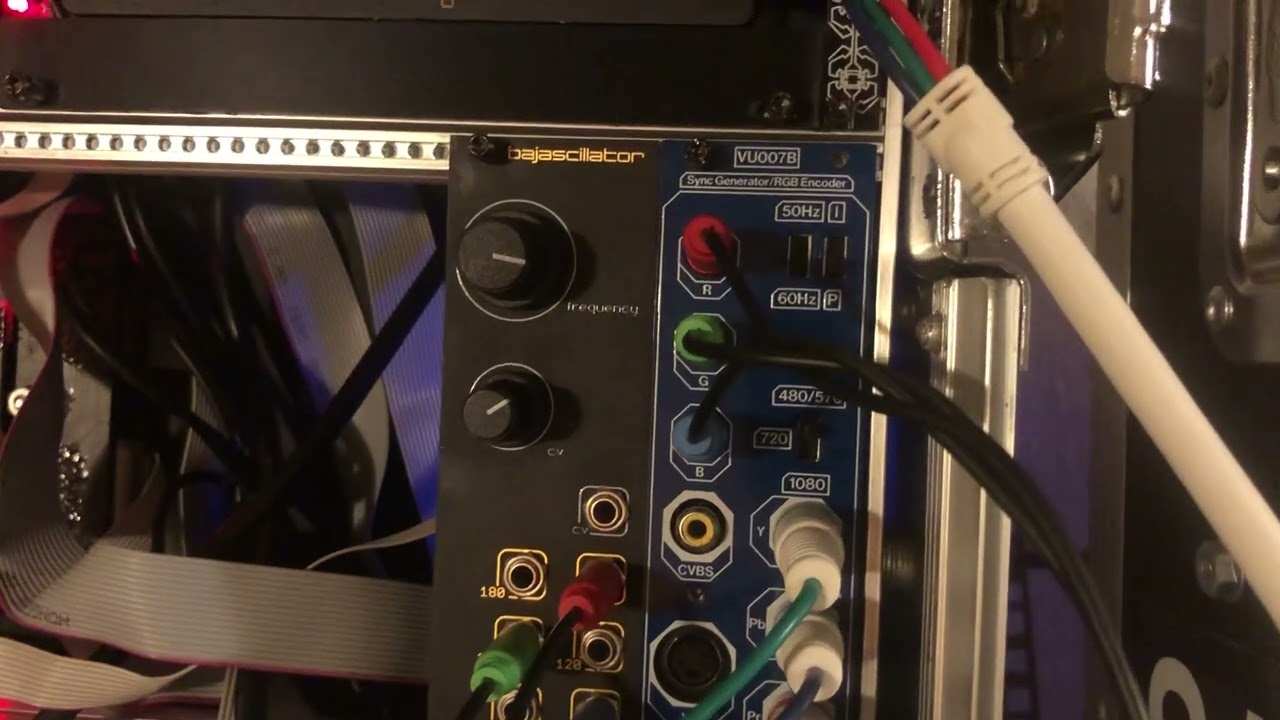
https://www.youtube.com/watch?v=0tmjDOLoLZo
#14 — dryodryo · 2022-10-25
dryodryo wrote:
I did get the ESG3 firmware update, but it didn’t 100% solve all problems. Chad knows about this. I have one piece of gear, Roland VC-300HD, that doesn’t like ESG3 no matter what. But it’s kind of an antique, and I do have a workaround.
Beyond that, I am still seeing intermittent jitter in ESG3 when genlocked to Syntonie VU003B. This is happening even when I am 99% sure the sync source is rock solid (color bars from a Roland V-1600HD switcher). But I am not going to panic. If there are still issues with TBC2 as the decoder, I’ll let you know.
rempesm wrote:
Do you have any other HD format sources that you can use to test this and can you link footage of the type of jitter you’re seeing?
I’m assuming you’re taking the YPbPr out of the Roland V-1600HD into the front panel inputs of VU003B and its rear Y output is routed directly to ESG’s rear Sync Input. Are you finding its different if you skip VU003B entirely and output the Y from V-1600HD into ESG’s rear Sync input? Since you can just bump ESG’s Brightness controls up to get a visible matte color, I don’t think it’s critical that you have the color bars from V-1600HD visible on the encoder to do this test. It might help eliminate some other routing issues if you have an HD distribution amplifier that can route the V-1600HD color bars separately to VU003B’s YPbPr input and ESG’s Sync input.
From what I’m reading in the schematics of VU003B, there is very minimal processing of the original sync sources outside of how it extracts them from a valid video signal. It uses the same sync separator chip as the Gen3 modules, LMH1980. I’d suspect there’s something about the compatibility of V-1600HD’s timing vs. ESG’s tolerance before VU003B but curious to see footage.
My assumption is that the Syntonie decoder is not at fault, it should just be passing sync through with no timing modification.
Seeing horizontal jitter from other sources as well, such as these cheap Chinese TV tuners I’ve got. But I chalked that up to … cheapness. Figured the Roland switcher would be more robust.
Need some sort of image onscreen to see the jitter, a flat matte from ESG3 wouldn’t be a good test. But I am seeing the jitter when patching DSG3 patterns into ESG3.
I’ll continue to run tests, e.g. bypassing the VU003B. Maybe it’s a power issue. In this rack, the Gen3 modules are powered by a 5A DC Distro, everything else powered by Doepfer PSU3.
Also had the rig running for several hours yesterday for the first time, and saw sync completely drop out for a few seconds, a couple of times.
Just got my capture system working, don’t have any examples to share yet.
#15 — dryodryo · 2022-10-25

https://www.youtube.com/watch?v=rDdlx1XHoUIHere is the issue I am seeing with ESG3. When ESG3 is connected to external sync, the picture starts to jitter. Look in the center of the frame and you will see the vertical lines are wiggling left to right.
I’ve bypassed all other modules and am connecting a 1080i59 Y signal directly to the ESG3 sync input. ESG3 DIP switches are configured for 1080i59.
In this clip, DSG3 is generating ramps and going directly into ESG3. I have not configured the DIP switches on the rear of DSG3, I left it in automatic mode. But the jitter also happens with external video from a Syntonie VU0003B decoder, so that would seem to indicate that the issue is not with the DSG3.
I have tried several different sync sources, and so far the problem persists. The jitter is intermittent, coming and going according to no pattern I have determined.
As soon as ESG3 is running on internal sync, the issue immediately goes away and the picture is rock solid.
To make matters even more confusing, if I send genlocked ramps from Syntonie VU009 into the ESG3, then I do not see the jitter issue.
The ordinary sync signal path in this rack is this:
External source → VU003B → ESG3 → DSG3 → FKG3 → VU009 → VU009 → VU009
The sync signal is unterminated at the end of the chain. But I tried it with a 75 ohm terminator plug and it didn’t make any difference.
In the clip posted above, the sync path is this:
External source → ESG3 → DSG3
I am also seeing the whole system lose sync randomly for a few seconds every now and then, with no idea why. The picture just goes away and then comes back. ESG3 is going through an AJA HD10AVA to convert it to SDI before hitting the monitor. I can try swapping that out, but honestly the more I fiddle with this the more I think the issue must lie with ESG3. The cornerstone of the whole studio, and apparently not reliable.

#16 — creatorlars · 2022-10-26
dryodryo wrote:
External source → VU003B → ESG3 → DSG3 → FKG3 → VU009 → VU009 → VU009>>>> External source → ESG3 → DSG3
In both of these cases, your external source is generating the reference timing for the entire system. Here’s what seems to be be going wrong:
ESG3 is having difficulty attaining a perfect lock to your external source. But that glitch may potentially be coming from the external source rather than ESG3 natively (since you are getting stable timing when ESG3 is in control of the output timing.) Or it may be related to the transmission line (cables, connectors, adapters) between the two devices. Testing with a variety of external sources and in different video formats may illuminate the issue. To my eyes, it looks like noise in the transmission line somewhere. If you have shorter cables, swap some out – make sure there aren’t any passive adapters/ interconnects or long cables ( > 3-5 ft) in the sync path.
One fix is of course to use a TBC to acquire your input video source, and that way all timing will be generated from inside the modular system. With HD timings, this may be even more critical (especially if the source itself might be noisy.)
So the more data we can get on the external sources tested, the better. If we can recreate the issue here, then we are able to make measurements and arrive at theories. So far, this isn’t an issue we’ve recorded: ESG3 locks without glitch to what we have available here (various Sync Gens, SDI to Analog converters and cameras.)
#17 — dryodryo · 2022-10-26
Thanks, I’ll keep testing with other devices. Once TBC2 arrives, this problem will probably go away.
The interference theory is solid. Keeping cable lengths short is not easily done, I’m forced to use 6’ and 12’ component cables. But I am using good shielded ones.
Still mystified by the fact that DSG3 would jitter and the Syntonie oscillators don’t. Cracked open the case to double check the sync connections and it looks as expected, not terminated after the VU009s. But Bastien assured me that would not interfere with their function. And of course we know that the Gen3 modules have buffered sync.
The other thing I want to try is making ESG3 the master clock. But I am confused about the Roland V1600-HD switcher Reference input. The docs don’t say whether that’s an analog or SDI input. So far, I haven’t been able to get it to lock to an external Y 1080i signal, but I will keep trying.
#18 — Z0NK0UT · 2022-10-26
What are the external sources you are using to test ESG3? Have you tried a signal that uses a format other than 1080i5994? Do you have a way to monitor without the AJA HD10AVA? The more you can pare down the setup, the closer you can get to the issue.
#19 — dryodryo · 2022-10-26
Thanks Chad. I’m utterly married to 1080i59. Of course I can test other formats, but I really need this one to work.
I can monitor the ESG3 YUV output directly, that’s next on the list. After the firmware upgrade I haven’t seen the problem with the Lilliput monitors not syncing to ESG3. But they are only small field monitors, and I can’t see the jitter issue very well. But I do have other component monitors I can test with.
So far I’ve seen the jitter issue when syncing ESG3 to the Roland V-1600HD and the cheap Chinese TV tuners. I have an analog HD camera I can try next.
#20 — dryodryo · 2022-10-27
After another afternoon of testing, the problem with ESG3 syncing to external sources has only worsened. I’m afraid I’m going to have to send it back in to you because I have not been able to get it to work as expected.
- Bypassed the AJA converter, sent ESG3 directly to a component monitor - problem persists
- Shortened cable runs, eliminated all adapters - problem persists
- Sent Y 1080i59 sync from a like-new video camera - problem persists
- Changed camera and ESG3 format to NTSC - problem worsened
- Changed ESG3 power source from 5V DC Distro to Doepfer PSU3 - problem still worse than before
In the most stripped down testing scenario, I had the Y output of the camera DIRECTLY connected to the ESG3. Literally one shielded cable, no adapters. And the output of the ESG3 DIRECTLY connected to an HD monitor.
So I have eliminated all possible variables I can think of. At this point the problem is actually much worse than it was yesterday. The jitter is not subtle, it’s really really really bad. In the realm of completely unacceptable. Unless you can think of something else I can do, I am going to have to request another RMA.

#21 — dryodryo · 2022-10-27
Aaaand now the system has been running for a few hours, ESG3 is locking to external sync perfectly. But I didn’t do anything.
#22 — creatorlars · 2022-10-27
Keep it under observation – it’s definitely possible that there could be some glitches while everything is still warming up (a couple minutes after startup). If you feel like there’s an issue with your unit, contact support and we can test it here.
#23 — syntonie · 2022-10-27
dryodryo wrote:
Still mystified by the fact that DSG3 would jitter and the Syntonie oscillators don’t.
Well, VU009 is fairly simple in the design, sync is extracted using a sync extractor IC, and the resulting pulses are resetting the oscillator, as most analog oscillators designs, whereas DSG3 is a digital core, so it needs to genlock to the external sync signal, in a similar fashion an encoder does to an external video source, which means it may be more picky depending on what’s in the sync chain.
dryodryo wrote:
Cracked open the case to double check the sync connections and it looks as expected, not terminated after the VU009s. But Bastien assured me that would not interfere with their function. And of course we know that the Gen3 modules have buffered sync.
What I meant to say was that VU009 should operate properly even if the sync isn’t terminated (as the sync extractor IC, LMH1980, can handle 0.5Vpp (sync terminated 2 times) to 2Vpp (sync unterminated)), however it may cause issues with the modules upstream in the sync chain, so it is good practice to terminate the last VU009 in your chain. As even if the sync is buffered on DSG3/FKG3, having the output unterminated may yield unexpected behavior. I’ll try to reproduce the sync chain your experiencing issue with and report, in the meantime, make sure the last VU009 is terminated.
Planning on buffered sync for the next modules I’ll make that requires sync, as it makes a lot more sense than having to manually set the termination.
#24 — dryodryo · 2022-10-27
@creatorlars Thanks Lars, I am also going to try changing up the power. Maybe the StarTech power distribution unit is at fault? I didn’t have the budget for the Lite-On version, had to opt for a less expensive Chinese PDU.
@syntonie Thanks Bastien, I appreciate you weighing in with an explanation as to why Gen3 may be more picky with sync. I will put that terminator plug back on, even though it didn’t seem to make any difference in my tests.
#25 — Boneoh · 2023-10-20
I’m running into a similar situation. Was the cause and/or fix for the OP’s issue every identified?
I’m running 1080p29.97, the patch takes output from DSG3 and DWO3 into the ESG3.
Here is what I’m seeing.
- Slight wiggles in the display.
- When using Sync In on the back of the ESG, the display will occasionally go blank for a second, then re-sync. I’ve tested this with Sync Input from a VU003B and a BMD Sync Generator. The problem only occurs when using the ESG3 Sync In.
Edit: Here is a link to a video that shows what is happening. https://youtu.be/lDYw5TuefQs
FYI this ESG3 has the firmware update applied for the BMD Analog to SDI issue.
Thanks!
Pete
#26 — Boneoh · 2023-11-12
FYI re my previous post, the ESG3 was returned and repaired. All is good now!
#27 — Strutter · 2024-08-19
I’m trying to use the ESG3 in 1080p 25fps and on my screen the picture is divided in two and it’s wiggling. The problem goes away when I use the 1080p 60fps which would be fine otherwise but the file sizes are getting out of hand.
Any tips for fixing this issue? I’m using the BMD Ultrastudio HD Mini with a M1 MacMini.
On the Desktop video software the settings change accordingly when I move the dip switches around. Only the one mode (1080p 25) I’d use out of all of them is not working.
#28 — Z0NK0UT · 2024-08-19
Could you please make a new post specific to your issue and share relevant images and video? I’m sure we can help you determine what is going wrong.