Vidiot Luma Detail parameter
Category: Helpdesk · Tags: — · Posts: 34
#1 — duneul · 2018-10-25
hi vid cats
i have been wrestling with this since early in the year & chocked it up to me just not understanding the nuances of the machine… but it really seems as though the Detail parameter is not responding. Professional opinion please.
#2 — drumasaurusrex · 2018-10-25
Presumably you are talking about the Vidiot(?)
Can you explain a bit more what is happening? Is it possible for you to capture some video or a picture to show what you mean?
#3 — sector · 2018-10-25
the detail parameter is very subtle, i guess one could say is like the sharpness parameter you find in many editing software, like premiere or photoshop
#4 — duneul · 2018-10-25
yes, subtle would be the operative word, subtle to the point of “is anything happening?” : P
i have been experimenting with running different sources through the luma processor but not seeing an effect one way or the other…
#5 — duneul · 2018-10-25
yup, Vidiot Luma Detail, the booklet led me to expect a highlighting, like Sector suggests, but i don’t find a response regardless of the mod source or processing video or feedback. I’ll try to get some video uploaded 4 u, but i’m having a2d problems these days…
thx
#6 — drumasaurusrex · 2018-10-26
I’m still waiting on my Vidiot, so my only frame of reference is from memory of playing with one at Knobcon. I recall the Detail knob imparting a recognizable effect.
#7 — MrDoctorTom · 2018-10-27
I reached out to Lars about this same thing and never got around to posting it to the forum, so here it is now.
“…The Vidiot’s detail control can seem very subtle in many (most!) contexts. It’s designed to simulate RF feedback with cameras. In order to dial it in you need to be using an input source with very hard edges, like a tightly focused camera on an object with a large range of contrast. Additionally you’ll want to set your contrast and brightness controls such that they do not blow out the image too much, as this may clip the detail boost out of the image’s range. One test would be to patch the horizontal square wave output from the front of the unit to the Luma input jack on the rear, as this will provided a hard edged source…”
Worked for me, and helped understand how to get it active in other patches.
#8 — duneul · 2018-10-27
wow thanks
i had a nagging feeling that i don’t have the chops to understand the variables
thx for forward this along! well comprehensive. i’ll get to some experimenting asap. cheers.
#9 — wednesdayayay · 2018-10-27
architecture, stairs and hair are all fun subjects when dealing with detail

also just straight up camera feedback I believe ends up with some interesting control from detail
#10 — drumasaurusrex · 2018-11-04
Yeah, I confirm now that I have my new Vidiot, that on my version the Detail knob has nearly no effect on the Monochrome Luma output. And when I can get a noticeable effect, it is only within a narrow range of brightness and contrast settings… even then the knob only seems to have any effect within the last 1/4-turn of CW movement. Its disappointing because it would be more useful if it had a more dramatic effect. Sorta hard to justify on the interface when it has so little effect. :-/
When you modulate the CV, I can get a very subtle effect if I crank the CV knob (outer knob) all the way CW… and again… only if I carefully dial in the brightness and contrast settings to maximize the effect. And frankly, in almost any patch, the knob has no noticeable effect… whereas every other knob has a very noticeable effect in almost every patch.
I agree that it seems like something didn’t go to plan with the circuit. I wonder if there’s a tweak to be made?
#11 — drumasaurusrex · 2018-11-04
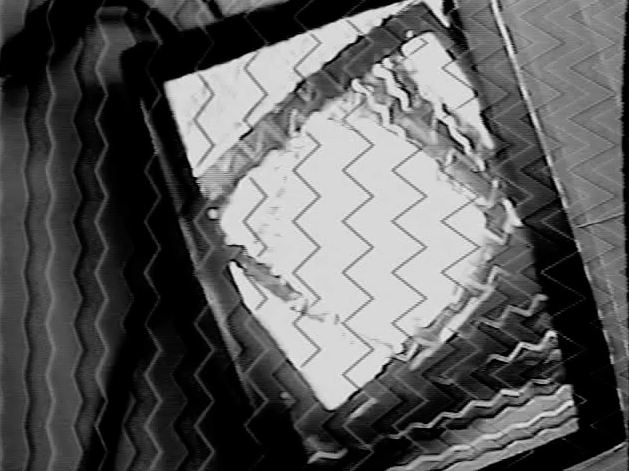
Seems to have the most noticeable effect when modulated by the faster oscillator (left one). Here is an image of the left oscillator modulating the Detail parameter, with the center and outer knobs fully CW to maximize any effect. The right oscillator is modulating the frequency of the left oscillator.
#12 — drumasaurusrex · 2018-11-04
Maybe there’s a trimpot inside somewhere?
#13 — drumasaurusrex · 2018-11-04
Also (maybe lastly), even though the effect of modulating the Detail parameter can be seen in that image above… I don’t think we should be seeing so much of the modulation source throughout the image… but rather only at edges… so I’m not sure what’s going on.
Like it seems like video detail is sort of the equivalent of audio treble. Such that rotating the center knob should only make the image sharper, not change the contrast or brightness in any way. Same goes for the external modulation: it seems like you shouldn’t be able to see it in the video unless the video was a shot of very small dots or fine lines. I likely am misunderstanding tho. Either way, in its current state, it is a confusing parameter with often little use for me so far.
#14 — creatorlars · 2018-11-05
Keep playing, you’ll get it! I can assure you that it’s calibrated and functioning properly as is. Keep your brightness and contrast controls near the center positions… They have a very wide range. Good for getting clipping and soft key effects, but can easily obscure the effect of the detail boost. You need to send a source with hard edges into the Luma processor’s primary input (rear panel inputs.)
#15 — drumasaurusrex · 2018-11-05
Ok. I do love the Vidiot and I have every intention to continue playing it endlessly — and almost exculively while I don’t have room in my new place for a big setup!
Cheers.
#16 — drumasaurusrex · 2018-11-05
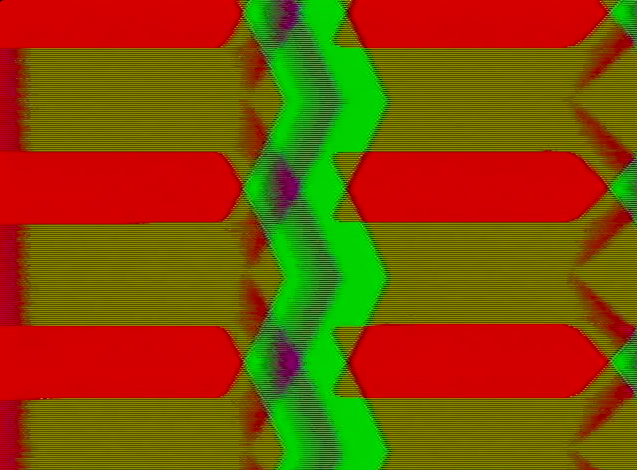
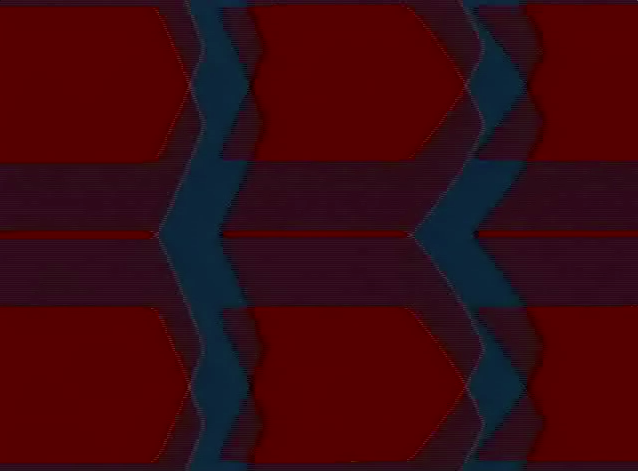
When I embrace the function more like an edge-follower source (rather than an enhancer for existing image content) it becomes a bit more intuitive for me. Here are some images with only Detail being modulated by Vidiot waveforms (no external input and no brightness or contrast CV modulation), and monitoring the colorizer output with the colorizer modulation set to the Luma. So in this case, there is no input signal to which “detail” is added… however, the modulation of the Detail parameter produces a gradient in the Luma signal which can be really fun with keying as a source into the colorizer.


![58%20AM|634x467]
![IMG_1098|666x500]
#17 — drumasaurusrex · 2018-11-05
I <3 Vidiot.

#18 — pbalj · 2018-11-05
to my understanding the detail control is a high pass filter mixing in with the original to give edge enhancements. it will work on high frequency (above line rate) detail, but wont be noticeable on detail below line rate, like audio rate oscillations. It can clip easily, if something is already 100% white you wont see the detail enhanced. im comparing it to the dual enhancer i do, they’re pretty similar effects. it’ll be really noticeable on feedback. it definitely has a range, but it being there, i believe, is for feedback, which is how the vidiot was original conceived.
#19 — drumasaurusrex · 2018-11-06
Yes, this indeed seems to be what it is. Mostly, the effect is just not nearly as pronounced as any other knob in the instrument. It can be seen with modulation using horizontal bars (right oscillator; see image), but I agree that higher frequencies are what it responds to most, which makes fine sense. That said, it is clear that the description/name does not match well with the expectation it evokes.

#20 — sean · 2018-12-07
FWIW, I too had been previously somewhat underwhelmed by the detail processing. Fine for camera feedback, sure, but nowhere near as wide-ranged and useful as the detail effects of other (non-eurorack) video gear I have.
But was playing around with this a bit today and noticed that I could achieve much more dramatic detail enhancement when feeding an external control voltage, from an audio (> 1v) modular device, into the detail CV input (using far less attenuation than I would use for the other controls). That seems to open up some nice new image effect/modulation possibilities!
#21 — sean · 2018-12-08
Made a quick little video to show what I mean:
This is a camera pointed at an image on my laptop screen (this was quickest right now). The first ~20 seconds are just CV from the slope output of a MakeNoise 0-Coast into the CV input for the detail parameter. At about 20 seconds I turn on solarization and then adjust the brightness and contrast.
But as you can see, especially in the enlarged details at left and right, the edges alternate between quite distinct and soft.
I probably should’ve shown the effect without the added CV input too, for comparison, as well as done a better job adjusting the CV level parameter for longest possible sweep, but this gets the idea across, I think.
#22 — jo_dem · 2018-12-13
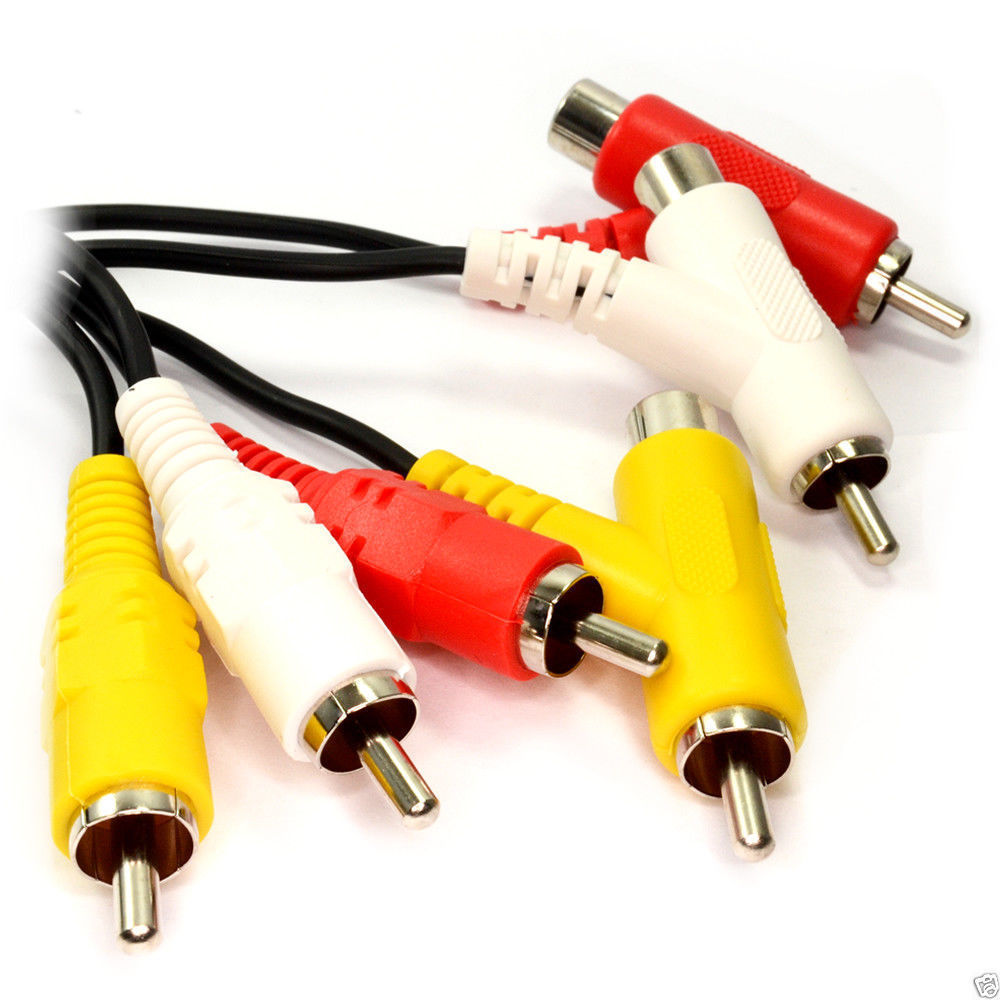
what is that rca cable youre using?
#23 — drumasaurusrex · 2018-12-13
These? Stackable RCA cables
#24 — otoskope · 2018-12-16
Thanks for this very helpful thread. I went to the helpdesk specifically to find info on the detail control, as I was convinced it doesn’t work on my unit. I simply wasn’t able to produce a single example where it made a difference. But I learnt so much instead. It is indeed subtle, but it works, and having had the Vidiot for only a couple of months, I also learnt other tricks from the discussion. Thanks all!
#25 — vjmymoon · 2019-04-11
same for me! I’m just discovering the vidiot, and i was thinkin that somethin doesnt work good on the luma processor especially in the detail knob, but now is clarified…i would like to start using a video input soon…
#26 — wednesdayayay · 2019-04-11
try plugging the luma RCA output into the Video input and mess around with some settings
feedback typically looks very nice with the detail knob!
#27 — vjmymoon · 2019-04-12
Mmm…when i try to connect luma output to camera nothin come out…possible i m Makin some patch error or i need to flip the cable?

#28 — wednesdayayay · 2019-04-12
it doesn’t look like you have anything plugged into the video input on the vidiot
the little circles with the black filling around the jacks means they are outputs the ones with just the circular outlines that are unfilled are inputs

LZX input/output is simply talking about 1/8th inch inputs
if you want to sync to your LZX setup take a composite out from VC into the sync input and then take whatever you want to process into the LZX video input
#29 — creatorlars · 2019-04-12
Yes, it looks like you’re patching an output to an output here!
#30 — drumasaurusrex · 2019-04-23
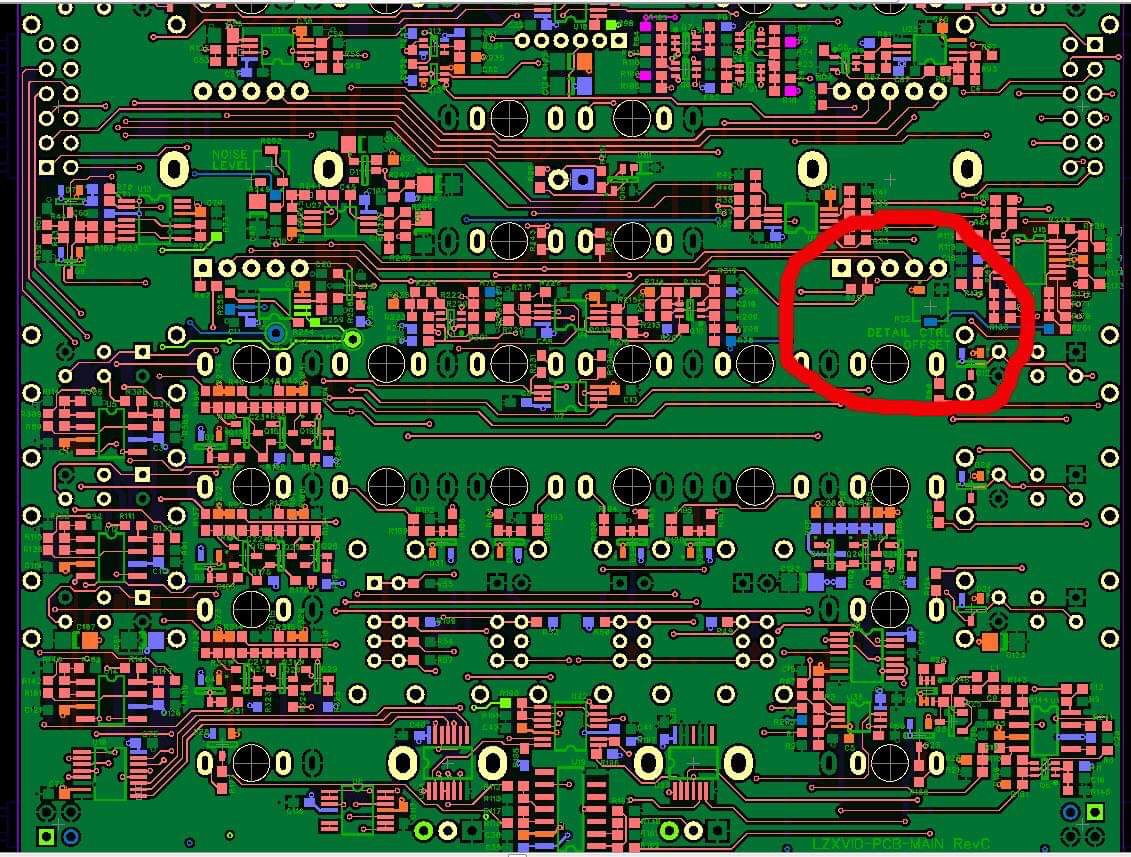
I got some direction from Dan about trying to adjust the Detail effect via a trimpot on one of the Vidiot boards. I finally tried it today, and it made a very noticeable difference in the magnitude of the effect. I recommend it. But… note that opening your Vidiot likely voids any warranty from LZX.
I set the panel knob to 12 o’clock and adjusted the PCB trimpot until saw change in image. Then it had a notably stronger effect.
#31 — pixelflowers · 2019-05-12
drumasaurusrex wrote:
I got some direction from Dan about trying to adjust the Detail effect via a trimpot on one of the Vidiot boards. I finally tried it today, and it made a very noticeable difference in the magnitude of the effect. I recommend it
I’m very tempted to do the same. Warranty issue aside, is this easy and risk-free as it seems to be? Did anyone else do the same?
I’d also be curious to hear @creatorlars comment about this. Any reason for us not to make this effect more noticeable?
#32 — creatorlars · 2019-05-15
Please, go for it if you are confident in disassembly! As long as you don’t break anything carelessly we’ll still honor the manufacturers warranty. We’ll be publishing a recalibration guide soon.
#33 — pixelflowers · 2020-02-24
@creatorlars Hi! Any news about how to recalibrate this? I made a couple of attempts but I couldn’t notice any big changes. First I rotated the trimpot by 180° from its original position. Then I made a second attempt by rotating it again by 90°. Since the operation requires to disassemble and then reassemble the Vidiot before checking for any results, I don’t feel comfortable in doing further random attempts. drumasaurusrex - any tips?
#34 — Genlok · 2020-07-17
Anyone got a pic of this trim pot? My detail knob seems to work fine but I wanna see if I can get some more blur out of it