Thunderbolt Blackmagic Intensity Shuttle
Category: Unknown · Tags: capture · Posts: 33
#1 — jambirn · 2018-12-07
Hello –
I have a relatively newer MacBook Pro with two USB-C inputs. Can someone confirm that the Thunderbolt output from the Intensity Shuttle is compatible with USB-C, or if not, do I need an adapter?
Thank you–
Jim
#2 — Agawell · 2018-12-07
I have a very similar computer… i’m pretty sure you need an adapter… tb2 to tb3 (usbc)
I think it’s mentioned in another thread somewhere and it works well apparantly
#3 — brk · 2018-12-12
You’ll need an adapter, the Intensity Shuttle has an older style Thunderbolt port.
#4 — peloazul · 2018-12-13
Thunderbolt 3 (USB-C) to Thunderbolt 2 Adapter
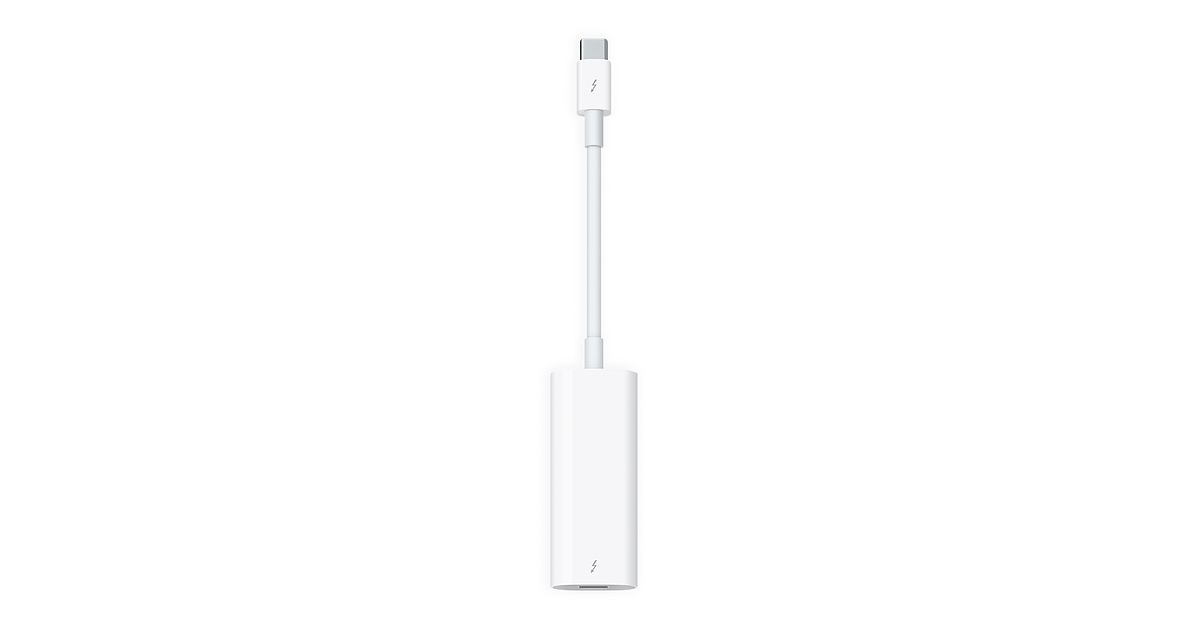
https://www.apple.com/shop/product/MMEL2AM/A/thunderbolt-3-usb-c-to-thunderbolt-2-adapterEffortlessly connect your Mac to a Thunderbolt 2 device with the Apple Thunderbolt 3 Adapter. Buy now at apple.com
Link: Thunderbolt 3 (USB-C) to Thunderbolt 2 Adapter
It’s bidirectional which is nice.
#5 — Strutter · 2018-12-13
Its annoying to buy these adapters but I just recently got the Intensity Shuttle and the Apple adapter and after watching a tutorial form youtube to set it up I got it working in 15 minutes and there has been no problems what so ever with it.
#6 — creatorlars · 2018-12-13
I use one of those Thunderbolt 3 to THunderbolt 2 adapters with the Shuttle as well. The Blackmagic Ultrastudio Mini HD is Thunderbolt 3 natively, which is nice.
#7 — northerntao · 2018-12-13
I’d almost rather give Black Magic an extra $300 just on principal rather than buy yet another Apple adapter. But I think the Intensity Shuttle offers more bang for the buck for home use with it’s analog outputs. And I don’t need the SDI I/O.
With the Vidiot issue having a workaround - just sync it externally - I don’t see a downside, other than the software being a bit of a PITA.
#8 — creatorlars · 2018-12-14
No arguments there – the Shuttle does so much and looks incredible for its pricepoint. Personally ours have been very stable, we usually use them to capture with our Lenovo Thinkpad P70 laptops.
#9 — jambirn · 2018-12-16
Thanks for your replies, everyone. I just pulled the trigger and got me a Shuttle and annoying 2 to 3 adapter. Can anyone tell me whether the Shuttle includes a Thunderbolt 2 cable?
Jim
#10 — BongoTeethRunning · 2018-12-16
Thunderbolt cable is not included.
Do one need a TBC between the component out (from Cortex) and the ins on the Shuttle?
Cheers BTR
#11 — brk · 2018-12-16
@BongoTeethRunning No TBC needed between them.
#12 — jambirn · 2018-12-16
If the unit is powered by a Thunderbolt connection, why don’t they include such a cable? Are you sure they don’t?
#13 — brk · 2018-12-16
@jambirn I bought mine last week and it did not come with a Thunderbolt cable.
#14 — wednesdayayay · 2018-12-16
I don’t need a TBC for the visual cortex/vidiot
I do need one for a VHS player
#15 — 337is · 2018-12-18
It seems to be a standard of sorts to NOT include thunderbolt cables with equipment that rely on them. I’ve purchased at least 5 devices that absolutely need thunderbolt cables yet do not come with them. My guess is that as they are costly cables, manufacturers choose not to incur the additional cost of including the cables & leave it up to end users to secure them. I suppose it’s a bit like gasoline; absolutely necessary to run my car but it’s not included.
#16 — creatorlars · 2018-12-18
This is common with broadcast gear in general, I believe. With broadcast gear the cables can be incredibly high end and expensive, and with the expectation being a professional user base, there’s no customer support liability involved like there is with consumer gear (where a customer will likely just return the item to the store if it doesn’t have all the cables they need.) Blackmagic definitely want you to use good cables, but I bet including decent cables in the box prices them out of the competition (which likely also doesn’t include cables.) So my bet is on this being an industry specific thing.
#17 — LauLindqvist · 2018-12-19
About the Thunderbolt cable non inclusion:
I only have two thunderbolt ports on my machine, which means that my need for cables are saturated when i got two cables. Even if i have 5 units to choose from (that does not have thunderbolt daisichaining) i will not need more than two cables. So why pay for an expensive cable each time i need a new unit?
/Lau
#18 — voidstar · 2019-09-01
Hi!
I’ve had my LZX modules sitting in a box for months since I did not have a display solution, but I finally had a chance to get an Intensity Shuttle! yay!
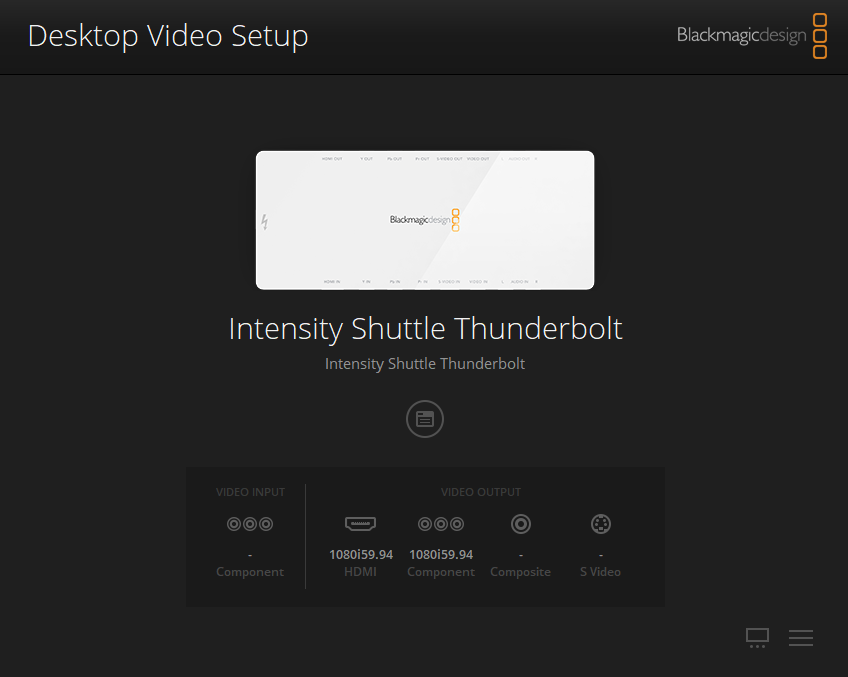
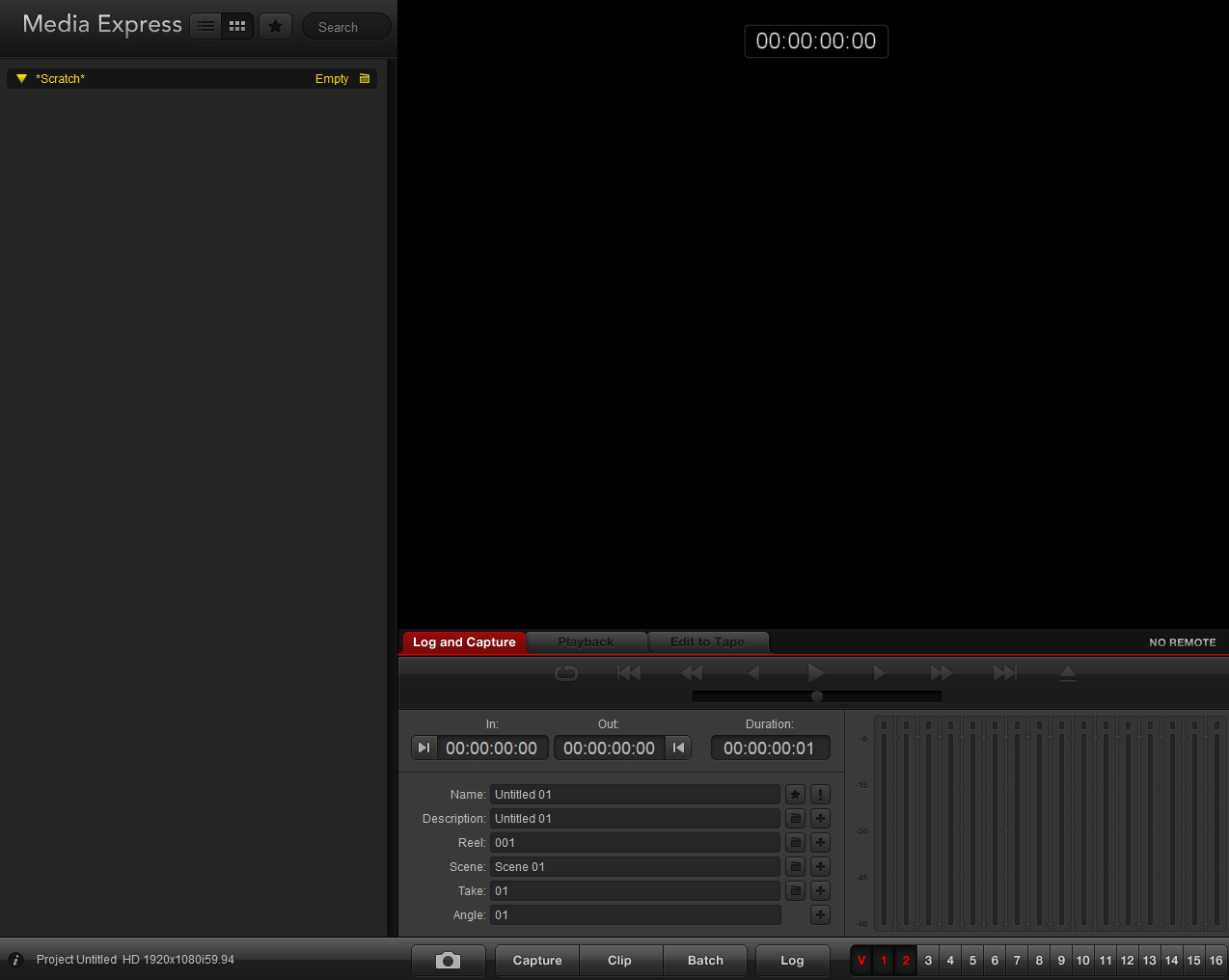
Anyways, I have not been able to get any image from the VC to show up in Media Express yet. I have been able to successfully get an image from a DSLR to show up in Media Express when the Desktop Video input is set to HDMI; however, when I set the Desktop Video input to Component, I do not get any image from the VC. Right now, I just have the H+V output of VC plugged in to the Colorize input of the VC, so I should just be seeing something…
Any troubleshooting tips would be appreciated.
#19 — JohnWynberg · 2019-09-01
Have you tried changing the Preferences in Media Express? If your VC is set to NTSC, try the 525p23.98 NTSC as Project Video Format.
#20 — wednesdayayay · 2019-09-01
yes if you were just capturing via HDMI you will need to change via preferences to NTSC or PAL
black syphon into syphon recorder
or
are also options for seeing intensity shuttle output (I haven’t tried OBS for this but it should work)
#21 — efp3 · 2019-09-12
I just stopped using Media Express. I was having similar problems, and though it was the Blackmagic Shuttle thunderbolt. It seems the issue was the ME after setting up capture through Premier Pro. I have way more control and the quality of capture seems better. Also I am not wasting a ton of time fighting with my system as to why it worked on day and not the next. ME is garbage, I would find another software for capture. I do all of this with a MacBook Pro.
#22 — tylerm · 2019-09-12
I really wish I could get my BMD device to work in Premiere, but I can never get a picture to display in the capture window even though it works fine for me in Media Express and I can even get Premiere to recognize the Shuttle as the primary audio device, but no dice for video. Any links or tips that I could try?
For OP: When I want to get my VC into Media Express, I have my VC plugged into my Shuttle via component, set my input settings in Black Magic Desktop Video Setup as component, 525i59.94, and then match those settings in the preferences tab in Media Express. It is VERY important that the settings match. Even a difference as small as 525p vs. 525i is enough to break the signal chain. The framrate can be either 29.97 or 59.94 but I prefer 59.94. Hope that helps somewhat.
#23 — efp3 · 2019-09-12
Thanks for the ME tip. I will be at my studio this weekend and will make sure to write down the settings for PP and get them to you.
#24 — slowcities · 2019-11-06
I have an intensity shuttle based on the recommendations. It’s been great for my NTSC capture but I tried going to HD with the Ambery HDV600A and could not get a signal. Blackmagic support said “The Intensity Shuttle only supports YUV colorspace signals, so perhaps the source signal is in RGB. There aren’t any other settings to adjust.” So what do you guys use to create YUV HD color space signals for capture on the intensity shuttle? Any help would be greatly appreciated.
#25 — northerntao · 2019-12-03
Has anyone used one of these with the UltraStudio HD MIni? The Black Magic site seems to indicate it will work to add monitoring to the UltraStudio HD Mini, but they list several different products on the same page, and it’s hard to tell.
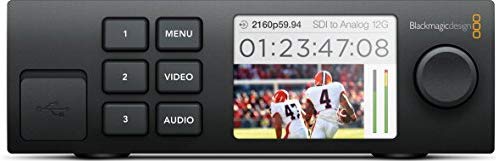
https://www.amazon.com/Blackmagic-Design-Teranex-Smart-Panel/dp/B0143WIL9CBuy Blackmagic Design Teranex Mini Smart Panel: Video Converters - Amazon.com ✓ FREE DELIVERY possible on eligible purchases
Link: Amazon.com: Blackmagic Design Teranex Mini Smart Panel: Electronics
#26 — Second_Breakfast · 2020-10-26
I just got an IS thunderbolt and am trying to get it setup for capture. I installed the software. My computer recognizes the IS. I have tried both component and s-video out of my VC but am unable to get any signal to show up on my computer or any of the outputs. Any suggestions? I am using an official Apple TB2 to TB3 adapter to hook up the IS to my newer gen MacBook Pro. Thank you.
#27 — Vdot · 2020-10-26
Are you able to test any analog video source other than the VC?
There are a couple of apps for the IS, the capture software and the setup software. I usually need to change the input settings in the setup software first. I can confirm that this works with my 2018 Mac Mini and TB2 to TB3 Apple adapter.
#28 — Second_Breakfast · 2020-10-26
Thanks for the reply. I was able to get the capture to work- I thought I’d be able to capture with quicktime because the IS would show up as a target to capture from. However, for reasons unknown it just shows black when I target it. I am using BM’s media express and am able to capture well. The last thing that isn’t working is using the HDMI output from the IS. I have tried both setting the IS to pass through the SD signal as well as convert it to HD but neither settings will produce any output from the HDMI out.
#29 — Vdot · 2020-10-26
Second_Breakfast wrote:
target to capture from. However, for reasons unknown it just shows black when I target it. I am using BM’s media express and am able to
Regarding alternative capture software, I haven’t tried QT but I did use OBS to capture very long files and that works flawlessly if you need smaller, lossy files.
My understanding is that the IS is a one-way device. I don’t believe it’s able to upscale an input signal and output it at the same time. I’ve never tested it as a simple pass-through.
It also doesn’t show up as a standard video display device in the OS. I’ve only had it work as a video output on specific software like TouchDesigner and I think Resolume supports it only with the Arena (pro) package.
#30 — efp3 · 2020-10-30
I use Adobe Premier for capture out of the BM. It works really well with the audio as well and you can deinterlace really easily as well.
#31 — efp3 · 2020-10-30
What are you running the hdmi to? I have the hdmi running into a lcd monitor and a upscaler that goes to my projector and both work well.
#32 — Second_Breakfast · 2020-10-30
I was attempting to run the hdmi out of the Intensity Shuttle to a Blackmagic Atem Mini Pro ISO. The atem is then running to an OLED tv. My hope was that I could livestream the output of my system with the Atem. Also the Atem can record to h264 which would enable me to record long patches without generating huge files.
#33 — efp3 · 2020-10-30
It might be something weird with the mini pro. I have had issues with the small BM converters before. I was actually thinking about getting a mini pro. Now thinking about it. Make sure the BM Shuttle drivers are updated. On my MacBook Pro I had an issue with integration using Premier. I updated my MB but it still did not work. I found out you had to uninstall the old ones and then install the new version. Works perfectly now.