Still images (for processing via Memory palace)
Category: Unknown · Tags: — · Posts: 34
#1 — wednesdayayay · 2019-01-28
so with some new info about the memory palace I thought now is the time to start the still image discussion
first and most importantly
I’m sure you have already all thought about it
what is the first still image you want to process via the internal storage on the memory palace?
I’ll start off by saying Lisa frank will be my number one
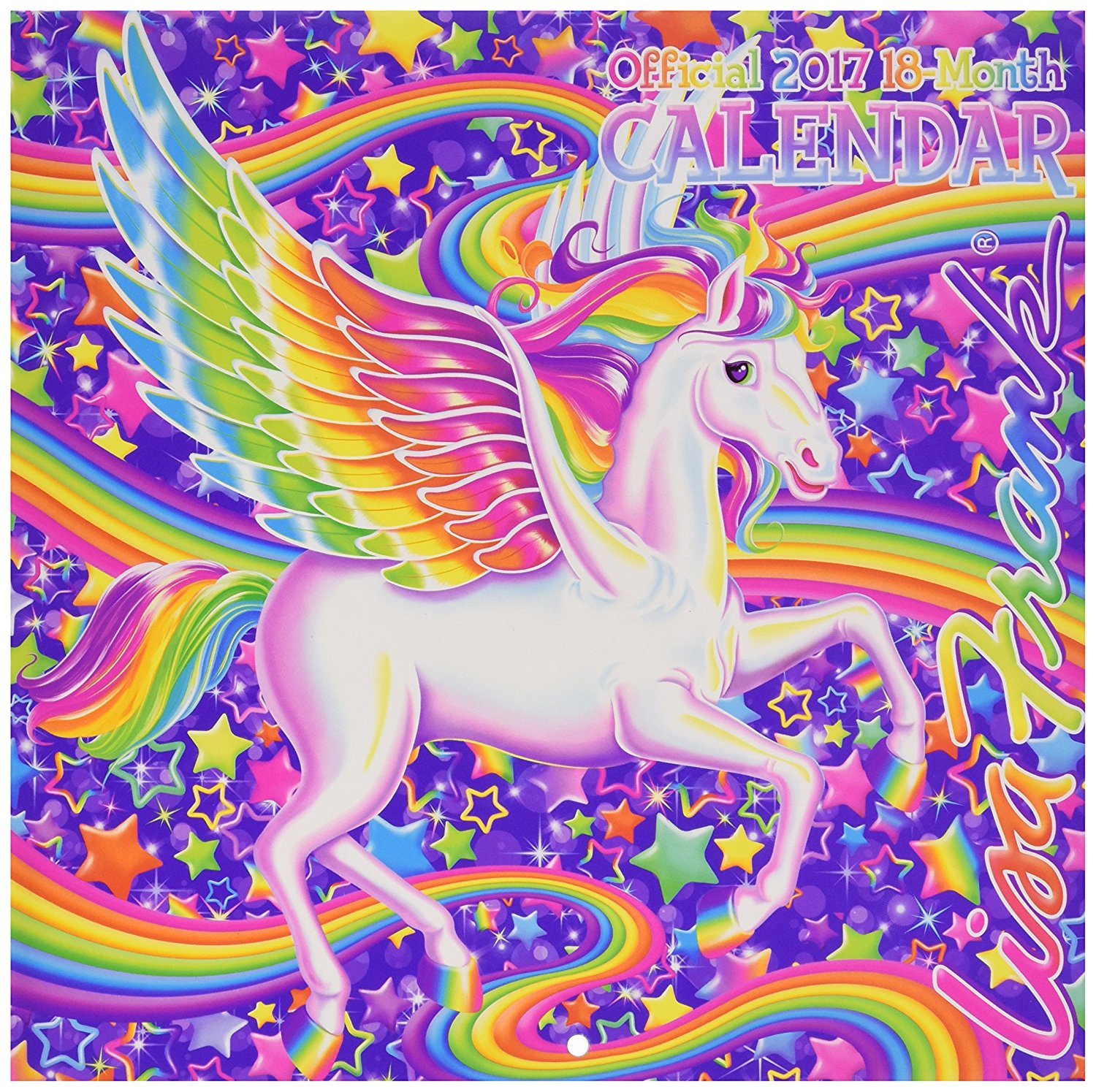
trapper keeper feedback here I comeso beyond that I would love to see eventually (not sure how best to achieve this other than just sharing them here) all of the participants on this forum submitting a folder of images specially selected by them and exported with the proper settings.
a place to start for newcomers
a way to get to know each other
growing the community
would anyone like to participate?
#2 — creatorlars · 2019-01-28
Love it!!
The zip files in the firmware repositories contain some examples:


https://github.com/lzxindustries/firmware/tree/master/memorypalaceLZX Industries Firmware Downloads. Contribute to lzxindustries/firmware development by creating an account on GitHub.
Link: lzxindustries/firmware
Currently I’m working on building more robust UI for still image selection and loading. The units are all shipping with a 4GB SD card, which is enough for thousands of images, but currently only the first 32 subfolders of the “stills” directory are loaded.
There’s also going to be an animation and motion graphics mode implementation, that allows you to scrub thru your selected stills folder with the Delay parameter, for pseudo-video sampler capabilities, and I’d like to implement a snapshot function as well, that can save the current buffer to a new still (for further loading and processing.) Additionally, I’d like to add a scripting function for algorithmically generated stills (like ramps and other gradient patterns) which are generated at run time.
This area is going to be a WIP progress for a while, it’s going to be fun to see it develop.
#3 — bsarps · 2019-02-27
I’ve been experimenting with alpha transparent PNGs and have noticed some odd effects. I’m getting these white bands around the transparent PNGs that I wouldn’t expect to be there, any ideas? Here’s an example I uploaded to vimeo.
I’m cycling between an alpha transparent, white background and black background variant of the same image (pressing clear after each new image) to show the different behavior in the memory palace. I can provide a zip of the pngs if that helps.
#4 — creatorlars · 2019-02-27
Can you show me a screenshot that clearly highlights the artifacts you’re talking about?
What software are you using to generate the PNGs and how are you saving them?
Do the bands go away if you add a little softness to the keyer?
Have you tried the “Single” threshold mode with the alpha key? Could it be related to window size?
When cycling from alpha and white/black backgrounds, are you changing from alpha and luma key modes respectively?
#5 — bsarps · 2019-02-28
Sure, here are a couple examples.


A white box seems to get rendered around the shape.
Here are the alpha transparent pngs


I’ll experiment with softness later today and the other suggestions when I get a chance.
I’m using photoshop and just creating a layer for the logo and leaving the background as transparent. Exporting to PNG via the normal export, tried using SRGB and without, seems to have the same effect.
#6 — creatorlars · 2019-03-01
@bsarps Is the key mode on Memory Palace set to “Alpha”?
#7 — bsarps · 2019-03-01
Yes it is. I’ve tried Luma and Chroma as well and they all seem to do the same thing. I can send you the .psd if you want to take a look.
#8 — creatorlars · 2019-03-01
Have you tried the “Single” mode for keyer threshold?
#9 — bsarps · 2019-03-02
Thanks, playing with the alpha key and single modes did the trick. I only really notice the box when the center slider is below 50%.
#10 — creatorlars · 2019-03-02
Awesome, yeah it’s a weird use case when thinking of window keying an alpha layer! If it’s a hard mask you get more of an on/off behavior. We can probably find ways to make that more intuitive as we move along.
#11 — tenshun · 2019-03-16
hello,
i am having some trouble loading some Jpegs into the memory palace.
i created a folder with opart images sized down in Photoshop.
i size them down to 720x480 pixels for NTSC/480i
i create thumbnails for them and put them in a separate folder.
i use the correct procedure to connect the memory palace to my windows laptop and it shows up on my laptop.
i load the folder on memory palace, eject the memory palace.
when i go to the memory palace and go to the stills i see the folder but the images dont load up and i do not see the thumbnail.
any help would be great!
#12 — creatorlars · 2019-03-16
Compare the images you made to the ones in the default folders to make sure they are the same size and located in the same folders (both source and thumbnail). Sounds like you’re doing things correctly.
#13 — tenshun · 2019-03-16
so i compared the images that came with the memory palace for NTSC and they are 720 x 486 instead of 720 x 480.
once i adjusted the images to that size they appeared and it works.
l
#14 — creatorlars · 2019-03-17
Glad to hear it! On the next update I’ll make sure both sizes are supported.
#15 — alexpelly · 2020-04-28
How does one change the keyer threshold to “single” mode in v19? Trying to get my MP to read the alpha channel of some pngs, but it’s showing up as a grey box around the image.
#16 — Z0NK0UT · 2020-04-29
V19 behaves differently in this case (no “single” mode).
You might need to experiment with your export settings. In Gimp, when exporting an image with an RGB Alpha layer, I select “save background color” and “save color values from transparent pixels”. This produces an image with a transparent alpha layer that works perfectly with Memory Palace.
#17 — Dr_Rek · 2020-05-05
Neat, haven’t been able to figure out something similar to what you did in Gimp in photoshop. Curious if anyone else does. Maybe we just should use Gimp.
I did make a transparent 720x480 image with only one layer in Photoshop and saved as png as the video tutorial showed.
I was able to use the alpha layer, but bounding boxes would appear in the majority of alpha keyer settings.
#18 — Dr_Rek · 2020-05-05
By the way, a tip that making “thumb” thumbnails folder is super easy if you use this method to batch resize to 128x96
Digital Photography School – 8 Jun 09
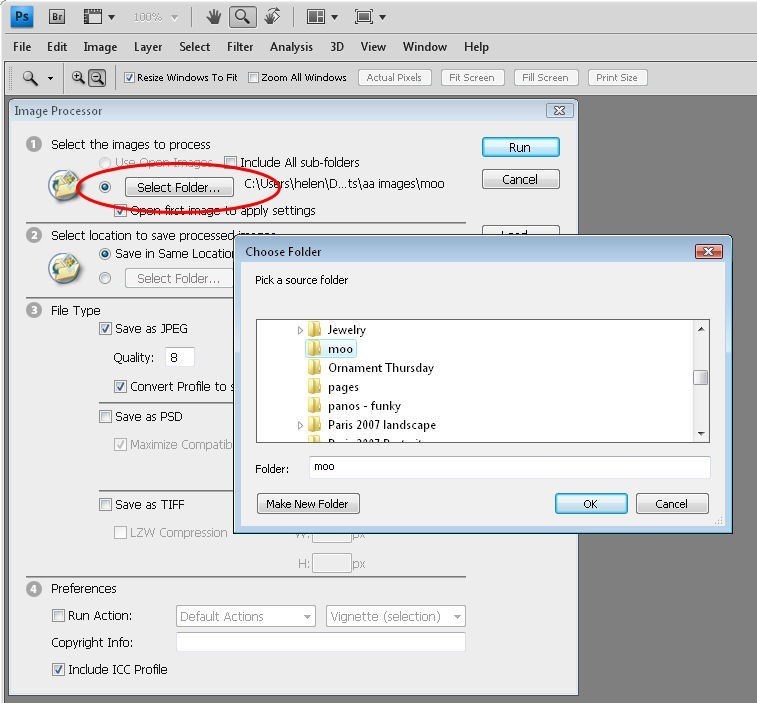
https://digital-photography-school.com/how-to-batch-resize-in-photoshop/While it’s relatively easy to write an Action to resize a series of images in Photoshop, it’s easier still to get Photoshop to do all the work for you. Photoshop comes with an image processor script that will open, resize and save a series of images...
Link: How to Batch Resize in Photoshop
I bet Gimp or something similar can do this too though.
#19 — Dr_Rek · 2020-05-05
@Johnnywoods I followed your video for making a transparent png in Photoshop btw. Has anything changed about how you need to make or save them for v19 firmware? 486 seems to be the proper NTSC Memory Palace vertical resolution is one thing I noticed that is different, but are 720x480 NTSC images still interpreted to fill frame anyways @creatorlars?
(thanks to @Genlok in this thread: Hubble image pack for Memory Palace) @alexpelly
#20 — alexpelly · 2020-05-05
@Dr_Rek I got it to work by inverting the width on my MP, but not sure if it’s actually working or just keying out the grey. The grey box comes back very easily if I move around the width slider, but I managed to work with it. I’m also using Photoshop. Can you link the Johnny Woods Photoshop video you found?
#21 — Dr_Rek · 2020-05-05
Yes @alexpelly that’s the same behavior workaround I ended up with so far too. Bounding box can be removed, but easily comes back if width (and sometime center) isn’t set right.
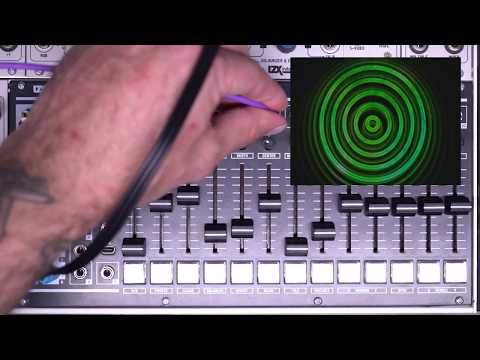
https://www.youtube.com/watch?v=Pu3NitFZhho
#22 — Tundra_Tides · 2020-11-13
I’m using the delay slider to scroll through a folder of stills (great feature btw).
Other than ordering the files alphanumerically, is there a trick to ensuring the stills go in a specific order? I seem to be getting some jumping around the folder
#23 — Z0NK0UT · 2020-11-14
There seems to be an issue with the images randomizing if you’re using a Mac.
#24 — LILWILLY · 2020-11-14
@etwyford i think evan has this figured out, its a dash vs underscore thing ya?
#25 — etwyford · 2020-11-14
@Tundra_Tides@Z0NK0UT@LILWILLY
Yes. I had this glitching as well and only recently sorted out the reason. (And I wasn’t on a Mac either) From what I can tell, MemPal prefers sequence names with a name and then a dash or underscore before the number (maybe a space, not sure haven’t tried that one).
For a name with letters or word and number immediately afterwards (eg. the format B#), it seems the MP loads the images in this order B1, B10, B11, B19, B2, B20, B3, B4, B5, B6, B7, B8, B9. It does this for sequences with no name as well (just numbers). So it seems it has to have a name-#, name_# or maybe just a zero digit before the sequence number?
#26 — Tundra_Tides · 2020-11-15
Ace, thanks @etwyford , will try it today
Update:
Have tried @etwyford 's suggestions with no luck. Also tried it as the following ‘A01’ to ‘A09’ then next 9 images as ‘B01’ to ‘B09’, didn’t help either.
Maybe it’s just a mac thing!
@brendanleespengler that sounds incredibly long-winded with a folder of 40 odd stills

Was that on a Mac or PC?Update 2: Tried @brendanleespengler suggestion on my mac, still no luck (Has anyone had success on on a mac?)
#27 — brendanleespengler · 2020-11-16
Ive had a similar issue with the mempal sorting files out of order. It seems when I drag and drop numerically sorted files (A01, A02, etc.) one by one (rather than pulling several files at a time) it works though. This may have been mentioned earlier, apologies.
#28 — Tundra_Tides · 2021-05-31
Does anyone know whether there was an update in the V20 beta to fix this at all? Any new workarounds?
#29 — Z0NK0UT · 2021-05-31
Not yet. TBC2 has been the main preoccupation. Memory Palace will likely receive new firmware after Chromagnon is done.
#30 — Tundra_Tides · 2021-05-31
No worries at all, I only just updated to V20 Beta so thought it worth asking

#31 — Dr_Rek · 2021-06-05
Oh hey v20 beta is available somewhere?
#32 — Z0NK0UT · 2021-06-05
github.comhttps://github.com/lzxindustries/firmware/tree/master/memorypalacemaster/memorypalace
LZX Industries Firmware Downloads. Contribute to lzxindustries/firmware development by creating an account on GitHub.
Link: lzxindustries/firmware
#33 — leolodreamland · 2022-07-05
I am loading wipes in pal but they don’t show up if they’re 720x576
They show up ok at 720x486 but there is a gap in the tile obvs
#34 — leolodreamland · 2022-07-05
Hmm no it’s weird if I put them in as jpegs it’s fine. Something goes weird with the alpha channel with pngs (that don’t have an alpha) - I do have pngs in there with proper alpha channels that work at 576p