The Memory Palace Experience (Unf#$&ing El Palacio de la Memoria)
Category: Helpdesk · Tags: memorypalace · Posts: 155
#1 — 48HourVideo · 2019-02-26
As consummate and intentional novices with every step we take, we here at 48HourVideo like to go about new experiences as though we’re children.
In that vein, please find enclosed in this candlelight-penned letter the issues and solutions we’ve experienced con la Memoria Palacio:
-
Problem #1: When using “BOOT FROM SD”, MemPal screen shows startup splash and firmware version, but nothing more.
-
Solution: Set rear panel switch to Internal Sync while using BOOT FROM SD feature to verify boot. (Or connect valid sync with External Sync enabled).
*> The videomancer > @kemble-48HV> with the aid of his party mates clutches the nearest sync cable while meditating on a massive metaphysical 20sided die. ‘Sync applied?’ Is heard faintly in the distance as the d20 explodes into powerful and beautiful luz de Memory Palacio.> *
-
Problem #2: Windows file transfer error using front-panel USB connection, resulting in a frozen MemPal interface, stuck on the USB interface screen. On system restart, MemPal screen shows startup splash and firmware version, but nothing more.
-
Solution #1: Hold rear panel “BOOT FROM SD” button while powering on the device, with device in Internal Sync mode. If that doesn’t fix the problem, remove SD card from system, reformat as FAT32 on a computer, copy latest firmware. Return card to MemPal, hold rear panel “BOOT FROM SD” button while powering on the device, with device in Internal Sync mode.
-
Solution #2: Verify that there are no hidden files on the SD card. Delete if found. Suggested to use 'Clean My Drive 2’ on OSX.
-
Problem #3: XY VC inputs are producing unexpected results.
-
Solution: Cycle the CV Scale option on Page 2 to return normal XY function. Will need reapply at every Memory Palace startup/power cycle.
-
Problem #4: VC inputs do not respond to incoming signals.
-
Solution: Power cycle the Memory Palace.
-
Problem #5: Still image in Memory Palace gains artifacts (on our system, thin blue horizontal lines) when an external media player (connected via Visual Cortex decoder) is power cycled. Possibly through Sync?
-
Solution: Power cycle the Eurorack case while leaving the external media player on.
#2 — bsarps · 2019-02-27
I’ve encountered problem #2 a few times. The last time it happened, I took the SD card out, loaded in Windows, enabled ‘Show Hidden Files’ and noticed that a .DS_Store file made it’s way over because I was copying a folder over my home network from my Mac. I removed this file and it booted fine.
Perhaps the LZX team can add some code to ignore these hidden files in a future firmware update

#3 — 48HourVideo · 2019-02-27
Thanks for the contribution @bsarps , I added it into the solution list on the main post!

#4 — creatorlars · 2019-02-27
We’ve got some “ignore Mac crap” code in there already, but apparently it is still causing some issues. I’ll see if we can get to the bottom of it! Thank you.
#5 — wiatrob · 2019-03-02
Re problem #2 - I always use a program to delete hidden Mac files before loading - best results for me are with the nagware ‘Clean My Drive 2’ on OSX.
#6 — GaelJaton · 2019-03-05
Hi, I just received mine, I want to report a strange issue : plugged to power board, double check everything, and … nothing, no screen, no white led light on back pannel… I began to turn white as a sheet. tripple check every thing (other modules worked well). After some breathes I try to “choke” it with 12vdc optionnal plug : fan run, white led, and full boot…
I also clean sd card.
Then I unplugged my external power supply, and restart my case PSU… now everything’s well… Lars, do you know what’s happened…?
#7 — luix · 2019-03-06
Im unable to change the NTSC/PAL mode when using my Memory Palace as master.
When it boots, its by default in NTSC and the menu to change that is disabled, is there a special button combination to change the value to PAL? I have rev18.
#8 — 48HourVideo · 2019-03-07
We’re having some trouble with Memory Palace that we can’t fix. It displayed all the characteristics listed below initially, and continues to display them after an SD card reformat and copy over of current, default firmware with no amendments. The module has approximately 40 hours used time. It’s been largely stable other than some horizontal artifacts in certain warp-mode based patches.
Today, on initial startup, Memory Palace no longer responds to slider input. The values for the sliders shown in the display are capped at maximum despite slider position. The device outputs a signal that looks full white on Liquid TV and Visual Cortex, and full black from the Memory Palace’s previously functioning Composite2 Output. Neither output responds to slider motion or key presses.
Menu pages can be navigated and settings changed, but the output and slider value/responsiveness remains the same.
We’ve tried numerous sync cables and configurations (external/internal). We’ve tried multiple composite video and TS patch cables that work with other equipment.
#10 — creatorlars · 2019-03-08
The user manual is here, @7pip and the rest of the community are welcome to edit and build upon what is there:
This post is the prototype User Guide for Memory Palace and will be heavily edited and expanded as we move through the product launch and into post release development. >>> Video Inputs/Outputs>>> Alpha + RGB Inputs. Suitable for LZX format 1V DC signals. Video sources must already be synchronous to Memory Palace, and can be converted from external sources using Visual Cortex or TBC2 modules.>> Luma + RGB Outputs. LZX format 1V DC signals for patching to other LZX compatible video synth modules or …>
@luix It sounds like you have Memory Palace in external sync mode. You can only select the NTSC/PAL format in internal sync mode. In external sync mode, Memory Palace will detect the sync format from the external source (patched to sync input on the rear.)
@gaeljaton Not sure. Which model power supply are you currently using and what is the total current load on it?
#11 — creatorlars · 2019-03-08
To be clear: Memory Palace should not be stalling, crashing, or failing to boot. We’ve had our units here in the lab running mostly 24/7 for weeks without crashing. If you’re experiencing any kind of instability that’s not fixed (in a permanent way) by the tips suggested in the OP, please e-mail support@lzxindustries.net to request an RMA.
#12 — GaelJaton · 2019-03-08
creatorlars wrote:
@gaeljaton> Not sure. Which model power supply are you currently using and what is the total current load on it?
2A @12v
2A @-12v
(4A @ 5v)

Schneidersladen - Modular Synths
https://schneidersladen.de/en/acl-lo-noize-psuLo Noize PSU Switching power supply, developed especially for modular systems. Minimal voltage peaks and interferences. – The result: An extremely low noise floor and very honest sound. +12 V – Regulated, filtered,...
Link: ACL - Lo Noize PSU
I think it’s enough. I guess it was some kind of varnish on ext power plug which doesn’t allowed 12v bypass, plugging connector should have cleaned the contact.
As mentionned, now it boot well and all effects seem’s to work as desired.
I just remain an issue on DVI-D out, sometime it stop working after few minutes and back again when just reboot (without touching cable). And the dvi - hdmi converter provided just don’t work (I got an other one which work - at least few minutes)
#13 — luix · 2019-03-08
Exactly, what Im saying is that when I put the sync switch on INTERNAL, I cannot select PAL on the menu its still disabled (grey) regarless of the switch. I’ll wait for the v19 and see if that fixes the problem.
The auto detection (when external is activated) is not working well, and neither the switch internal/external. I want to be able to select PAL/NTSC manual anyway always if is possible.
#14 — creatorlars · 2019-03-08
@luix What is your sync source that it’s having trouble detecting as NTSC or PAL? Is this with Visual Cortex? We had one report so far where the switch was actually broken, does it look damaged at all?
#15 — luix · 2019-03-08
creatorlars wrote:
had one report so far where the switch was actually broken, does it look
My sync source is Visual Cortex with decode switch off (to use internal sync of VC). MY VC boots nicely every single time in PAL, Im syncing it using the SyncOut of VC into the SyncIn of the MP with the terminate ON.
Switch and soldering looks good. I’ll just wait for v19 and see what happens, thanks Lars.
#17 — Maytoast · 2019-03-13
Having issues getting hdmi out working. Tried both an intensity extreme and ultrastudio 4K. Any specific setttings i need to get it to register?
#18 — creatorlars · 2019-03-13
I haven’t tried with either of those devices, but anything with 480p/576p support should be working. Have you tried on a display yet? If you have another adapter or cable to try, it’s good to rule those out as potential problems as well. If all fails, get with us to arrange an RMA.
#19 — GaelJaton · 2019-03-13
all my system draw :
1.1A @+12V
0.5A @-12V
and 0.15A @+5V
I’ll investigate with bad solders and try to re-upload firmware…
#20 — GaelJaton · 2019-03-15
I did a gig last night, everything worked well for several hours. I choose to believe it was a kind of break-in phase. a time to know each other in a sens…

(or damned varnish again…?)
#21 — dondon · 2019-03-19
luix wrote:
Exactly, what Im saying is that when I put the sync switch on INTERNAL, I cannot select PAL on the menu its still disabled (grey) regarless of the switch. I’ll wait for the v19 and see if that fixes the problem.
The auto detection (when external is activated) is not working well, and neither the switch internal/external. I want to be able to select PAL/NTSC manual anyway always if is possible.
I have the same problem, can’t switch from NTSC to PAL in internal sync mode. Format is greyed out/disabled and can’t be selected.

Running in external sync mode, MP doesn’t seem to want to switch to PAL. I’ve tried with a Vidiot in both NTSC and PAL. Vidiot colorizer out to MP sync in works for NTSC only.
If I run the Vidiot in PAL, the MP seems to stay in NTSC and the MP’s output image displays black and white scrolling typical of format mismatch.
#22 — luix · 2019-03-19
if I wait like 3 minutes for the MP to “warm”, and then reboot it (by turning off-on my case) maybe 3-5 times I get it to work on PAL with external sync.
do you have the same behaviour to fix it?
#23 — creatorlars · 2019-03-20
I’m sure I can get the NTSC/PAL issue fixed on the next version. I had to set down progress on Memory Palace’s next firmware update in order to catch up around the shop and make some headway on the other Orion preorder releases – but progress has been great and I plan to have V19 out in April. Lots of cool stuff coming!!!

#24 — tenshun · 2019-03-22
Awesome! looking forward to giving it a go
#25 — GaelJaton · 2019-03-22
graphic patch bay? that’s sound great! I hope for delay able to put before argb, I mean delayed the dry signal, for camera feedback purpose… (and just from dreaming, triple delay on each R/G/B channel for time glicht experience : https://vimeo.com/59434848 )
#27 — giantmecha · 2019-04-01
This may have been mentioned elsewhere, but when running into a crash bug, resetting the MP firmware also reboots the unit (if you’d rather not reboot your whole euorack case).
DesertMuseum wrote:
Thanks for this list. I have had **Problem > #5> happen. Also had the whole module freeze up and be unresponsive a few times. Cycling the power seems to resolve it but not sure the cause.
#30 — creatorlars · 2019-04-02
@DesertMuseum Cycle the power after connecting a new source to Visual Cortex is always a good idea.
External sources into Visual Cortex are meant to be coming from a stable and consistent timebase, and Memory Palace is expecting to boot up to an already stabilized sync source. When you patch a new source into Cortex, it changes its timing to Genlock. I’m sure I can make Memory Palace more capable of reinitializing itself on a sync change later on, but this shouldn’t be considered a functional issue for now. TBC2 won’t exhibit the same behavior, as it’s a TBC/synchronizer (what you want if you’re going to be live swapping input sources anyway.)
#32 — creatorlars · 2019-04-02
Good to know. That being said, I was hoping to run the output of a switcher into Cortex’s input decoder, I am guessing this will not be possible while keeping stable sync through the system, if I was to be switching between sources via switcher?
Using a switcher/mixer with TBCs like the Roland V8EX, etc should not be a problem. Switching between asynchronous sources (like with an Extron matrix switcher or video selection punch box) for your system master sync will reset the timing of the entire system every time you select a new source.
I was hoping to make use of Cortex’s input decoder but will it only hold stable sync with a continuous playback?
The timing of Cortex locks to whatever is fed into the genlock input (either frontpanel Y/Luma jack or rear sync input.) If you change the source to a source with different (asynchronous) timing, the timing of the entire system will change as a result to match the new source. This is causing Memory Palace to lock up because it’s not expecting the system master sync to change timing after it boots up and locks on.
Using a switcher with TBC/frame synchronizer on Visual Cortex inputs so that you’re always feeding your system a stable sync source will solve your issue, as would the TBC2 module.
I’ll see if we can make Memory Palace more resistant to dropouts/abrupt changes in sync in a future update.
#35 — creatorlars · 2019-04-04
What are you displaying/capturing on? Does it support 525p60/480p60?
#37 — wiatrob · 2019-04-08
I was going to post this about the reset… but you beat me to it…
#38 — a_digital_index · 2019-04-14
Just want to add some insight here. My MP definitely would freeze after being left on for a while. Buttons would not respond. Would not pass signal. I’m running the same system of VC providing sync to the MP and changing source feeding the VC often.
For me the issue ended up being power related.
I tried it in a couple of rack configurations that were conforming to the 10Ma per HP standard with a Tip Top Zeus studio bus. Lars recommended this: https://smile.amazon.com/gp/product/B01MTYCRHV/ref=ppx_yo_dt_b_asin_title_o02_s00?ie=UTF8&psc=1
Since installing it I’ve had my MP on for three days straight and no freezing. For $13 it is definitely worth getting if you are troubleshooting the MP. (Now I just need to find a right-angle adaptor for it.)
#39 — giantmecha · 2019-04-15
Has anyone been able to capture from Memory Palace’s DVI/HDMI output into a Blackmagic Intensity Shuttle’s HDMI input? I’m able to capture the MemPal’s S-Video out, but not the HDMI output for some reason. Tried every input setting on the Shuttle with no luck.
#40 — luix · 2019-04-15
I captured some MP footage wIth my Blackmagic USB so should work for you.
#42 — giantmecha · 2019-04-19
Thanks for the tips, guys — still no luck. @DesertMuseum The Shuttle actually only gives me 525i/p options, no 480 — wondering if this has something to do with it.
Also, a very strange bug: I get a black-and-white image out of MP for like 5 minutes, before it eventually transitions to color.
#44 — a_digital_index · 2019-04-19
525 is 480. 480 is visual space and the remaining ‘45’ is essentially NTSC Timecode.
#45 — VanTa · 2019-05-22
Just got mine (yippiiiiiii)
I can’t make it work in PAL though.
If internal, the option to change is greyed out.
If external, it would just ignore the input and still run in NTSC.
Is version 19 available somewhere or any other small trick I’m missing?
#46 — luix · 2019-05-23
VanTa wrote:
Is version 19 available somewhere or any other small trick I’m missing?
Not available yet! But I guess soon will be released.
What works for me is to leave it like 3 minutes on, and the reboot the modular until it locks on PAL.
#47 — VanTa · 2019-05-23
I was trying that yesterday without success, I’ll try tonight again.
Mixed feelings experience to see how great it is but not being able to enjoy it…
#48 — VanTa · 2019-06-06
Still no luck here

Anyone knows of a NTSC to PAL converter while waiting for a new firmware version?
#49 — Z0NK0UT · 2019-06-12
New video from LZX and Johnny Woods up on the LZX YouTube channel! How to load still images in the Memory Palace.
#50 — synlog · 2019-06-23
I also have the problem with PAL. I can do what I want: I never get PAL. I can switch to internal, I can directly connect the RCA cable to VC (in PAL mode). MP is always in NTSC mode.
When we can get the firmware update?
#51 — tylerm · 2019-06-25
I’m trying to export some stills for MP processing. My goal with the bee image is to get it into MP as it appears in Photoshop with no background layer, not unlike the bee image that’s included in the nature folder of the pack-in MP stills, even though that’s a JPG. In Photoshop, I only have this one layer, as you can see on the right, which appears to contain the bee and nothing else. However, when I load it into my MP, it appears on my TV mostly as it appears on the MP’s display when the sliders are at 0 (notice the reddish artifacts in the bg and the white artifacts near the bottom). I have also tried to export as a JPG which gives me slightly better results when keying, but the width and/or center sliders have to stay below the middle, or else the background will reappear if the sliders are in any position above 50%. Any PNG/JPG optimization tips so that I can utilize the full range of the sliders?


Edit: Here’s a still of what actually displays on my TV, still a little different from either of the other iterations. The crooked frame is just due to me not quite being zeroed out.

Edit 2: It appears if I set the KEY mode to Alpha, the center and width sliders active regions swap to the top 50%.
#52 — VanTa · 2019-06-26
Got a tip by Luix. By enabling the usb mode without any cable connected and then disabling it again I manage to sync to my Pal system.
Hope it helps
#53 — Z0NK0UT · 2019-06-26
This is addressed at 10:16 in the recent tutorial video:
#54 — tylerm · 2019-06-26
So if I were to make a mask that was the exact outline of the bee and set my MP to alpha key mode, I would get a clean, background-free image with zeroed out sliders? I will try that tonight and post a result here!
#55 — synlog · 2019-06-28
Thank you very much!
I get PAL

#56 — synlog · 2019-06-30
… but when I switch the MP on he starts with NTSC again

#57 — Z0NK0UT · 2019-07-04
Here’s a hotfix for Memory Palace firmware V18, which should resolve the issues with MacOS filesystem and NTSC/PAL select (internal sync mode.) https://github.com/lzxindustries/firmware/raw/master/memorypalace/memorypalace_2019-07-03_18-release-hotfix.zip
#58 — efp3 · 2019-07-07
Will the MPs that ship in August already have this firmware installed?
#59 — Z0NK0UT · 2019-07-08
This one or the upcoming firmware with expanded features.
#60 — Bhut · 2019-07-17
Hello I´ve updated MP to firmware v18 but it doesn´t switch automatically to Pal sync
Any idea?
#61 — synlog · 2019-07-17
The update don‘t fix the problem with PAL.
#62 — creatorlars · 2019-07-18
Did you update with the BIN file located in the “memorypalace_2019-07-03_18-release-hotfix.zip” package?
#63 — Bhut · 2019-07-19
Yes but I wondered that it is much smaller than the one that was still loaded
#64 — Nathan · 2019-07-23
Yes, the hotfix update doesnt fix the PAL sync for my either.
The work around from LUIX gets it to sync:
“What works for me is to leave it like 3 minutes on, and the reboot the modular until it locks on PAL.”
Takes me 3-4 cycles.
I hope the next firmware version can make it a little easier.
#65 — Bhut · 2019-07-24
Morning,
to make it sync to PAL you also can go to ENABLE USB PROZESS and push the red button twice.
#66 — synlog · 2019-07-24
This tip is known (see VanTa). But is not comfortable to push 4x the button to get PAL every time I start the system.
#67 — creatorlars · 2019-07-30
I’ll look more into this this week. I should probably give the hotfix a new version number so that you can see from the menu screen whether or not it has successfully updated to the new version. If you boot directly from SD card (hold SD Boot button on rear) do you experience different behavior?
I have been held up by work on TBC2, Fortress and Diver since Memory Palace’s release and apologize there hasn’t been more action with firmware updates. That’s about to change on the other side of these projects (which have been prioritized since we have a huge number of pending preorders waiting on them.) Thanks everyone for your patience.
#68 — creatorlars · 2019-08-02
I’ve rebuilt the hotfix and verified that it works correctly through firmware update. I’m not sure if there was an issue with the previous upload, but this one is definitely good to go!
#69 — Z0NK0UT · 2019-08-10
Sorry, but I had to fix the title. It was driving me a little crazy.
#70 — Traviss · 2019-08-17
I’ve installed the version 18 firmware / hotfix and still have the locked on NTSC issue (format option greyed out and not accessible), but I can confirm Bhut’s method of enabling USB Access then disabling it switches it to PAL. The format option remains greyed out, but this works.
Getting goosebumps here, nearly there

#72 — giantmecha · 2020-03-06
If I want to run VC into MP and output from MP as “final stage,” what’s the best way to get both channels of VC output into MP? I figured running component out of VC’s outputs back into its input decoder, and then routing the input decoder’s 3.5mm RGB into MP would do the trick…but when I do this the output is monochrome. I feel like there must be something obvious I’m missing. :-/
#73 — wiatrob · 2020-03-06
You’ll need a composite to component convertor for that, as the cortex only has component input.
Ideally you could use one of the Cortex Output Expanders folks are offering to do it.
#74 — wednesdayayay · 2020-03-06
this works great with the output expander mentioned above otherwise I’m not sure that you will get it to happen
#75 — giantmecha · 2020-03-07
The weird thing is that I do get a B+W image when sending VC’s component output back into its component input. If only it was color, problem solved!
And I’m a little wary of operating on my Visual Cortex. I’m not even a licensed optometrist

#76 — wednesdayayay · 2020-03-07
I feel you on that! I had a couple issues with my visual cortex that I was sending it in for anyway and LZX HQ did the modification for me
#77 — csboling · 2020-03-07
wednesdayayay wrote:
issues with my visual cortex that I was sending it in for anyway and LZX HQ did the modification for me


#78 — wednesdayayay · 2020-09-22
does anyone get jittering with the memory palace?
I seem to be getting a lot of shaking and jittering when things like mirroring and tile are on
am I missing something?
#79 — LILWILLY · 2020-09-22
i get this sort of artifact frequently! often time it goes away after power cycling!
#80 — rempesm · 2020-09-22
I get this somewhat frequently as well and have to power cycle to get rid of it.
#81 — Z0NK0UT · 2020-09-23
Are any of y’all getting jittering using the auxiliary barrel power?
#82 — csboling · 2020-09-23
Yes, I’m on barrel power and get this sometimes. Sometimes also just what looks like complete loss of sync, like the image drops out for a moment. I would agree that the jitter seems more common when mirror is engaged. My sync chain is VC -> Diver -> MP -> Prismatic Ray, in a Vessel case. Latest MP firmware (2.0.1). I’m taking output from MP’s first composite out straight into a consumer CRT.
#83 — wednesdayayay · 2020-09-23
I can try powering through the barrel if that is preferable but I’m currently just using the built in power from a vessel case
I went in to the studio to drop a couple things off and tried the power cycling out and sometimes it would seems stable at first and then start jittering about 30 seconds in or after I start messing with controls on the MP.
my sync is going from (internal sync) visual cortex > escher sketch > memory palace > side of vessel case > structure (terminated)
I’m also on the newest firmware and am taking a composite output from memory palace and a RGB feed through the visual cortex on composite and component
#84 — Robotboot · 2020-09-23
I have the jittering also mostly noticeable in patches there you are using video coming into VC and then going into MP for keying and feedback…It it more and more noticeable the closer the zoom function is centered for a slow feedback zoom out. I have tried both barrel and pro power and doesn’t seam to affect it.
#85 — LILWILLY · 2020-09-24
yes power is coming from the auxiliary barrel in combination with the new lzx power source
#86 — Dr_Rek · 2020-09-25
I have two Memory Palaces and jitter is a persistent problem on both. I’ve tested isolated case power with supplement 12V adapter and results were the same. I have found that mirror and tile mode makes the jitter worse but it’s there on all modes when using images. I have to do some more tests with rgba input, but I think it’s there too. I’ve just been working with it. But seems like a firmware bug to be squashed to me. When I first got one I was convinced some of my sliders were faulty, in particular the rotation function seems to jitter the most. I can’t keep a straight line on the bottom on an image. X and Y or the mesh maybe also slightly jittering, but it doesn’t seem to be sliders since it happens on both of mine. I never used v18 but was it more stable for folks that have the jitter and experience with v18?
#87 — wednesdayayay · 2020-09-25
feeling much better about this now as I thought I was alone!
I don’t remember it on v18 but I was also so thrilled to be doing things like this that I wasn’t paying attention
looking back at that video in particular I see no shaking however it is paint mode rather than warp mode.
#89 — wednesdayayay · 2020-09-29
alright so a couple more issues
- when using the freeze button each time you press it on the MP a new “freeze” is taken.
If you use the gate input selector to choose freeze and then send a signal to that input it only freezes once and then you have to clear before the next “freeze” can happen. I used the escher sketch to test this.
- I’m getting some kind of noise only coming from MP outputs (both the composite and svideo). It is in a vessel case with a visual cortex which doesn’t see the same noise on its outputs.
here is a short video showing the issue
I don’t have any feedback going on in my LZX patching (some in the video mixer) but even with that off it still shows up.
it is kind of difficult to see it here but if you look at the big areas of color you see lots of small horizontal lines running all along the screen.
I’ll have to get a picture with a camera I think to best illustrate the noise. I will also try un patching the memory palace (just using a built in still with some CV going to several inputs) to see if it persists.
I’m going to try powering it from the AUX power on the vessel maybe that will help.
#90 — LILWILLY · 2020-10-02
Hi friends,
I am posting today to see if any other V19 users have had trouble using the orange button to enter the AUX settings in the slider submenu. When I enter this menu, it briefly displays the activity of the AUX input, but I cannot leave the menu without powercycling.
#91 — Z0NK0UT · 2020-10-03
That’s an odd issue. I’m not having the issue using V2.0.1. You could try resetting defaults and then upgrading to the new BETA if resetting doesn’t work.
#92 — Psychoflauge · 2020-10-03
I too have that aux menu freezing issue
#93 — Z0NK0UT · 2020-10-04
Which firmware are you using?
#94 — Psychoflauge · 2020-10-06
I am using the v.19 firmware. Have not tried out the new beta yet
#95 — Z0NK0UT · 2020-10-06
The beta should solve the AUX freeze issue.
#96 — Second_Breakfast · 2020-10-06
Can some patch notes be added about the beta firmware? Curious what other fixes/changes it contains. Thank you.
#97 — LILWILLY · 2020-10-06
Would also be interested in your opinion on whether or not it’s as stable as V19 for gigging!
#98 — Z0NK0UT · 2020-10-06
It’s just an update for V19 that fixes a number of the bugs. I find it more stable in general.
#99 — LILWILLY · 2020-10-07
Probably a low priority bug, but in V2.0.1 if the orange button is pressed while in the AUX submenu the menu seems to freeze.
#100 — Z0NK0UT · 2020-10-07
I have not experienced that in V2.0.1
#101 — LILWILLY · 2020-10-07
When utilizing the media loader in warp mode, manipulating the spatial processor seems to introduce significant artifacts. These artifacts don’t seem to be limited to just tiling and rotating, but also appear intermittently during zooming. Following the update, the spatial processor sliders are markedly less responsive to physical inputs. Are there any adjustments that could help this?
Here is a video of the AUX submenu. I tested the same way on both devices.
[In my configuration, Visual Cortex is sending sync to the Memory Palace in the top row of the Vessel, and that Memory Palace is sending sync to the second. Both are powered from the auxiliary port on the back of the device.]
#102 — Z0NK0UT · 2020-10-07
Thank you for confirming the AUX menu bug. I will make sure that isn’t an issue in the upcoming firmware (in which the frame artifact glitch has already been solved).
#103 — LILWILLY · 2020-10-07
LILWILLY wrote:
Following the update, the spatial processor sliders are markedly less responsive to physical inputs. Are there any adjustments that could help this?
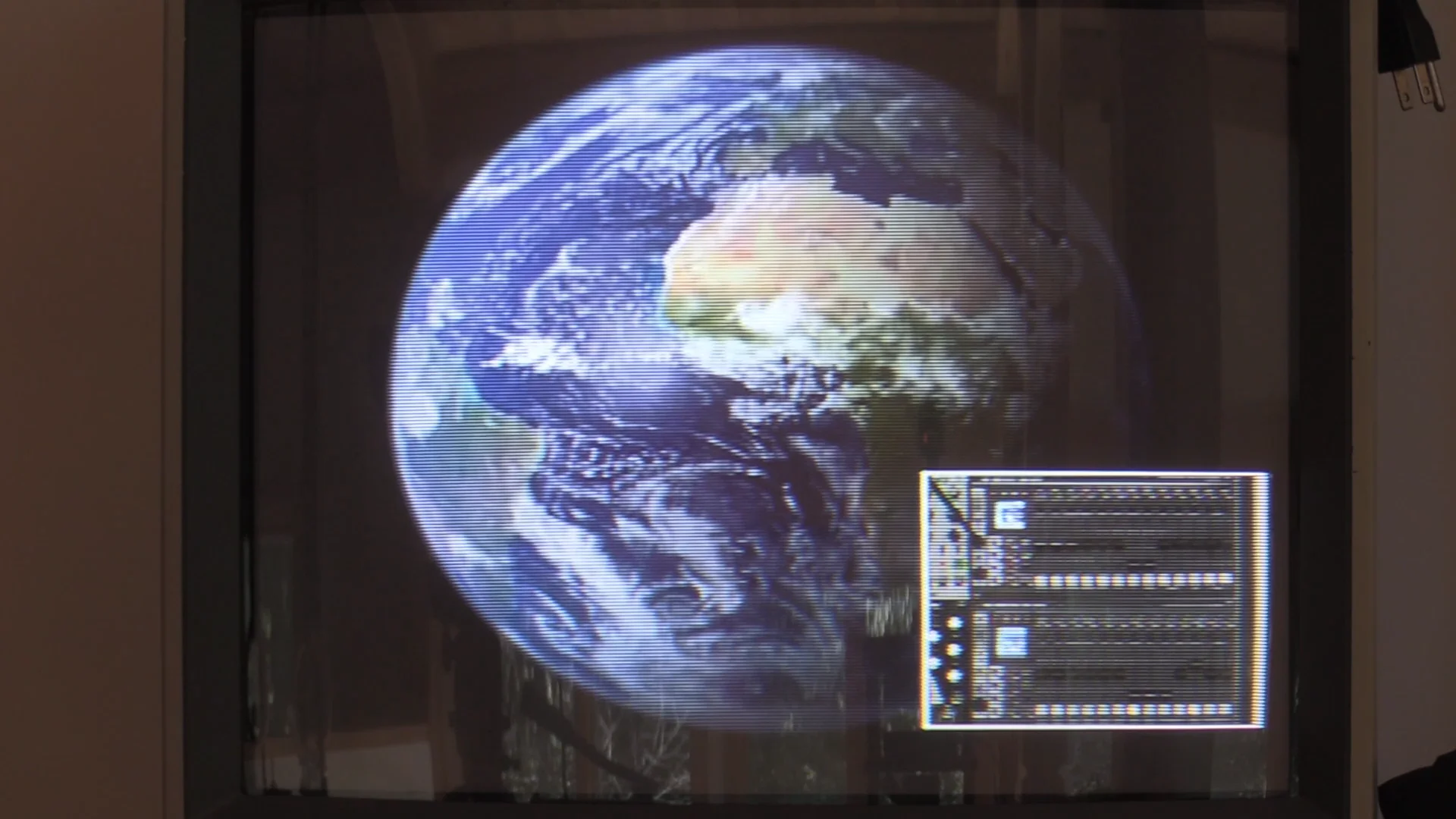
https://vimeo.com/465865760At the 1:00 timestamp, the zoom on screen doesn’t correlate with the slider movement. Is this related to the frame artifact glitch?
#104 — Z0NK0UT · 2020-10-08
You might want to check the settings for the Zoom slider. Slew and S-curve can be adjusted to your preference.
#105 — a_digital_index · 2020-10-11
I encountered this today. Going into Aux submenu locked up MemPal. I recreated it on another MemPal so seems to be a bug.
#106 — LILWILLY · 2020-10-11
Does anyone else experience a flicker-ish artifact when using the DVI output from Memory Palace? When I switch to the composite output it goes away.
#107 — Z0NK0UT · 2020-10-12
The DVI output experience will be improved in the next firmware.
#108 — LILWILLY · 2020-10-22
I am using v2.0.1. When using the USB SD Card Memory access on Mac, does anyone else find that the their computer will not recognize the Memory Palace drive for a variety of time ranging from a minute to many minutes?
#109 — rempesm · 2020-10-22
30 seconds to 1:30 on my end but usually closer to 30. Beats pulling it out of the rack and popping the SD card out.
#110 — Tundra_Tides · 2020-11-08
I’m using V19 and a Macbook Pro
I can’t gain access to the SD card through the front port, have I missed something?
#112 — Tundra_Tides · 2020-11-08
I’ve given it at least 5 minutes, still no luck
#113 — Z0NK0UT · 2020-11-09
Some Mac users have no luck connecting to USB. In which case you’ll have to remove the MicroSD and use a card reader. The next firmware should make USB connection easier for Macs.
Did you select USB connection in the System menu after you plugged it in? It is the first option. After you disconnect, restart the module in the system menu to see the changes you made.
#114 — Tundra_Tides · 2020-11-12
If I select the ‘USB Storage’ option in the System menu, it offers me ‘internal’ or ‘SD’ ?
Can I also ask:
i) In the LZX Sensory Translator Patch Tutorial, the trigger is set to multiple booleans/push buttons at once. How is this achieved, please? The trigger menu lets me select one but I can’t see how to select more than that
ii) There’s an option in the System Menu for ‘MIDI Seq’, what does is this for? I’ve searched the forum but can’t seem to pull anything up.
#115 — Z0NK0UT · 2020-11-12
Once you choose an option in the USB storage menu, Memory Palace will connect to your computer.
Memory Palace has a single trigger input; the trigger menu allows you to assign that input to any single button.
Details on the MIDI capabilities of Memory Palace can be found in the user guide:
This post is the prototype User Guide for Memory Palace and will be heavily edited and expanded as we move through the product launch and into post release development. >>> Video Inputs/Outputs>>> Alpha + RGB Inputs. Suitable for LZX format 1V DC signals. Video sources must already be synchronous to Memory Palace, and can be converted from external sources using Visual Cortex or TBC2 modules.>> Luma + RGB Outputs. LZX format 1V DC signals for patching to other LZX compatible video synth modules or …>
#116 — Tundra_Tides · 2020-11-12
Thanks for your reply
So what happens in the patch tutorial video (linked below at the correct timing) is not possible with current firmware?
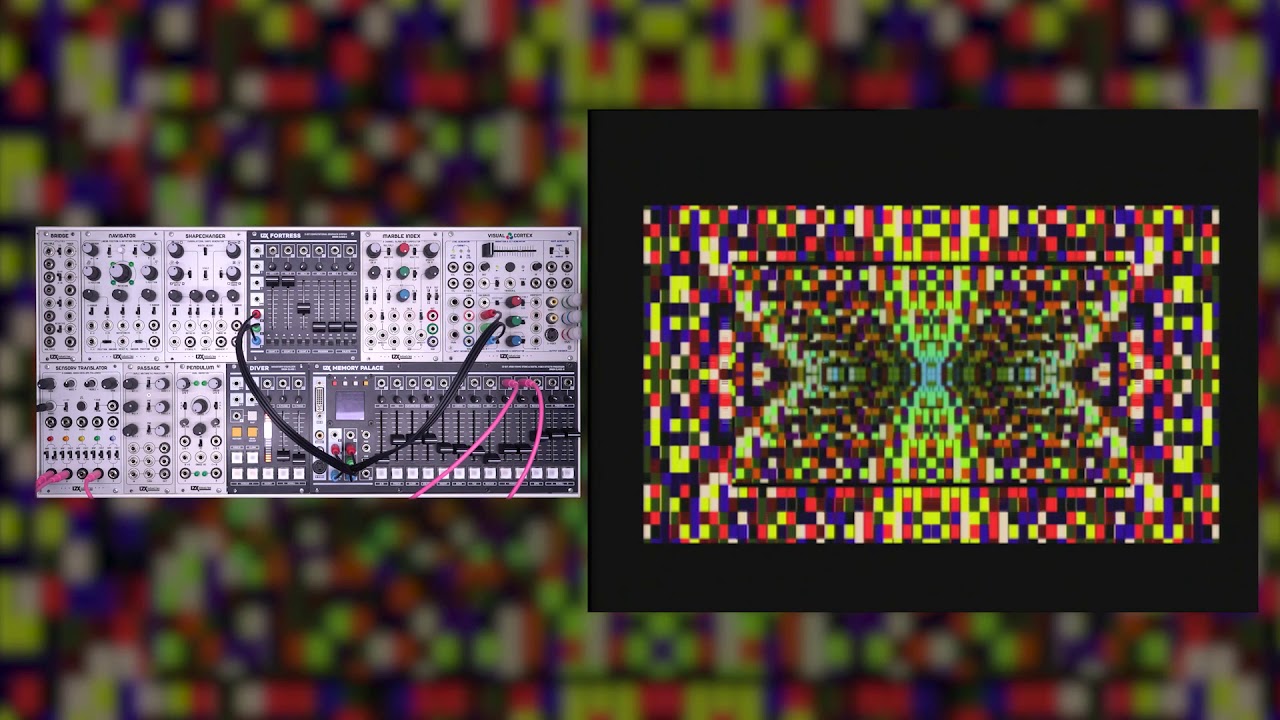
https://www.youtube.com/watch?v=wHbj6IzyF60
#117 — Z0NK0UT · 2020-11-12
Current firmware only allows the incoming trigger to be assigned to a single button function.
#118 — jwsmithwick1 · 2020-11-12
From the video, the single trigger input activates multiple boolean parameters at once. It is technically a gate, in that those parameters are only activated for the period of time that the Sensory Translator’s envelope generator is above the voltage threshold set in the Memory Palace. This is why the slower envelope produces a more significant effect.
#119 — Z0NK0UT · 2020-11-12
The upcoming V20 firmware will allow the trigger to be assigned to multiple destinations simultaneously.
#120 — Tundra_Tides · 2020-11-12
Cool! Just checking I hadn’t missed a trick

#121 — jwsmithwick1 · 2020-11-12
Was that a beta version in the video that allowed for multiple parameters to be triggered?
#122 — Z0NK0UT · 2020-11-12
No, it was just an earlier firmware.
#123 — jwsmithwick1 · 2020-11-12
Got it. Thank you for the clarification.
#124 — GaelJaton · 2020-12-21
HI!
Reading all this thread, I’m a bit scary.

I have 2018 early MP and I never update firmware (still V18 I guess).
Should I wait for V20?
And if I try and not satisfied with beta or V19, can I turn back to previous firmware without damage?
Last thing, I’m an ubuntu user, is anybody get problem with it and should I try to format SD card before push new firmware?
Thank’s
#125 — Z0NK0UT · 2020-12-21
If you’re happy with V18, you can keep using it, or wait until V20. Once you upgrade, it is better not to go backwards.
Reformatting the MicroSD can help, if you run into any problems in the update process.
#126 — GaelJaton · 2020-12-22
@Z0NK0UT As many users, I get strange behaviors : sometime it won’t boot, need some power recycling, DVI not always work and lose during session, sometime PAL is not detect, some artifacts/glitches… but I think I gonna wait for strong firmware revision, and continue to smash power button at start ; Still a wonderful module, no pain no gain!
#127 — giantmecha · 2021-03-12
Has anyone replaced the fan in their MemPal with a quieter one?
#128 — rempesm · 2021-03-12
Yup https://www.digikey.com/en/products/detail/255M/381-2353-ND/2403040
It’s 2mm deeper than the stock fan.
#129 — giantmecha · 2021-03-12
Oh nice, thanks @rempesm. Is it much quieter?
#130 — rempesm · 2021-03-12
I haven’t measured it but to my ears, yes it is a significant improvement.
To add some objectivity, checking out the datasheets below may help. Should probably also mention that this likely voids your warranty on your Memory Palace so proceed with caution.
#131 — meudiademorte · 2021-03-29
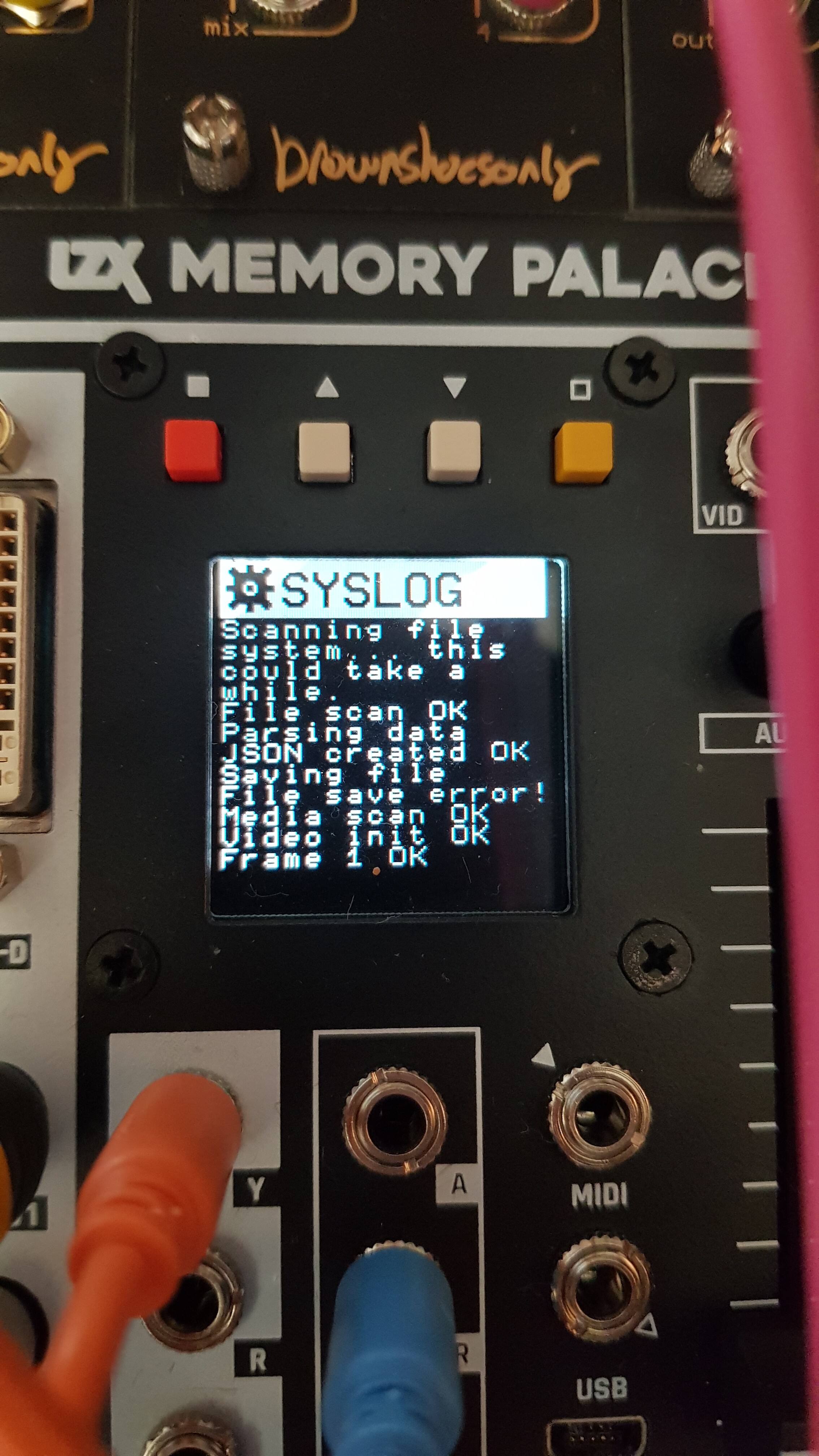
tried to update my mempal from v19 to the v2.0.1. beta. had to do it via the sd card. getting this error in the menu while booting. menu is staying like this.
#132 — Z0NK0UT · 2021-03-29
Looks like an issue with the card. You might try re-seating it.
#133 — meudiademorte · 2021-03-29
thats it! yap i formatet it. but looks like the card which came with the mempal broke. used another card and it works fine! case closed!
#134 — rempesm · 2021-03-29
I had to replace the SD card on mine as well once. Worked fine after that.
#135 — meudiademorte · 2021-04-06
Next problem with v2.0.1 :
Can anybody tell my the media loader ramps are all 16:9?
Aspect ratio is set to 4:3. Format Pal
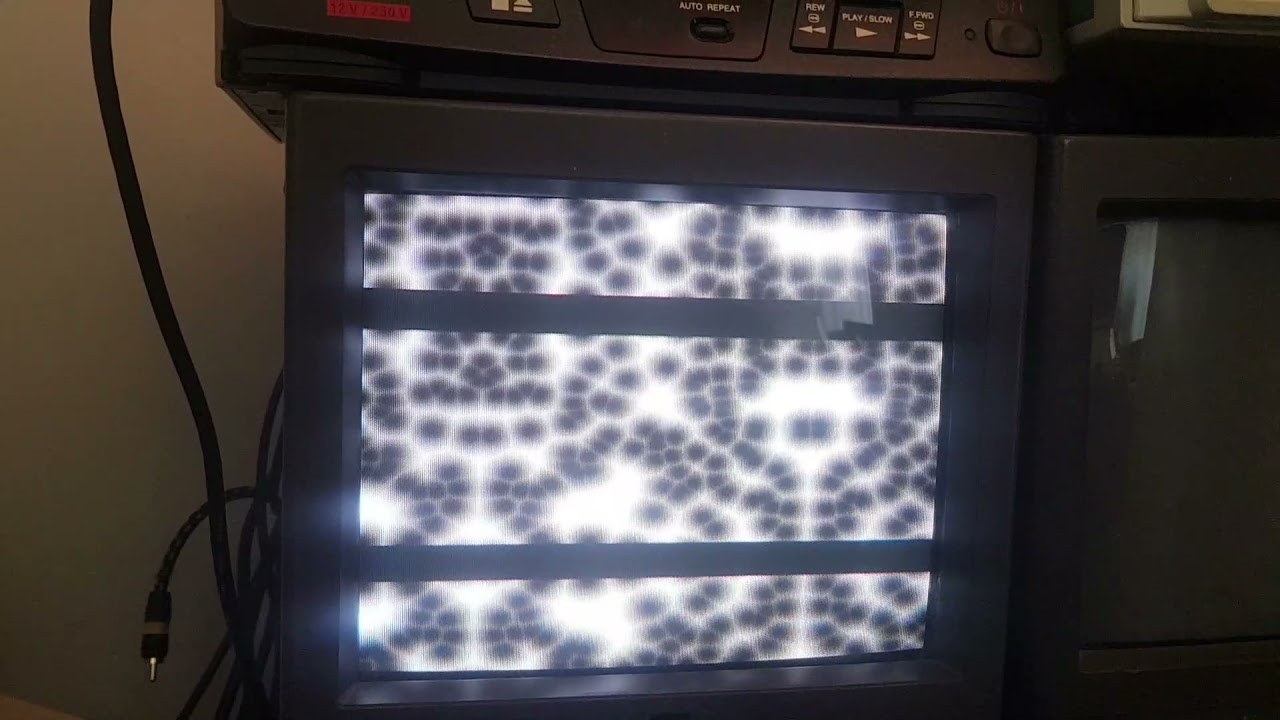
https://www.youtube.com/watch?v=bM8OY2EGWbsThe black bars are better visible with tile & reflect
(and the stuff which is tile & reflect is really jittery… but maybe thats also a betaversion problem)
#136 — meudiademorte · 2021-04-10
Nobody had this problem?
#137 — VanTa · 2021-04-10
I think I just got used to the black bars. I actually use them a lot as a compositional element. It helps breaking apart some patterns.
#138 — meudiademorte · 2021-04-10
You are in berlin? Maybe a pal problem? Didn’t had this prob in v19.
#139 — Z0NK0UT · 2021-04-14
No problem, aside from the fact that the images included with Memory Palace are sized for NTSC (720x486) and not PAL (720x576). You would have to resize the stills to make them fit a PAL frame.
#140 — meudiademorte · 2021-04-14
Ok, good to know. Were the pal versions included in the v19 firmware? Absolutely sure they were shown full size.
#141 — Z0NK0UT · 2021-04-15
The images included with V19 are the same ones in V2.0.1
#142 — FranzKappa · 2021-06-03
Got a mp yesterday and i’ve noticed a major issue that hasn’t been discussed anywhere yet (which kind of surprises me) The cooling fan is loud! I had desktop computers that weren’t as loud as my mp unit.Not sure yet if i’m gonna keep it,but i urgently need more functions added to my liitle system and i’m still waiting (over a year now) for the chromagnon.
#143 — rempesm · 2021-06-03
Search in this thread about a fan replacement. Not sure if it voids your warranty but I did it on mine and it’s significantly quieter.
#144 — FranzKappa · 2021-06-03
I’m not very familiar with a soldering iron,so i guess that replacing the wire is gonna be a bit tricky,but i’ll have to give it a go regardless.I haven’t done much with the mp in this short period of time,but i can see some potential and useful functions here.
#145 — rempesm · 2021-06-03
I disassembled mine and soldered pin headers in place of the original black/red fan wires so I can easily swap it out later. This can be very risky if you’re not used to electronics disassembly–there is a flat ribbon connector that can be easily ripped and render your Memory Palace an expensive paper weight.
The simplest way to go about it is to cut the black/red wires going to the fan with plenty of slack so that you can securely splice them together and heatshrink the exposed connections to avoid any shorts. You’ll also need some slightly longer screws as the fan linked above is 2mm deeper than the stock fan.
In the scope of possible soldering jobs, this is a relatively simple one–if it doesn’t feel like a comfortable task, I’d highly suggest asking a friend who might have a bit more experience. Again, just be aware this could void your warranty. I didn’t ask LZX before I modified mine but the fan noise was driving me nuts.
Being able to write to a frame buffer is unbelievably useful in a video synthesizer context and the vertex displacement mode makes liquid patches a snap. Not everything on the screen has to be generated in real time which is the usual ‘gotcha’ with analog video synths.
#146 — sean · 2021-06-03
I wonder if LZX is planning to, or would consider, using a different stock fan for MPs built moving forward?
Between this forum and FB, fan noise does actually seem to be a fairly common complaint.
(…At very least, installing via a header, as Rempesm did, as stock — to make user upgrade slightly easier — could be a middle ground.)
#147 — FranzKappa · 2021-06-03
I was thinking about cable splicing.Looks like that’s how i’m gonna do it.Just need to find a retailer in eu who has all the necessary parts.Thanks for all the useful info.

#148 — monads · 2021-06-04
Short of replacing the fan, another thing to try is rack in a deeper case? Installing in a shallow case tends to accentuate the fan noise I discovered. I thought LZX was going to consider an option to adjust fan speed into a future firmware update.
#149 — FranzKappa · 2021-06-05
I’m getting noise or small pixels from the video outputs of my mp on the left side of the screen .It seems to have pattern.
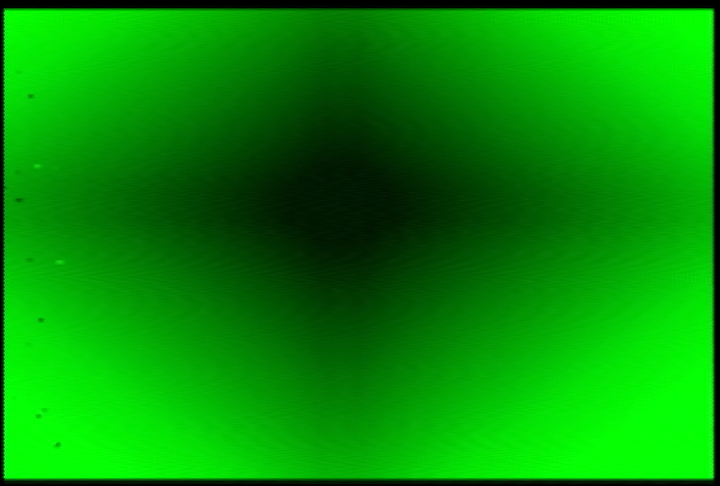
Is that a defect or a feature?
#150 — Z0NK0UT · 2021-06-05
That’s from the CVBS outputs? Have your tried the DVI-D?
#151 — FranzKappa · 2021-06-05
Nope,would be a bit difficult to set up atm,but i’m getting it on the rgb outs and the rca jacks.I’m routing the rgb signal into a structure module,which feeds into my tv and a shuttle express.
I’ve recorded a couple of clips today.The noise is barely visible in one of them and not at all in two others.Still want to get rid of it if possible.
#152 — Z0NK0UT · 2021-06-07
Do you see the noise only when running through Structure, or is it visible when monitoring from the TV and shuttle?
#153 — FranzKappa · 2021-06-07
No,i also took video directly from memory palace and it’s still there.I see it on the tv and imac,where i record video.Looks like it’s definitely mp.Never had it before with structure,vidiot and my other lzx modules.
#154 — Z0NK0UT · 2021-06-07
OK. The next step is to reinstall the firmware. If that does not solve the issue, send an email to support@lzxindustries.net
#155 — FranzKappa · 2021-06-07
Alright,thanks.Gonna try it tomorrow and see how it goes.
#156 — FranzKappa · 2021-06-08
Didn’t work,the noise is still there (sigh)
#157 — rempesm · 2021-06-08
What PSU are you using?
#158 — FranzKappa · 2021-06-09
I’m using a mantis case.Tried it with a 12v 1a psu for the auxilary power input yesterday but the noise was still there.
#159 — rempesm · 2021-06-09
Does the Mantis case use TipTop Studio Buses? What power brick is feeding it?
Just curious if it might be power noise leaking in somewhere. I’ve powered my Memory Palace off a TipTop Studio Bus using the recommended 4.6A Cincon brick and some random no name 12V 5A supply for the auxiliary DC input on it. Haven’t seen that particular noise artifact on my setup on either composite, S-Video or DVI out.
Do you have a way to take a video capture of the noise so we can see how persistent it is or is it just showing up on random frames?
#160 — FranzKappa · 2021-06-09
It has the standard psu (3a.) and buses.Hooking up a auxilary psu (12v 1a.) to mp didn’t help,so i guess it’s safe to say that it’s not an issue with the power supply or distribution.
Aside from mp,there are two passage mixers,a curtain,doorway,staircase,polar fringe,fortress and diver in the case.All of them are working fine,with or without being routed through mp.
The noise is persistent and yes i can record it.Is it possible to upload videos here? Never tried it so far.
#161 — Robbertunist · 2021-06-09
FranzKappa wrote:
Is it possible to upload videos here?
Sadly not.
“Sorry, the file you are trying to upload is not authorized (authorized extensions: jpg, jpeg, png, gif, heic, heif, webp).”
#162 — emooh · 2021-06-23
Can the aux input be utilized as an alpha key source in conjunction with the media loader? I am using the most recent firmware, in warp mode, alpha keying, set to alpha on aux channel. I have swept combinations of the aux, width, and center sliders.
#163 — Z0NK0UT · 2021-06-24
AUX is not currently a key source. Here are the AUX functions (as selected in the menu):
-
AUX Mode . This option defines the function of the aux input channel, which includes the Aux CV input, slider, and MIDI CC value.
-
Alpha . The aux channel is summed with the alpha input, providing a secondary alpha input and opacity control
- Mesh . Alpha + AUX are used to displace X+Y vertex mesh.
- Mask . AUX controls vertex spatial resolution.
#165 — emooh · 2021-08-01
Quite frequently my memory palace output flickers, and then the key seems to change its horizontal offset. This happens most often in warp mode, with both rgb and media loader as the source. Initially I thought this glitch might be limited to alpha keying, but it occurs when luma keying as well.
Anyone else experiencing this? Hoping a firmware update might address the issue.
#166 — Vdot · 2021-09-30
Hi, I’ve recently acquired a second-hand Memory Palace and am experiencing an intermitent issue where an image from the SD or external source will briefly glitch to a different location.
I’ve tried reinstalling the firmware, removed all external connection and set to internal sync but the issue persists.
I’d like to know if there’s any troubleshooting I should try for an easy fix or if I should return it immediately.
Here’s a quick video showing the problem:
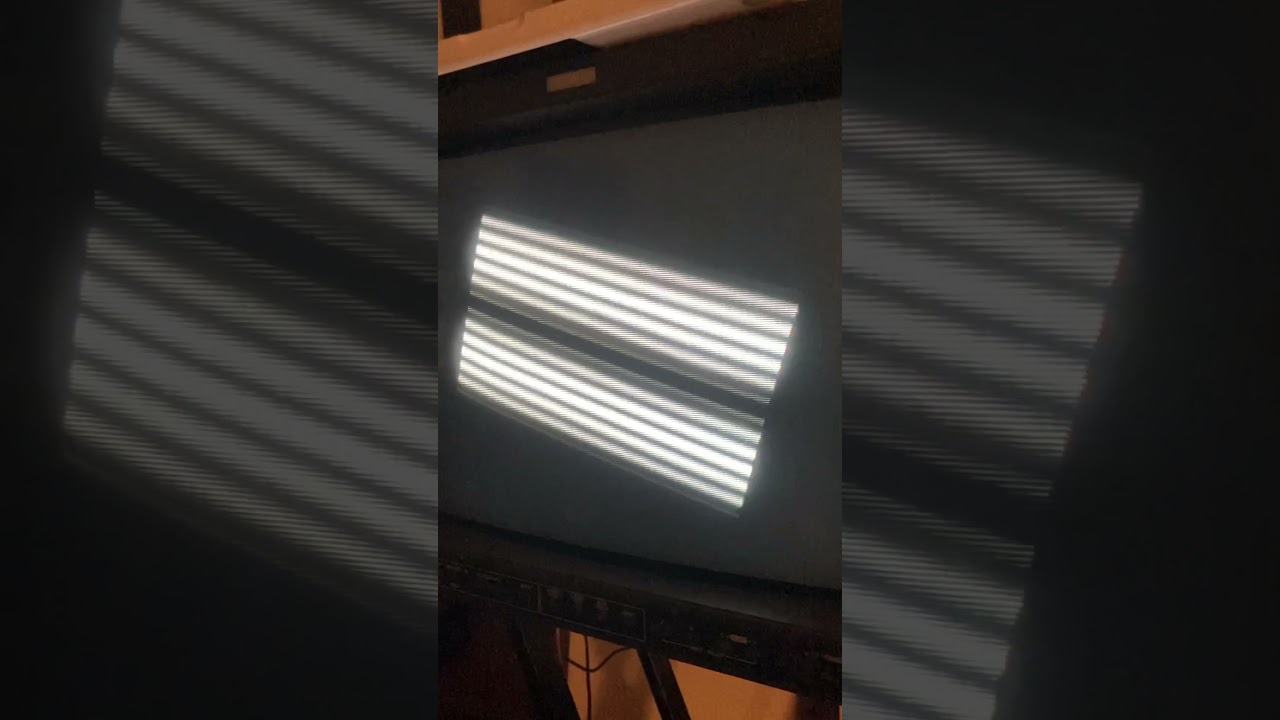
https://www.youtube.com/watch?v=aRKDfZpxVRA
#167 — Z0NK0UT · 2021-10-01
That glitch was really common with V19. Which firmware are you using? Also, what is your sync setup?
#168 — Vdot · 2021-10-04
I really should have read the thread I was commenting on, where all the symptoms were already addressed

I was on 19 and updated to the 2.0.1 beta this weekend and it feels like a brand new machine, the glitches are gone, the menus are way more responsive, folders load faster… There’s still a bit of jitter on images but it’s really night and day to what it was.
Thanks,
#169 — emooh · 2021-10-17

I have started noticing this glitch while luma keying as well.
[Component input decoded in VC, VC decoder > MP rgb inputs, MP rgb output > VC and out.]
#170 — wednesdayayay · 2021-10-17
yeah I sure hope that is a software fix