HDMI preview monitor recommendations
Category: Uncategorized · Tags: — · Posts: 52
#1 — Dr_Rek · 2022-08-12
As we move to HD workflows, and CRTs are very heavy, I’m looking at HDMI monitors for my setup.
I want something studio level, maybe with SDI and or component input too, but also want to keep the budget under $500 if I can. Likely have to search for used things, or get a lesser known brand.
Anyone have recommendations to share please?
#2 — wednesdayayay · 2022-08-12
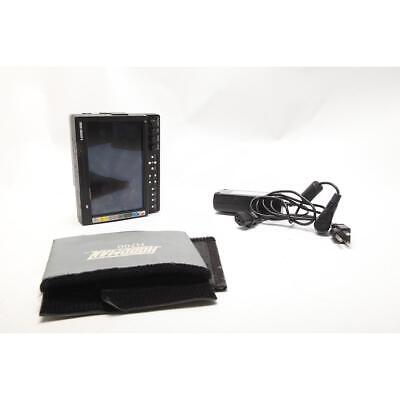
https://www.ebay.com/itm/234653148173?hash=item36a26ae40d:g:MLIAAOSwAfZi8iDTSKU: 1566943. Two other major features include Marshall's industry leading FALSE COLOR and PEAKING Filters. The large selection of battery adapters can be interchanged (or "swapped" out) by the end-user.
Link: Marshall V-LCD70XP-3GSDI 7" On Camera Monitor - SKU#1566943 300877138661 | eBay
I have one of these but it has HDMI in/out instead of the 3g SDI in/out
I also have another marshal monitor that I don’t remember the name of but I really like both of them.
having these small monitors is so awesome I have one for SD and one for HD but both accept component.
#3 — rempesm · 2022-08-12
Can vouch for these too, I have two of the HDMI versions of this Marshall monitor and they’re great.
#4 — Dr_Rek · 2022-08-12
Thank you this is great recommendation. Anyone got any larger size recommendations, also that do full 1920x1080? I’m thinking 10"-20" for the main. Perhaps 7" for Preview is nice though.
#5 — sean · 2022-08-12
FWIW, I bought a used Marshall v-md171x off Ebay a while back and thought the panel quality was terrible. (Thankfully it had other issues too that the seller didn’t mention, so I was able to easily return it.)
I just ended up finding an old 19" LCD TV on Craigslist. It doesn’t have nice controls like a pro monitor, but it is full HD and has component and HDMI inputs. And it was dirt cheap.
But, perhaps more helpfully, I recall seeing (here or on Discord or FB?) that Lars/LZX is using a Seetec monitor.
#6 — wednesdayayay · 2022-08-13
amazon.comhttps://www.amazon.com/SEETEC-P173-9HSD-1920x1080-Broadcast-Monitoring/dp/B01M1DNGVAAmazon.com : SEETEC P173-9HSD 17.3 Inch 1920x1080 Desktop Monitor for Broadcast LCD Monitoring with 3G-SDI HDMI AV YPbPr : Electronics
Link: Amazon.com : SEETEC P173-9HSD 17.3 Inch 1920x1080 Desktop Monitor for Broadcast...
this is the seetec monitor lars mentioned
#7 — Dr_Rek · 2022-08-13
Oh yes this is what I’m looking for for a main screen! Thank you!
Might need something smaller cheaper and full HD for the preview 4 up monitor
Anyone tried Feelworld?
amazon.comhttps://www.amazon.com/FEELWORLD-T7-Monitor-1920x1200-Aluminum/dp/B078GSPV1WAmazon.com : FEELWORLD T7 7 Inch IPS 4K HDMI Camera Field Monitor Video Assist Full HD 1920x1200 Solid Aluminum Housing DSLR Monitor with Peaking Focus False Colors : Electronics
Link: Amazon.com : FEELWORLD T7 7 Inch IPS 4K HDMI Camera Field Monitor Video Assist...
#8 — Dr_Rek · 2022-08-13
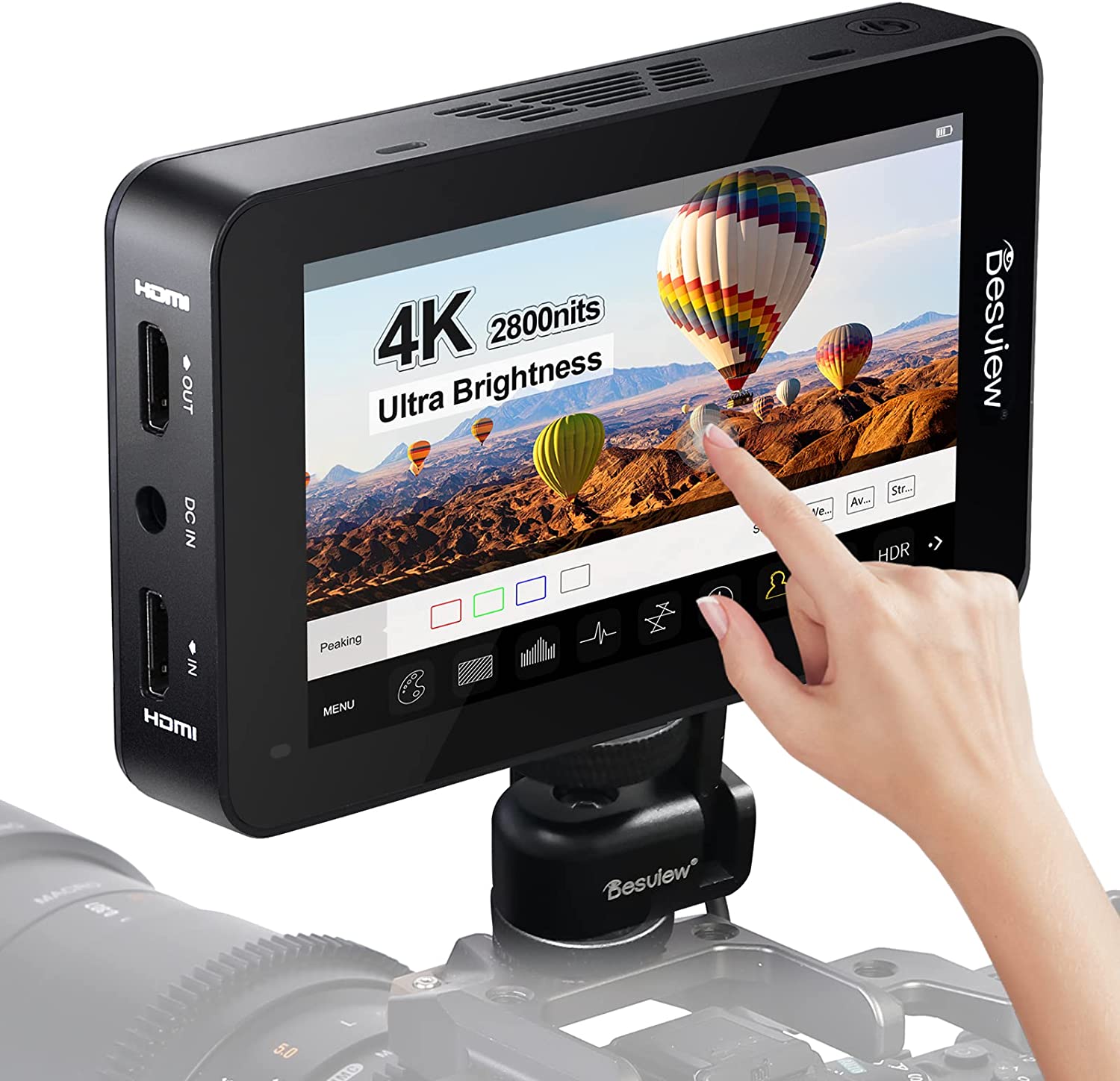
The promo graphic for this 5.5 inch monitor is an amazing photoshop scale error

#9 — nerdware · 2022-08-13
Those are all 8bit, right? I’m just curious.
The 10bit 4K monitors I’ve found all cost a lot more. For example, the 10bit 4K version of the HD monitor I use on this desktop computer costs 6X as much, so that’s well outside my budget. Capture/monitoring go together at some point, in either production or post-production, so why capture video using 10bit sampling when you can only display 8bit?
While it may be too soon for some of us to to think about 4K, nevermind 10bit 4K, it may still be worth following developments and falling prices.
So this is a fascinating and valuable thread. Thanks.
#10 — creatorlars · 2022-08-14
I’ve been very happy with this monitor, which monitors all the Gen3 formats nicely.
amazon.comhttps://www.amazon.com/SEETEC-P173-9HSD-RM-Broadcast-Director-1920%C3%971080/dp/B0B2CP6HN8Amazon.com : SEETEC P173-9HSD-RM 17.3" 7RU Rack Mount Broadcast LCD Director Monitor with 3G-SDI HDMI YPbPr Input and Output Full HD 1920×1080 : Electronics
Link: Amazon.com : SEETEC P173-9HSD-RM 17.3" 7RU Rack Mount Broadcast LCD Director...
#11 — creatorlars · 2022-08-14
nerdware wrote:
so why capture video using 10bit sampling when you can only display 8bit?
You could argue that the extra 10-bit headroom helps gives you a little wiggle room during final color correction processes before mastering the video, but it depends on what you’re doing. If you’re just recording raw captures and using them unmodified, 10-bit doesn’t make a big visual difference in the end.
#12 — nerdware · 2022-08-14
Well, I’m cropping and scaling my videos, plus effects like mirroring in post, but I also sometimes tweak the hue and saturation, or blend with some other video(s). When I process video from another source, its either B/W or I’m doing extreme things with filters etc. I’m not sure any of that can justify the extra bits a 10bit monitor would give me.
Thanks.
BTW, I’m using a 17" Blackmagic monitor and their dual 8" monitor. (The 8" monitors show proper black and proper white, unlike the 17" monitor.) I got both heavily discounted, however, and the 17" monitor is now discontinued. That’s for my production rig. My post-production computer uses an Eizo HD monitor. Their 4K monitors are still outside my budget. So if anyone wants a 4K video from me (e.g. HD from ESG mirrored), I will only be able to view it myself as HD.
This thread is still of great interest to me. I might add some of the recommended monitors to my list. Thanks, everyone.
#13 — Dr_Rek · 2022-08-14
If you have a 10-bit final deliverable with 10-but captures, 10-bit would make the most visible difference in reducing or removing gradient stairstepping due to the increased color detail. More and more 10-bit panels out there these days, most smartphones, many 4k tvs, and some computer monitors. So ProRes 422 masters are 10-bit, and codecs like HEVC and AV1 support it well too. Personally I’m not uploading 10-bit compressed files to the internets yet, but might explore it in future, all my masters and captures are ProRes.


For these preview and master monitors for video mixer purchases I’ll probably do 8-bit panels as they are cheaper. I think these are all 8-bit in the thread. But my computer monitor is 10-bit and I do post on my work in 10-bit.
One issue though is my video mixers process in 10-bit but output 8-bit, so full 10-bit workflow would need some tweaking.
That said, would anything in LZX line output 10-bit Lars?
creatorlars wrote:
so why capture video using 10bit sampling when you can only display 8bit?
You could argue that the extra 10-bit headroom helps gives you a little wiggle room during final color correction processes before mastering the video, but it depends on what you’re doing. If you’re just recording raw captures and using them unmodified, 10-bit doesn’t make a big visual difference in the end.
#14 — wiatrob · 2022-08-14
@dr_rek I swear by my BlackMagic video assist, monitor and recorder in one. If you wanna come by ResFreq next month and check it out (or play!) hit me up… (as long as you promise not to get me started on 4K and 10 bit and the capacity of the human visual system
)
#15 — nerdware · 2022-08-14
I do my post-production using FFMPEG. The first thing I do is strip out the unused audio channels from my captures, which are 10bit 422. The result is a 10bit 444 quicktime file. After various stages of processing, I convert the result to MP4 and upload to Vimeo. So anyone with a 10bit monitor can checkout those videos and tell me whether I’d benefit from a 10bit monitor. For me, the final stage - right before my eyes - will be 8bit. I’m ok with 8bit for the reasons @wiatrob hinted at. I think 10bits makes sense for the processing steps I use, but that’s a very different thing from the viewing experience. It might affect video feedback, but I doubt it’ll matter considering the filtering I use for that.
However, I am interested in 4K monitor suggestions, with 8bit prefered for budget reasons. YMMV.
BTW, @Dr_Rek, I love your videos. I don’t think you need to worry about your mixer.

I love your videos, too, @wiatrob.Thanks.
#16 — Dr_Rek · 2022-08-14
Thanks! Not worried, just curious. The smoother gradient rendering benefit of 10 bit is nice. But not necessarily achievable if all the synths and or mixers are outputing 8-bit color anyhow. 8-bit is generally no problem.

#17 — creatorlars · 2022-08-14
We can look at HV ramp generators as a case study in where the differences apply, too. When you’re trying to apply spatial properties with a gradient, then the gradient needs to have a bit depth not equal to the color channel bit depth, but to the spatial resolution.
For example, if our resolution is 720 x 486, then we need a minimum of 10 bits (max value 1023) to approximate the horizontal ramp for an accurate per-pixel update rate. But 9 bits (max value 511) is sufficient for the line count. When we move to 720 x 576 though, you can see that both generators now need 10 bits. That’s why DSG3/Chromagnon ramp generators are 10 bit DACs natively.
So there’s a big difference between the 10-bit ramps and 8-bit ramps when it comes to in system spatial properties and modulation. After you’ve recorded the results though, at the display side, those spatial properties have already been applied, so color depth is what matters.
The point being, the desired bit depth may be dependent on the use case for the signal. Reference ramps should be as high bit depth as possible, whereas RGB images are usually rich enough at 24-bits RGB (8 bits per channel.) We break a lot of the normal rules and associations in an LZX patch, where both textures and vertex buffers share a universal language.
#18 — Dr_Rek · 2022-08-15
Neat, so if I wanted to make a full 10-bit workflow in HD, does anything support 10-bit output, like ESG3 and Chromagnon over component?
#19 — creatorlars · 2022-08-15
Those outputs are purely analogue, so 10-bit just applies to where they are being captured. When we do an HDMI or SDI output, we’ll have a think about 10-bit or 8-bit A/D.
#20 — Dr_Rek · 2022-08-15
Nice! Hmm, how to get the component output into a Ninja 2 in 10-bit HDMI… Both my V4EX, and V40HD I just ordered to mix in HD component, the output processing is 4:2:2 8 bits, so have to skip that to capture 10-bit. Maybe needs a direct connection component to HDMI converter that will do 10-bit… anyone got suggestions? I would like to explore full 10-bit workflow for HD studio work. Maybe I can revive my buggy Black Magic Thunderbolt 2 intensity shuttle with a TB3 adapter, but it had serious frame drop issues last I tried it, maybe it will work on an M1 max… ahaha maybe.
#21 — Dr_Rek · 2022-08-15
May go with this for small preview for V4EX output, and 4-up preview for V40HD, large monitor will be for final V40HD master out. Chain is SD stuff into V4EX, V4EX and HD stuff into V40HD, V40HD to Ninja 2, main monitor and projectors.
amazon.comhttps://www.amazon.com/Lilliput-1920x1200-Screen-Camera-Monitor/dp/B07DQGV8VYAmazon.com: LILLIPUT A7S 7" 1920x1200 IPS Screen Camera Field Monitor 4K 1.4 HDMI Input output Video with Black Rubber Case Best Field Monitor buy from VIVITEQ (LILLIPUT USA OFFICIAL SELLER for full warranty) : Electronics
Link: Amazon.com: LILLIPUT A7S 7" 1920x1200 IPS Screen Camera Field Monitor 4K 1.4...
The 1 star reviews on Feelworld 7" were concerning, and lack of power supply not great
#22 — creatorlars · 2022-08-15
Dr_Rek wrote:
Maybe needs a direct connection component to HDMI converter that will do 10-bit… anyone got suggestions?
BMD Analog-to-SDI plus SDI-to-HDMI or equivalent would be my go-to there. When kitting things out, I like to think of using the BMD (or Aja) converter boxes as output expanders to the other gear. For example, adding an Analog-to-SDI is adding an SDI output to my ESG3, or adding an SDI-to-Analog is adding component output to my SDI camera, etc.
#23 — Dr_Rek · 2022-08-16
Hmm Feelworld and Seetec seem to be the same company, and I can only find the models of the 13.3" and 17.3" that includes scopes under Feelworld branding, however do I really need scopes while recording studio video synthesis work?

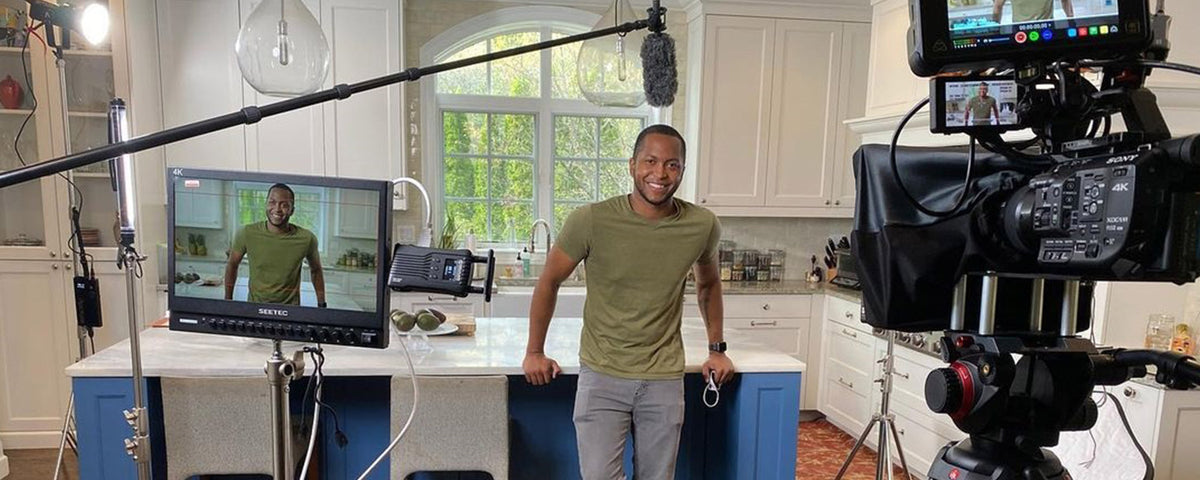
https://feelworld.ltd/collections/director-monitorHigh stability, reliability and electromagnetic compatibility, meet your indoor and outdoor multi-camera monitoring needs. Easy master filming, live streaming, make it professional
Link: Director Monitor
#24 — creatorlars · 2022-08-16
You probably don’t need the scopes unless you’ve got multiple monitors/cameras to calibrate as a group. An oscilloscope is handy though!
#25 — Dr_Rek · 2022-08-16
True that, for a oscilloscope I was thinking of getting this upcoming and compact Korg thing:

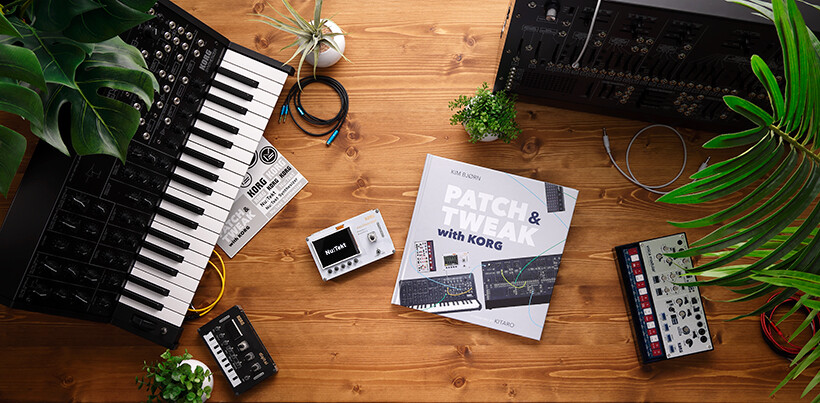
https://www.korg.com/us/products/dj/nts_2_pt/Patch, Tweak, Build, Explore: A powerful package to help your synth exploration!
Link: NTS-2 oscilloscope kit + PATCH & TWEAK with KORG - MULTIFUNCTIONAL...
The scope including models of the Seetec / Feelworld monitors seem to be sold out, and add about the same cost as this Korg bundle
#26 — Dr_Rek · 2022-08-16
Quite torn, 13.3" seetec for smaller footprint and weight, finer pixel density, 1000:1 contrast ratio, and 400cd/m2 brightness $470
seetec.com.cnhttp://www.seetec.com.cn/ShowInfo.aspx?id=56&py=13-3-Aluminum-Design-IPS-19201080-Pro-Broadcast-LCD-Monitor-with-3G-SDI-HDMI-AV-YPbPr-P133-9HSDSEETEC Professional Broadcast Monitor
Link: 13.3" Aluminum Design IPS 1920×1080 Pro Broadcast LCD Monitor with 3G-SDI...
or 17.3" seetec for larger viewing size, but trade off of slightly bigger pixels, 700:1 contrast and 300cd/m2 brightness $530 http://www.seetec.com.cn/ShowInfo.aspx?id=299&py=SEETEC-ATEM173S-17-3-inch-Multi-camera-Broadcast-Monitor-3G-SDI-HDMI-Full-HD-1920x1080
Opinions?
#27 — Dr_Rek · 2022-08-16
Side note on the 10-bit recording conversation, for getting Component to HDMI, without buying a SDI step, this seems to be best option I’ve found so far. Anyone tried it? Unfortunately it can’t do 60p.

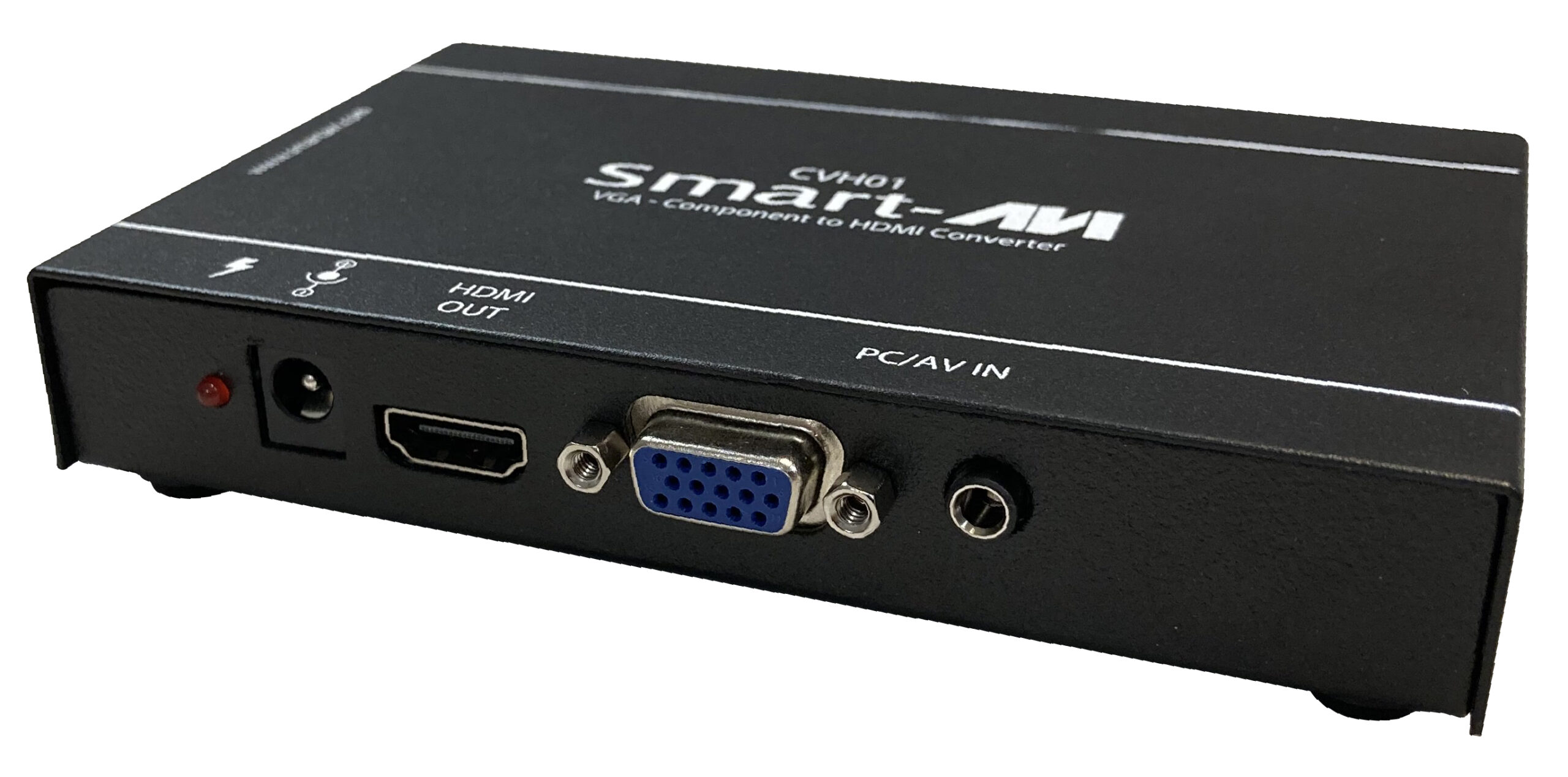
https://smartavi.com/cvh-01-v2/VGA + Audio to HDMI Converter with Integrated Scaler
Link: CVH-01 V2 - SmartAVI
Black Magic would require buying their Component to SDI converter, and the SDI to HDMI converter to record via HDMI.
Since I have a Ninja 2, will probably stick with it as recorder until it dies, but those BM camera assist that record HDMI and SDI look great too @wiatrob
#28 — wiatrob · 2022-08-17
Also, despite what implied about human eyes, gradients are one area where the eye IS particularly sensitive. I do believe in keeping workflow as high quality as possible. I just don’t sweat it if I accidentally record something in 480i.
Oh and thanks for the kind words @nerdware!
#29 — Dr_Rek · 2022-08-17
Banding in gradients is really the only human visible sign of 8-bit color innit

https://www.cloudynights.com/topic/671199-seeing-true-10-bit-v-8-bit-banding-of-gradients/Seeing true 10-bit v. 8-bit banding of gradients - posted in DSLR, Mirrorless & General-Purpose Digital Camera DSO Imaging: With regard to image processing:
So started from a tangent discussion...
Link: Seeing true 10-bit v. 8-bit banding of gradients - DSLR, Mirrorless &...
#30 — Dr_Rek · 2022-08-17
Went with 13" for easier to integrate footprint, and added benefits of better contrast ratio, brightness, and smaller pixel size. Will report back on the 7" Lilliput and it’s quality soon.
#32 — meudiademorte · 2022-08-26
Using the lillyput right now. Perfekt as small preview monitor
#33 — Dr_Rek · 2022-08-26
Yea I have two now and they are working great. The large audio VU is nice as well for setting recording / streaming levels.
13.3” seetec is great too.
DSK luma keyer on the V-40HD is super basic with 15 steps of settings but at least it’s there. Luma white and black on v4ex is much smoother, that with mirror modes is the compositing sauce.
Extensive mirroring should be a gen3 module someday @creatorlars like something that could top Hypno’s fractal mirror modes

#34 — creatorlars · 2022-08-27
Dr_Rek wrote:
Extensive mirroring should be a gen3 module someday > @creatorlars> like something that could top Hypno’s fractal mirror modes
You can do that with Memory Palace, in the keyer/warp modes, by enabling mirror in the feedback loop! But yes, there are many places to go with that still.
#35 — Dr_Rek · 2022-08-29
Yes I used it frequently, but due to the interlacing order errors it introduces in most of the outputs (documented here Suggestion for memory palace firmware - #57 by Dr_Rek) I avoid using it for now. Also it won’t support HD, so a Gen3 mirror module of more supreme capabilities than just x and y mirror is needed someday. Or maybe MP can do finally HD, or at least 480p that doesn’t glitch out someday with newer firmware? (DVI output seems to be progressive, but it frequently glitches out)

#36 — creatorlars · 2022-08-29
Dr_Rek wrote:
es I used it frequently, but due to the interlacing order errors it introduces in most of the outputs (documented here > Suggestion for memory palace firmware - #57 by Dr_Rek> ) I avoid using it for now.
Interesting – are you running the v2.0.1 firmware? Is it just on the image loader, or is it with a live source?
#37 — Dr_Rek · 2022-08-30
Yes 2.0.1, this is with images and X and y mirror, and reflect modes. It may persist in input as source too but not sure at the moment.
#38 — creatorlars · 2022-08-30
Ah that’s right, we have a v2.0.2 we still need to release. This one includes some fixes for progressive processing modes, and hopefully resolves this issue. Download posted here:

github.comhttps://github.com/lzxindustries/firmware/tree/master/memorypalacemaster/memorypalace
LZX Industries Firmware Downloads. Contribute to lzxindustries/firmware development by creating an account on GitHub.
Link: firmware/memorypalace at master · lzxindustries/firmware
#39 — Dr_Rek · 2022-08-30
Nice, thank you, glad to nudge it out the door. I will test it soon

#40 — Pagoda · 2022-09-27
wondering if any of the larger broadcast monitors have the same USBC expansion port on the BM Video assist monitors that lets you connect to your computer or a drive? I have found it to be a quick and easy way to record without additional hardware. If I like my patch I can just grab the usb cable and “capture from webcam”. Would like to have something a little bigger than 7". 13-15 would be nice. Or am I looking at it wrong and something like an Ultrastudio box would be a more sensible path? Quick and easy capture, connection to affordable monitors, L&R inputs to mix in an audio patch?
#41 — Tundra_Tides · 2022-12-27
Great thread here @Dr_Rek - I also saw Lars write about the Seetec before, how have your experiences been with it? I’m also using the V440HD, what does your current capture flow look like?
On a completely different topic - what would the expectations be with a commercial OLED display?
Aside from the concerns around potential screen burn when deep building a patch, what are the benefits/drawbacks of a 4K OLED display vs the Seetec, for example?
Just curious considering the prices of OLEDs atm. (I had a 30-minute toy around with ESG3 and other Gen3 modules on a friend’s 4-year-old Sony KD55A1 OLED but was conscious about not fucking it up so didn’t play for long)
#42 — Agawell · 2022-12-27
Not an OLED, but I’ve been using a Sony 42"(?) LCD screen for years as a main monitor for video synthesis - it’s fine, no screen burn etc… it even does pretty decent scaling from SD component to whatever resolution it’s using… it’s probably about 10 years old now… & I won’t be replacing it anytime soon…
#43 — wednesdayayay · 2022-12-27
I’ve got a lg A1 in the studio I can use. I ended up buying this after having bought a C1 a couple years ago and loving the watching experience.
The A1 is a stripped down version of the C1 but I don’t need 120Hz or HDMI 2.1 for the studio ATM.
I am very conscious about what I use on these TVs and for how long. Probably much more that I need to be.
I also wonder about potential differences between the units.
the OLED isn’t my only output monitor so I really only use it when I want that kind of view.
#44 — Tundra_Tides · 2022-12-27
OLEDs really are something special!
Have you had any screen burn/issues with them so far for video synthing stuffs?
#45 — wednesdayayay · 2022-12-27
no neither of them have any kind of screen burn in
#46 — thenoiseoftime · 2022-12-27
Also looking for recomendations especially models easy to find from europe/germany/switzerland…
#47 — Dr_Rek · 2022-12-27
Love the seetech and its variety of inputs, the 13” is great and I like the smaller dot pitch and footprint than the 17”, but in hindsight maybe 17” is great too. Color and screen is great.
I also got a BM video assist 7” 12g recently and that screen is super good, HDR screens with video synthesis are superb. Side by side with seetech and you see a big difference in saturation and color, seetech almost looks washed out in comparison, but maybe I should tweek seetech’s brightness and contrast a bit

I wonder about using a broadcast safe limiter on your output inline before an OLED panel, might help prevent any worries if setup right.
#48 — Agawell · 2022-12-28
for preview monitors, especially, I’d be tempted to just look for cheap flat screen tvs off ebay/facebook marketplace etc etc - decent brand smallish ones can be had for very little - brightness and contrast can be adjusted to get decent colour etc… especially if you look around a bit - I got 4*9" jvc crt pvms for 40 quid each and an ok 14" portable crt tv for 15 quid, for example
#49 — meudiademorte · 2022-12-28
Check the Mentioned seetec monitor
#50 — thenoiseoftime · 2022-12-28
What about this Seetec model FPV-819A?
#51 — meudiademorte · 2022-12-28
Should be fine for sd stuff. If you need a cheap option and want hd/sd timings check the lillyput as7 (±100 euro on ebay kleinanzeigen). But Hdmi in & out. I use it on my bm intensity shuttle hdmi out or on the bm updowncrosshd hdmi output.
#52 — Dr_Rek · 2022-12-29
I have two 7” Lilliput too for mixer preview monitors, recommended.

#54 — Dr_Rek · 2024-04-03
One of these 7" Lilliput, a year later the panel is bugging a bit, lines on the left side of picture, was quoted need to pay shipping and $90 to repair, just been living with it for the moment since it’s a $160 item.