Suggestion for memory palace firmware
Category: Unknown · Tags: memorypalace · Posts: 95
#1 — VitreousSpaghetti · 2021-06-14
Hi guys, first of all thanks for creating the memory palace, I have two and they are not enough.
I created this tread for possible suggestions for future implementations on the module sw.
I’ll start with this:
is it possible to implement a menu selection for the folder because it takes a long time to load them all one by one if you want to switch to another specific one?
#2 — Z0NK0UT · 2021-06-14
Yes, the upcoming Memory Palace firmware will include a menu for image folder browsing. One of many improvements coming from the epic TBC2 firmware push.
#3 — VitreousSpaghetti · 2021-06-14
Thank you!
Another question, it’s normal that with painting mode and directory with less than 64 frame and size<8mb sometime freeze and have some strange glitch? It’s because i use png?
#4 — Z0NK0UT · 2021-06-14
Which firmware are you using? The upcoming firmware should be glitch-free.
#5 — VitreousSpaghetti · 2021-06-14
I have fresh new memory with 2.0.1
I can’t wait for the new firmware
#6 — VitreousSpaghetti · 2021-06-14
there is a max tot folders size? If i charge to much file it dosen’t start, raming blocking on charge screen
80 MB 32 folder
#7 — Apfelmann · 2021-06-15
will this also be a push for diver?
#8 — Z0NK0UT · 2021-06-15
From the Memory Palace User Guide:
> Current Limitations & Recommendations>>>
-
Supported file formats include BMP, JPG/JPEG, PNG and GIF (non animated.)>>- > PNG and GIF may include alpha layers (currently experimental) for full motion graphics capability.>>- > Up to 32 subfolders and 64 images per subfolder are allowed (others are ignored)>>- > Up to 2MB filesize (larger files are ignored) and>>- > 32-bit ARGB 8:8:8:8 colorspace support>>- > We recommend you resize all images to your native resolution. This is 720x486 pixels for NTSC/480i modes and 720x576 pixels for PAL/576i modes.>>>>
#9 — Z0NK0UT · 2021-06-15
Diver will receive new firmware at some point in the future.
#10 — VitreousSpaghetti · 2021-06-15
This is the problem, i have 24 folder and no one is up to 64 images or with 2mb filesize
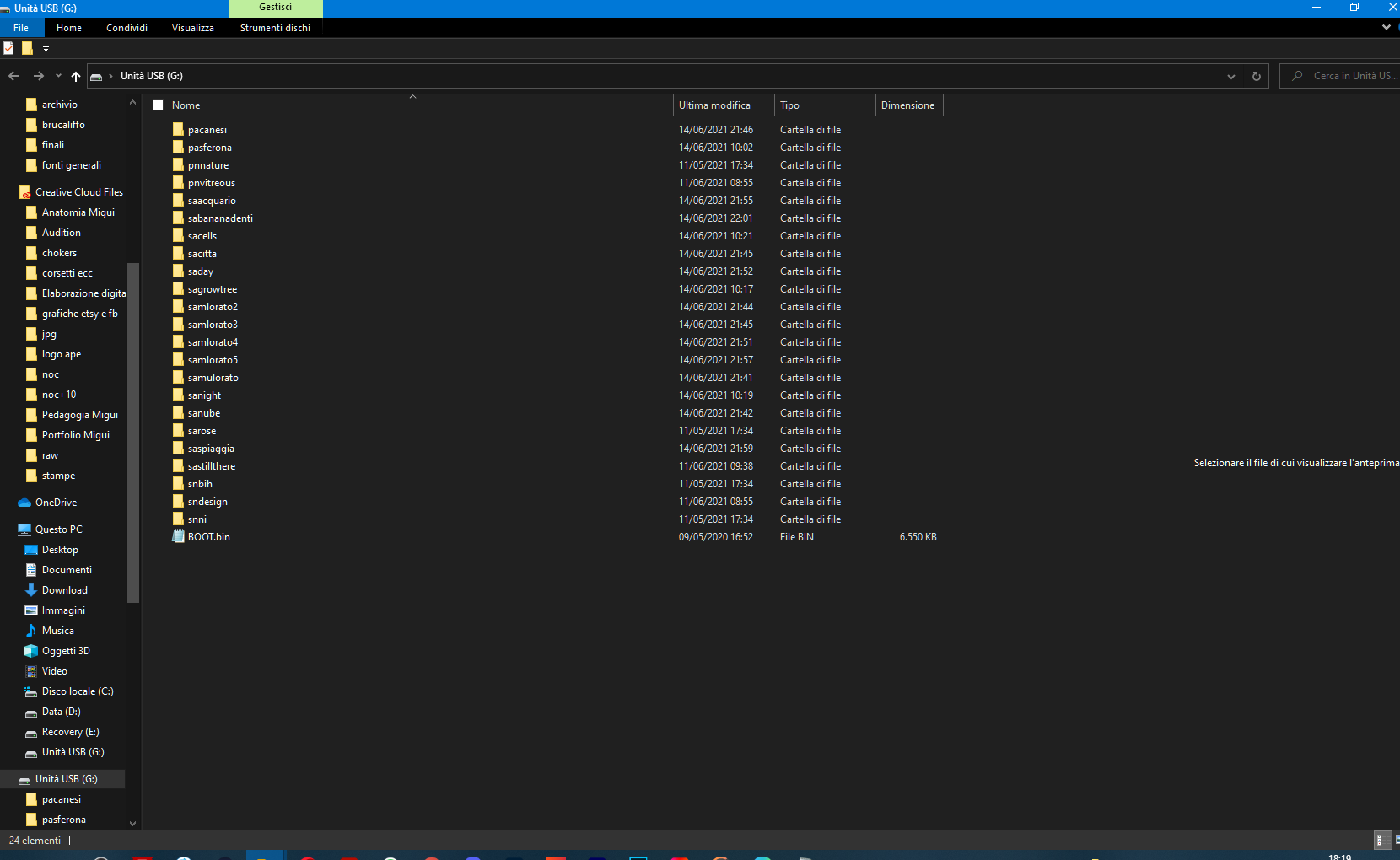
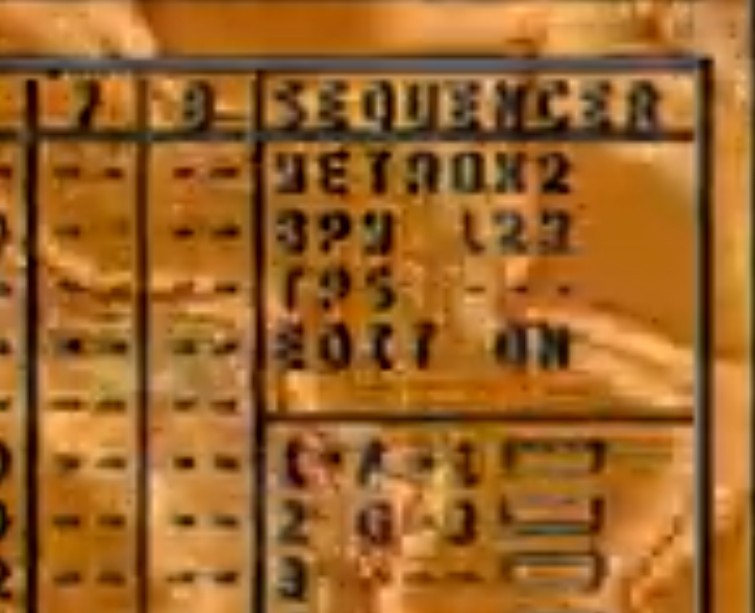
and on power-on it stuck here
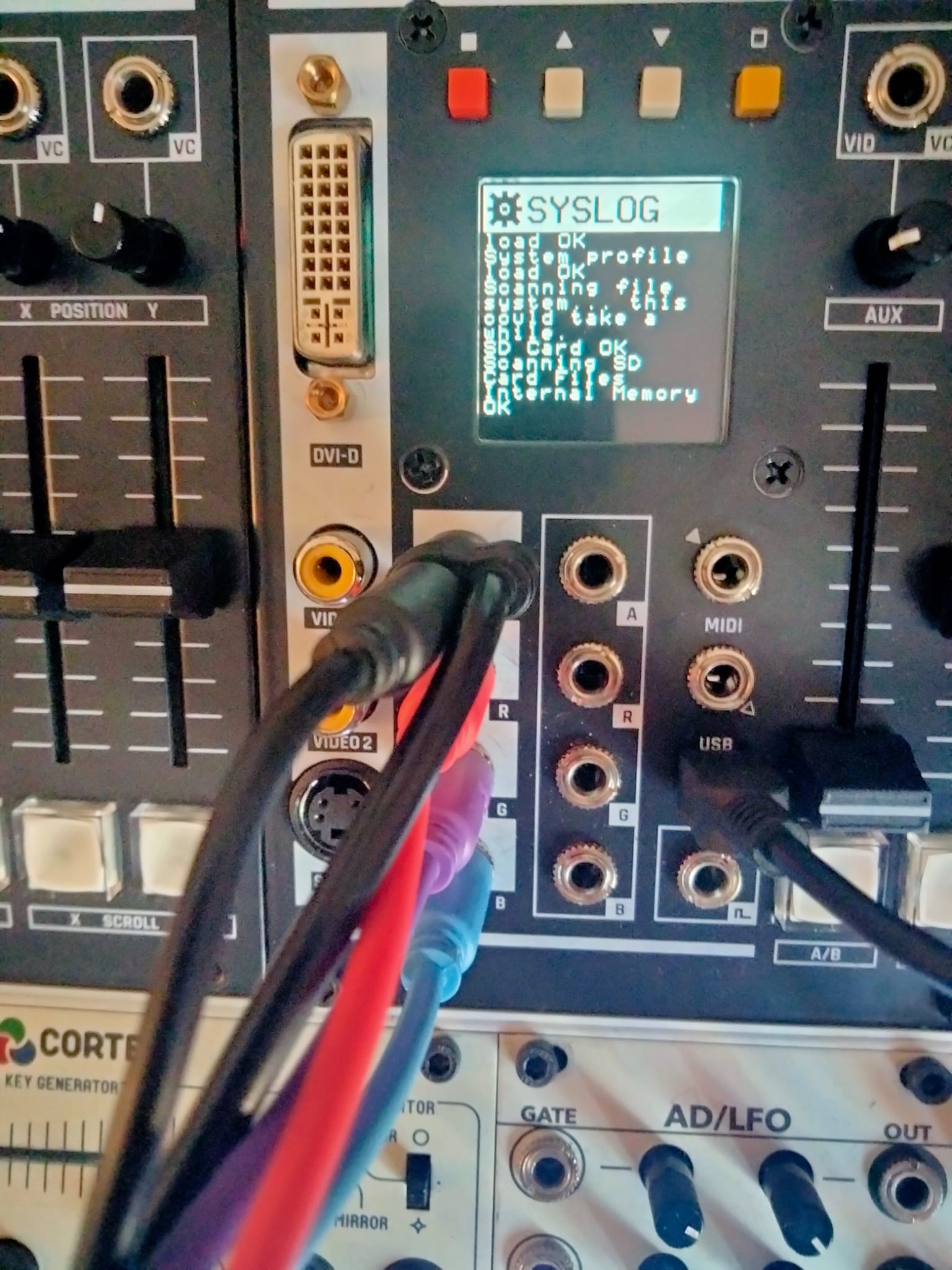
i can provide the folders if ithey serve to replicate the bug
#11 — Z0NK0UT · 2021-06-15
I don’t believe it has anything to do with the files. What is your sync source and routing?
#12 — VitreousSpaghetti · 2021-06-15
visual cortex —> memory palace (in photo) ----> second memory palace
I tried even with no external sync but same error
I delete one folder and then it work…
#13 — Z0NK0UT · 2021-06-15
Aha. If it works when you delete one folder, then you should proceed with that method until the next firmware is available. Do both Memory Palaces behave identically if you load them with the same media?
#14 — VitreousSpaghetti · 2021-06-15
Yes they acting identical, thanx i ll wait the next firmware!
#15 — FranzKappa · 2021-06-16
I suggest that mp should have a less noisy cooling fan.
#16 — Dr_Rek · 2021-06-20
Awesome about folders. Swapping folders during a live set is a real slow down, especially if you miss the one you want and have to go through them all again. Excited for a better system.


#17 — VitreousSpaghetti · 2021-06-20
Yea me to!! I can’t wait to see the other upgrade to the system
#18 — VitreousSpaghetti · 2021-07-25
Ok, why my memory can’t start with this set…
https://drive.google.com/drive/folders/1qReT_0Y7tWXVu9q8iYUVyF7Kc4TNelR3?usp=sharing
I can’t figure out
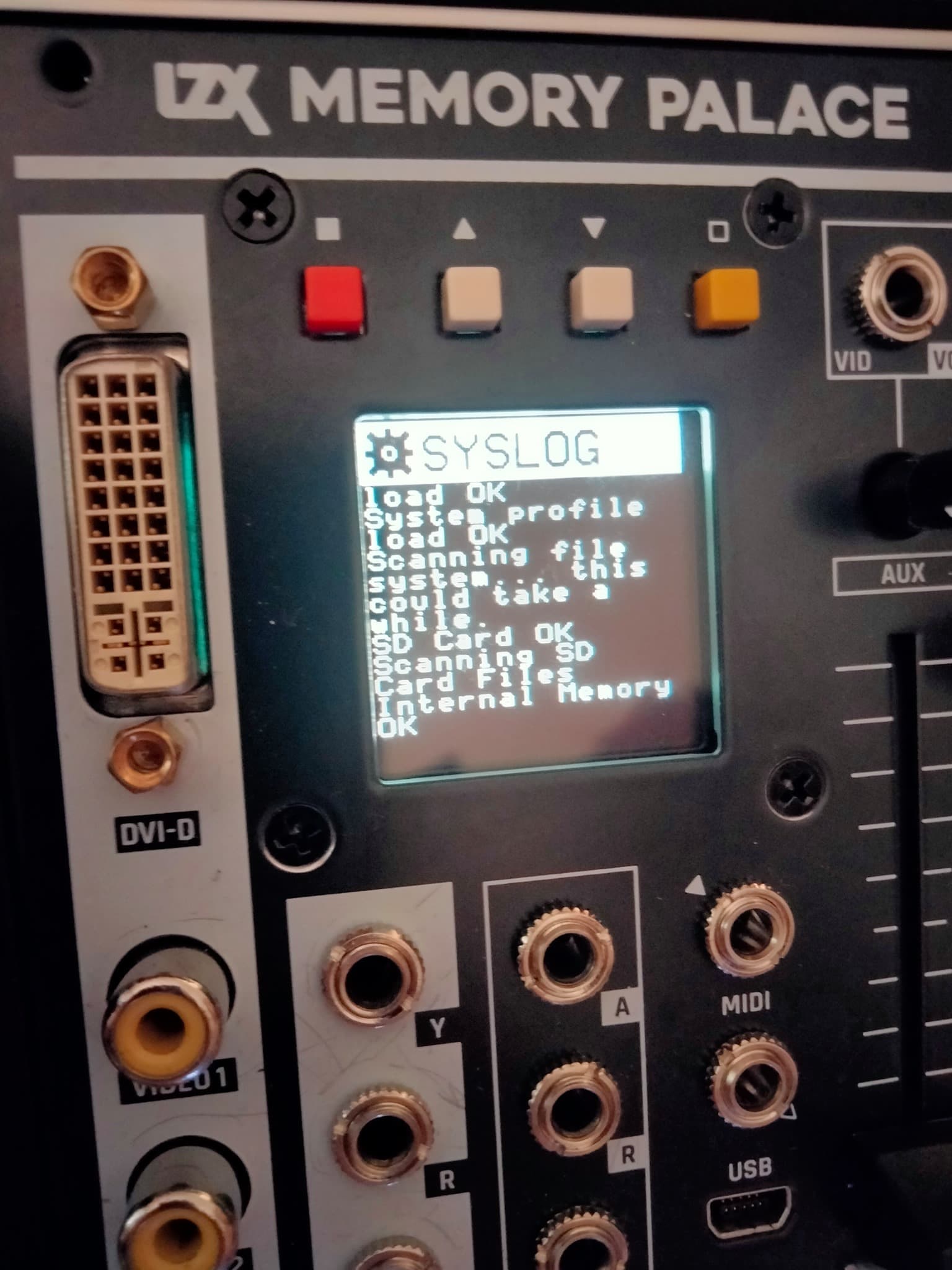
#19 — jwsmithwick1 · 2021-07-25
Maybe it’s a sync issue. My MP usually gets stuck on that screen when there is an issue in the sync chain. If your MP is at the end of the sync chain, then maybe check to see if the termination button is engaged.
#20 — VitreousSpaghetti · 2021-07-27
Found the problem!
In V2.0.1 there is a limit to 1024 files.
#21 — VitreousSpaghetti · 2021-07-27
Another suggestion it’s an effect for the loop of painting animation from the start
#22 — Marizu · 2021-08-05
Hi, I’ve just got a Memory Palace from the rogue batch that popped up the other week. Yeah!!!. It’s on 2.0.1 and I have noticed that a lot of the text is black on a rich Sahara yellow background.
I’ve been finding that difficult to read because it is relatively low contrast. I find the white on black to be easier to read.
I appreciate that you might have made the choice because lower contrast is less jarring in dark performance environments. I also appreciate that any choice will not work for all eyes.
This isn’t a stopper for me. It just means that I need to grab a pair of specs, first, but that type of change would make my personal experience a bit easier (or maybe switch to a lighter shade of yellow).
Also, would you consider putting some subtitles on to the Johnny Woods MemPal videos to say what the equivalent V2.0.1 mode settings are? That would make it a bit easier to follow.
#23 — Z0NK0UT · 2021-08-05
These are good suggestions.
I believe that V20 will have menu color scheme options (possibly customizable).
Also, there will be a V20 firmware walkthrough video (hopefully hosted by the popular J. Woods).
The next MemPal firmware will have to wait for TBC2 and Chromagnon completion, hopefully this fall.
#24 — saiteron · 2021-08-05
i’m playing around in paint mode today on v2.0.1 and have run into a bit of confusion with the clear function which can hopefully be addressed in the coming update. according to the v19 thread here, as of v19 the clear button no longer clears the buffer. in v2.0.1, the clear button does indeed clear the buffer. which is cool! presumably re-implemented after complaints about the disappearance of such a useful function.
and now for the confusing bit: when i map the trigger input to clear and send it a trigger, nothing happens. or rather, something happens, but not the thing that happens when i press the clear button. using a trigger to activate clear only deactivates freeze if it is active, but if freeze is off the trigger does nothing. not sure if this is intended behavior or what, but it is quite confusing as there does not seem to be a voltage-controlled way of clearing the buffer completely. the only way to completely clear the buffer is with a manual press of the clear button when freeze is not active, or a double-press of clear when freeze is active (once to turn off freeze, once to clear the buffer).
even though this seems counterintuitive in my current patch i can see how this “clear freeze only” feature would come in handy. perhaps in a future firmware there could be an additional menu option when trigger is mapped to clear - one which toggles between “clear freeze only” and “clear buffer only” and “clear freeze + buffer” (1st trig clears freeze if active, 2nd trig clears buffer) modes.
#25 — Z0NK0UT · 2021-08-06
Thank you for identifying that trigger mapping issue. Clearing the buffer by triggering Clear makes more sense than deactivating Freeze.
#26 — csboling · 2021-09-04
I would love to be able to select different output options for the Y output, such as
- the key’s alpha mask, or its inverse
- the luma of the input RGB
- alpha input passthrough
- animation-rate CV based on a selectable front-panel parameter. Seems especially useful for the X and Y position or parameters that can self-animate, such as Rotation/Hue/Center when Spin/Colorize/Scan are engaged.
#27 — emooh · 2021-09-04
sometimes when in warp mode and alpha keying with an external input the memory palace output flickers/stutters briefly and then the horizontal offset of my key is leftward shifted by approximately a quarter inch or more on my 24" display. power cycling once usually fixes it, but sometimes it requires multiple power cycles before the key displays properly. i am decoding an external source into visual cortex which is the sync daddy, and memory palace is the first sync baby.
#28 — Marizu · 2021-09-06
I’d like to be able to save screenshots into a specific media folder.
This would be really handy for storing ramps that took a lot of crafting, or just for sharing the Memory Place output.
#29 — Jesse · 2021-09-17
I’d like to see a -1v option on the CV ins (invert). I assume this would be trivial to make reality.
#30 — Powlow · 2022-01-09
What is the current output resolution for the Memory Palace? Is it likely to be bumped up to HD or is that not possible due to hardware limitations? Will there be a run of Memory Palace again? I’d love to get one but they’re just impossible to find, new or used. I feel its exactly what I’m looking for and could replace a whole bunch of my outboard gear.
#31 — Z0NK0UT · 2022-01-09
Memory Palace outputs the standard NTSC/PAL resolutions via both its CVBS and DVI-D outputs. HD resolution via the latter is being investigated. Memory Palace is will receive a design revision this year to allow it to share parts with TBC2 and Chromagnon, thus making production more efficient.
#32 — Jesse · 2022-01-18
It’d be cool to have the gate/trigger input be assignable any button
#33 — Z0NK0UT · 2022-01-18
This is the way it currently works. You can assign the gate/trigger input in the menu.
#34 — Jesse · 2022-01-18
WHAT, no way! Well that’s perfect.
Where in the menu do you assign it?
#35 — Z0NK0UT · 2022-01-18
System → Trigger
It’s so fun to be able to rhythmically trigger certain features.
#36 — Jesse · 2022-01-18
Seems to be broken for “Freeze” - just turns freeze on and a second trigger doesn’t turn it back off. All the others work as expected, rad!
Least in my current patch (ghost mode, RGB, alpha, alpha)
#37 — Z0NK0UT · 2022-01-19
Correct, that’s how Freeze works. Every time it is triggered it freezes the last two seconds in buffer memory. The Clear button releases the frozen frames.
#38 — Jesse · 2022-01-19
Is there a technical reason that it needs to utilize a second “clear” button as opposed to just pressing it again to release? If not I have a feature request

Maybe I’m not understanding how freeze is used in a performance setting - I’d want to beable to trigger it on & off.
Edit: Oh wait I think I get it
#39 — Z0NK0UT · 2022-01-19
Jesse wrote:
Edit: Oh wait I think I get it
Exactly! You want to freeze something and be able to scrub through the frozen frames until the next thing you want to freeze comes up. That way you can remain in the frozen zone. So your trigger input can let you grab sets of frames rhythmically.
Triggering the Clear button externally allows you to clear the buffer rhythmically.
Perhaps a future firmware could allow you to rearrange how Freeze and Clear interact, so you could freeze/unfreeze with a single trigger pulse.
#40 — wednesdayayay · 2022-01-19
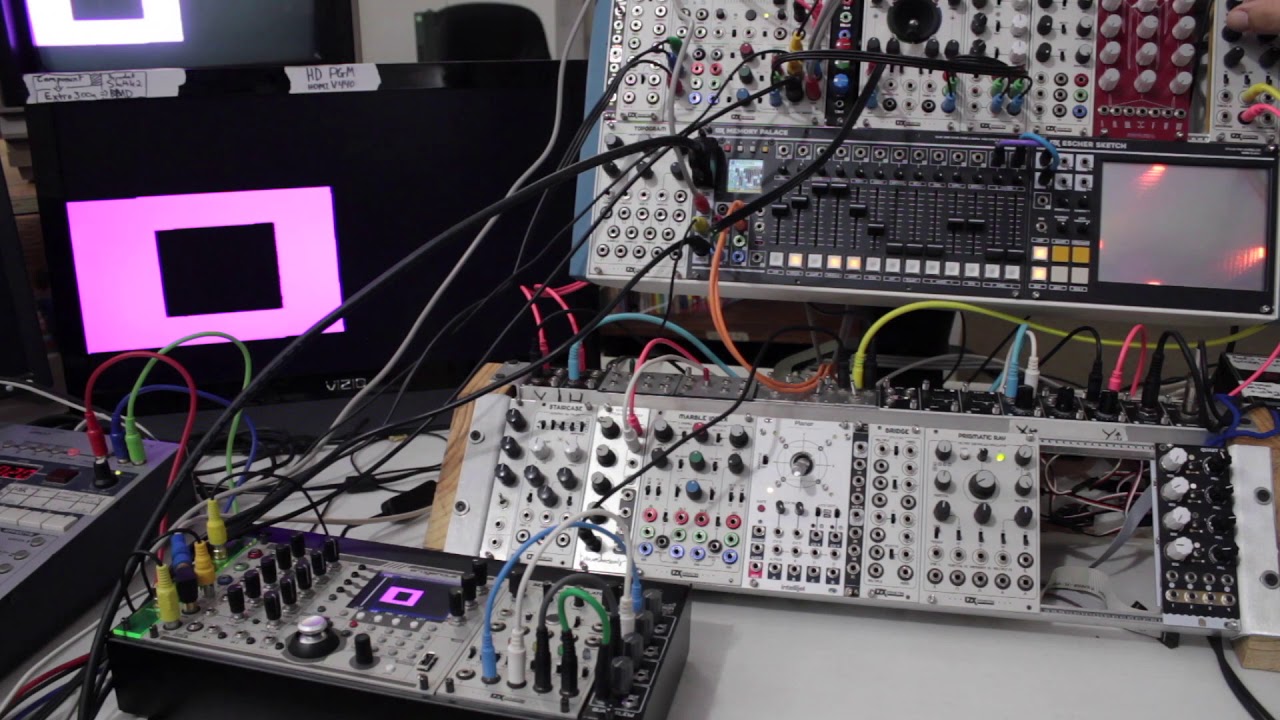
https://www.youtube.com/watch?v=90I0hj6iS6I here is our MP paint walkthrough the freeze/clear combo is fully explained here.
it makes painting patches so much better to have them broken apart in this way.
although I bet if long presses or double presses were implemented in software…it would be easy enough to operate it with just one button.
this is the kind of thing I’m super excited about doing when/if the software opens up for MP.
#41 — Jesse · 2022-01-20
Ty 4 link - makes perfect sense, I see why they’re broken apart. Still be nice if could utilize that trigger for freeze- oh well, just have to use a CV - MIDI which I happen to have

Thanks for taking the time to explain Chad & Wednesdayday, much appreciated
#42 — Marizu · 2022-01-24
I’d like a configuration option to be able to offset outputs by variable numbers of pixels towards the left.
When you do further analog processing on your outputs, they move to the right due to the time taken to get the signal through the circuit. If you are compositing based off luma or alpha, this can leave you with a drop shadow to the right. I regularly key off luma or alpha.
I see this with the Visual Cortex keyer and the Cadet Keyer. I haven’t tried the FKG3.
Due to the higher frequencies of HD, I’m guessing that this will be more apparent.
Maybe this could also be a worthwhile option for the TBC2 luma output.
Memory Palace could be adjusted to pre-compensate for downstream analog processing.
(at least, I think this is what is going on)
#43 — Dr_Rek · 2022-02-02
Remembered during my set last weekend that the Scan mode I would really like to have more control over, or at least be able to set it much slower than now, and maybe set a range somehow. For now my workaround is just using an LFO CV input, but would be great if the internal scan mode was more usable.
#44 — Z0NK0UT · 2022-02-03
Have you looked into the menu for that slider? You can set three ranges for the speed. If the slowest isn’t slow enough, maybe we can adjust those ranges in the next firmware.
#45 — Thom-of-rats · 2022-02-03
I’m I right in thinking that a HD output on the MemPal would require a hardware revision for future releases and not available in a firmware update for current owners. Please forgive my ignorance if this an obvious question to everyone else.
#46 — Z0NK0UT · 2022-02-03
Yes, I think you are correct. ESG3 or Chromagnon would be required for HD output from Memory Palace.
#47 — giantmecha · 2022-02-03
or maybe HD via the HDMI port?
#48 — rempesm · 2022-02-03
Z0NK0UT wrote:
Yes, I think you are correct. ESG3 or Chromagnon would be required for HD output from Memory Palace.
I’m confused by this. If MP is potentially unable to sync to different sync timings other than NTSC/PAL, then the way you’d get it into HD LZX land would be through an upscaler, which appears to be either TBC2 or Chromagnon’s built-in TBC/upscaler.
How would ESG3 which is basically just a sync generator/encoder allow you to put Memory Palace into HD timing unless MP would be able to natively support those HD timings anyway?
#49 — Rik_bS · 2022-02-04
Following the line of conversation, isn’t that what they were referring to?
That a hardware revision for MP to process HD signal would also need to be accompanied by HD sync gen
#51 — Thom-of-rats · 2022-02-04
Thank you, I have a Chromagnon on order, so I can try it out when that arrives. I’ve come to video from eurorack, so a lot of concepts in the video signal chain/format etc are very foreign to me.
If I run Chromagnon into the MemPal via the 1v io, then it would be scaled down, right? If I run the MemPal into the Chromagnon then the Chromagnon will upscale? I couldn’t mix these signals together in a mixer, because they would be different standards right?
At the moment I’m only manipulating still images in the MemPal, via the sensory translator and a Hermod, so I still only really have a theoretical concept of processing video.
#52 — rempesm · 2022-02-04
Thom-of-rats wrote:
If I run Chromagnon into the MemPal via the 1v io, then it would be scaled down, right? If I run the MemPal into the Chromagnon then the Chromagnon will upscale? I couldn’t mix these signals together in a mixer, because they would be different standards right?
Check out what inputs and outputs are on Chromagnon. There are composite/component I/O and then 3.5mm LZX 1V I/O. The RCA jacks for the composite/component IO have the sync signal embedded within them. The LZX 1V signals do not–they are just wideband 1V signals with none of the additional video signals required for display on a device.
So with that in mind, there is no upscaling/downscaling involved if you are taking Chromagnon’s 3.5mm RGB outputs into Memory Palace’s 3.5mm RGB inputs. However, they must both be synchronous to each other on the same video format or your images will scroll. Chromagnon generates and syncs to 15 different video formats, ranging from SD to HD. What we don’t know yet from LZX is if Memory Palace will natively support syncing to video formats other than NTSC/PAL.
As an example of theory, let’s say that Memory Palace is ‘stuck’ at NTSC/PAL timings. It generates NTSC/PAL and can sync to external NTSC/PAL signals but no other formats. That doesn’t mean you can’t use Chromagnon and Memory Palace together. You would just set Chromagnon to NTSC/PAL and sync Memory Palace to it (or vice versa) and the RGB I/O between the two would work perfectly.
What could potentially be an issue in this theoretical scenario is if you want to have Chromagnon in 1080i30 video timing as your primary sync generator and then sync Memory Palace to it. Memory Palace, assuming NTSC/PAL only compatibility until it’s otherwise confirmed, would not be able to sync directly to a 1080i30 video format and the RGB outputs from Chromagnon into Memory Palace would scroll on the output.
To illustrate more, you could take Memory Palace’s composite output (or any NTSC/PAL signal) and feed it into Chromagnon’s TBC. Memory Palace would then be upscaled/downscaled to whatever Chromagnon’s video format timing is set to (assuming not NTSC/PAL). You would not be able to patch the RGB outputs from Chromagnon into Memory Palace or vice versa because they’re still not talking the same video timing format. If you’re monitoring from the encoder on Memory Palace here, Chromagnon’s RGB outputs into Memory Palace would scroll or just look like total nonsense.
The opposite in this scenario, i.e. plugging Chromagnon’s composite/component outputs into Memory Palace directly, isn’t possible because Memory Palace does not have an input amp / TBC / scaler. You’d want to use TBC2 in that case.
For the mixer bit, it entirely depends on whether you have scalers on its inputs. For instance, a V-4 absolutely will not take a 1080i30 signal but a V-40HD will up/downscale most common video formats in SD/HD handily. Does that answer your questions?
I’m sure we’ll hear more about whether Memory Palace can support other timings than NTSC/PAL at the time it’s confirmed. Other than that, we’re all just speculating.

#53 — Thom-of-rats · 2022-02-05
Thank you so much for taking the time to write this. It makes a lot more sense now. I wasn’t aware that the 1v signal didn’t have the clock embedded. I’ve always seen sync gen as the clock sync in audio gear, akin to a ‘pulse per quarter note’ etc, but you wouldn’t hear that signal in the audio. This is what I struggle with, but that’s probably me trying to force a concept in my head.
Thanks again anyway. Food for thought.
#54 — Z0NK0UT · 2022-02-10
This has not been confirmed, yet. It will certainly be explored.
#55 — Dr_Rek · 2022-03-24
Thanks, I have been using the lowest speed “walk” setting for everything since I got my two. Double checked again yesterday. I think everything that has speed settings could using two more slower options, crawl and snail. Very slow movement is great with MP and for now I can only use external modulation for finely controlled slow speeds.
#56 — Dr_Rek · 2022-03-24
Still think being able to set a range on the internal scan function would be great too. Using external cv and the cv input control works well for doing ranges for now though.
#57 — Dr_Rek · 2022-05-23
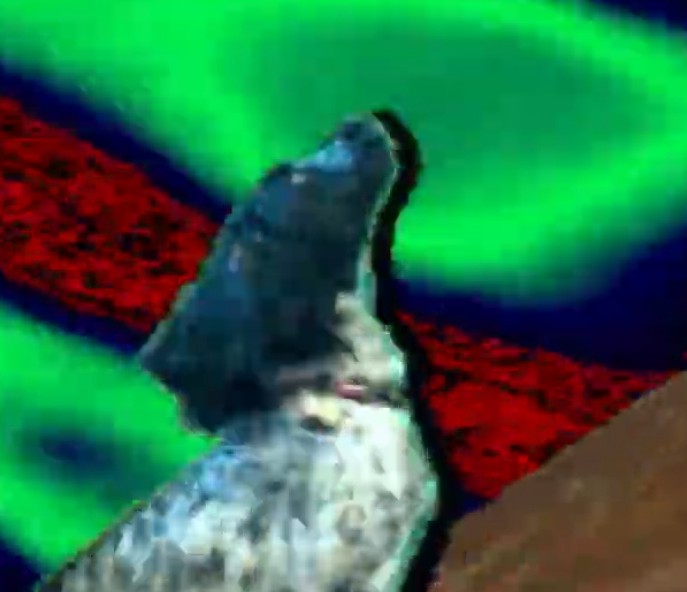
Would love it if Reflect and Mirror mode would do proper order of interlacing. It adds nasty stair steps to anything that is reflected or mirrored upside down at the moment due to flipping the interlacing improperly. See it in this video, you can see the image smooth on the normal, and stair steppy on the reflections.

instagram.comhttps://www.instagram.com/reel/Cd6kNmaDmtd/?utm_source=ig_web_button_share_sheetWelcome back to Instagram. Sign in to check out what your friends, family & interests have been capturing & sharing around the world.
Link: Login • Instagram
#58 — VitreousSpaghetti · 2022-08-30
NEW UPDATE 2.0.2 [ firmware/memorypalace_v2.0.2.zip at master · lzxindustries/firmware · GitHub ]
#59 — Dr_Rek · 2022-08-30
@creatorlars “This one includes some fixes for progressive processing modes, and hopefully resolves” the above issue.
#60 — Thom-of-rats · 2022-08-31
Is there a change log anywhere?
#61 — creatorlars · 2022-08-31
It’s not a major release – a couple fixes, some resolution enhancements, and a new progressive mode (which should help with the interlacing artifacts)
v2.0.2 Change Log
- Increased resolution on vertex calculations
- Added progressive warp mode
- NTSC underscan fix
- Max file and directory count fix
#62 — VitreousSpaghetti · 2022-08-31
creatorlars wrote:
Max file and directory count fix
So no more limit 1024 file?
#63 — Thom-of-rats · 2022-08-31
20 characters of thank you for this.
#64 — creatorlars · 2022-08-31
So no more limit 1024 file?
This fixes a crash caused by having too many files on the card. It does not add extra frames to the amount of available memory.
#65 — sprthhfk · 2022-08-31
Can you explain what the progressive mode does?
#66 — creatorlars · 2022-09-01
It relates to whether we are processing the NTSC/PAL frame (720x486) in the recursive loop or the NTSC/PAL field (720x243, with odd lines processed before even numbered lines.) If you have a naturally interlaced source like a camera, or an LZX system, you want to be processing the fields, otherwise interlacing artifacts end up in the feedback loop. But if your source is progressive (like the image loader), interlacing artifacts are introduced by field rate processing. So it’s nice to have both options.
#67 — Dr_Rek · 2022-09-02
Image loader is my main workflow, so this is amazing, thank you! Also curious to test if the seams are missing from input now due to the under scan fix, today is the day!
#68 — Dr_Rek · 2022-09-02
Unfortunately all the interlacing issues remained after installing v2.0.2RC1 found on the above GitHub link @creatorlars
Tests confirmed that the same stairstepping error seen above appears when using Y mirror, and Reflect modes. Both on image loader only source, and from a Vidiot input only source. I have captures from the DVI-D/HDMI output and can upload if needed.
Seams on Vidiot NTSC input also remain, but uncertain if that was an issue covered by under scan fix.
I noticed the boot.bin file was timestamped December 2021, maybe a newer one needs to be uploaded?

#69 — creatorlars · 2022-09-02
Dr_Rek wrote:
I have captures from the DVI-D/HDMI output and can upload if needed.
Is this issue DVI-D specific, or are you seeing it out of the main outputs as well?
I noticed the boot.bin file was timestamped December 2021, maybe a newer one needs to be uploaded?
No, that’s when the version was released. We needed to test before posting, which we did – but everything’s been so busy we forgot to post it until now!
#70 — Dr_Rek · 2022-09-02
Yes @creatorlars I just tested this as well. I see the interlacing error in the cvbs 1 and 2, and s-video out as well with image loader and input. Though it’s a little less pronounced in s-video. Darn better luck next version

#71 — Tundra_Tides · 2023-01-03
I’m trying to update to v2.0.2
But when I try to extract/unzip the files, i get the error unable to expand “BOOT.bin”. It is in an unsupported format
Any ideas? Have I missed something?
#72 — Marizu · 2023-01-03
Are you trying to unzip the file, BOOT.bin?
You shouldn’t need to unzip a .bin file. You only need to unzip a .zip file.
#73 — Tundra_Tides · 2023-01-03
ah, I was being thick.
Looking at the .pdf guide I expected multiple files - I can see now they’re stills & json folders and the boot.bin!
Cheers!
#74 — Marizu · 2023-03-04
I’d like an Aux mode that is a post process brightness boost and attenuator.
Sometimes you don’t want a lot of feedback repeats, so you control that by pulling down the contrast. The problem is, that leaves you with a dim image out of the MemPal.
You could bring this back up to desired levels with this Aux boost.
Maybe it would be possible to also use settings below 50% to attenuate the image, so that you could see detail in some of the blown out areas at the expense of some of the areas that are typically visible (they would tend towards black).
#75 — giantmecha · 2023-03-31
@creatorlars Would it be possible to get options for 5v (and -5v/+5v), and maybe even 10v scaling for the VC inputs? I know that was included in earlier firmware versions, but not the recent ones. Since these inputs don’t run at video rate (or audio rate, far as I can tell), I typically find them happiest with relatively slow mod sources (i.e. 5v audio modules).
#76 — dryodryo · 2023-04-03
I think 10 V scaling is impossible due to the limitations of all LZX power.
But 0-5 V and +/- 5 V should be an option for any digital computer like Memory Palace.
#78 — creatorlars · 2023-04-05
giantmecha wrote:
@creatorlars> Would it be possible to get options for 5v (and -5v/+5v), and maybe even 10v scaling for the VC inputs? I know that was included in earlier firmware versions, but not the recent ones. Since these inputs don’t run at video rate (or audio rate, far as I can tell), I typically find them happiest with relatively slow mod sources (i.e. 5v audio modules).
I love getting feature requests for features already present!
You can find the +/-5V, 5V, +/-1V and 1V settings in each slider’s detail page. They used to be on a global settings page, but moved to the individual parameter options.
#79 — creatorlars · 2023-04-05
Marizu wrote:
Maybe it would be possible to also use settings below 50% to attenuate the image, so that you could see detail in some of the blown out areas at the expense of some of the areas that are typically visible (they would tend towards black).
I think it would change the feedback behavior to do this. You could use a gamma or curve processor in your patch to bring up some areas of low contrast. Gamma control in the feedback loop or as post-process in module is something we’ll consider in the future.
#80 — GaelJaton · 2023-04-06
just moving from v18 to v202. everything is ok and menu navigation is more intuitive in my feeling and new features & bug fix are great <3 .
but, on v18 I was working with the alternate keying control : keyWhite/keyBlack instead of width/center,
on v202 I can’t find this feature. Did I miss something, did it disappear or am I confuse…?
#81 — Z0NK0UT · 2023-04-06
It is the same, but selected differently in the menu. Choose LUMA as the key mode in the PARAMS menu.
#82 — GaelJaton · 2023-04-06
not sure i am fully understood, luma key is ok then width & center sliders act as named, but I preferred the old alternative assignment when “width” become +key (white ‘top window’) and “center” become -key (black ‘bottom window’). Now I’m doubting on my memory, did I dream this feature?
Actual version = 2.0.2RC1
#83 — Z0NK0UT · 2023-04-06
The function is the same, using width (the width between the top and bottom key on one slider) and then setting where that width falls on the grayscale spectrum using the center control. The result is identical, but achieved in a slightly different way, using the sliders. I can see how setting the top & bottom (and thus the range and center) like you were used to makes more sense visually, looking at the sliders on the panel.
#84 — GaelJaton · 2023-04-06
ok, thank you. so it was a fantasy in my mind or an alternative early firmware (v18 from an early batch MP : 2018 ; s/n 0071).
I oftenly work on analog feedbacks (camera and signal) and I feel it’s more comfortable to work with key+ / key- controls for live ‘sculpting’. I don’t wanna risk to turn back to v18 to see if I dreamed that, last update was tricky and v202 is really great…
Cheer’s
#85 — circuitfluid · 2023-04-10
Been looking around the forum spaces. Is there a timeline for the firmware updates? I know the roadmap is always changing.
#86 — monads · 2023-04-10
There’s definitely not any specific timeline to any firmware updates. They’re released as time permits/projects prioritized. Right now we’re hoping for some TBC2 updates then MP.
#87 — sean · 2023-04-10
Having the option to switch from width/center to top/bottom would be awesome (as I would find the latter more intuitive too).
#88 — creatorlars · 2023-04-10
circuitfluid wrote:
Been looking around the forum spaces. Is there a timeline for the firmware updates? I know the roadmap is always changing.
We need to get Memory Palace back into production with mk2, so new development (including updates for mk1) will be attached to that project. Chromagnon / TBC2 projects need to be wrapped up before we go there.
#89 — Cappiecasparov · 2023-04-11
I’ve got MP for a little over 2 years now and still use it in almost all of my patches.
A suggestion for a new firmware release from me would be a new mode: vector.
It would be amazing to use the software to create a vector-synth like RGB infused moving image processor with composite out.
For the rest it’s already surpassed all my dreams

#90 — Dr_Rek · 2023-04-11
Would love it if the interlacing error in Y mirror, and Reflect modes was fixed asap, shows up in all my / our MP works… love those modes.
#91 — Z0NK0UT · 2024-06-12
Would love it if the interlacing error in Y mirror, and Reflect modes was fixed asap, shows up in all my / our MP works… love those modes.
Answer from @creatorlars
That’s just a byproduct of interlaced video running thru a texture mapper. So a change would be a new feature rather than a bug fix.
#92 — Dr_Rek · 2024-06-13
It’s an error in the way the system mirrors interlacing, not a bug. Looking forward to the fix in 2035


#93 — Z0NK0UT · 2024-06-17
Memory Palace V2.0.2 is now available. The update adds a screen saver to help prevent screen burn. GitHub - lzxindustries/firmware: LZX Industries Firmware Downloads
#94 — monads · 2024-06-17
Thanks for releasing the update! Just installed and no issues
!! I noticed the best way to remain on the current page after the screen saver goes black screen is to just use the arrow keys.
#95 — wide_closed · 2024-07-02
I’m having some trouble updating to the newest firmware.
Loading direct through the usb port made everything unreadable and the device could no longer boot.
I then removed and wiped the sd card and copied the new files. It’s running the old firmware (2.0.1) and selecting Update Firmware from the menu does not work and restarts the device.
Thanks for the help!
#96 — Z0NK0UT · 2024-07-03
There is only one file required, named BOOT.bin. Whether you are using the SD card or the USB connection, be sure to remove the old BOOT file before copying over the new one. Select “update firmware” in the menu and choose the location of the new BOOT file. Once that process is complete, restart the module (from the System menu).
#97 — wide_closed · 2024-07-12
Got it to work; thanks!