Installing Modules
Installing a new module in your system should be done in the following steps. Always power down your system while installing a new module.
Connecting Power
Your power supply must be connected to either the 12V DC input jack or the Eurorack power connector. Do not use both connectors at the same time.
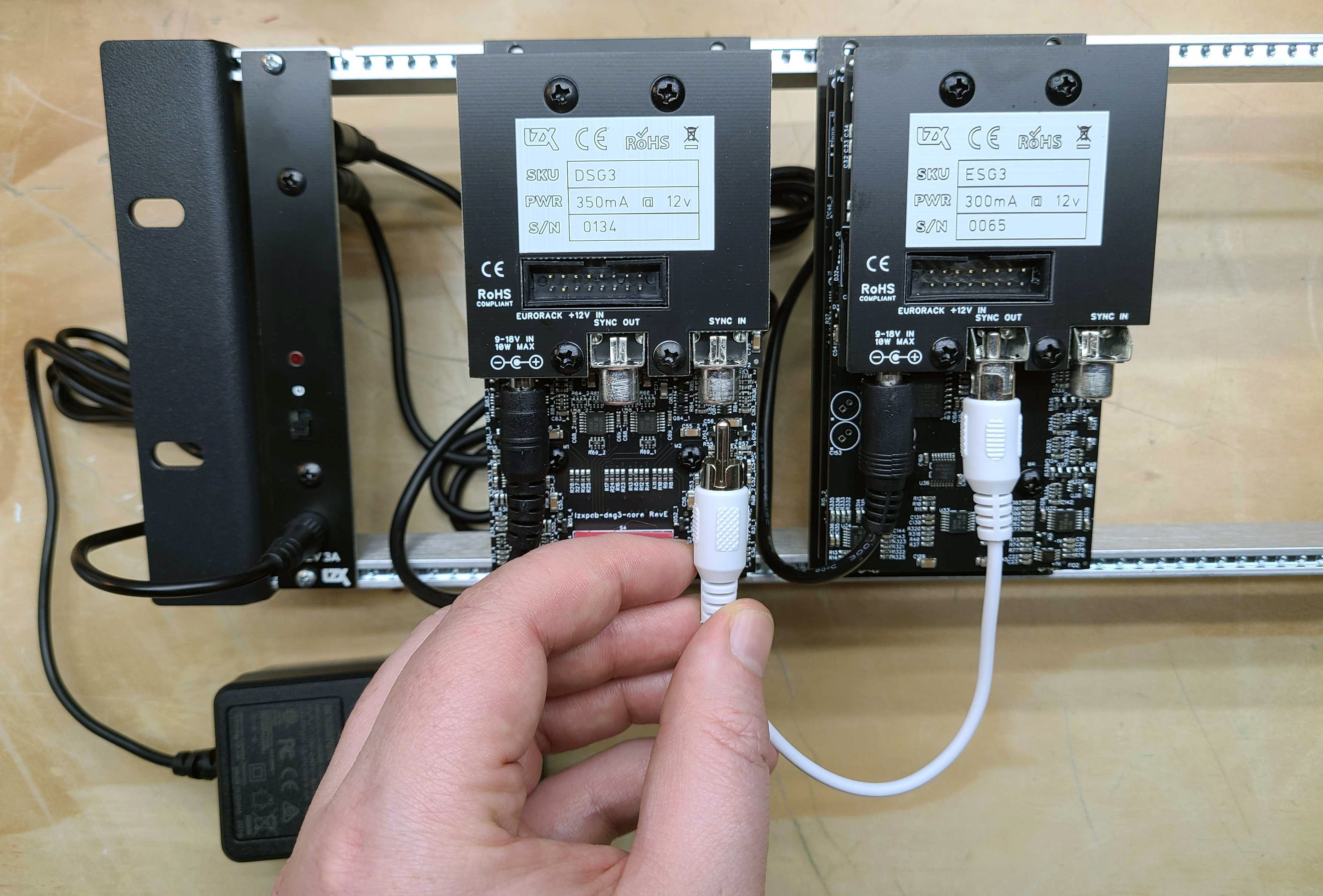
Connecting Video Sync
For each module with a Video Sync In on the rear, it must be connected to your ESG3 Encoder & Sync Generator module using an RCA cable. This connection may be made directly, or through a chain of other commands. ESG3 may be connected to other ESG3 modules in this manner, or its video sync input may be left disconnected.
Mounting
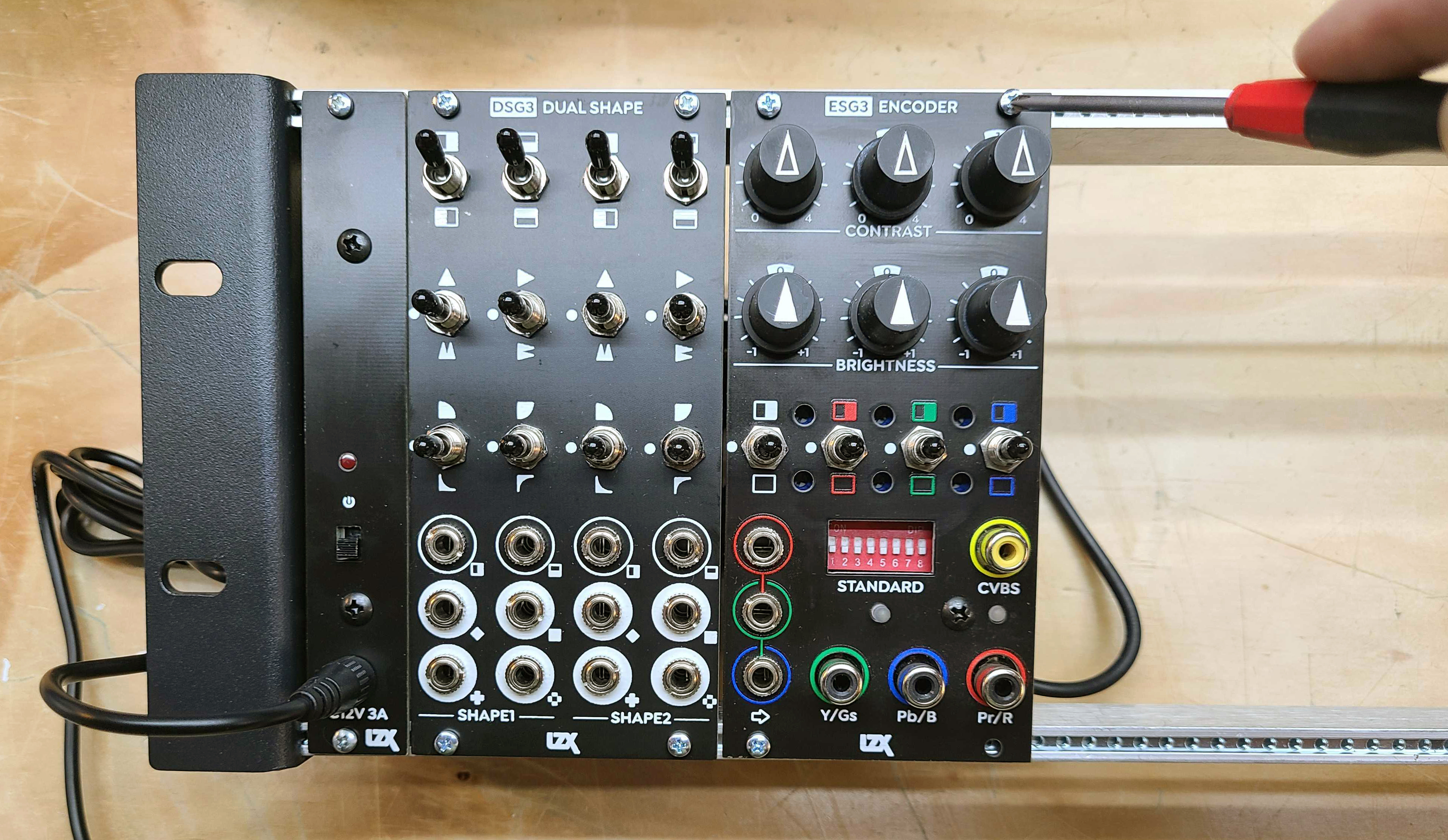
Secure the module to your Eurorack mounting rails using the screws provided by your Eurorack case provider.
Your First Patch
This patch assumes you have followed the module installation instructions above, and your LZX Modular system is powered on.
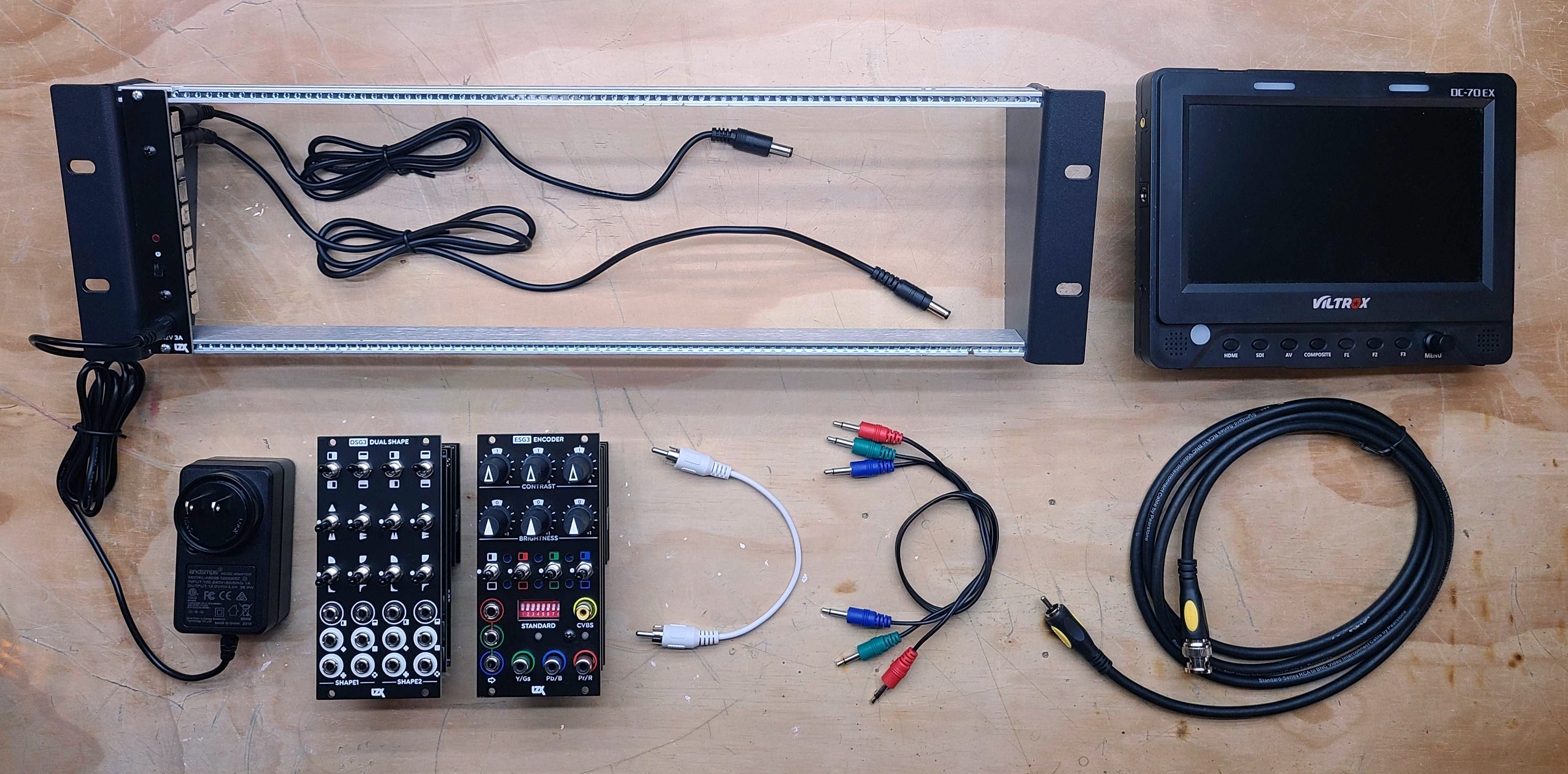
Here’s what you will need:
-
DSG3 Dual Shape Generator module
-
An RCA-to-RCA cable for composite video output
-
A video display with composite video input
-
Three 3.5mm patch cables
Initial Settings
All toggle switches on ESG3 and DSG3 should be reset to their center (middle) position. All knobs on ESG3 should be set to their detented (middle) position.
Turn all of ESG3’s front DIP switches to their OFF position. If you want NTSC output, leave them all OFF. If you want PAL output, turn switch #1 to the ON position.
Connecting A Video Display
Connect your video display’s CVBS input to your ESG3 Video Encoder & Sync Generator module’s CVBS output.
![/media/GettingStartedVideoSource.jpg] image::guides/getting-started/GettingStartedVideoConnector.jpg[/media/GettingStartedVideoConnector.jpg](https://lzx-web-cdn-us-sea.us-sea-1.linodeobjects.com/web/v1/docs/img/guides/getting-started/GettingStartedVideoSource.jpg)
Generating A Color Pattern
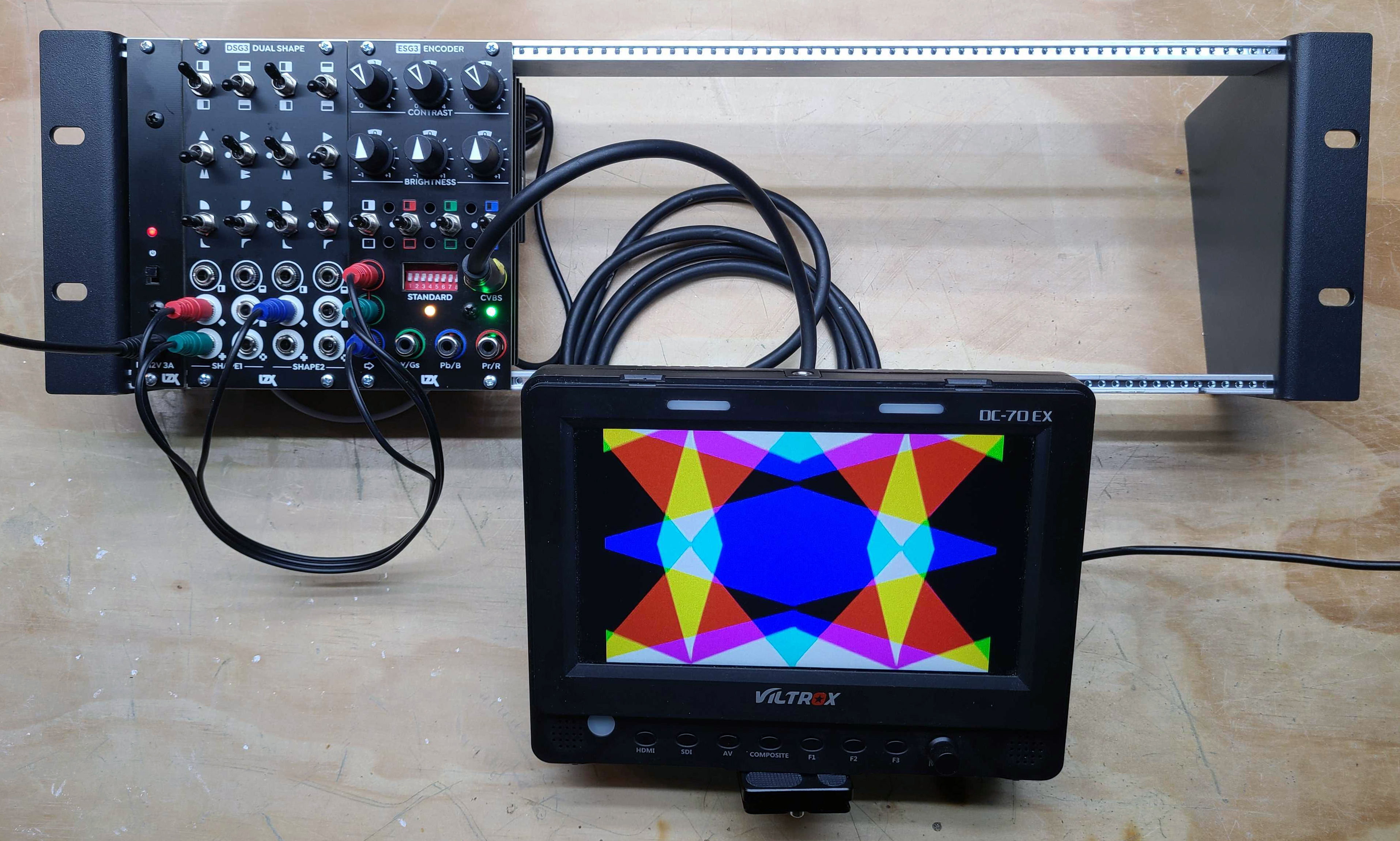
Patch any three of DSG3’s eight outputs to your ESG3’s Red, Green & Blue input jacks. Play with the knobs and switches on ESG3 and DSG3, exploring the capabilities of your patternmaking patch. Patch different outputs from DSG3 to observe different combinations.
Adding Complexity
Next, let’s make the geometry of your pattern capable of more complex results through series processing. Patch two outputs from DSG3’s first shape generator to the inputs of its second shape generator. Now take your RGB pattern from the second shape generator’s outputs.
![/media/GettingStartedPatch02.jpg] image::guides/getting-started/GettingStartedPatch03.jpg[/media/GettingStartedPatch03.jpg](https://lzx-web-cdn-us-sea.us-sea-1.linodeobjects.com/web/v1/docs/img/guides/getting-started/GettingStartedPatch02.jpg)
I suspect something is not working. What are some good troubleshooting steps to follow?
-
Keep it simple. Simplify your patch to the least number of cables or connections that create the issue you’re seeing. Sometimes this will reveal the problem. If you jump into more complex theories right away, you may miss simple answers, like a defective patch cable or a missed setting.
-
Your 12V power supply or Eurorack power supply may not be supplying enough current. Underpowering your system can result in a variety of glitchy behavior. Add up the current consumption required by your LZX modules or by any other modules sharing the same power source, and verify that this is less than the current supplied by your power supply. If it is very close to, or greater than, the supplied current, upgrade your power supply.
-
Try testing modules in isolation. Disconnect all modules from your system, and connect only the output module, such as ESG3, to the power supply. After verifying it works correctly, power up the next module. Keep going until your issue reappears. If the issue reappears near the power supply’s limits, upgrade your power supply. If the issue seems to be connected to a specific module, focus on troubleshooting that module.
I am seeing my LZX Modular system’s video output drop in and out on my video monitor or video recording device, resulting in missing frames.
-
Your video device might be defective. Verify that your video device can display video signals from a different video source of the same video format, using a different set of video cables. If you see the same issue, your device is defective. Contact the manufacturer of your video device for advice on further troubleshooting.
-
Your video cables might be defective. Try with another set of video cables. If your issue has been resolved with the new cables, your video cables were defective.
-
Your video cables might be too long. Try with another set of video cables no longer than 2 meters in length. If this resolves your issue, use the shorter cables. If you require a very long cable run, you may need to add a video distribution amplifier to your equipment list.
-
Your ESG3 module may be defective. If none of the above solutions work, check to see if the issue goes away when you adjust the Contrast controls on your ESG3. If so, does the issue return when you recenter the controls? If so, this is most likely due to a PCB assembly or connector issue, such as a dry or unsoldered pad. The issue can be resolved by service or replacement performed by a qualified technician at LZX.
My ESG3 doesn’t work sometimes when I power my system on. When this happens, both frontpanel indicators are green.
-
Your firmware is not booting under some conditions. This is most likely due to a PCB assembly or connector issue, such as a dry or unsoldered pad. The issue can be resolved by service or replacement performed by a qualified technician at LZX.
Many users like to perform regular service and checkups on their analog hardware systems. For many, the ability to verify a module is operating properly is useful for troubleshooting a complex system. For others, using electronic test equipment like oscilloscopes, multimeters and firmware programmers is part of their relationship to the instrument. With this in mind, we present models for both basic functional testing and advanced testing and calibration. We would love to see LZX Modular equipment in use several centuries from now, due to the diligence and care taken by its community of users.
Basic Testing
-
Power supply capable of 1 A or more of current at 12 volts DC (Eurorack, generic wall adapter, etc.)
-
A video display with Composite or Component video input
-
At least three RCA-to-RCA 75 ohms video cables or RCA-to-BNC 75 ohms video cables (use the native connector type present on your display) less than or equal to 2 meters in length
-
At least three 3.5mm patch cables less than or equal to 1 meter in length
-
Eurorack module mounting rails, either inside a Eurorack case or a bare rack frame
-
ESG3 Encoder & Sync Generator module
Advanced Testing & User Calibration
-
All items in the Basic Testing Requirements list
-
A second set of all items in the Basic Testing Requirements list if the test requires it
-
A dual channel oscilloscope with at least 100 MHz bandwidth and two low voltage signal probes
-
A multimeter with voltmeter and ammeter functions
-
Metric and imperial small nut driver and screwdriver sets for module disassembly, reassembly, and trimmer adjustment
Firmware Programming (ESG3 & DSG3)
-
Lattice HW-USBN-2B Programming Cable
-
TagConnect TC-LATTICE-10 Programming Cable Adapter
-
TagConnect TC2050-IDC-NL 10-Pin No-Legs Cable with Ribbon Connector
Not sure where to begin? Our Starter Systems page offers curated module configurations for different creative goals — from a minimal two-module setup to a full studio rack. Each system includes links to documentation and suggested patches.
Eurorack Cases & Power Supplies
For LZX cases and power hardware, see Cases & Power.
Video Capture & Display Devices (SD/HD)
-
Blackmagic Design Analog-to-SDI Mini Converter
-
Blackmagic Design DeckLink Quad SDI PCI Card
-
SEETEC P173-9HSD-RM Broadcast Video Monitor