Memory Palace Archive
Archived community reference. This page preserves the official LZX Community forum thread for Memory Palace inside the new documentation site.
Additional related discussions are included below.

Invoking the lineage of computer video instruments from the 1980s and 1990s, the Orion Series Memory Palace introduces digital video transformations and frame buffer memory to the LZX video synthesis landscape.
- An HSV proc amp, multi-mode soft key generator, variable frame delay, 2D transformation engine and flexible compositing pathways provide a workflow designed for a wide range of video feedback techniques. The perfect post-processor for your analog textures.
- Not just just a computer hiding behind the control panel. Dedicated FPGA blocks provide hardware acceleration for powerful real time video processing. Flexible video outputs include 1V YRGB, Composite, S-Video, and DVI-D connections.
- 13 voltage controlled parameters with CV input attenuators and high quality faders for accurate positioning and smooth transitions. 13 broadcast-style illuminated pushbutton controls for satisfying button mashing.
- In frame buffer feedback mode, spatial effects are placed in the feedback path between the keyer and frame buffer memory. The video feed is mapped and multiplied across space and time into endless universes of recursive transformation.
- Memory Palace’s painting mode allows you to draw onto the digital memory canvas using external shapes, patterns or even video sources as your paintbrush. Designed for use with the LZX Escher Sketch stylus pad controller or any voltage control source that generates XY voltages.
Spatial Processor Functions
Memory Palace’s spatial processor is modeled after classic broadcast Digital Video Effects (DVE) processors from the 1980’s and 1990’s. The spatial processor uses digital frame memory to reinterpret the input image, adjusting its positioning, size, aspect ratio, and rotation angle in a nonlinear fashion.
- Multiple selectable modes: Feedback mode places the spatial effects in the processing chain after the keyer. Painting mode places the spatial effects on the input before the keyer.
- X & Y Position displace the input image horizontally and vertically.
- Zoom scales the size of the input image larger or smaller than its original size.
- Stretch adjusts the horizontal / vertical aspect ratio of the image.
- Rotation rotates the entire image 360 degrees clockwise or counter-clockwise.
- Tile mode repeats the buffer image multiple times depending on Zoom and Stretch settings. Kaleidoscopic effects are possible when combined with the rotation control.
- Mosaic mode allows extension of the effects beyond the borders of the input frame.
- Mirror X & Mirror Y functions mirror the entire image across the horizontal and vertical axes.
- X & Y Scroll functions enable continuous movement of the image in any direction, with sliders controlling movement speed.
- Spin function enables continuous clockwise or counter-clockwise rotation of the image with the slider controlling spinning speed.
Soft Keyer Functions
Memory Palace’s soft keyer allows smooth linear transitions from the incoming video and the image stored in the internal video frame buffer. It may source its key mask from luma and chroma keying modes, or may also be used as an alpha channel processor for external ramp gradients and keys.
-
Multiple selectable modes: Luma Key , Chroma Key , Alpha Processor , and Window Key .
-
Threshold controls the cutoff of the internal key generator, with behavior determined by the selected keyer mode.
-
Softness controls the softness of the key edge used when compositing the buffer with the incoming image.
Color Processor Functions
Memory Palace’s color processor can function as a video proc-amp or psychedelic colorizer. When used in feedback mode, it serves as a way to modify each repeat of the buffer image incrementally, creating seamless gradients across time.
-
Multiple selectable modes: Proc Amp , Colorize.
-
Hue controls a shift in the angle of the image’s hue, without effecting brightness or saturation.
-
Cycle mode allows hue to shift continuously, with the Hue slider setting the speed of color rotation.
-
Saturation controls an increment or decrement of the image’s saturation level. In a feedback loop, it can gradually saturate or desaturate an image with each successive pass.
Frame Buffer Memory Functions
Memory Palace includes uncompressed video memory which stores a stack of the most recent frames it has processed.
- Delay selects the number of frames to delay the image within its feedback loop, allowing complex echoing. While the image is frozen, delay can be used to scan the output across frames in the recent past using the slider or external voltage control. [ Designer Note: We have not yet determined the maximum length of frame delay, but it will likely be 2-3 seconds. Since the delay reiterates into the buffer, the actual visual effect of the delay is much longer across time.]
- Feedback controls the amplitude of the buffer memory as it is fed back into the background of the Soft Keyer. Above its center point, the image will blow out to white, and below its center point, the image will fade to black.
- Freeze button freezes the entire buffer, disabling any writing into it. The frozen image will be held at the output until the frame is unfrozen. Freeze frames can be strobed with the external trigger input.
- Clear button clears the image to black. Useful in painting mode when you want to erase the current drawing and start a new one.
Platform Specifications
- 667MHz Xilinx XC7Z010 ARM Cortex-A9 Processor with Xilinx 7-series FPGA logic.
- 512MB DDR3 RAM, 4GB eMMC, 16MB QSPI Flash, MicroSD connector.
- Five channel, 40-bit analog-to-digital video interface.
- Six channel, 24-bit digital-to-analog video interface.
- 24-bit digital video transmission interface.
- USB OTG high speed peripheral interface.
Front Interface
- DVI-D/HDMI video output supporting 480p/576p SD progressive output. DVI-D to HDMI connector adapter included. [ Designer Note: We plan to enable other output video format options on the DVI-D connector.]
- USB input for firmware update and future expansion.
- Composite & S-Video (Y/C) video output supporting 480i/576i SD modes.
- Five 1V DC patchable video inputs for Aux, Alpha, Red, Green & Blue channels at 480i/576i SD resolutions. The alpha input is an external soft key input for external masks and shapes, and the aux channel may be used as a modulation source.
- Four 1V DC patchable video outputs for Luma, Red, Green & Blue channels at 480i/576i SD resolutions.
- All video inputs and outputs can be used simultaneously.
- External trigger/gate input with assignable function via settings menu.
- Standard MIDI in and MIDI thru via 3.5mm TRS connectors. Switches on module rear support both Type A and Type B MIDI TRS connections.
- 1.5 inch RGB OLED display for settings menu, with four tact switches for settings adjustment and navigation.
- 13 external voltage control inputs with buffered attenuators for all primary parameters. Switchable from LZX 1V DC to EuroRack 5V DC voltage scales from the settings menu.
- 13 high quality ALPS slide potentiometers, dedicated for each main parameter primary control. Response curve and lag time user adjustable via settings menu.
- 13 high quality NKK illuminated pushbuttons to control performance modes and functions.
Rear Interface
- Video Sync/Genlock input and loop thru on RCA connectors. Loop through/terminate switch located near these connectors.
- Video Sync/Genlock output for on RCA connector for use as system master video sync generator.
- Switches for MIDI in/thru pinout mode, for use with alternate pinout connectors.
- EuroRack power connector for standard +/-12V power supplies.
- 2.1mm barrel 12V DC auxiliary power connector optionally supplies power to Memory Palace’s onboard computer to reduce drain on your EuroRack power supply. This can be used with the LZX Vessel case, or with a 1A 12V DC wall-wart power adapter in cases which will not support Memory Palace’s power load. For example: https://www.bhphotovideo.com/c/product/1238247-REG/marshall_electronics_v_ps12v_2_0a_u_12v_2_0a_power_adapter.html/specs
Specifications
- Width, 52HP
- Mounting Depth, 50mm
- Power +12V @ 550mA
- Power -12V @ 50mA
User Reference

Videos
Downloads
Other Resources
Related Archived Discussions
The Memory Palace Experience (Unf#$&ing El Palacio de la Memoria)
As consummate and intentional novices with every step we take, we here at 48HourVideo like to go about new experiences as though we’re children.
In that vein, please find enclosed in this candlelight-penned letter the issues and solutions we’ve experienced con la Memoria Palacio:
- Problem #1: When using “BOOT FROM SD”, MemPal screen shows startup splash and firmware version, but nothing more.
- Solution: Set rear panel switch to Internal Sync while using BOOT FROM SD feature to verify boot. (Or connect valid sync with External Sync enabled).
The videomancer @kemble-48HV with the aid of his party mates clutches the nearest sync cable while meditating on a massive metaphysical 20sided die. ‘Sync applied?’ Is heard faintly in the distance as the d20 explodes into powerful and beautiful luz de Memory Palacio.
- Problem #2: Windows file transfer error using front-panel USB connection, resulting in a frozen MemPal interface, stuck on the USB interface screen. On system restart, MemPal screen shows startup splash and firmware version, but nothing more.
- Solution #1: Hold rear panel “BOOT FROM SD” button while powering on the device, with device in Internal Sync mode. If that doesn’t fix the problem, remove SD card from system, reformat as FAT32 on a computer, copy latest firmware. Return card to MemPal, hold rear panel “BOOT FROM SD” button while powering on the device, with device in Internal Sync mode.
- Solution #2: Verify that there are no hidden files on the SD card. Delete if found. Suggested to use 'Clean My Drive 2’ on OSX.
- Problem #3: XY VC inputs are producing unexpected results.
- Solution: Cycle the CV Scale option on Page 2 to return normal XY function. Will need reapply at every Memory Palace startup/power cycle.
- Problem #4: VC inputs do not respond to incoming signals.
- Solution: Power cycle the Memory Palace.
- Problem #5: Still image in Memory Palace gains artifacts (on our system, thin blue horizontal lines) when an external media player (connected via Visual Cortex decoder) is power cycled. Possibly through Sync?
- Solution: Power cycle the Eurorack case while leaving the external media player on.
Thread Replies
I’ve encountered problem #2 a few times. The last time it happened, I took the SD card out, loaded in Windows, enabled ‘Show Hidden Files’ and noticed that a .DS_Store file made it’s way over because I was copying a folder over my home network from my Mac. I removed this file and it booted fine.
Perhaps the LZX team can add some code to ignore these hidden files in a future firmware update 
Thanks for the contribution @bsarps , I added it into the solution list on the main post! 
We’ve got some “ignore Mac crap” code in there already, but apparently it is still causing some issues. I’ll see if we can get to the bottom of it! Thank you.
Re problem #2 - I always use a program to delete hidden Mac files before loading - best results for me are with the nagware ‘Clean My Drive 2’ on OSX.
Hi, I just received mine, I want to report a strange issue : plugged to power board, double check everything, and … nothing, no screen, no white led light on back pannel… I began to turn white as a sheet. tripple check every thing (other modules worked well). After some breathes I try to “choke” it with 12vdc optionnal plug : fan run, white led, and full boot…
I also clean sd card.
Then I unplugged my external power supply, and restart my case PSU… now everything’s well… Lars, do you know what’s happened…?
Im unable to change the NTSC/PAL mode when using my Memory Palace as master.
When it boots, its by default in NTSC and the menu to change that is disabled, is there a special button combination to change the value to PAL? I have rev18.
We’re having some trouble with Memory Palace that we can’t fix. It displayed all the characteristics listed below initially, and continues to display them after an SD card reformat and copy over of current, default firmware with no amendments. The module has approximately 40 hours used time. It’s been largely stable other than some horizontal artifacts in certain warp-mode based patches.
Today, on initial startup, Memory Palace no longer responds to slider input. The values for the sliders shown in the display are capped at maximum despite slider position. The device outputs a signal that looks full white on Liquid TV and Visual Cortex, and full black from the Memory Palace’s previously functioning Composite2 Output. Neither output responds to slider motion or key presses.
Menu pages can be navigated and settings changed, but the output and slider value/responsiveness remains the same.
We’ve tried numerous sync cables and configurations (external/internal). We’ve tried multiple composite video and TS patch cables that work with other equipment.
The user manual is here, @7pip and the rest of the community are welcome to edit and build upon what is there:
@luix It sounds like you have Memory Palace in external sync mode. You can only select the NTSC/PAL format in internal sync mode. In external sync mode, Memory Palace will detect the sync format from the external source (patched to sync input on the rear.)
@gaeljaton Not sure. Which model power supply are you currently using and what is the total current load on it?
To be clear: Memory Palace should not be stalling, crashing, or failing to boot. We’ve had our units here in the lab running mostly 24/7 for weeks without crashing. If you’re experiencing any kind of instability that’s not fixed (in a permanent way) by the tips suggested in the OP, please e-mail support@lzxindustries.net to request an RMA.
2A @12v
2A @-12v
(4A @ 5v)
I think it’s enough. I guess it was some kind of varnish on ext power plug which doesn’t allowed 12v bypass, plugging connector should have cleaned the contact.
As mentionned, now it boot well and all effects seem’s to work as desired.
I just remain an issue on DVI-D out, sometime it stop working after few minutes and back again when just reboot (without touching cable). And the dvi - hdmi converter provided just don’t work (I got an other one which work - at least few minutes)
Exactly, what Im saying is that when I put the sync switch on INTERNAL, I cannot select PAL on the menu its still disabled (grey) regarless of the switch. I’ll wait for the v19 and see if that fixes the problem.
The auto detection (when external is activated) is not working well, and neither the switch internal/external. I want to be able to select PAL/NTSC manual anyway always if is possible.
@luix What is your sync source that it’s having trouble detecting as NTSC or PAL? Is this with Visual Cortex? We had one report so far where the switch was actually broken, does it look damaged at all?
My sync source is Visual Cortex with decode switch off (to use internal sync of VC). MY VC boots nicely every single time in PAL, Im syncing it using the SyncOut of VC into the SyncIn of the MP with the terminate ON.
Switch and soldering looks good. I’ll just wait for v19 and see what happens, thanks Lars.
Having issues getting hdmi out working. Tried both an intensity extreme and ultrastudio 4K. Any specific setttings i need to get it to register?
I haven’t tried with either of those devices, but anything with 480p/576p support should be working. Have you tried on a display yet? If you have another adapter or cable to try, it’s good to rule those out as potential problems as well. If all fails, get with us to arrange an RMA.
all my system draw :
1.1A @+12V
0.5A @-12V
and 0.15A @+5V
I’ll investigate with bad solders and try to re-upload firmware…
I did a gig last night, everything worked well for several hours. I choose to believe it was a kind of break-in phase. a time to know each other in a sens…  (or damned varnish again…?)
I have the same problem, can’t switch from NTSC to PAL in internal sync mode. Format is greyed out/disabled and can’t be selected.

Running in external sync mode, MP doesn’t seem to want to switch to PAL. I’ve tried with a Vidiot in both NTSC and PAL. Vidiot colorizer out to MP sync in works for NTSC only.
If I run the Vidiot in PAL, the MP seems to stay in NTSC and the MP’s output image displays black and white scrolling typical of format mismatch.
if I wait like 3 minutes for the MP to “warm”, and then reboot it (by turning off-on my case) maybe 3-5 times I get it to work on PAL with external sync.
do you have the same behaviour to fix it?
I’m sure I can get the NTSC/PAL issue fixed on the next version. I had to set down progress on Memory Palace’s next firmware update in order to catch up around the shop and make some headway on the other Orion preorder releases – but progress has been great and I plan to have V19 out in April. Lots of cool stuff coming!!!

Awesome! looking forward to giving it a go
graphic patch bay? that’s sound great! I hope for delay able to put before argb, I mean delayed the dry signal, for camera feedback purpose… (and just from dreaming, triple delay on each R/G/B channel for time glicht experience : https://vimeo.com/59434848 )
This may have been mentioned elsewhere, but when running into a crash bug, resetting the MP firmware also reboots the unit (if you’d rather not reboot your whole euorack case).
@DesertMuseum Cycle the power after connecting a new source to Visual Cortex is always a good idea.
External sources into Visual Cortex are meant to be coming from a stable and consistent timebase, and Memory Palace is expecting to boot up to an already stabilized sync source. When you patch a new source into Cortex, it changes its timing to Genlock. I’m sure I can make Memory Palace more capable of reinitializing itself on a sync change later on, but this shouldn’t be considered a functional issue for now. TBC2 won’t exhibit the same behavior, as it’s a TBC/synchronizer (what you want if you’re going to be live swapping input sources anyway.)
Good to know. That being said, I was hoping to run the output of a switcher into Cortex’s input decoder, I am guessing this will not be possible while keeping stable sync through the system, if I was to be switching between sources via switcher?
Using a switcher/mixer with TBCs like the Roland V8EX, etc should not be a problem. Switching between asynchronous sources (like with an Extron matrix switcher or video selection punch box) for your system master sync will reset the timing of the entire system every time you select a new source.
I was hoping to make use of Cortex’s input decoder but will it only hold stable sync with a continuous playback?
The timing of Cortex locks to whatever is fed into the genlock input (either frontpanel Y/Luma jack or rear sync input.) If you change the source to a source with different (asynchronous) timing, the timing of the entire system will change as a result to match the new source. This is causing Memory Palace to lock up because it’s not expecting the system master sync to change timing after it boots up and locks on.
Using a switcher with TBC/frame synchronizer on Visual Cortex inputs so that you’re always feeding your system a stable sync source will solve your issue, as would the TBC2 module.
I’ll see if we can make Memory Palace more resistant to dropouts/abrupt changes in sync in a future update.
What are you displaying/capturing on? Does it support 525p60/480p60?
I was going to post this about the reset… but you beat me to it…
Just want to add some insight here. My MP definitely would freeze after being left on for a while. Buttons would not respond. Would not pass signal. I’m running the same system of VC providing sync to the MP and changing source feeding the VC often.
For me the issue ended up being power related.
I tried it in a couple of rack configurations that were conforming to the 10Ma per HP standard with a Tip Top Zeus studio bus. Lars recommended this: https://smile.amazon.com/gp/product/B01MTYCRHV/ref=ppx_yo_dt_b_asin_title_o02_s00?ie=UTF8&psc=1
Since installing it I’ve had my MP on for three days straight and no freezing. For $13 it is definitely worth getting if you are troubleshooting the MP. (Now I just need to find a right-angle adaptor for it.)
Has anyone been able to capture from Memory Palace’s DVI/HDMI output into a Blackmagic Intensity Shuttle’s HDMI input? I’m able to capture the MemPal’s S-Video out, but not the HDMI output for some reason. Tried every input setting on the Shuttle with no luck.
I captured some MP footage wIth my Blackmagic USB so should work for you.
Thanks for the tips, guys — still no luck. @DesertMuseum The Shuttle actually only gives me 525i/p options, no 480 — wondering if this has something to do with it.
Also, a very strange bug: I get a black-and-white image out of MP for like 5 minutes, before it eventually transitions to color.
525 is 480. 480 is visual space and the remaining ‘45’ is essentially NTSC Timecode.
Just got mine (yippiiiiiii)
I can’t make it work in PAL though.
If internal, the option to change is greyed out.
If external, it would just ignore the input and still run in NTSC.
Is version 19 available somewhere or any other small trick I’m missing?
Not available yet! But I guess soon will be released.
What works for me is to leave it like 3 minutes on, and the reboot the modular until it locks on PAL.
I was trying that yesterday without success, I’ll try tonight again.
Mixed feelings experience to see how great it is but not being able to enjoy it…
Still no luck here 
Anyone knows of a NTSC to PAL converter while waiting for a new firmware version?
New video from LZX and Johnny Woods up on the LZX YouTube channel!
How to load still images in the Memory Palace.
I also have the problem with PAL. I can do what I want: I never get PAL. I can switch to internal, I can directly connect the RCA cable to VC (in PAL mode). MP is always in NTSC mode.
When we can get the firmware update?
I’m trying to export some stills for MP processing. My goal with the bee image is to get it into MP as it appears in Photoshop with no background layer, not unlike the bee image that’s included in the nature folder of the pack-in MP stills, even though that’s a JPG. In Photoshop, I only have this one layer, as you can see on the right, which appears to contain the bee and nothing else. However, when I load it into my MP, it appears on my TV mostly as it appears on the MP’s display when the sliders are at 0 (notice the reddish artifacts in the bg and the white artifacts near the bottom). I have also tried to export as a JPG which gives me slightly better results when keying, but the width and/or center sliders have to stay below the middle, or else the background will reappear if the sliders are in any position above 50%. Any PNG/JPG optimization tips so that I can utilize the full range of the sliders?


Edit: Here’s a still of what actually displays on my TV, still a little different from either of the other iterations. The crooked frame is just due to me not quite being zeroed out.

Edit 2: It appears if I set the KEY mode to Alpha, the center and width sliders active regions swap to the top 50%.
Got a tip by Luix. By enabling the usb mode without any cable connected and then disabling it again I manage to sync to my Pal system.
Hope it helps
This is addressed at 10:16 in the recent tutorial video:
So if I were to make a mask that was the exact outline of the bee and set my MP to alpha key mode, I would get a clean, background-free image with zeroed out sliders? I will try that tonight and post a result here!
Thank you very much!
I get PAL 
… but when I switch the MP on he starts with NTSC again 
Here’s a hotfix for Memory Palace firmware V18, which should resolve the issues with MacOS filesystem and NTSC/PAL select (internal sync mode.) https://github.com/lzxindustries/firmware/raw/master/memorypalace/memorypalace_2019-07-03_18-release-hotfix.zip
Will the MPs that ship in August already have this firmware installed?
This one or the upcoming firmware with expanded features.
Hello I´ve updated MP to firmware v18 but it doesn´t switch automatically to Pal sync
Any idea?
The update don‘t fix the problem with PAL.
Did you update with the BIN file located in the “memorypalace_2019-07-03_18-release-hotfix.zip” package?
Yes but I wondered that it is much smaller than the one that was still loaded
Yes, the hotfix update doesnt fix the PAL sync for my either.
The work around from LUIX gets it to sync:
“What works for me is to leave it like 3 minutes on, and the reboot the modular until it locks on PAL.”
Takes me 3-4 cycles.
I hope the next firmware version can make it a little easier.
Morning,
to make it sync to PAL you also can go to ENABLE USB PROZESS and push the red button twice.
This tip is known (see VanTa). But is not comfortable to push 4x the button to get PAL every time I start the system.
I’ll look more into this this week. I should probably give the hotfix a new version number so that you can see from the menu screen whether or not it has successfully updated to the new version. If you boot directly from SD card (hold SD Boot button on rear) do you experience different behavior?
I have been held up by work on TBC2, Fortress and Diver since Memory Palace’s release and apologize there hasn’t been more action with firmware updates. That’s about to change on the other side of these projects (which have been prioritized since we have a huge number of pending preorders waiting on them.) Thanks everyone for your patience.
I’ve rebuilt the hotfix and verified that it works correctly through firmware update. I’m not sure if there was an issue with the previous upload, but this one is definitely good to go!
Sorry, but I had to fix the title. It was driving me a little crazy.
I’ve installed the version 18 firmware / hotfix and still have the locked on NTSC issue (format option greyed out and not accessible), but I can confirm Bhut’s method of enabling USB Access then disabling it switches it to PAL. The format option remains greyed out, but this works.
Getting goosebumps here, nearly there 
If I want to run VC into MP and output from MP as “final stage,” what’s the best way to get both channels of VC output into MP? I figured running component out of VC’s outputs back into its input decoder, and then routing the input decoder’s 3.5mm RGB into MP would do the trick…but when I do this the output is monochrome. I feel like there must be something obvious I’m missing. :-/
You’ll need a composite to component convertor for that, as the cortex only has component input.
Ideally you could use one of the Cortex Output Expanders folks are offering to do it.
this works great with the output expander mentioned above otherwise I’m not sure that you will get it to happen
The weird thing is that I do get a B+W image when sending VC’s component output back into its component input. If only it was color, problem solved!
And I’m a little wary of operating on my Visual Cortex. I’m not even a licensed optometrist 
I feel you on that! I had a couple issues with my visual cortex that I was sending it in for anyway and LZX HQ did the modification for me


does anyone get jittering with the memory palace?
I seem to be getting a lot of shaking and jittering when things like mirroring and tile are on
am I missing something?
i get this sort of artifact frequently! often time it goes away after power cycling!
I get this somewhat frequently as well and have to power cycle to get rid of it.
Are any of y’all getting jittering using the auxiliary barrel power?
Yes, I’m on barrel power and get this sometimes. Sometimes also just what looks like complete loss of sync, like the image drops out for a moment. I would agree that the jitter seems more common when mirror is engaged. My sync chain is VC -> Diver -> MP -> Prismatic Ray, in a Vessel case. Latest MP firmware (2.0.1). I’m taking output from MP’s first composite out straight into a consumer CRT.
I can try powering through the barrel if that is preferable but I’m currently just using the built in power from a vessel case
I went in to the studio to drop a couple things off and tried the power cycling out and sometimes it would seems stable at first and then start jittering about 30 seconds in or after I start messing with controls on the MP.
my sync is going from (internal sync) visual cortex > escher sketch > memory palace > side of vessel case > structure (terminated)
I’m also on the newest firmware and am taking a composite output from memory palace and a RGB feed through the visual cortex on composite and component
I have the jittering also mostly noticeable in patches there you are using video coming into VC and then going into MP for keying and feedback…It it more and more noticeable the closer the zoom function is centered for a slow feedback zoom out. I have tried both barrel and pro power and doesn’t seam to affect it.
yes power is coming from the auxiliary barrel in combination with the new lzx power source
I have two Memory Palaces and jitter is a persistent problem on both. I’ve tested isolated case power with supplement 12V adapter and results were the same. I have found that mirror and tile mode makes the jitter worse but it’s there on all modes when using images. I have to do some more tests with rgba input, but I think it’s there too. I’ve just been working with it. But seems like a firmware bug to be squashed to me. When I first got one I was convinced some of my sliders were faulty, in particular the rotation function seems to jitter the most. I can’t keep a straight line on the bottom on an image. X and Y or the mesh maybe also slightly jittering, but it doesn’t seem to be sliders since it happens on both of mine. I never used v18 but was it more stable for folks that have the jitter and experience with v18?
feeling much better about this now as I thought I was alone!
I don’t remember it on v18 but I was also so thrilled to be doing things like this that I wasn’t paying attention
looking back at that video in particular I see no shaking however it is paint mode rather than warp mode.
alright so a couple more issues
-
when using the freeze button each time you press it on the MP a new “freeze” is taken.
If you use the gate input selector to choose freeze and then send a signal to that input it only freezes once and then you have to clear before the next “freeze” can happen. I used the escher sketch to test this. -
I’m getting some kind of noise only coming from MP outputs (both the composite and svideo). It is in a vessel case with a visual cortex which doesn’t see the same noise on its outputs.
here is a short video showing the issue
I don’t have any feedback going on in my LZX patching (some in the video mixer) but even with that off it still shows up.
it is kind of difficult to see it here but if you look at the big areas of color you see lots of small horizontal lines running all along the screen.
I’ll have to get a picture with a camera I think to best illustrate the noise. I will also try un patching the memory palace (just using a built in still with some CV going to several inputs) to see if it persists.
I’m going to try powering it from the AUX power on the vessel maybe that will help.
Hi friends,
I am posting today to see if any other V19 users have had trouble using the orange button to enter the AUX settings in the slider submenu. When I enter this menu, it briefly displays the activity of the AUX input, but I cannot leave the menu without powercycling.
That’s an odd issue. I’m not having the issue using V2.0.1. You could try resetting defaults and then upgrading to the new BETA if resetting doesn’t work.
I too have that aux menu freezing issue
Which firmware are you using?
I am using the v.19 firmware. Have not tried out the new beta yet
The beta should solve the AUX freeze issue.
Can some patch notes be added about the beta firmware? Curious what other fixes/changes it contains. Thank you.
Would also be interested in your opinion on whether or not it’s as stable as V19 for gigging!
It’s just an update for V19 that fixes a number of the bugs. I find it more stable in general.
Probably a low priority bug, but in V2.0.1 if the orange button is pressed while in the AUX submenu the menu seems to freeze.
I have not experienced that in V2.0.1
When utilizing the media loader in warp mode, manipulating the spatial processor seems to introduce significant artifacts. These artifacts don’t seem to be limited to just tiling and rotating, but also appear intermittently during zooming. Following the update, the spatial processor sliders are markedly less responsive to physical inputs. Are there any adjustments that could help this?
Here is a video of the AUX submenu. I tested the same way on both devices.
[In my configuration, Visual Cortex is sending sync to the Memory Palace in the top row of the Vessel, and that Memory Palace is sending sync to the second. Both are powered from the auxiliary port on the back of the device.]
Thank you for confirming the AUX menu bug. I will make sure that isn’t an issue in the upcoming firmware (in which the frame artifact glitch has already been solved).

At the 1:00 timestamp, the zoom on screen doesn’t correlate with the slider movement. Is this related to the frame artifact glitch?
You might want to check the settings for the Zoom slider. Slew and S-curve can be adjusted to your preference.
I encountered this today. Going into Aux submenu locked up MemPal. I recreated it on another MemPal so seems to be a bug.
Does anyone else experience a flicker-ish artifact when using the DVI output from Memory Palace? When I switch to the composite output it goes away.
The DVI output experience will be improved in the next firmware.
I am using v2.0.1. When using the USB SD Card Memory access on Mac, does anyone else find that the their computer will not recognize the Memory Palace drive for a variety of time ranging from a minute to many minutes?
30 seconds to 1:30 on my end but usually closer to 30. Beats pulling it out of the rack and popping the SD card out.
I’m using V19 and a Macbook Pro
I can’t gain access to the SD card through the front port, have I missed something?
I’ve given it at least 5 minutes, still no luck
Some Mac users have no luck connecting to USB. In which case you’ll have to remove the MicroSD and use a card reader. The next firmware should make USB connection easier for Macs.
Did you select USB connection in the System menu after you plugged it in? It is the first option. After you disconnect, restart the module in the system menu to see the changes you made.
If I select the ‘USB Storage’ option in the System menu, it offers me ‘internal’ or ‘SD’ ?
Can I also ask:
i) In the LZX Sensory Translator Patch Tutorial, the trigger is set to multiple booleans/push buttons at once. How is this achieved, please? The trigger menu lets me select one but I can’t see how to select more than that
ii) There’s an option in the System Menu for ‘MIDI Seq’, what does is this for? I’ve searched the forum but can’t seem to pull anything up.
Once you choose an option in the USB storage menu, Memory Palace will connect to your computer.
Memory Palace has a single trigger input; the trigger menu allows you to assign that input to any single button.
Details on the MIDI capabilities of Memory Palace can be found in the user guide:
Thanks for your reply
So what happens in the patch tutorial video (linked below at the correct timing) is not possible with current firmware?

Current firmware only allows the incoming trigger to be assigned to a single button function.
From the video, the single trigger input activates multiple boolean parameters at once. It is technically a gate, in that those parameters are only activated for the period of time that the Sensory Translator’s envelope generator is above the voltage threshold set in the Memory Palace. This is why the slower envelope produces a more significant effect.
The upcoming V20 firmware will allow the trigger to be assigned to multiple destinations simultaneously.
Cool! Just checking I hadn’t missed a trick 
Was that a beta version in the video that allowed for multiple parameters to be triggered?
No, it was just an earlier firmware.
Got it. Thank you for the clarification.
HI!
Reading all this thread, I’m a bit scary. 
I have 2018 early MP and I never update firmware (still V18 I guess).
Should I wait for V20?
And if I try and not satisfied with beta or V19, can I turn back to previous firmware without damage?
Last thing, I’m an ubuntu user, is anybody get problem with it and should I try to format SD card before push new firmware?
Thank’s
If you’re happy with V18, you can keep using it, or wait until V20. Once you upgrade, it is better not to go backwards.
Reformatting the MicroSD can help, if you run into any problems in the update process.
@Z0NK0UT As many users, I get strange behaviors : sometime it won’t boot, need some power recycling, DVI not always work and lose during session, sometime PAL is not detect, some artifacts/glitches… but I think I gonna wait for strong firmware revision, and continue to smash power button at start ; Still a wonderful module, no pain no gain!
Has anyone replaced the fan in their MemPal with a quieter one?
It’s 2mm deeper than the stock fan.
Oh nice, thanks @rempesm. Is it much quieter?
I haven’t measured it but to my ears, yes it is a significant improvement.
To add some objectivity, checking out the datasheets below may help. Should probably also mention that this likely voids your warranty on your Memory Palace so proceed with caution.
tried to update my mempal from v19 to the v2.0.1. beta. had to do it via the sd card. getting this error in the menu while booting. menu is staying like this.

Looks like an issue with the card. You might try re-seating it.
thats it! yap i formatet it. but looks like the card which came with the mempal broke. used another card and it works fine! case closed!
I had to replace the SD card on mine as well once. Worked fine after that.
Next problem with v2.0.1 :
Can anybody tell my the media loader ramps are all 16:9?
Aspect ratio is set to 4:3. Format Pal

The black bars are better visible with tile & reflect
(and the stuff which is tile & reflect is really jittery… but maybe thats also a betaversion problem)
Nobody had this problem?
I think I just got used to the black bars. I actually use them a lot as a compositional element. It helps breaking apart some patterns.
You are in berlin? Maybe a pal problem? Didn’t had this prob in v19.
No problem, aside from the fact that the images included with Memory Palace are sized for NTSC (720x486) and not PAL (720x576). You would have to resize the stills to make them fit a PAL frame.
Ok, good to know. Were the pal versions included in the v19 firmware? Absolutely sure they were shown full size.
The images included with V19 are the same ones in V2.0.1
Got a mp yesterday and i’ve noticed a major issue that hasn’t been discussed anywhere yet (which kind of surprises me) The cooling fan is loud! I had desktop computers that weren’t as loud as my mp unit.Not sure yet if i’m gonna keep it,but i urgently need more functions added to my liitle system and i’m still waiting (over a year now) for the chromagnon.
Search in this thread about a fan replacement. Not sure if it voids your warranty but I did it on mine and it’s significantly quieter.
I’m not very familiar with a soldering iron,so i guess that replacing the wire is gonna be a bit tricky,but i’ll have to give it a go regardless.I haven’t done much with the mp in this short period of time,but i can see some potential and useful functions here.
I disassembled mine and soldered pin headers in place of the original black/red fan wires so I can easily swap it out later. This can be very risky if you’re not used to electronics disassembly–there is a flat ribbon connector that can be easily ripped and render your Memory Palace an expensive paper weight.
The simplest way to go about it is to cut the black/red wires going to the fan with plenty of slack so that you can securely splice them together and heatshrink the exposed connections to avoid any shorts. You’ll also need some slightly longer screws as the fan linked above is 2mm deeper than the stock fan.
In the scope of possible soldering jobs, this is a relatively simple one–if it doesn’t feel like a comfortable task, I’d highly suggest asking a friend who might have a bit more experience. Again, just be aware this could void your warranty. I didn’t ask LZX before I modified mine but the fan noise was driving me nuts.
Being able to write to a frame buffer is unbelievably useful in a video synthesizer context and the vertex displacement mode makes liquid patches a snap. Not everything on the screen has to be generated in real time which is the usual ‘gotcha’ with analog video synths.
I wonder if LZX is planning to, or would consider, using a different stock fan for MPs built moving forward?
Between this forum and FB, fan noise does actually seem to be a fairly common complaint.
(…At very least, installing via a header, as Rempesm did, as stock — to make user upgrade slightly easier — could be a middle ground.)
I was thinking about cable splicing.Looks like that’s how i’m gonna do it.Just need to find a retailer in eu who has all the necessary parts.Thanks for all the useful info. 
Short of replacing the fan, another thing to try is rack in a deeper case? Installing in a shallow case tends to accentuate the fan noise I discovered. I thought LZX was going to consider an option to adjust fan speed into a future firmware update.
I’m getting noise or small pixels from the video outputs of my mp on the left side of the screen .It seems to have pattern.

Is that a defect or a feature?
That’s from the CVBS outputs? Have your tried the DVI-D?
Nope,would be a bit difficult to set up atm,but i’m getting it on the rgb outs and the rca jacks.I’m routing the rgb signal into a structure module,which feeds into my tv and a shuttle express.
I’ve recorded a couple of clips today.The noise is barely visible in one of them and not at all in two others.Still want to get rid of it if possible.
Do you see the noise only when running through Structure, or is it visible when monitoring from the TV and shuttle?
No,i also took video directly from memory palace and it’s still there.I see it on the tv and imac,where i record video.Looks like it’s definitely mp.Never had it before with structure,vidiot and my other lzx commands.
OK. The next step is to reinstall the firmware. If that does not solve the issue, send an email to support@lzxindustries.net
Alright,thanks.Gonna try it tomorrow and see how it goes.
Didn’t work,the noise is still there (sigh)
What PSU are you using?
I’m using a mantis case.Tried it with a 12v 1a psu for the auxilary power input yesterday but the noise was still there.
Does the Mantis case use TipTop Studio Buses? What power brick is feeding it?
Just curious if it might be power noise leaking in somewhere. I’ve powered my Memory Palace off a TipTop Studio Bus using the recommended 4.6A Cincon brick and some random no name 12V 5A supply for the auxiliary DC input on it. Haven’t seen that particular noise artifact on my setup on either composite, S-Video or DVI out.
Do you have a way to take a video capture of the noise so we can see how persistent it is or is it just showing up on random frames?
It has the standard psu (3a.) and buses.Hooking up a auxilary psu (12v 1a.) to mp didn’t help,so i guess it’s safe to say that it’s not an issue with the power supply or distribution.
Aside from mp,there are two passage mixers,a curtain,doorway,staircase,polar fringe,fortress and diver in the case.All of them are working fine,with or without being routed through mp.
The noise is persistent and yes i can record it.Is it possible to upload videos here? Never tried it so far.
Sadly not.
“Sorry, the file you are trying to upload is not authorized (authorized extensions: jpg, jpeg, png, gif, heic, heif, webp).”
Can the aux input be utilized as an alpha key source in conjunction with the media loader? I am using the most recent firmware, in warp mode, alpha keying, set to alpha on aux channel. I have swept combinations of the aux, width, and center sliders.
AUX is not currently a key source. Here are the AUX functions (as selected in the menu):
-
AUX Mode . This option defines the function of the aux input channel, which includes the Aux CV input, slider, and MIDI CC value.
- Alpha . The aux channel is summed with the alpha input, providing a secondary alpha input and opacity control
- Mesh . Alpha + AUX are used to displace X+Y vertex mesh.
- Mask . AUX controls vertex spatial resolution.
Quite frequently my memory palace output flickers, and then the key seems to change its horizontal offset. This happens most often in warp mode, with both rgb and media loader as the source. Initially I thought this glitch might be limited to alpha keying, but it occurs when luma keying as well.
Anyone else experiencing this? Hoping a firmware update might address the issue.
Hi, I’ve recently acquired a second-hand Memory Palace and am experiencing an intermitent issue where an image from the SD or external source will briefly glitch to a different location.
I’ve tried reinstalling the firmware, removed all external connection and set to internal sync but the issue persists.
I’d like to know if there’s any troubleshooting I should try for an easy fix or if I should return it immediately.
Here’s a quick video showing the problem:

That glitch was really common with V19. Which firmware are you using? Also, what is your sync setup?
I really should have read the thread I was commenting on, where all the symptoms were already addressed 
I was on 19 and updated to the 2.0.1 beta this weekend and it feels like a brand new machine, the glitches are gone, the menus are way more responsive, folders load faster… There’s still a bit of jitter on images but it’s really night and day to what it was.
Thanks,

I have started noticing this glitch while luma keying as well.
[Component input decoded in VC, VC decoder > MP rgb inputs, MP rgb output > VC and out.]
yeah I sure hope that is a software fix
Memory Palace User Guide
This post is the prototype User Guide for Memory Palace and will be heavily edited and expanded as we move through the product launch and into post release development.
Video Inputs/Outputs
- Alpha + RGB Inputs. Suitable for LZX format 1V DC signals. Video sources must already be synchronous to Memory Palace, and can be converted from external sources using Visual Cortex or TBC2 commands.
- Luma + RGB Outputs. LZX format 1V DC signals for patching to other LZX compatible video synth modules or devices.
- Aux Input + Slider. This input responds to LZX format 1V DC signals up to full video bandwidths, and its function can be defined via Menu Page #1.
- CVBS & S-Video Outputs. These outputs are the same signal as present on the Luma + RGB outputs.
- DVI-D Output. Uncompressed digital video output in RGB 8:8:8 colorspace. You can use the included DVI-D to HDMI adapter if HDMI connection is needed, or a DVI-D to HDMI cable. Currently supported are weave interlaced 480p60 (while in NTSC/480i mode) and 576p50 (while in PAL/576i mode.) Output resolution and deinterlacing options will be expanded in future updates.
Linear Parameters (Slider + CV + MIDI CC)
These 12 parameters operate internally at 12-bits resolution (4096 values). Some of them are unipolar (0% to 100%) and some of them are bipolar (-100% to 100%). The slider position, control voltage and MIDI CC (if received) are summed together to determine the resulting value. CV inputs are sampled and updated at the beginning of each video frame, and suitable for low frequency control voltages like LFOs, controllers like the Escher Sketch module, and sequencer outputs.
- HUE. Color control #1. Controls hue rotation +/-360 degrees.
- SATURATION. Color control #2. Controls saturation from 0% to 200%.
- CONTRAST. Color control #3. Controls contrast from 0% to 200%.
- WIDTH. Keyer control #1. Controls the width between upper and lower key thresholds from 0% to 100%.
- CENTER. Keyer control #2. Controls the center offset of upper and lower key thresholds from 0% to 100%.
- SOFTNESS. Keyer control #3. Controls key edge softness from 0% (hard) to 100% (soft.)
- DELAY. Memory control. Controls frame delay from 0 to 60 frames.
- ZOOM. Warp control #1. Controls image size from 50% to 200%.
- ASPECT. Warp control #2. Controls image aspect ratio from +/-100%.
- ROTATION. Warp control #3. Controls image rotation +/-180 degrees.
- X POSITION. Warp control #4. Controls image offset +/-360 pixels.
- Y POSITION. Warp control #5. Controls image offset +/-240 (or +/-288 for PAL) pixels.
Boolean Parameters (Illuminated Pushbutton + Trigger Input + MIDI Notes)
These 13 parameters are either in an ON or OFF state. They can be controlled from the illuminated pushbuttons on the frontpanel at all times, by MIDI note commands (when received) and by the external trigger input (when selected on Menu Page #5.) In the case of multiple competing sources, the incoming events are XORed together (they invert each other’s states.)
- A/B. Toggles between two different presets for menu options on Menu Page #1, so it can be used to program in a toggle between two different option configurations. For example, if you want to swap between Warp + Chroma Key and Paint + Luma Key with an external trigger, you could do it with the A/B function.
- FREEZE. Freeze frames the ARGB input source. If triggered after the first Freeze event, 1 single new frame is captured and then frozen. To unfreeze, use the CLEAR button.
- CLEAR. Unfreezes the ARGB input source when frozen.
- COLORIZE. Motion control enable for HUE slider. When enabled, HUE slider will set the motion speed and direction.
- INVERT. Inverts the keyer (has the effect of swapping the FG/BG layers.)
- SCAN. Motion control enable for CENTER slider. When enabled, CENTER slider will set the motion speed and direction.
- TILE. Enables buffer tiling for the warp processor (zoom out to see the effect.)
- REFLECT. Extends the edges of the warp processor transformation to the extents of the buffer. (zoom out to see the effect.)
- X MIRROR. Mirrors the warp transformation across the horizontal axis.
- Y MIRROR. Mirrors the warp transformation across the vertical axis.
- SPIN. Motion control enable for ROTATION slider. When enabled, ROTATION slider will set the motion speed and direction.
- X SCROLL. Motion control enable for X POSITION slider. When enabled, X POSITION slider will set the motion speed and direction.
- Y SCROLL. Motion control enable for Y POSITION slider. When enabled, Y POSITION slider will set the motion speed and direction.
Firmware Update Procedure
Click this link for an illustrated PDF guide that demonstrates updating V18 to V19.
System Recovery Procedure
On the event that your Memory Palace will not boot up at all, you can perform system recovery by booting directly from a BOOT.bin file placed in the root directory of your MicroSD card.
- Power off your EuroRack case entirely and remove your module.
- On the rear of Memory Palace, remove the MicroSD card from its hinged connector. To do this, push gently upward on the hinged connector (away from the power connector), and then lift it upwards to access the MicroSD card. The MicroSD card can now be removed.
- Mount the MicroSD card on your computer. It’s good practice to do a fresh reformat in FAT32 file system to ensure no corrupted data.
- Follow the firmware update instructions above to copy the latest firmware onto your formatted MicroSD card.
- Remount the MicroSD card on the rear of Memory Palace. To lock the hinged connector, place the MicroSD card in place, close the lid over it, and gently push downward (towards the power connector.)
- Hold down the “BOOT FROM SD” button located on the rear of Memory Palace. While holding, power on your EuroRack case and wait for the system to boot up.
- Once the system has booted, follow the normal firmware update procedure by going to the second menu page and selecting Update Firmware.
- In the event that system recovery fails, please contact LZX Industries support at support@lzxindustries.net.
Syncing With Visual Cortex
- Memory Palace External Sync Mode with Visual Cortex as master sync generator (preferred)
- Memory Palace Internal Sync Mode with Visual Cortex as slaved device (supported)
Syncing With Vidiot & Cadet I Sync Generator
- Memory Palace Internal Sync Mode, Vidiot/C1 as slaved device (preferred)
- Memory Palace External Sync Mode, Vidiot/C1 as master sync generator (unsupported, unless Vidiot/C1 are synchronized to a separate external source)
Still Image Loading
Still images are stored in folders on the MicroSD card included with Memory Palace. For example, /animals may contain several photographs of animals. To transfer files, you can access the SD card storage via the frontpanel USB port. Connect the Memory Palace to your computer via USB; go to System and select USB, then select SD card. You can drag or paste folders with images onto the MicroSD card.
Current Limitations & Recommendations
- Supported file formats include BMP, JPG/JPEG, PNG and GIF (non animated.)
- PNG and GIF may include alpha layers (currently experimental) for full motion graphics capability.
- Up to 32 subfolders and 64 images per subfolder are allowed (others are ignored)
- Up to 2MB filesize (larger files are ignored) and
- 32-bit ARGB 8:8:8:8 colorspace support
- We recommend you resize all images to your native resolution. This is 720x486 pixels for NTSC/480i modes and 720x576 pixels for PAL/576i modes.
MIDI CC & Note Control
The current MIDI implementation is basic. MIDI channel can be selected from menu page 2. Select pinout for the TRS MIDI in/thru connectors on the rear of the module.
- MIDI CC controls all slider positions, starting with the HUE parameter at CC#0 and ending with the Y POSITION parameter at CC#11. All parameters respond to 14-bit MIDI commands, with LSB on CC#32-43.
- MIDI Notes starting with middle C control illuminated pushbuttons, with the AB button controlled by MIDI Note #60 thru the Scroll Y responding to MIDI Note #72.
PARAMS Menu Page 1: Routing & Options
This is the menu page that displays on bootup. There are 6 user adjustable options as well as graphics for the current routing block diagram and a live preview of all slider setting values.
- Patch. This option defines the overall signal routing of the instrument, and provides a context for the Source parameters. The four options available are:
- Warp. This path places the transform parameters inside a keyer feedback loop, for feedback trails and fractal generation
- Paint. This path is geared towards video painting into a frame buffer. The transform parameters effect the incoming video feed before the keyer feedback.
- Scene. Transformed foreground compositing. Scene mode is about transforming one source, then keying it on top of another source. Similar to paint mode, but with a background layer instead of a canvas.
- Ghost. Temporal compositing effects. Ghost mode is about keying between two different points in time without any spatial displacements or multiple sources. So the source is fed thru the Warp, and then the keyer keys between a time delayed and non time delayed version. You need something in motion as a source.
- Route. This option defines the input sources fed into the routing of the currently selected PATH.
- ARGB. Alpha+RGB video 1V DC inputs on frontpanel.
- Media. Media loader only (selected from the Media menu).
- ARGB/Media. ARGB is the texture source, and Media loader is the key source.
- Media/ARGB. Media loader is the texture source, and ARGB is the key source.
- Key Mode. This option defines the keyer mode for transparency between foregrand and background layers.
- Luma. The keyer source is the luma (Y/grayscale value) of the RGB input colors.
- Chroma. The keyer source is the chroma (UV/color components) of the RGB input colors.
- Alpha. The keyer source is the alpha (A) channel input.
- AUX Mode. This option defines the function of the aux input channel, which includes the Aux CV input, slider, and MIDI CC value.
- Alpha. The aux channel is summed with the alpha input, providing a secondary alpha input and opacity control
- Mesh. Alpha + AUX are used to displace X+Y vertex mesh.
- Mask. AUX controls vertex spatial resolution.
SYSTEM Menu
This page is for selection of various global settings, as well as actions for firmware update and settings restoration.
- USB Storage. This option enables USB access to internal or SD card storage.
- MIDI Chan. This option selects the MIDI channel for MIDI CC/Note receiving.
- Omni. MIDI input responds to all channels.
- Ch1 - 16. MIDI input only responds to selected channel.
- Trigger. The trigger input can be assigned to any of the illuminated pushbuttons. A positive trigger will invoke a change on the relevant parameter.
- FORMAT. Note, in external sync mode the video format is auto-detected based on the sync signal present on the rear RCA sync in/thru jacks. In internal sync mode, a format may be selected.
- NTSC/480i. 720x480 internal buffer resolution, 29.97 frames per second, interlaced video.
- PAL/576i. 720x576 internal buffer resolution, 25 frames per second, interlaced video.
- Aspect. Select between 4:3 or 16:9 output aspect ratios.
- MIDI Seq. Allow received MIDI notes to activate specific stills in the Media loader.
- Update Firmware. See firmware update instructions above.
- Reset Firmware. Restore firmware to the factory default version your unit shipped with.
- Restore Defaults. Restores default settings for all parameters across the entire instrument. Any changes that have been made will be overwritten.
- Restart System
MEDIA Menu
This page is for selection of still images and still image folders. Images are stored on the MicroSD card and can be accessed via frontpanel USB port. Still image folder names and image names are scanned and populated on bootup. See Still Image Loading section above for more details.
- FOLDER. Select subfolder located in the /stills/ directory of your MicroSD card.
- STILL. Select an image file located in the selected subfolder.
Slider/CV Parameter Tuning Options (PARAMS Menu Page 2)
This page appears when a silder is moved or an illuminated button is pressed; it offers fine tune parameters for the slider, plus MIDI and CV input parameters.
- Offset. Positive or negative percentage of slider offset.
- Slew. Adjusts the slider’s slew responsiveness.
- Null gap. Adjusts the deadband region of the slider, for null position.
- S-CURVE. Adjusts the response of the slider, either expanding the fine tune range of values near the center of the range (positive S-Curve values) or expanding the fine tune range of values near the outer edges of the range (negative S-Curve values.)
- CC Num. Selects the MIDI CC number for the button or slider.
- CV Scal. Adjusts the CV input’s mode, either adding (+) or subtracting (-) from the slider position.
Powering Memory Palace via 2.1mm DC Barrel
Memory Palace requires connection to the power bus (as it has a small negative voltage pull), but using the DC barrel will take care of the module’s +12V needs.
Memory Palace User Reference Sheet
Videos


WORK IN PROGRESS. We will continue adding more FAQs and other general usage notes you will need to make full use of the Memory Palace firmware at launch over the next few days. Now is a great time to address any of your installation concerns or questions by posting in this thread.
Thread Replies
Thank you so much! I’m not sure how to properly use scene and ghost patches yet, please update their info when you can.
Visual Cortex pre-encoder expander
Soooooooooooooooo I’ve ordered a MemoryPalace and was thinking on how my workflow could be with it! And to be honest I would love to use the MP as final stage + encoder because of the HDMI outputs…
The problem if I do it this way, I won’t be able to use my Visual Cortex’s mixing+keying section (which I love and use a lot) , because cortex don’t have RGB LZX lvl outputs, so I can only use it as encoder final mixer… unless

I want to use the hidden treasures of the Cortex, pre-encoder expanders. So my plan is to build a small PCB of maybe 2hp or 4hp, that has the pre-encoder outputs of the mixer as a double buffered outputs (will be using those 6172 @pbalj that we purchased)
I wanted to share the idea to double check how feasible is, but also to know if any of you find it interesting, or if I’m missing something or a mistake).
With this expander, I can use VC super duper mixing capabilities and send it to the MP inputs!
Thread Replies
of course I would have to add 2 cables one 2x3 ribbon for the encoder output, and europower 2x5.
@pbalj maybe its a good idea for you 1u tiles
@luix did you end up building this? Has anyone else considered it? I might give it a shot this weekend (one set of outputs, without buffers, to start.)
For some reason, I thought the MP had a composite input, but I was sorely mistaken.
I’m not really a DIY guy, but I’d be willing to chip some $ in for the cause. This looks fairly simple though, so if it was a simple PCB, my shakey hands could probably solder it.
I have a composite to component adapter that has an RGB option, but I doubt it will work without some sort of attenuation to the 1v spec.
something like this? please correct any mistakes!
I’ve made 3 outputs now. Easy to double up if that is needed.
Maybe the buffers should be without resistors.? - pic2
(still a beginner)

or

Sorry for the super late response… I’ve been sick and bed the last week and couldn’t post anything.
The answering all of you, YES, I have a pcb design for this. Back in november I worked a bit on the breadboard and the crossed some conclussions with Lars on how to do this in the most interesting way.
The first approach was as @reverselandfill said just to use buffers, but Lars suggested to add attenuverters in the outputs to be able to invert the output signal of the cortex, also a LUMA OUT is super handy specially to patch in the alpha channel of the Memory Palace, here are some pics.


Here is the schematic, I’ll release the files on github once they are tested and working… It will be really bad if some VC die because of my fault


Anyway, I’ll be building and testing these pcbs next week so expect some news soon!
On the second schematic you made, the R4, R10 and R14 are not needed. I made almost the same design and Lars said those resistors are not needed but the signals come from a known world (impedance, levels, etc…) the pins could go directly in the non-inverting inputs of the op-amps.
Yeah, I thought that already.
But good news with the progress. I’ll leave it to you then !
Where did the luma come from? is that a summed signal ?
Yes! Lars shared how to extract Lumma from RGB, using those magic weird value resistors.
aha magic. that was what I thought. I’ll check the schematic then
Fantastic news, thank you! I was just thinking that a luma output would be a great use for the fourth op amp channel.
RGB to Luma is very handy (and a cheap addition!) Someone should do YUV to RGB and RGB to YUV boards at some point. If you had UV, you could patch up a chroma keyer with some Castle logic and some C8s!
For reference
From RGB to YUV
Y = 0.299R + 0.587G + 0.114B
U = 0.492 (B-Y)
V = 0.877 (R-Y)
It can also be represented as:
Y = 0.299R + 0.587G + 0.114B
U = -0.147R - 0.289G + 0.436B
V = 0.615R - 0.515G - 0.100B
From YUV to RGB
R = Y + 1.140V
G = Y - 0.395U - 0.581V
B = Y + 2.032U
So I finally pulled some time to build and test this pcbs, and the mixer section works pretty well… The problem I’m seeing is with the Lumma. I need to do further testing of the circuit.
For some reason when I put a signal into R it pops in all the other channels, the same happens for G and B, but there are not short or overlapped traces anywhere so Im guessing Im not testing it right.
I added some fast diodes to prevent voltage return to the mixer section on the Lumma resistors but its not working… maybe I need to connect all the three channels.


Anyway just a heads up on this. The schematic is already posted on this thread.
I need one of these for use with memory palace!
On the pcb, though, the 100nf decoupling caps should be as close to the power pins of the ICs as possible.
you are correct sir, thanks.
I think you may need to buffer the RGB inputs before putting them thru attenuverters, etc Can you probe what you’re seeing at the input nodes on the scope?
Apparently the problem was that I was testing with only one channel (R or G or B) at any given time, and the rest of the pins were “flying”. So the Luma resistors “mixer” made the signal comback from the other chanels the one connected/testing. This is not an ideal way of testing since all the time the VC will be connected and either send 0v-01v on each channel preventing this bleed.
I’ll add buffers to the inputs of the lumma and the before the attenuverters. If I only add buffers to the Attenuverters I will still get bleed from the Luma resistors-mixers. If I only add buffers to the 3 Lumma inputs I could get attenuverted signal from the feedback of path of each attenuverter.
So far the solution I like the most is to connect hte Lumma to the outputs of thf buffers RGB, that way there is no way to get it wrong. The only problem is that Lumma can get “dirty” if any cables with dirty signals (stacked) are plugged into the outputs of the expander.
Updates!
So I’ve worked a bit during the weekend on the pcb, now I moved all the 104 caps near the power pins of the 6172 as suggested by @pbalj, also added buffers to everything… I wanted to make this board very cheap thats was why I tried to save on ICs, but it doesn’t make sense to save up money just for 2 more 6172.


I’ll fab boards and panels and post back any news.

When the time comes and everything is finished, I’ll publish the eagle and gerber files probably in my github so anyone can fab it, in any case I’ll have spares that can sell… but was wondering if anyone is interested in kits maybe I can put together maybe 10 or so. If not I’ll only sell the pcb+panel set for like 10€ or 15€ depending on the cost of the aluminium panel :). Let me know your interest with for either pcbsets or kits?
I’d be in for the most complete version possible (no DIY skills here)!
love this project
I’d like a pcb/panel set please!!!
@wednesdayayay - watch a couple of basic videos on how to solder and then check out diy synth guy on youtube!
get a really basic soldering iron and a cheap kit to practice with (mults or something) - it’s really quite easy - I learnt last september and have built 20 modules - including 5 cadet and 6 castle modules and 3 smd (2 ripples and a buffered mult) virtually everything worked first or second time - one of the ripples is not quite right - but otherwise all ok
I’m interested in the kit if possible, but a pcb+panel would be appreciated as well. Thanks!
count me in for a Kit if possible as well!
I would take a pre-built or kit.
I’d be down for a prebuilt module!
I’d take a PCB + panel too, love the mock up :]
I could do a built module won’t be difficult, but keep in mind that you will need to mod your Visual Cortex, which is solder a 2x3 pin header.
Its not difficult but you will need to do it your self (or find someone close to you)


Yeah I’d be down for a prebuilt, Sure I could figure out fitting the header.
Hey, could a little header kit be sold w the modules? That would make things so easy!
the full kit im planning will have pcb panel, pots, knobs, jacks, components (ics, resistors caps etc) a 3x2 header for cortex and a ribbon cable for the rgb expander header.
@creatorlars Im gonna do a second flavor of the expansion with YUV outs. Was wondering if I can use the Lumma circuit that you kindly show me as the Y

or I must do another new lumma signal (I was going to go with voltage dividers of R G and B)
Y = 0.299R + 0.587G + 0.114B
My real question is if the Lumma of the YUV is different to the Luma schematic. Luma YUV vs Luma RGB (I would say no, but I’m in doubt.).
This lumma circuit is magix!
Great work on this @luix! I’m down for two kits. Curious as you’re planning a second breakout … could they easily be combined into one expander?
yeah should be easy to chain them.
@luix That circuit should work fine! For the U and V outputs you can follow a similar method. I generally use SPICE simulations to tweak circuits like this until output voltage readings are correct according to RGB input voltages. 5Spice has a free version we’ve used for years, although I’m using Tina more frequently now.
I’d be down for a kit to support the project. My cortex already has expansion headers soldered
I’ll probably want a PCB+panel at least. Wasn’t planning on getting a visual cortex, but I’ve run into a dead end trying to troubleshoot my cadet sync generator build–so I should probably just buy a vc.
Sign me up for one too!
I’ve been running the VC component output back into its Input Decoder, and then out from those 1v RGB outputs into the MemPal. Not so ideal, of course, as I lose that component input. :-/
I’d like to get a kit or prebuilt as well. This is a great project, thanks!
Def. in for a panel/pcb when you are ready to take orders
I am in for this! Would take a kit, or panel/PCB, or built version.
I’d be interested in panel+pcb or kit! YUV version would be great too - any chance to combine them, or will they be separate exapnders?
right! I would absolutely go for the dual if it was an option
I started to lay the PCB for the YUV version, but decide to first finish this run of pcbs test them, prepare kits, and a solder prebuilt modules and then will do the YUV.
Both will be compatible and can be used at the same time since they read from the RGB expansion bus of the Visual Cortex
Sounds absolutely reasonable. I am definitely still interested also in a single RGB version!
I’ve just got home and the postman had a surprise, and I remembered a quote from a famous American movie:
Life is like a box of pcbs and panels, you never know what your gonna get.
-Forest Gump

So final version pcbs (will double check them again everything is fine) and PANELS arrived.

This red panels are in honor to all LZX Cadets


@pbalj now caps are nicely placed, thanks for the suggestion I completely forgot about it.


Panels fit perfect on previous pcb (which is same footprint as the new one) there will be 2mm Red PCBPanel and 2mm Black aluminium panels. I don’t know if I should give the option to chose or just include both on every kit…
I still need to get to details to costs on kits and built modules, but will probably target at 50€-60€ for kits and 70€-90€ for built modules (plus shipping from Spain probably 6€-15€ depending if you are EMEA or Mericaaa). After all kits are sold I’ll sell spare pcbs :).
So my next steps will be to check everything is fine with the pcb, if so I’ll probably send a Google Form in this thread so all of you can write which ones and how many kits/modules you will want.
After the form is closed I’ll be able make the order of the parts to Mouser (so 3 days) and then I’ll ask you within those days to send me a PayPal.
Ill keep you all informed, I’m very excited on this project because its a community project for the LZX community. 
Updates on this, the board works as expexted, it as two minor bugs I’ll fix for the final version (pots are inverted, so positive signal should be from 12’ to 5’ (clockwise) and inverted signal from 12’ to 7’ (counterclockwise), second bug is that the color pins are swaped so Red is Blue and Blue is Red. in the video you can see how I patch a V ramp to the Byle and output that on the expander Red’s output.
One thing I wanted to ask on this thread for all your consideration and feedback is the following. When the attenuverter inverts the signal which is 0v to 1v DC from VC it outputs a 0v to -1 (inverted duh)… but the standard video signal is always 0v to 1v, so the inverted signal is not super usefull unless you use the AC switches or you invert it back or add a offset of 1v.
My question is, does it make sense and is useful for you to have an inverted (-1v) signal? Or should I replace the attenuverter with a attenuator (just attenuate from 0v to 1v and not invert). I’m scratching my head on which use case would be more useful for most ppl. I think there are use cases for both but what the vidiots think?
Maybe the best solution is to add 1v to the inveted signal, so its always 1V regardless if its inverted or not?
I’m asking all this for the first time when I actually plugged it and started to use it on different parts of my system.
It might be handy to have the inverted signal available for summing with a positive voltage. I don’t see much downside to using an attenuverter.
I’m def up for a kit or prebuilt, whichever. Ideally pre-built Really excited to combine the Cortex and MP like this. Thanks for your hard work!
I would be down with a prebuilt for sure!
Also in for prebuilt versions of both expanders when they’re available.
So I’ve been busy with another thing the last couple 2 weeks, but I think I will be able to finish the expander project in July. The current status is its a working version but with some noise, so I need to investigate whats the problem with the board.
This project wont get abandoned , anyway @pbalj told me he wanted to design/build/sell(?) another version of the expander he is probably working on so we may have 2 flavor of this expander soon!
I’m still very interested in a prebuilt unit!
at the same time
I like flavors
haha
I’m sure I’ll end up with a second visual cortex at some point that way I can do one of both
Ha! I am in the same boat. I am definitely getting a second VC in the future.
Im down for a prebuilt.
I am keen to order a pcb/ panel if possible , thanks
I´m also interested in an prebuilt one!!
greetings from sunny Bielefeld/Germany
Any news on this ? @pbalj ? I am interested in diy PCBs / or built modules for an output expander for visual cortex
Every time I patch my system, I miss this module. Wish I could help in some way, but I know very little about circuit design.
@creatorlars this could be a good idea for a new cadet module (diy pcb /panel), I feel like if more VC users knew what this does, it could be really popular
I’m happy to announce that the cortex expander is finally ready for production. I’ll post a vid later this week and all the details to order. Sorry for the big delays on this, but there were lots of things happening in my life lately but I’m back.
The plan is more less the following:
this week: I’ll send to fab the final pcb to China.
22-29/09 I’ll announce final cost and estimated shipping, a google form will be available to specify what you want. On 29 I’ll close the form and order components to the part supplier.
29/09 to 06/10 a friend and I’ll be soldering and building the prebuilt orders.
shipping is expected as soon each module is finished and tested, so first come first serve.
I’ll ship PCB+Panel only kits as soon the prebuilt modules shipping starts. I’m expecting this module to be very cheap hopefully. Anyway here is a link to a page we with some audio eurorack modules we have designed on the last years for local workshops in Madrid.

Hell yes. Thanks!!!
oh this is awesome
so if we do get a prebuilt unit this will still require us to solder onto the visual cortex itself right?
Is that 4hp or 6hp? I’m in the middle of rearranging my cases, so I’ll leave some room for it.
The RGB pads on the Visual Cortex don’t have a header in place for a connector, so a tiny bit of soldering will be necessary.
4hp, like a cadet/castle
Yeah I does, there is no other way as the VC does not come with pins on those pads as stated before. I’ll show later on before anyone places an order what you will need to do, just to make sure you know what you are getting into.
Its actually pretty easy, but you will need a good soldering iron, since the PCB of the VC has a superb thermal design and its difficult to heat everything.
I’ve done very very minimal soldering like point to point to make passive boxes (switches, photoresistors, pots etc…)
but after looking at the back of the visual cortex I think it is something I could handle
I am very much looking forward to this being available
if you can solder a wire to a pot then you can do this!!!
it’s as simple as sticking the header in the holes and then applying heat and solder - watch a youtube video first on the basics of pcb soldering and you’ll be good to go!!
I think the hardest part will be removing the panel and reattaching it!
It will be included, also all the cables and everything needed except the soldering iron and some solder and patience
that is so rad! this is going to make for some very fun video synthing
I’d like to get in on this for a board and panel.
I already soldered pins on to my corrtex and made an output expander to send RGB to the MemPal, but it’s not buffered at all, and your better solution is appealing.
Save two for me if I don’t respond immediately, it’s a busy time
It works exactly like that.
The luma is unaffected by the RGB knobs and goes out directly.
The RGB goes to a bit higher than 1v when the knobs are fully clockwise, and -1v when it goes counterclockwise.
On the middle (12’ clock) the gain is 0 and the channel will not pass thru. Hope that makes sense.
UPDATE! The pcbs are been fabbed now in china
Tomorrow I’ll record a vid on the module and publish the costs and form to reserve a module. I’m planning on doing a 30 built run, and 30 pcb set, with some spares
Here is a vid I recorded to try to clear what I think is important.
TBH the only thing I dont like about this module is that potentiometers are too tight (close) so I sacrified some ergonomics in favor of having luma outs plus as-much-as-possible skiff friendly module.
It looks awesome! Ready to order 
Nice video and great work @luix!
@luix How do I order one diy panel and pcb. Thanks 

Please DM me for payment
IDGI why it needs 5x lm6172 ? Don’t they 2 channel on each chip
You have to buffer each input (3), each output (4), so you’re looking at 7 opamps minimum, or 4 LM6172’s. I guess you also need some for the luma mixer, too?
@joem is correct, the signals need gain in this case so they need to be amplified as well. I breadboarded a single channel similar circuit few years back and it would have used 6 LM6172’s (my memory’s hazy - no input buffer, inverting amp and inverting output buffer I think).
More updates on this, PCB from factory came and I built it.
I’m noticing some bleed noise on channels when doing the “hard edge” test that Lars always recommend to detect bleed, otherwise the board is good to go. I wrote to Lars and Phil to see if anything can be done to remove/reduce this.
This means maybe two more weeks of delays so you all start ordering yours. I don’t want to ship you a board that has some noise (even if is small) and I’ll end up refunding paying stuff so just want to be super honest and clear with what you will be getting… I will record a clip explain this hard edge test, and showing the bleed so you all know a little bit more on how you should test your video equipment/commands.
What’s a little noise on a hard edge! Standing by, @luix…
I feel a little stupid here, so please excuse the noob question!
Can anyone explain, simply, why I might want to do this with my Visual Cortex? I’ve read through the thread here, but I can’t get a grasp on what this upgrade might be used for, in practical terms?
this gives your visual cortex LZX standard 1/8 outputs of whatever is coming out at the composite/svid/component outs
RGB and LUMA
this could be used for feedback, further processing connecting to another system lots of fun stuff!
So we’re not placing orders yet right? Don’t want to miss this when it’s time!
Im waiting for final PCBS with ground plane to reduce bleed noise, they have been manufactured and their are on their way to me so should be receiving them next week probably.
One use case would be if you have another module with its own set of video outputs and you want to feed it a signal that’s mixing both of the Visual Cortex’s compositing channels together. Some LZX modules have RGB 1v outs (Color Chords, Marble Index, Mapper, Memory Palace), just as the Visual Cortex has two sets of RGB ins in its compositing section.
However, the only way you could get full RGB (or the functional equivalent, at least) out of a Visual Cortex without any sort of expansion attached is via the component outputs. BUT, in order to put this back into another part of the LZX system, it would need to be decoded again via another Visual Cortex input decoder section or a TBC module, as it is now a valid video signal instead of the LZX 1v standard. This expansion panel serves as a much less cluttered way to continue processing a fully patched Visual Cortex, or to take advantage of final output via another module (such as the DVI/HDMI output of the Memory Palace).
Did that help? 
Thanks Tylerm, that’s very clear explanation.
I guess I’ll join the queue for this awesome upgrade!
Finally got my expander installed and it’s working great! This thing kicks ass with memory palace
Great to hear that enjoy it
yeah no turning back
it really made the chromagnon make more sense
that was I think one of the last straws for me before pre ordering (getting this up and running)
It’s like have an entirely new flavor of feedback for memory palace. Wonderful!
Thank you so much for this @luix it’s amazing!
I can’t believe that it’s taken me this long to get around to building it!
The only thing that I would advise is that if you use a shrouded, keyed header, then it will overhang the PCB a little bit. This makes it a little bit to fat to fit between Doepfer type rails. I desoldered it and put a pin header on, instead.
As you mentioned, the PCB ground plane makes desoldering difficult.
Great news!!! so let me know if I can do anything for you or share any patch ideas
every time i used this expander it makes me more excited for chromagnon
things are going to get wild
is it normal that all my knobs are at about ~75% turned to pass through the regular colors?
I guess my expectation was that it would be at 50% but I could just be misunderstanding something
this has always been the case since I got it from you but I never really mess with the knobs so I forgot until the other day when I was re setting up my system
Following this because I’m a bit unsure on that too!
Yessss I specifically designed the circuits so they have about 120% gain when full clockwise or counterclockwise (inverted), I found I wanted to have extra “saturation” on my output signals sometime and that extra 20% worked fine. The downside of this is you will have to dial in the unity gain which has not been a problem for me really but well doesnt have to work for everytone as it works for me
12:00 > zero gain
3:00 > 100%
4:30 > 120%
9:00 > -100% (inverted)
7:30 > -120% (inverted)
Nice Expander, @luix! If one would forego the RGB pots, how hard would it be to just put the RGBY jacks right on a Visual Cortex, so as to save HP and keep my panels consistent looking?
I dont think its possible the VisualCortex panel is full. Unless you do an extreme mod an desolder the RCAs for components out or the composite outs and then drill, or something like that but I really dont recommend you doing so…
Oh! That’s a good idea, @luix
If there’s a way to squeeze in a toggle switch, one could add RGB option to the component out RCA jacks.
Or, the same amount of panel real estate would fit a mini jack to accomodate a triple mini to RCA adapter http://tinkersphere.com/raspberry-pi-accessories/523-raspberry-pi-a-plus-b-plus-composite-to-rca-adapter.html
Where can I order one of these?!
try dm’ing luix - he may have some left - may only be a kit or a pcb/panel set though
I checked today and I have 2 prebuilt and lots of pcbs so whatever you prefer.
Hoping to buy one too, PM’d as well!
Is there a website I can purchase through?
I’m interested in one of each of the PCBs!!!
Are there any PCBs/kits still available? If so where can I order?
Hi everyone!
I’m very sorry that I have not answered before any messages, but I was unaware of all of them for some reason I don’t get notifications on my email when someone PMs (I have to double check the notifications configuration on my account).
I still have pcb+panel sets if anyone is interested! Price is the same (in euros) please just note that snail mail to the US takes a lot of time now, some orders have taken probably 3 weeks and others almost 7-8 weeks but in the end all of them arrived safely.
If you want to get a set, just drop me a message to hadesbox at gmail dot com.
Sick! Just emailed you
I know @cinema.av (Evan Henry) was trying to get ahold of you - did y’all get in contact?
Yeah I just answer him today, need to hear back from him
Per the book of faces (which I look at approx. once a month or so), apparently @pbalj has a VC expander module.


a little different with no knobs but negative outs of everything included instead
so neat to see more stuff coming out from PB well not THAT PB…
@wednesdayayay I see what you did there you ciat head
Have messaged Luix, are you still shipping?
would love one too if still possible 
Since some have asked about availability, Teleos Modular in Columbia, SC has one cortex expander left, last I checked. He has a reverb shop.
Not anymore… Sorry (not sorry)
Haha, nice, I got my order in before posting.
For those still interested, I noticed Teleos Modular listed more for sale today. I’m not affiliated with his shop, but I’ve picked up a few things from him and he’s a really cool guy. The build quality of the expander is excellent, technically and asthetically.
thx for the ups still have five built expanders available if anyone is interested & i can sell for $140 shipped in the US if bought direct instead of via Reverb. send me a message or email if you want one!

VC expansion header install failed - that or the module is bad. Took my time, but having a heck of a time getting the contacts hot enough to get the solder flowing. Using a Hakko digital soldering station at 700F with Kester 245 63/37 no-clean solder.
On a brighter note, I modded my ER-301 Rev 7 so that it could talk I2C to my F8R faderbank. I thought that would be harder - had to solder a resistor lead to bypass an SMT diode. But the VC header is proving to be more difficult.
Repeat after me - You love to solder, you are a worthy, patient person who loves to solder. I don’t think the affirmation is working. 

I don’t have any direct help with the actual issue, but when troubleshooting something like this, it’s a good idea to keep your signal chain as minimal as possible. Forget about the Color Chords for now. Instead test straight with “Prismatic Ray → Memory Palace” and “Prismatic Ray → Visual Cortext & Expander → Memory Palace” (and make the VC Expander → MP connection just be a single channel, not all three).
Doing that reduces the variables and reduces the likelihood of accidentally connecting something wrong or forgetting to connect something. (And makes it easier for other people to help you out for the same reasons.)
Did you build the Expander yourself or did you just solder the 6 pin header to your VC?
I don’t have a VC but I’ve seen the drawing for the expander module. Maybe your 6-pin header is flipped 180 degrees. Three of the pins are RGB luma and three are ground so it is possible that luma and ground are all switched.
Lets have a look at your 6-pin ribbon cable between the VC and Expander.
Yes, that is good advice. I was only using the Color Chords to demonstrate that the Memory Palace 1V RGB inputs were working, to rule the Memory Palace out as the issue.
The Visual Cortex does not have front panel 1V outs (like the Color Chords), but does have them on the circuit board. That’s what the 3rd party expander is for, though it requires the soldering of a header on the VC board for a ribbon cable to the expander.
But I can test one at a time, but even if one of them were working and the others weren’t, I would expect some change of output on the display.
I didn’t build the expander or the ribbon cable, but I did solder the header. My hunch is that is where the problem lies.
I can hook it up to a scope and see if there is output from each channel.
Thanks for your help!
I bought the module prebuilt from the creator in one of the first batches over a year ago, but only got around to soldering the header this weekend when redoing my cases. He also provided the cable (and header)
I was careful to lineup the little triangle on the header with the R channel, so the indentation in the shrouded header is facing outward in this case.
I’ll pull it out again tomorrow and take a look at it and get some photos.
Thanks for your help!
Hola @northerntao Josh, I’m very very sorry for the problems you are facing, its very weird but possible that the module I sent you is broken. I personally tested each “built” module for at least 30mins on my Cortex, precisely to avoid all these problems with all the people that got the expander. I wanted to avoid hassles to ship it back etc.
Anyway can you please take out the module and send some hires pictures to my mail hadesbox at gmail (or post them here for other future users, whatever you prefer) of solder joints on the expander header in the VCortex and also of the module (both sides) to see if there is any obvious soldering problem on the module?
If you want to ship the module back its also an option so I can check it out whatever you prefer.
If you want to test the expander “standalone” without the cortex, and you can do simple soldering I recommend you building this board with 3 minijacks and a 3x2 header for testing the module. Its a super simple board that I built for testing each Expander before actually plugin it to my system, with it you can directly input 3 signals and test the three channel attenuations to discard if there is a problem with the module.

I just remembered another user that had similar problems, and it was because I shipped him a “too short” cable and when he plugged the expander and put it back to its case, the header cable was unplugged by all the wiggling of the module during the module installation on his case.
The cable should be just enough to connect it, the very first cables I made were super short to avoid noise because the longer an unshielded cable, its more probable it becomes antenna for noise.
Hey @luix! Thanks for the response! I’ve had a busy week with work and life so I haven’t had a chance to look at this again. Hopefully tonight.
The case its in is kinda cramped with cables so it may be the cable is loose. I’ll try that first. If not I’ll try removing and redoing the solder joints with a bit more heat on my iron. It took a lot longer than I’m used to to get the solder to melt.
@luix - typing this on a phone and this forum editor hides the typing after a couple paragraphs.
So I’ll try that and maybe a different solder and flux. I’m using the no-clean Kester solder which has worked fine for me in the past, but I’m not a big DIYer.
If that doesn’t work I’ll let you know. I have some breadboard and various components laying around.
I know its been a long time since you shipped the module - I appreciate your help after all this time
@luix Hey Luix! By any chance, do you still got any VC Expander PCB + Panel available? I’m looking for one. Thanks!
I have the kit, but not the 6-pin header for the back of the Visual Cortex. I keep buying headers but the pin spacing doesn’t match the points on the back of the Visual Cortex. What spacing am I looking for? 3mm? 2.54mm? 2mm? Maybe some LZX folks can advise.
Here’s an extract from the BOM - quoting Mouser part numbers for 2.54mm spacing header
| Type | Value/Description | Qty | Part Number | Notes |
|---|---|---|---|---|
| Pin Header | 2x3 PIN HEADER | 2 | 710-61200621621 | Expander connector |
| Pin Header | IDC 2x3 connector | 2 | 649-71600-006LF | ribbon cable connector for expander |
10 pcs. 2.54mm 2x3 Pin 6 Pin Straight Male Shrouded PCB Box Header IDC Socket Amazon.com
Any standard 2.54mm double pin header should work, then you just strip it to 2x3.
Memory Palace V19 Firmware Release March 2020
Hello everyone! I’m happy to release a new version of the Memory Palace firmware today.
You can download the firmware update package here:
https://github.com/lzxindustries/firmware/raw/master/memorypalace/memorypalace_v19.zip
If you are updating from V18 or V19 beta
You will see a prompt after upgrade that requests you format internal memory by pressing yellow+orange buttons. This is normal, proceed with the instructional prompts. Fully power off your system and then restart it if you see the prompt more than once or have trouble booting into V19.
Thread Replies
During Update-Process, I was asked for the memory format then I was shutting down the power. After restart, there comes now always the same Syslog screen where I should format and then power on/off. What should I do now?
Try powering off several times at that point. Meaning hold the buttons as instructed and power off one time. Then, when it asks you to hold the buttons and do it again, DON’T hold the buttons and simply reboot.
It works now. Thank you
Really nice work on the menu. The way MP works is easier to understand now and the new features broaden its capabilities quite a bit. It will take a while to explore all this!
The menu refresh rate - can that be improved or is it already as fast as it will ever be?
I will be able to improve the menu refresh substantially on V20. It got de-prioritized for V19 due to time limits. Now is the time to put in your suggestions, thoughts, and feature requests!!
I’ll be spending some good time with it soon as i’m almost done with scrawl update!
will report back for sure
I’d like to see more options with tiling, namely the ability to set them up in triangular, pentagonal or hexagonal patterns. Also capability to warp tiled patterns into 3d-ish perspective with a horizon line. Then, using all the existing capabilities with mirroring, one could make rooms and tunnels with visually active walls, for example. Additionally, like the tiles, I think mirroring could go into new territories beyond quadrants. Dreaming big here but if you could then fold the patterns into 3d shapes, that would be insanely cool.
This video shows how simple in theory patterns can be distorted into realistic perspective just by moving a few points where lines intersect.
so I am having some problems uploading this new firmware. I currently have v.18 and want to upgrade to the new one.
my screen is now stuck on this SYSLOG page where it keeps telling me to press the Yellow + orange buttons and then power it back on. After I do that it keeps loading the same page.
The screen says:
UI Init OK
SD Card OK
ERROR: Could Not access internal memory Press yellow + Orange buttons to reformat.
Do I have to hold the 2 buttons down the whole time when it tells me and turn it off?
Or do I just simply press the 2 buttons, let go and then reboot?
Ive done the same prompt may 90 times and it keeps taking me to the same screen.
Im sure all these power ups and downs isn’t good for the modules?
So far it seems my Memory Palace is bricked.
Any help would be great!
@tenshun
I ran into this too after having to pull SD card and loading files directly from PC. In hindsight, I should have just tried booting from SD without pulling. Seemed like the SD cage thing was glued down and ended up popping off while trying to flip it up. Or I’m just a doofus
I tried following prompt a couple times to end up stuck in SYSLOG screen loop. As mentioned above, try power cycling without doing format. Worked on mine at least. Hope this helps!
ill tried turning it on and off without pressing the 2 buttons and see if that works and it still stuck on SYSLOG.
is there a way to just revert back to Version 18? or am i just screwed
Any chance to decrease the fan speed on the module in V20??? I noticed it’s extremely loud in a studio setting. Maybe it’s possible to mod the fan or install a larger one?
You tried removing the micro sd card, formatting and copied the files over? Next step would be with the power off Hold down the “BOOT FROM SD” button located on the rear and power on.
i just tried the method you describes now my Memory Palace turns on with a Black screen and nothing pops up.
This is turning into a big mess . i just want to go back to Version .18 Where it was working .
Damn, sorry that didn’t help.
Please note that I’m only guessing and definitely don’t want to give you anymore advice that doesnt work!!
I would think that you could still rollback to v18 https://github.com/lzxindustries/firmware/tree/master/memorypalace. The user guide on here has instructions on updating firmware when it doesnt boot. Memory Palace User Guide I found removing the SD quite unpleasant so hopefully you don’t end up having to do that.
I finally got it back to version 18. I will most likely stick with this one. Trying to update to this new one has given me nothing but troubles.
Glad you were able to get it running at least!
Im liking the updated UI for v19 and extra features look promising but will most likely roll back to v18. Tile mode glitches out and I use quite frequently. Was really hoping there would be a way to get rid of or adjust the size of border that Tile mode puts around Vidiot image. Which is strange because there is no border when tiling internal images. Entirely possible I’m just oblivious to a way to do this already
this was solved simply for me by pressing the two buttons and allowing it to restart
then just power down (when it tells you to press the buttons again) like normal and back on
i’d just like to reiterate my request for triggering stills with cv or a slideshow mode for stills
V19 allows you to cycle through stills in a folder. It’s really fun!
The way to break the yellow & orange button loop is to use the “boot from microSD” button on the back. If you reached a black screen (with the module still receiving power) make sure you are set to internal sync and power cycle.
Whats the method for that, didn’t manage to have it running yet.
Just hold down the button on the back of the module while powering up. Make sure you are set to internal sync.
thanks for the input and help. but I’m just gonna stick this V.18 . This whole update thing was just giving me problems. It kept going to the SYSLOG page and kept telling me to format and restart over and over. I even did the boot from sd card and then it takes me back the the SYSLOG page all over again and takes me in that loop.
Im happy with this old firmware until they figure out a better way to update. Or at least make a detailed instruction on how to do update and if there is problems on how to trouble shoot it.
I totally understand your desire to stick with V18. Sorry that V19 has been a hassle.
The firmware update instructions in the User Guide are working for most people, with the addition of following the SYSLOG prompt once, then using the “boot from microSD” button the next time.
If you are using a Mac, it may be necessary to remove and reformat the micro SD card and run CleanMyDrive2 befor installing V19.
none of those instructions work.
I downloaded that cleanmydrive app and reformatted my card. Now the SYSLOG page the sd card does not even pop up.
I think that cleanmydrive app really messed up my sd card now.
Even after reformatting and coping the the zip folder of V19 onto it.
Tried doing the boot from sd card and it just goes to blank screen and nothing happens.
If I don’t do the boot from sd card then it just takes me to the SYSLOG loop.
Do you have Memory Palace set to internal sync with nothing else plugged in?
Yes. i have it set on Internal sync with nothing plugged into the back.
So i was able to revert the Memory Palace to V18 again.
Here are the steps that I do:
- turn on memory palace
- go to screen that enable usb connection
- connect memory palace to computer
- load firmware onto the drive that pops up on computer
- make sure it overwrites old files
- after loaded on memory palace eject from computer
- disable usb access on memory palace
- Update firmware
- memory palace restarts to SYSLOG page
- Press yellow + orange buttons to format internal memory
- restart modular system with Internal sync switch on and nothing plugged in, also pressing boot micro sd button
- turns on with SYSLOG page with the message:
UI INIT OK
SD CARD OK
ERROR : COULD NOT ACCESS INTERNAL MEMORY
PRESS YELLOW + ORANGE BUTTONS TO REFORMAT
- turn on and same thing happens
Hello everyone. I’m so sorry it’s taken long to complete some missing instructions on this firmware update. The document posted below should clear up any confusion:
I’ll drop in over here as well for those not interested in using the FB group.
I finally updated to v19 a few days ago and I’ll confirm experiencing the same issue. I’ve had it happen 3 or 4 times over the last two days.
Do you mean that the media you are displaying disappears until you power cycle? Do the menu controls continue to function?
Yes, the image completely disappears and attempting to reload the file has no effect until the system is power cycled.
That is very strange. I would expect overall functionality to completely lock up at that point.
I think we’ve found the issue in the V19 code. Firmware improvements are already in progress.
Thank y’all for finding these bugs. Please continue to share any issues you are having.
Do you mean that when you freeze an image in Paint mode, the Clear button doesn’t make it disappear?
It seems that in V19 Paint mode, Freeze doesn’t allow the frozen image to be painted over. When you press Clear, the painting resumes.
Is the Clear button working when you use the Freeze function? That would be the best way to check if your button is working correctly.
This is my experience also, I recall using this feature when I first got my Memory Palace, but have been keeping up with the beta releases and don’t think I’ve been able to use this since the first time I updated the firmware. After engaging FREEZE, the CLEAR button does toggle FREEZE off, so the button is working.
Agreed. New MP user here… After watching that 2nd tutorial I definitely felt confused why that wasn’t working. I would certainly see the buffer clear feature being very useful.
Yes i m not able to clear the buffer anymore.
I think i’m going back to the previous OS.
someone on the facebook group asked about slit scanning
I posted a video we made and one that someone else did of slit scanning with the memory palace
It spurred me on to turn the system on and I tried to get slit scanning on the new firmware up and running
I’m having some issues
Slit scanning issue
There are two ways to approach as far as I can understand
both involve RGB coming from visual cortex expander going into the input of memory palace
1 involves using the AUX/A input on memory palace for a ramp output
2 involves changing the routing on memory palace to RGB/Media (loading a ramp on the media, luma key)
so in warp mode using method 2 (RGB from VC> RGB MP | route RGB/media(media on ramp))
things work like I expect where I can use the width/center controls to dial in an amount of the Ramp to use as a key for the incoming RGB video
however when switching over to paint (leaving everything else the same)
It seems like it ends up using the luma from the RGB source instead of the media
now I’ve been playing around with method 1 after messing around with the controls a bunch I dialed it in to something similar I think!
I would still prefer to be working with internal stills as ramp sources doing this kind of thing.
AUX slider
Another issue I’m having my AUX slider doesn’t seem to engage on the screen until it is about 3/4 of the way thrown. On the screen itself the AUX slider only goes to about 50%
Even though it doesn’t show it on the screen it does seem like the part of the slider that isn’t registering on the screen (bottom half or so) is changing things in the system so I guess it is just a UI issue maybe
although maybe this is the normal function and I’m just not understanding
these all have to do with the X&Y params on the memory palace
X&Y parameters if slew is on light/heavy CV in doesn’t seem to work (“value” is unchanged)
CV in reads the values just fine though
some times slider &or value will jump to something other than 100% but then just go right back to it
if X/Y slew are on light/heavy the sliders on MP only works for ~50% of the throw (50-100) when in the 0-50 range it doesn’t change the value
when no slewing is on sliders work in full range though
is there any way to have X&orY sliders on the MP (while X&orY scroll is ON) still scale the scroll time of X&orY while CV is present?
I m doing slitscan too. I went back to V18, it s much straightforward for that kind of practice. Paint mode is unusable without the clear buffer function.
I’m also new to the MP, and have noted the same thing about the clear function as others. So far, I’ve been altering the width, center, and softness to clear the buffer. Freeze stops the keyed image from being added to the buffer, and clear resumes that action. The benefit is that you can stutter or flicker the feedback, layering foreground/background, then resume without blanking the screen. I figured that it was an intentional trade-off in functionality, since there are new/different possibilities to the way it is now.
My v20 suggestions each relate to alternate preview/monitoring output modes.
a. Could there be an option to make the video outputs match the RGB inputs rather than the RBG outputs, allowing for a display of the pre-feedback image, something one could monitor on the input on Liquid TV, for example? I understand that all the video outputs would probably need to be the same, since there is just one output encoder on the MP, but I’m sending the RGB feedback outs to the VC for final compositing anyway.
b. Could the Y output be assigned to be the key, as defined by the MP mode and fader settings, rather than the luma of the RGB outputs? Again, I was imagining this could be useful in sending to the Liquid TV, and also useful in patches, for any of a number of possibilities.
It feels odd even making suggestions at this point, because it’s such an awesome device as it is, and I love the new goodies in v19!
Best Wishes to everyone out there!
I m not agree. I think it s a bug. I set the ext trigger input to the clear function, it doesn t work either.
Maybe someone from LZX can tell us ?
I agree with you, something doesn’t seem fully resolved. On my MP anyway, clear does still have a function, which is to resume feedback on top of what is already there. I like the effect of stopping/starting, but it would be easier if Freeze would toggle on/off, rather than lock, and Clear could again erase the buffer. Again, I don’t know how things behaved before v19, and I’m just sharing some of my first impressions.
The clear function was designed in V19 to clear the frozen image from the buffer.
So there s no more a kind of clear screen function ?
In paint mode it’s weird
You can use the keyer controls (Width & Center) to clear the background, typically.
I don’t know if this has been brought up or addressed already, but navigating the media folders could be made a little simpler by using the enter key to select/open files or folders, then up or down to navigate/select, and enter to exit that branch. This would allow one to go backward and forward.
Additionally, it would be nice if folders and files didn’t auto load when they’re selected. Maybe a long press on the enter key could be a “load folder” and “load file” command so it’s not necessary to load things in sequential order only.
Agreed! This navigation upgrade won’t be in V20, but more likely in V21.
Feature request:
ability to zoom or overscan input slightly to remove sync line borders when using Vidiot as an input
(feature available in the ET Structure, TBC2 $800 module isn’t a realistic solution for just this issue, so Structure has become my Vidiot RGB output processor for now  )
)
Documentation request:
Ghost and Scene mode
I kind of understand scene mode will play still animation folder loops, but unable to get anything out of ghost mode yet.
I’m messing with Scene mode a lot and I love it! Superb for making animated moire patterns.
Lars said on Facebook I should be able to load two different images into Scene mode by using the media loader for one layer and the delay slider for the second layer. This doesn’t seem to work for me. The delay slider does change the image offset from the media loader, but it changes both layers identically. Is there a trick or setting I’m missing to accomplish this?
Also, in case it hasn’t been documented yet, Scene mode is fairly unstable for me. Lots of hiccups in the image, blanking, etc. Happens with media or ARGB input. Not experiencing it in Warp mode.
I’ve noticed the slight undersized image of Vidiot output too (when I capture). I wonder if there is a trimpot inside that can perhaps fix this?
I’ve also got a black bar on whatever video source I plug into Memory Palace, visible when you I tile/reflect, even with an external scaler. But they’re aware of it and pretty sure Lars said that’s getting addressed in V20
yeah it would be pretty awesome to get that black bar sorted
it can be neat sometimes but it really threw me for a loop at first
What does the firmware reset do that resetting to defaults doesn’t? Does it reformat the whole thing, ie wiping any internal content I’ve added?
Reset firmware reverts your firmware to shipped version. The folders on the SD card remain untouched.
DISREGARD, Discussed on FB and still functions, just a UI glitch
Found a weird bug.
In Paint mode, Chromakey
Have softness set to CV ±1v
I send a negative voltage & the slider value gets stuck @ 0 in parameter view. It shows the CV coming in (a range of - values moving about) & shows the slider % changing but not the VALUE…it’s stuck @ 0. Modulation stops doing anything & so does sliding the slider (in terms of to the actual picture).
Switching to Luma & Back to Chroma unzoinks it but the second I send another neg voltage it’s fuct again.
Works perfectly fine in Luma mode - functions exactly as expected. The second I switch to Chroma mode w/ that neg modulation source to softness it’s bork’d. Removing the modulation source it’s still stuck.
Does anyone know what this glitch with the Memory Palace is? When I am trying to create something smooth and relaxing, this glitch kinda ruins it. It will be running smooth and then gets jerky.
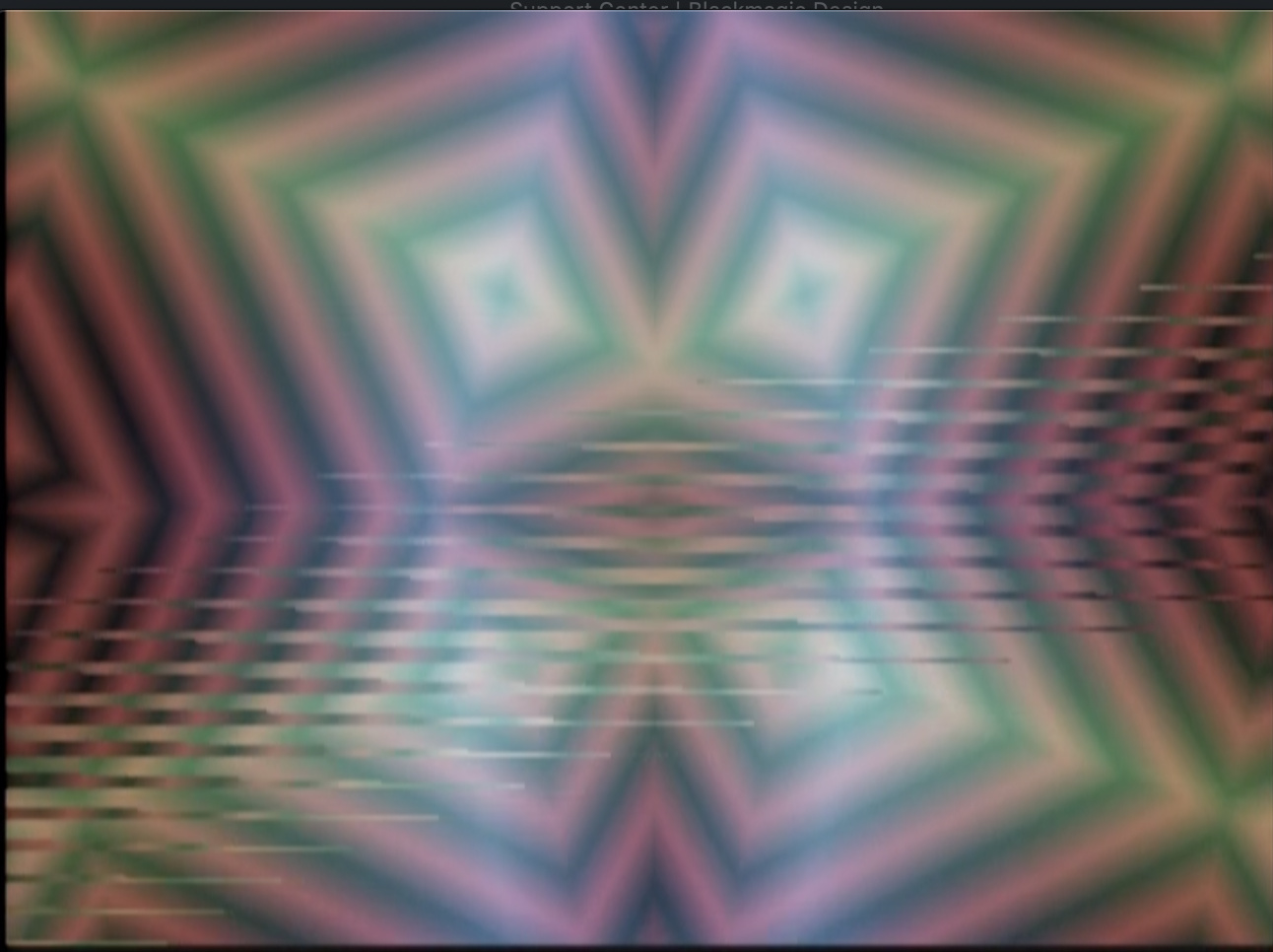


This is a known issue with V19 that will be corrected in V20 (coming soon!). Sorry for the trouble.
Good to hear! Thanks for the fast response!
I’ve never able to get anything going through the alpha or aux inputs on my MP. Does anyone have any tips? Generally working in Warp mode, and nothing I patch into those inputs seems to do anything. :-/
How these inputs work is conditional on the settings you have in the main menu page.
When the key mode is set to alpha it allows you to use an external key instead of luma or chroma keys.
The rest is in the Aux Mode, which controls alpha opacity, vertex mesh, or vertex spatial resolution. Patch some oscillators or ramps into aux and alpha and play around with those latter two modes, you’ll have a blast! Make sure to use the Aux slider.
when using the mesh stuff do yourself a favor and put some kind attenuation before the alpha input
I find it is so nice to use the AUX input and have control over the amount of the signal going to the effect
I use the bored brain splix so as to not tie up anything extra in the rack
koma cable these work too but I find the bored brain generally works better over more of the range of the slider
I’d be really interested in a firmware setting or hardware modification that would allow this. I can live with it but it would be nice to not have turbine sounds. 
I’m probably just not very good at searching - but where does it say what features are new in V19? Can’t seem to find that info anywhere.
The Memory Palace User Guide has a description of the current (V19) features.
When doing mesh stuff do yourself a favor and put a Doorway before the alpha input
Cool, thanks! Do you have any more MP tutorial videos in the pipeline, by any chance?
Yes, there will be a full module walk-through when V20 is released.
Woho, awesome! Thanks again.
I noticed the option for 5V scaling on the VC inputs seems to be gone on the latest firmware (I only see 0 to 1 and -1 to 1). Or am I missing it somewhere?
Also thank you @Genlok and @wednesdayayay for the alpha input tips! Finally wrapping my head around that action. Appreciate the help 
any idea when v20 will descend from the heavens?
Soon! Have you tried the beta release?
Is the newest update “memory palace v2.0.1 beta”?
i have not, super tempting, how risky is it?
Zero risk if connecting via USB, slightly riskier if removing the MicroSD (but still low risk).
^yes that would be me damaging my MP by removing the MicroSD card! It was stuck and wouldn’t dislodge when I tried pushing/removing so I thought it was a ‘pull’ instead of locking. That damaged the locking mechanism. yeah so now my MP is sitting at LZX awaiting repair!! So might want to just try the USB route
i have a question about stills and the memory palace firmware.
will it ever be possible to use a parameter (e.g., aux or delay) to scroll through stills while in warp mode?
I think you’ll be pleasantly surprised with the upcoming firmware.
What’s the estimated eta on that?
can’t wait! beta working great btw!
I’m not sure if this has been brought up anywhere else before, but the X mirror is never centered on a 4:3 screen, even when using MP in 4:3 mode. Being able to offset this manually in the options would be handy.
Centering is definitely in the discussions.
My update experience:
I went for the SD card right away and wasn’t ware that the sdcard holder needs a push in of the card in order that it comes out again. I applied some force (not much) until I realized how it works.
The boot afterwards failed stuck on line “media ok” until I set the sync to internal and then on “frame 1 ok”. Pushing the red and yellow button lead to an SD card error. Pushing the boot SD button on the back lead to a black screen.
I pushed the sd card on the back in several times and appied some force in the direction of insertion on the little clip that holds it. Since then the Mempal boots normal again.
Please add some red cap note in the update manual about the sd card slot if others can confirm this issue!!! It might happen to others as well.
^You’ll notice my posting earlier where I damaged!! Still in the LZX shop awaiting repair. Just go the USB route honestly. I think it’s safer and don’t have to bother removing the module from your rig to access the microSD card.
Hey there, I noticed in my DJ stream this weekend, that y Symmtery is inverting not just the image but also the field dominance order too in some cases. So as seen here the lower y mirror still image has stair stepping the the upper does not.

Anyone else encounter this? Something that could be improved in future firmware I wonder?
https://www.twitch.tv/videos/705590424
In relation to symmetry, several others have already mentioned the Y being lower than middle of frame with Memory Palace. I also noticed X being off center, and generally have to fix it with a slight scale and reposition of 20-23 pixels. But the X off center seems to happen with all my various brands of synths and video mixers, so better not to change the X, but looking forward to the Y position update. =)
How’s the beta v2.0.1 coming along? I haven’t tried it yet waiting for official consumption.
The beta works great. You should try it out. Updating is very easy. Simply put the BIN file into either the SD or internal drive and select UPDATE FIRMWARE in the System menu.
Oh really? You don’t have to do the usual firmware update process involving a PC?
You will have to connect via USB or remove the MicroSD card to add the new BIN file to either the card or internal drive.
Updated to v2.0.1! USB route is the easiest and preferred here!
Is there an overview anywhere over what’s new in the beta firmware? I just loaded it up, but can’t immediately see anything different.
The Beta just fixes bugs present in V19. The upcoming firmware will have lots of new features.
Ah, ok, thanks! I still have a bit of a “jittery” image that I had on the last firmware as well when using the media loader as source - it’s like there’s an ever so slight movement going on with the aspect ratio or something. But I’ll try it out some more tonight, see if maybe there’s some setting I have on that’s causing it.
The beta definitely doesn’t solve all of the bugs in V19. Lars is investing a ton of time into V20 official to make sure there aren’t any future issues.
Sounds great - thanks for the info! Looking forward to it.
Hey folks. Just wondering something about the V19 firmware. In V18 when in the WARP mode, I was able to have the original keyed image stationary in the foreground with the feedback in the background that could be zoomed, moved, rotated, stretched as needed. I believe this was just a matter of selecting the routing of the keyer(?). Am I missing something, or has that option been removed from V19? If so, would be nice to have that feature back in a future update.
Also, incase it hasn’t been mentioned yet. In lieu of notched sliders to indicate the dead zone, it would be nice if the display noted when the slider was at the 0 position. Either with a value, or a colour, or other indicator.
Oh, and this was a suggestion that I made previously for the V19 firmware, but it doesn’t look it made the cut. It would be great to have option for what the rotation is relative to. The way I prefer the rotation orientation is so that when adjusting vertical or horizontal movement, the rotating object moves relative to the display, not relative to the rotated frame’s orientation. Does that make sense? In other words, if the object is rotating, adjusting the Y slider up will always move the object up no matter where the frame is in its rotation.
Thanks!
[Edit: I wrote all of that not realizing that a Beta v20 firmware was released eons ago. Apologies if any of the above was addressed in V20]
just another little possibly bug report
when in paint mode you can use the softness slider as a decay so that your paintings fade out.
this is awesome!
I’d love to see a bit more decay time possible. It seems like there is a tiny jump between not fading out and fading out pretty fast.
(using latest firmware)
however if reflect or tile are on then softness seems to stop working altogether.
Are there future plans to add in a snapshot feature from the ARGB inputs? I wouldn’t imagine it could do full frame rate sampling but I’d be very interested to see an extension of the animation looping where individual frames could be directly pulled into the Media Loader in Memory Palace.
You can already loop the most recent 64 frames of incoming RGB (using Freeze and A/B in any mode but Warp). To put that into the Media Loader, you’d have to capture your video output, split into frames, and load back into Memory Palace via the usual route (which is fun to do over and over again).
Yup, that’s roughly my current process for playing back animations with content generated within the LZX system. Just trying to save a few steps.
When you’re playing through frames on the media loader, it would be cool to have an option to add a fade transition between frames rather than being a hard cut.
Any hints on when we’ll see some updates to memory palace?
Any hints on when we’ll see some updates to memory palace?
Release of a bugfix update to clear some existing issues is in a WIP state right now (but being actively worked on.) We should see that in 2021.
I’m reserving Q1 2022 next year just to bring all the firmware to the same place, so that’s when we’d see Memory Palace integrate some of TBC2’s new code. From that point, we should have our development pipeline stabilized and be much more responsive across all products. This is the current plan.
Read from this post down for info on that:
To elaborate a bit:
I don’t have all of those answers for you right now. We haven’t reached any firm decisions on what will change about the Mk2 hardware, or when that change will happen. We have not done extensive testing of Memory Palace to determine it’s capability to run natively in any of the new Gen3 sync modes. Only that we need to make the revision before it goes back into production. Since Memory Palace is one of our main products, getting it back into production is a priority. So we’re planning for Q1 2022, which is probably the first we’d be able to tell you more.
Our main mission will be to ensure that firmware development will continue on Mk1 and Mk2 hardware platforms in parallel.
Whatever the case with hardware sync/processing modes capability – remember, your Gen3 system can always run in NTSC & PAL modes and be 100% compatible with anything before Gen3. So at a minimum, there is full backwards compatibility already planned.
this also makes me wonder how the Escher sketch will do with the new non ntsc/pal sync possibilities
this also makes me wonder how the Escher sketch will do with the new non ntsc/pal sync possibilities
Escher Sketch is much simpler, since there is no video rate outputs or inputs, it can run without sync.
What about using a passage or doorway with the gen 3 modules? Will those expedition modules be able to process Automata signals (oscillators, ramps) that are synced to HD rates?
If they don’t have a sync connection on the back, they’ll just work. Maybe some slight softening of the image but I’d imagine no where close to when using audio rate commands. HD is faster than SD but it’s much smaller jump than from audio rate to video rate signals.
Thank you very much for clarifying that. I had a feeling that might be the case. Hopefully the softness is minor and useable.
I really doubt you’ll get the extreme blur you might be envisioning but we’ll all see for certain when we get our hands on these new modules and start patching 'em up!
Yes, this update to Gen3 isn’t a huge bandwidth boost on the analog side or anything. We expect the Gen3 modules to perform a little better on the bandwidth side of things, but most of the update on the circuitry has to do with noise floor and signal integrity in general.
The sync timings are not hugely different from each other. The big resolution increase comes at the point of sampling or digital conversion. An HD signal is sampled with a 74.25MHz pixel clock instead of a 13.5MHz clock typically used for SD signals. So it’s the same analog signal either way. It just gets sampled more times, in HD mode.
So how soft some images get in the HD timings, I don’t know. It’s not the analogue path that’s fundamentally changing – it’s the way that path is being encoded and sampled.
As this topic is supposed to be about Memory Palace V19, I’m going to shut it down. Could y’all post further suggestions/requests for future firmware in this thread?
Questions about Gen3 Modules can go here:
Suggestion for memory palace firmware
Hi guys, first of all thanks for creating the memory palace, I have two and they are not enough.
I created this tread for possible suggestions for future implementations on the module sw.
I’ll start with this:
is it possible to implement a menu selection for the folder because it takes a long time to load them all one by one if you want to switch to another specific one?
Thread Replies
Yes, the upcoming Memory Palace firmware will include a menu for image folder browsing. One of many improvements coming from the epic TBC2 firmware push.
Thank you!
Another question, it’s normal that with painting mode and directory with less than 64 frame and size<8mb sometime freeze and have some strange glitch? It’s because i use png?
Which firmware are you using? The upcoming firmware should be glitch-free.
I have fresh new memory with 2.0.1
I can’t wait for the new firmware
there is a max tot folders size? If i charge to much file it dosen’t start, raming blocking on charge screen
80 MB 32 folder
will this also be a push for diver?
From the Memory Palace User Guide:
Diver will receive new firmware at some point in the future.
This is the problem, i have 24 folder and no one is up to 64 images or with 2mb filesize

and on power-on it stuck here

i can provide the folders if ithey serve to replicate the bug
I don’t believe it has anything to do with the files. What is your sync source and routing?
visual cortex —> memory palace (in photo) ----> second memory palace
I tried even with no external sync but same error
I delete one folder and then it work…
Aha. If it works when you delete one folder, then you should proceed with that method until the next firmware is available. Do both Memory Palaces behave identically if you load them with the same media?
Yes they acting identical, thanx i ll wait the next firmware!
I suggest that mp should have a less noisy cooling fan.
Awesome about folders. Swapping folders during a live set is a real slow down, especially if you miss the one you want and have to go through them all again. Excited for a better system.
Yea me to!! I can’t wait to see the other upgrade to the system
Ok, why my memory can’t start with this set…
https://drive.google.com/drive/folders/1qReT_0Y7tWXVu9q8iYUVyF7Kc4TNelR3?usp=sharing
I can’t figure out

Maybe it’s a sync issue. My MP usually gets stuck on that screen when there is an issue in the sync chain. If your MP is at the end of the sync chain, then maybe check to see if the termination button is engaged.
Found the problem!
In V2.0.1 there is a limit to 1024 files.
Another suggestion it’s an effect for the loop of painting animation from the start
Hi, I’ve just got a Memory Palace from the rogue batch that popped up the other week. Yeah!!!. It’s on 2.0.1 and I have noticed that a lot of the text is black on a rich Sahara yellow background.
I’ve been finding that difficult to read because it is relatively low contrast. I find the white on black to be easier to read.
I appreciate that you might have made the choice because lower contrast is less jarring in dark performance environments. I also appreciate that any choice will not work for all eyes.
This isn’t a stopper for me. It just means that I need to grab a pair of specs, first, but that type of change would make my personal experience a bit easier (or maybe switch to a lighter shade of yellow).
Also, would you consider putting some subtitles on to the Johnny Woods MemPal videos to say what the equivalent V2.0.1 mode settings are? That would make it a bit easier to follow.
These are good suggestions.
I believe that V20 will have menu color scheme options (possibly customizable).
Also, there will be a V20 firmware walkthrough video (hopefully hosted by the popular J. Woods).
The next MemPal firmware will have to wait for TBC2 and Chromagnon completion, hopefully this fall.
i’m playing around in paint mode today on v2.0.1 and have run into a bit of confusion with the clear function which can hopefully be addressed in the coming update. according to the v19 thread here, as of v19 the clear button no longer clears the buffer. in v2.0.1, the clear button does indeed clear the buffer. which is cool! presumably re-implemented after complaints about the disappearance of such a useful function.
and now for the confusing bit: when i map the trigger input to clear and send it a trigger, nothing happens. or rather, something happens, but not the thing that happens when i press the clear button. using a trigger to activate clear only deactivates freeze if it is active, but if freeze is off the trigger does nothing. not sure if this is intended behavior or what, but it is quite confusing as there does not seem to be a voltage-controlled way of clearing the buffer completely. the only way to completely clear the buffer is with a manual press of the clear button when freeze is not active, or a double-press of clear when freeze is active (once to turn off freeze, once to clear the buffer).
even though this seems counterintuitive in my current patch i can see how this “clear freeze only” feature would come in handy. perhaps in a future firmware there could be an additional menu option when trigger is mapped to clear - one which toggles between “clear freeze only” and “clear buffer only” and “clear freeze + buffer” (1st trig clears freeze if active, 2nd trig clears buffer) modes.
Thank you for identifying that trigger mapping issue. Clearing the buffer by triggering Clear makes more sense than deactivating Freeze.
I would love to be able to select different output options for the Y output, such as
- the key’s alpha mask, or its inverse
- the luma of the input RGB
- alpha input passthrough
- animation-rate CV based on a selectable front-panel parameter. Seems especially useful for the X and Y position or parameters that can self-animate, such as Rotation/Hue/Center when Spin/Colorize/Scan are engaged.
sometimes when in warp mode and alpha keying with an external input the memory palace output flickers/stutters briefly and then the horizontal offset of my key is leftward shifted by approximately a quarter inch or more on my 24" display. power cycling once usually fixes it, but sometimes it requires multiple power cycles before the key displays properly. i am decoding an external source into visual cortex which is the sync daddy, and memory palace is the first sync baby.
I’d like to be able to save screenshots into a specific media folder.
This would be really handy for storing ramps that took a lot of crafting, or just for sharing the Memory Place output.
I’d like to see a -1v option on the CV ins (invert). I assume this would be trivial to make reality.
What is the current output resolution for the Memory Palace? Is it likely to be bumped up to HD or is that not possible due to hardware limitations? Will there be a run of Memory Palace again? I’d love to get one but they’re just impossible to find, new or used. I feel its exactly what I’m looking for and could replace a whole bunch of my outboard gear.
Memory Palace outputs the standard NTSC/PAL resolutions via both its CVBS and DVI-D outputs. HD resolution via the latter is being investigated. Memory Palace is will receive a design revision this year to allow it to share parts with TBC2 and Chromagnon, thus making production more efficient.
It’d be cool to have the gate/trigger input be assignable any button
This is the way it currently works. You can assign the gate/trigger input in the menu.
WHAT, no way! Well that’s perfect.
Where in the menu do you assign it?
System → Trigger
It’s so fun to be able to rhythmically trigger certain features.
Seems to be broken for “Freeze” - just turns freeze on and a second trigger doesn’t turn it back off. All the others work as expected, rad!
Least in my current patch (ghost mode, RGB, alpha, alpha)
Correct, that’s how Freeze works. Every time it is triggered it freezes the last two seconds in buffer memory. The Clear button releases the frozen frames.
Is there a technical reason that it needs to utilize a second “clear” button as opposed to just pressing it again to release? If not I have a feature request 
Maybe I’m not understanding how freeze is used in a performance setting - I’d want to beable to trigger it on & off.
Edit: Oh wait I think I get it
Exactly! You want to freeze something and be able to scrub through the frozen frames until the next thing you want to freeze comes up. That way you can remain in the frozen zone. So your trigger input can let you grab sets of frames rhythmically.
Triggering the Clear button externally allows you to clear the buffer rhythmically.
Perhaps a future firmware could allow you to rearrange how Freeze and Clear interact, so you could freeze/unfreeze with a single trigger pulse.
here is our MP paint walkthrough the freeze/clear combo is fully explained here.
it makes painting patches so much better to have them broken apart in this way.
although I bet if long presses or double presses were implemented in software…it would be easy enough to operate it with just one button.
this is the kind of thing I’m super excited about doing when/if the software opens up for MP.
Ty 4 link - makes perfect sense, I see why they’re broken apart. Still be nice if could utilize that trigger for freeze- oh well, just have to use a CV - MIDI which I happen to have 
Thanks for taking the time to explain Chad & Wednesdayday, much appreciated
I’d like a configuration option to be able to offset outputs by variable numbers of pixels towards the left.
When you do further analog processing on your outputs, they move to the right due to the time taken to get the signal through the circuit. If you are compositing based off luma or alpha, this can leave you with a drop shadow to the right. I regularly key off luma or alpha.
I see this with the Visual Cortex keyer and the Cadet Keyer. I haven’t tried the FKG3.
Due to the higher frequencies of HD, I’m guessing that this will be more apparent.
Maybe this could also be a worthwhile option for the TBC2 luma output.
Memory Palace could be adjusted to pre-compensate for downstream analog processing.
(at least, I think this is what is going on)


Remembered during my set last weekend that the Scan mode I would really like to have more control over, or at least be able to set it much slower than now, and maybe set a range somehow. For now my workaround is just using an LFO CV input, but would be great if the internal scan mode was more usable.
Have you looked into the menu for that slider? You can set three ranges for the speed. If the slowest isn’t slow enough, maybe we can adjust those ranges in the next firmware.
I’m I right in thinking that a HD output on the MemPal would require a hardware revision for future releases and not available in a firmware update for current owners. Please forgive my ignorance if this an obvious question to everyone else.
Yes, I think you are correct. ESG3 or Chromagnon would be required for HD output from Memory Palace.
or maybe HD via the HDMI port?
I’m confused by this. If MP is potentially unable to sync to different sync timings other than NTSC/PAL, then the way you’d get it into HD LZX land would be through an upscaler, which appears to be either TBC2 or Chromagnon’s built-in TBC/upscaler.
How would ESG3 which is basically just a sync generator/encoder allow you to put Memory Palace into HD timing unless MP would be able to natively support those HD timings anyway?
Following the line of conversation, isn’t that what they were referring to?
That a hardware revision for MP to process HD signal would also need to be accompanied by HD sync gen
Thank you, I have a Chromagnon on order, so I can try it out when that arrives. I’ve come to video from eurorack, so a lot of concepts in the video signal chain/format etc are very foreign to me.
If I run Chromagnon into the MemPal via the 1v io, then it would be scaled down, right? If I run the MemPal into the Chromagnon then the Chromagnon will upscale? I couldn’t mix these signals together in a mixer, because they would be different standards right?
At the moment I’m only manipulating still images in the MemPal, via the sensory translator and a Hermod, so I still only really have a theoretical concept of processing video.
Check out what inputs and outputs are on Chromagnon. There are composite/component I/O and then 3.5mm LZX 1V I/O. The RCA jacks for the composite/component IO have the sync signal embedded within them. The LZX 1V signals do not–they are just wideband 1V signals with none of the additional video signals required for display on a device.
So with that in mind, there is no upscaling/downscaling involved if you are taking Chromagnon’s 3.5mm RGB outputs into Memory Palace’s 3.5mm RGB inputs. However, they must both be synchronous to each other on the same video format or your images will scroll. Chromagnon generates and syncs to 15 different video formats, ranging from SD to HD. What we don’t know yet from LZX is if Memory Palace will natively support syncing to video formats other than NTSC/PAL.
As an example of theory, let’s say that Memory Palace is ‘stuck’ at NTSC/PAL timings. It generates NTSC/PAL and can sync to external NTSC/PAL signals but no other formats. That doesn’t mean you can’t use Chromagnon and Memory Palace together. You would just set Chromagnon to NTSC/PAL and sync Memory Palace to it (or vice versa) and the RGB I/O between the two would work perfectly.
What could potentially be an issue in this theoretical scenario is if you want to have Chromagnon in 1080i30 video timing as your primary sync generator and then sync Memory Palace to it. Memory Palace, assuming NTSC/PAL only compatibility until it’s otherwise confirmed, would not be able to sync directly to a 1080i30 video format and the RGB outputs from Chromagnon into Memory Palace would scroll on the output.
To illustrate more, you could take Memory Palace’s composite output (or any NTSC/PAL signal) and feed it into Chromagnon’s TBC. Memory Palace would then be upscaled/downscaled to whatever Chromagnon’s video format timing is set to (assuming not NTSC/PAL). You would not be able to patch the RGB outputs from Chromagnon into Memory Palace or vice versa because they’re still not talking the same video timing format. If you’re monitoring from the encoder on Memory Palace here, Chromagnon’s RGB outputs into Memory Palace would scroll or just look like total nonsense.
The opposite in this scenario, i.e. plugging Chromagnon’s composite/component outputs into Memory Palace directly, isn’t possible because Memory Palace does not have an input amp / TBC / scaler. You’d want to use TBC2 in that case.
For the mixer bit, it entirely depends on whether you have scalers on its inputs. For instance, a V-4 absolutely will not take a 1080i30 signal but a V-40HD will up/downscale most common video formats in SD/HD handily. Does that answer your questions?
I’m sure we’ll hear more about whether Memory Palace can support other timings than NTSC/PAL at the time it’s confirmed. Other than that, we’re all just speculating. 
Thank you so much for taking the time to write this. It makes a lot more sense now. I wasn’t aware that the 1v signal didn’t have the clock embedded. I’ve always seen sync gen as the clock sync in audio gear, akin to a ‘pulse per quarter note’ etc, but you wouldn’t hear that signal in the audio. This is what I struggle with, but that’s probably me trying to force a concept in my head.
Thanks again anyway. Food for thought.
This has not been confirmed, yet. It will certainly be explored.
Thanks, I have been using the lowest speed “walk” setting for everything since I got my two. Double checked again yesterday. I think everything that has speed settings could using two more slower options, crawl and snail. Very slow movement is great with MP and for now I can only use external modulation for finely controlled slow speeds.
Still think being able to set a range on the internal scan function would be great too. Using external cv and the cv input control works well for doing ranges for now though.
Would love it if Reflect and Mirror mode would do proper order of interlacing. It adds nasty stair steps to anything that is reflected or mirrored upside down at the moment due to flipping the interlacing improperly. See it in this video, you can see the image smooth on the normal, and stair steppy on the reflections.

NEW UPDATE 2.0.2 [ products/eurorack_modules/orion_series/memorypalace/firmware_v2.0.2.zip at master · lzxindustries/firmware · GitHub ]
@creatorlars “This one includes some fixes for progressive processing modes, and hopefully resolves” the above issue.
Is there a change log anywhere?
It’s not a major release – a couple fixes, some resolution enhancements, and a new progressive mode (which should help with the interlacing artifacts)
v2.0.2 Change Log
- Increased resolution on vertex calculations
- Added progressive warp mode
- NTSC underscan fix
- Max file and directory count fix
So no more limit 1024 file?
20 characters of thank you for this.
So no more limit 1024 file?
This fixes a crash caused by having too many files on the card. It does not add extra frames to the amount of available memory.
Can you explain what the progressive mode does?
It relates to whether we are processing the NTSC/PAL frame (720x486) in the recursive loop or the NTSC/PAL field (720x243, with odd lines processed before even numbered lines.) If you have a naturally interlaced source like a camera, or an LZX system, you want to be processing the fields, otherwise interlacing artifacts end up in the feedback loop. But if your source is progressive (like the image loader), interlacing artifacts are introduced by field rate processing. So it’s nice to have both options.
Image loader is my main workflow, so this is amazing, thank you! Also curious to test if the seams are missing from input now due to the under scan fix, today is the day!
Unfortunately all the interlacing issues remained after installing v2.0.2RC1 found on the above GitHub link @creatorlars
Tests confirmed that the same stairstepping error seen above appears when using Y mirror, and Reflect modes. Both on image loader only source, and from a Vidiot input only source. I have captures from the DVI-D/HDMI output and can upload if needed.
Seams on Vidiot NTSC input also remain, but uncertain if that was an issue covered by under scan fix.
I noticed the boot.bin file was timestamped December 2021, maybe a newer one needs to be uploaded? 
Is this issue DVI-D specific, or are you seeing it out of the main outputs as well?
I noticed the boot.bin file was timestamped December 2021, maybe a newer one needs to be uploaded?
No, that’s when the version was released. We needed to test before posting, which we did – but everything’s been so busy we forgot to post it until now!
Yes @creatorlars I just tested this as well. I see the interlacing error in the cvbs 1 and 2, and s-video out as well with image loader and input. Though it’s a little less pronounced in s-video. Darn better luck next version 
I’m trying to update to v2.0.2
But when I try to extract/unzip the files, i get the error
unable to expand “BOOT.bin”. It is in an unsupported format
Any ideas? Have I missed something?
Are you trying to unzip the file, BOOT.bin?
You shouldn’t need to unzip a .bin file. You only need to unzip a .zip file.
ah, I was being thick.
Looking at the .pdf guide I expected multiple files - I can see now they’re stills & json folders and the boot.bin!
Cheers!
I’d like an Aux mode that is a post process brightness boost and attenuator.
Sometimes you don’t want a lot of feedback repeats, so you control that by pulling down the contrast. The problem is, that leaves you with a dim image out of the MemPal.
You could bring this back up to desired levels with this Aux boost.
Maybe it would be possible to also use settings below 50% to attenuate the image, so that you could see detail in some of the blown out areas at the expense of some of the areas that are typically visible (they would tend towards black).
@creatorlars Would it be possible to get options for 5v (and -5v/+5v), and maybe even 10v scaling for the VC inputs? I know that was included in earlier firmware versions, but not the recent ones. Since these inputs don’t run at video rate (or audio rate, far as I can tell), I typically find them happiest with relatively slow mod sources (i.e. 5v audio modules).
I think 10 V scaling is impossible due to the limitations of all LZX power.
But 0-5 V and +/- 5 V should be an option for any digital computer like Memory Palace.
I love getting feature requests for features already present! You can find the +/-5V, 5V, +/-1V and 1V settings in each slider’s detail page. They used to be on a global settings page, but moved to the individual parameter options.
I think it would change the feedback behavior to do this. You could use a gamma or curve processor in your patch to bring up some areas of low contrast. Gamma control in the feedback loop or as post-process in module is something we’ll consider in the future.
just moving from v18 to v202. everything is ok and menu navigation is more intuitive in my feeling and new features & bug fix are great <3 .
but, on v18 I was working with the alternate keying control : keyWhite/keyBlack instead of width/center,
on v202 I can’t find this feature. Did I miss something, did it disappear or am I confuse…?
It is the same, but selected differently in the menu. Choose LUMA as the key mode in the PARAMS menu.
not sure i am fully understood, luma key is ok then width & center sliders act as named, but I preferred the old alternative assignment when “width” become +key (white ‘top window’) and “center” become -key (black ‘bottom window’). Now I’m doubting on my memory, did I dream this feature?
Actual version = 2.0.2RC1
The function is the same, using width (the width between the top and bottom key on one slider) and then setting where that width falls on the grayscale spectrum using the center control. The result is identical, but achieved in a slightly different way, using the sliders. I can see how setting the top & bottom (and thus the range and center) like you were used to makes more sense visually, looking at the sliders on the panel.
ok, thank you. so it was a fantasy in my mind or an alternative early firmware (v18 from an early batch MP : 2018 ; s/n 0071).
I oftenly work on analog feedbacks (camera and signal) and I feel it’s more comfortable to work with key+ / key- controls for live ‘sculpting’. I don’t wanna risk to turn back to v18 to see if I dreamed that, last update was tricky and v202 is really great…
Cheer’s
Been looking around the forum spaces. Is there a timeline for the firmware updates? I know the roadmap is always changing.
There’s definitely not any specific timeline to any firmware updates. They’re released as time permits/projects prioritized. Right now we’re hoping for some TBC2 updates then MP.
Having the option to switch from width/center to top/bottom would be awesome (as I would find the latter more intuitive too).
We need to get Memory Palace back into production with mk2, so new development (including updates for mk1) will be attached to that project. Chromagnon / TBC2 projects need to be wrapped up before we go there.
I’ve got MP for a little over 2 years now and still use it in almost all of my patches.
A suggestion for a new firmware release from me would be a new mode: vector.
It would be amazing to use the software to create a vector-synth like RGB infused moving image processor with composite out.
For the rest it’s already surpassed all my dreams 
Would love it if the interlacing error in Y mirror, and Reflect modes was fixed asap, shows up in all my / our MP works… love those modes.
Would love it if the interlacing error in Y mirror, and Reflect modes was fixed asap, shows up in all my / our MP works… love those modes.
Answer from @creatorlars
That’s just a byproduct of interlaced video running thru a texture mapper. So a change would be a new feature rather than a bug fix.
It’s an error in the way the system mirrors interlacing, not a bug. Looking forward to the fix in 2035 


Memory Palace V2.0.2 is now available. The update adds a screen saver to help prevent screen burn. GitHub - lzxindustries/firmware: LZX Industries Firmware Downloads
Thanks for releasing the update! Just installed and no issues !! I noticed the best way to remain on the current page after the screen saver goes black screen is to just use the arrow keys.
I’m having some trouble updating to the newest firmware.
Loading direct through the usb port made everything unreadable and the device could no longer boot.
I then removed and wiped the sd card and copied the new files. It’s running the old firmware (2.0.1) and selecting Update Firmware from the menu does not work and restarts the device.
Thanks for the help!
There is only one file required, named BOOT.bin. Whether you are using the SD card or the USB connection, be sure to remove the old BOOT file before copying over the new one. Select “update firmware” in the menu and choose the location of the new BOOT file. Once that process is complete, restart the module (from the System menu).
Got it to work; thanks!
Memory Palace Dev Blog July/August 2018
I thought I’d take use of this new space to do some journal writing about the day-to-day here in the LZX lab as we enter our sprint towards the release of the Orion Series commands.
Right now amidst a hectic production schedule with restocks and Vidiot, @eyesnoface , Ed and I are working on the first rev of the production boards for Memory Palace. This is the point in which we take what we’ve been doing with various prototypes and development boards, and implement the full vision for the first time. We need to be production ready by September, and we want to make sure there’s time for a couple revisions of the circuit boards if need be, without effecting the schedule.

Photo by Zach Michels, who we were happy to receive a visit from on Monday.
It’s an especially tedious phase of module design and production, as not only do we need to design the circuit boards and frontpanel CAD files, but every part in the assembly needs at least one reliable source/supplier, and all the variables of stocking levels, lead times, and costing can quickly become dizzying. This is one reason we like to do product series – they share a lot of the same parts, and some of the liability and cost is spread across several products rather than one. Without this strategy it would be difficult to make it all work!
The first module in a series, with lots of new parts and circuitry, is always the most work. In this case that’s Memory Palace. The assembly has three PCBs – Jonah is working on the main control PCB while I work on the display and interface PCBs. Here are some quick renders of where I’m at with the first two boards.


We’ve still got some polishing and review to do but I am very happy with how it’s all coming together at this stage. It looks like we’ll be ordering boards to build up this first revision by the end of this week. Hopefully it will be the units we show at KnobCon!
@dave has been polishing the frontpanel silkscreen graphics and also working on pixel art UI graphics for the display. We’ll be able to show you some of that next week.
Feel free to ask questions and be part of this with us!
Over and out,
Lars
Thread Replies
Love seeing the development process. It helps me understand better how to use these wonderful tools as I can see the design goals, the issues, and the solutions that lead to the final product.
I’m paying attention to the people behind the curtain! Thanks for peeling it back a bit for an insiders look. So excited for this next phase of Orion! 
Thank you both! I’ll keep posting these. You know earlier this year we were talking a lot about the type of promotional content we wanted to be part of our company. And it all came back to all the early inspiration we used to get from Behind The Scenes features on old VHS tapes, or educational specials. The Reading Rainbow episode where Levar Burton takes us to the set of Star Trek: The Next Generation being a huge one for me personally. For @eyesnoface I know it was a love for practical effects, mask making, horror fan magazines, etc. We feel like marketing can be a little forced sometimes, but showing what we’re actually doing – nothing could be more honest than that.
Today I’m continuing to refine the interface PCB, optimizing traces and polygon pours.
Here’s a screenshot of something you don’t normally see, one of the internal layers of the PCB! (This PCB has 4 total layers, two internal and then top and bottom facing.)

The colored polygons are different power planes that distribute power to various points on the board. Planes like this have very low impedance and help with controlling noise/crosstalk.
It also looks pretty! 

Prototype frontpanel arrived for silkscreen testing. The final powdercoat will be a dark charcoal as opposed to this flat black.
OH BABY BABY
so nice.
this is a thing of beauty
looking good


First test print of the panel. No closeups because we had to wipe this one! A different ink has been ordered.
Couldn’t choose a better marketing strategy than showing off what goes on in that HQ. Ace work, loving the updates and behind the scenes looksie.
Those 3d modeling type shots are so hot, I remember seeing my first CAD drawing in 3d… So exciting. Useful as all hell too, glad there’s something similar with PCB’s.
Hats off!
Proud to say that after a rigorous review, all 4x Memory Palace boards and all 2x Escher Sketch boards are complete and have been ordered! The countdown to KnobCon has begun.
YESSSSSSSS
congratulations
how deep are you expecting memory palace to be?
Very shallow. Same as Marble Index & Polar Fringe, which are two stacked boards but on very low profile headers. Keeping the power header and any RCA jacks on the lower board means the mounting clearance is the same as a single board module. In addition to the stacked boards, there’s a display board that sits very close to the panel (it has the DVI connector and display+buttons on it) and a tiny adapter PCB for the USB OTG Mini AB connector.
After nearly (or more than?) 50 designs, we’re getting the hang of this EuroRack thing!
pancakes behind the panel and pancakes within
so it has been written
First look at packaging.


An exhausting week over here so far. The pre-production prototype boards arrived and we’ve almost got them built up. At this stage, everything we can verify is an item checked off a long list of things we may need to correct before the production version – so far, we’re looking good!


Assuming those few unpopulated things (U3, S2, R35, R36, etc) are intentional?
Otherwise, I think I figured out why it won’t turn on! 
(In all seriousness, though, I love the dev blogs!)
Yes, we’ve got a couple more components to place! We won’t be turning it on for the first time until tomorrow morning. We have a rule around here that we never fire up a new prototype at the end of a long day! 
or on fridays… thats the rule we use to deploy systems lol
Happy to report that we have our first prototype booting up and most of the peripherals verified at this point. The first unit is on its way to Ed in Sydney, and we’re building up a second one today so we can work on development in parallel.
The keyer in Memory Palace serves as a way to create an alpha channel for sources that do not have them (luma/chroma key), as an alpha channel processor, and as a kind of pre-buffer write conditioner (so, luma key based writing creates luma trails effects when masking the input to the buffer.) It can also composite between the input and feedback path. It’s not a patched out key generator module like Doorway and Polar Fringe, or an alternative to them, since it’s tethered directly as an integral part of Memory Palace’s workflow and signal path, which is complex and designed to be a next generation video feedback instrument. Using it as an alpha processor with ramps or patterns as input sources is just as powerful as the luma/chroma modes, since there is a video rate alpha input. You could think of it as a post-processor for analog keys, or as a way to selectively write things into the buffer, or composite feedback into the signal path.
I’m wondering about that DVI output since I first saw the inicital draws of memory palace. I think one of the main problems working live with analog video today is having to use a projector or LED screen that only allows digital input (or maybe it’s the only one generally used and there for it’s the only cable present on stage).
so my question to you Lars is, are you doing latency tests with that output? having something on the modular itself that allows to convert to digital and has low latency would be a huge plus <3
There will always be some latency through a frame buffer in general, and also at the frontend of a projector, but in terms of the IO on this module there shouldn’t be any latency comparatively between the analog video and DVI outputs.
I have a question regarding CV control of the Delay input on Memory Palace: is this input designed for video rate signals, or would it work best with slower frequencies? If you were to send, for instance, a vertical ramp, would the left side of the screen be moving at a slower pace than the right?
All of the modulation/CV inputs on Memory Palace will be either audio rate (so vertical displacement possible) or animation/LFO rate. By its nature, frame delay time modulation won’t respond to frequencies above the actual time delay (the modulation must happen slower.)
The exception is the alpha channel (and its corresponding modulation input, the opacity control.) If you wanted to crossfade smoothly between delayed and non-delayed versions of the image, that’s what the internal alpha compositor/soft keyer are for. You could input a vertical ramp into the alpha input and use that to fade (using the internal compositor) between what’s inside the buffer and the incoming data stream.
There may also be a slitscan mode, that specifically uses internal wipe patterns and a soft key based mask (controlled by an internal LFO) to do time displacement effects.
I can’t wait to talk more, but if I talk too much I won’t have time to implement half the cool features I’d like to before launch.

yay things to come
Can’t wait to see it at Knobcon! I am dying to ask some more questions, but I can wait… maybe… lol.
I am ready to start answering some questions, especially if they are specific.
are there gonna be Easter eggs on my digital video module? 
Of course!! Maybe even a bunny.
will there be the ability to scale the CV inputs via the menu or will that be relegated to attenuation/cadet scaler etc
how many levels deep is the deepest menu currently?
you mentioned somewhere that there may be variable slew on the sliders that could be set via the menu. If that is correct is there any potential for something like a clocked sample and hold? where the clock speed was static and definable via the menu and the sample input is the slider
and if we are dreaming since you have left some mystery in the menu it seems will there be any way to potentially reference a slider say the delay and scale/sum it with another slider say the opacity?
I wasn’t going to ask questions I promise
haha
will there be the ability to scale the CV inputs via the menu or will that be relegated to attenuation/cadet scaler etc
Through the menus. Whether or not it will be a global CV scale select or per channel is one of the issues on our list for RevB hardware (which we are working on now, and will likely be the production release.)
how many levels deep is the deepest menu currently?
Current wireframe is 16 different settings, most of which select between 2-3 options. Currently not at a point where we need to have different pages. Most of the work on the menu and UI tweaking in general will be done in the next few weeks. We’re trying to keep it elegant and simple – the complexity comes from all the different combinations of the 13 slider based controls, the settings menu just defines the context they operate within.
you mentioned somewhere that there may be variable slew on the sliders that could be set via the menu. If that is correct is there any potential for something like a clocked sample and hold? where the clock speed was static and definable via the menu and the sample input is the slider
We could do that, probably as a stretch or post-release goal. But in general, that’s what the trigger input is for. You can assign the trigger input to toggle or gate a switched function (such as any of the 13 pushbuttons or some other internal parameters).
and if we are dreaming since you have left some mystery in the menu it seems will there be any way to potentially reference a slider say the delay and scale/sum it with another slider say the opacity?
Non-linear relationships between the CV inputs and slider controls are possible since they’re sampled separately – but in general what you’re describing (modulation summing and gain control) is something we feel like is best patched with analog control signals outside the module; part of the nature of the modular synth as an instrument. You could mult a CV source to multiple inputs at once and then use attenuators/offsets to define their control range.
Sooooo … Im starting to think how Ill be using Memory Palace in performance/concert. Im asumming there will be some sort of presets save/load stuff…
so when I use presets during a performance, and then I fiddle the effect so much (let say just before the climax/chorus…) I really like to come back to the initial preset via a reload optio, it will be nice to be able to quickly reload just the current page/effect settings not the whole preset.
Im thinking each part/fader of the MP will probably have settings, and just wanted to understand if there will be a reload option for the current settings of a particular fader, in addition to globally reload/load the preset.
A reset option (also individual and global) would be nice, to reload the original/factory settings for that particular fader or tge whole preset.
This reset option is very usefull when learning a new instrument, because it helps you to creatre a known starting point or baseline that you can always come back to start experimenting again
There won’t be any preset save/recall for any of the performance oriented stuff – we placed all of that on the frontpanel so that you can play it like a synth and don’t feel like you have to do any menu diving to use it as an instrument.
The settings are more like configuration options, like blending mode selection (sets the context for how feedback is composited with the incoming signal), midi channel selection, DVE position in the signal path (pre-keyer, post-keyer, etc), video I/O formats, customizing the response/lag of the sliders, etc. There will be a settings profile save/load, but the intention is that it sets up the context for the whole patch/performance rather than being a live thing. I think it will make more sense in context once I post the settings.
I think for what you want (performance based recall that can switch between totally different looks instantly) you will want to use an external MIDI sequencer and manage your presets on the controller side. For me this is very interesting in the context of USB-MIDI control in concert with editing software or a DAW, so you can do parameter automation in time with the timeline.
Think of the settings menu vs Sliders/Buttons as a DSLR camera. On the DSLR camera menu you have lots of access to settings that you may change before or after you start shooting. While you are shooting, you have the exposure wheel, button, viewfinder, etc to interact with.
Or another analogy is that the settings menu is more like the type of strings you pick for your guitar, and how you tune them before you play.
Gotcha! I was thinking MP as a instrument… similar to an audio synth, thats why I make all those assumptions.
I guess the concept in LZX instruments is more like a Guitar or a Trumpet (in a video orchesta), rather than an Hardware with Digital Synthesizer (like Elektrons, TeenageEnginering, etc…).
Yes, that’s the idea. Part of it is that Memory Palace is a component of a modular instrument, and we want the modulation interface for a modular instrument to be hands on controls, patch cables and voltage control! So the complexities of routing and so on, should come from how you patch.
We will do an Orion series standalone instrument at some point, likely a year or two from now. That will be a different context, and may be more like the video equivalent of an Elektron style synthesizer. For now we feel like modules are the way to go when it comes to the frontier of experimentation, opening up new contexts for use and multiplying possibilities.
Good questions, @DesertMuseum
One more: Will MP’s a-to-d converter be the glorious resolution to all the complications of bringing SD footage into an HD world?
wow that is fantastic news
I’m not sure if it would be something worth exploring but can it be toggled at video rates?
a happy medium that pairs a couple channels together could be nice too
opacity, hue, saturation, brightness
threshold, soften
delay, feedback
X,Y
rotation, zoom, stretch
or something along those lines
but then again there is something nice about the simplicity of global CV scaling
Yes.
Unplanned feature, but possible with the hardware. The analog outs (RGB + CVBS/YC) will always be the same signal, but the DVI out could take its feed from a different part of the signal path and may be capable of additional resolutions. The real question is what you mean by “dry and wet” and why you want it. We’ll let you tell us after you get a chance to play with it.
wow that is fantastic news
I’m not sure if it would be something worth exploring but can it be toggled at video rates?
Probably not, but that’s part of the reason for the internal keyer and alpha channel (video rate key input.) The Opacity CV slider/channel are video rate analog as well (they sum with the alpha input.) So you can create a video rate effects mask with an external key, gate, or gradient, for video rate wet/dry switching.
a happy medium that pairs a couple channels together could be nice too
opacity, hue, saturation, brightness
threshold, soften
delay, feedback
X,Y
rotation, zoom, stretch
or something along those lines
That’s possible! The sections are divided up like this:
Opacity (modulation for the Alpha channel input)
Hue, Saturation & Brightness (related to the CSC: colorspace converter)
Threshold & Softness (related to the Keyer/Alpha compositor)
Delay & Feedback (related to the frame memory storage and its feedback loop to the keyer)
X, Y, Rotation, Zoom, Stretch (related to the DVE, digital video effects)
Most of the pushbutton features are related to the DVE, the others relate to parameter modes (auto-scroll, auto-spin, etc) and some are related to the buffer (clear/freeze)
We’re focusing on 480i/576i resolutions right now, but will add HD formats and an upscaler for the DVI output if we can (the hardware is capable of it.) A lot of that has to do with whether or not we take a processing hit that in any way compromises the effects themselves. We’d of course love to offer multiple upscaler modes that can be tuned. All that said, the 24-bit RGB signal path and uncompressed memory/feedback of this device does things to SD video that are smoother and richer than anything I’ve seen before in the format. It preserves the beauty of the analog signals in a patch incredibly well, and that’s our biggest priority!
Are there Settings/options that MIDI can tickle which aren’t available to modulate via CV inputs?
No, probably not. We’re trying to avoid feature creep in that direction entirely. However given that there’s only a single trigger/gate input (which can be mapped to anything) you could probably have a lot of fun doing more complex sequencing of the pushbutton modes via a multi-channel MIDI trigger sequencer.
With this piece of hardware, we already have the core application running and looking beautifully – what happens for the next few weeks is implementation of all our stretch goal features. The priority for us is to push the hardware to its limits (providing maximum value to all of you, in owning a dedicated digital video platform) but those pushes will likely be in the area of maximizing the fidelity and latency of everything in the core applications rather than adding new features, unless it makes sense to do otherwise.
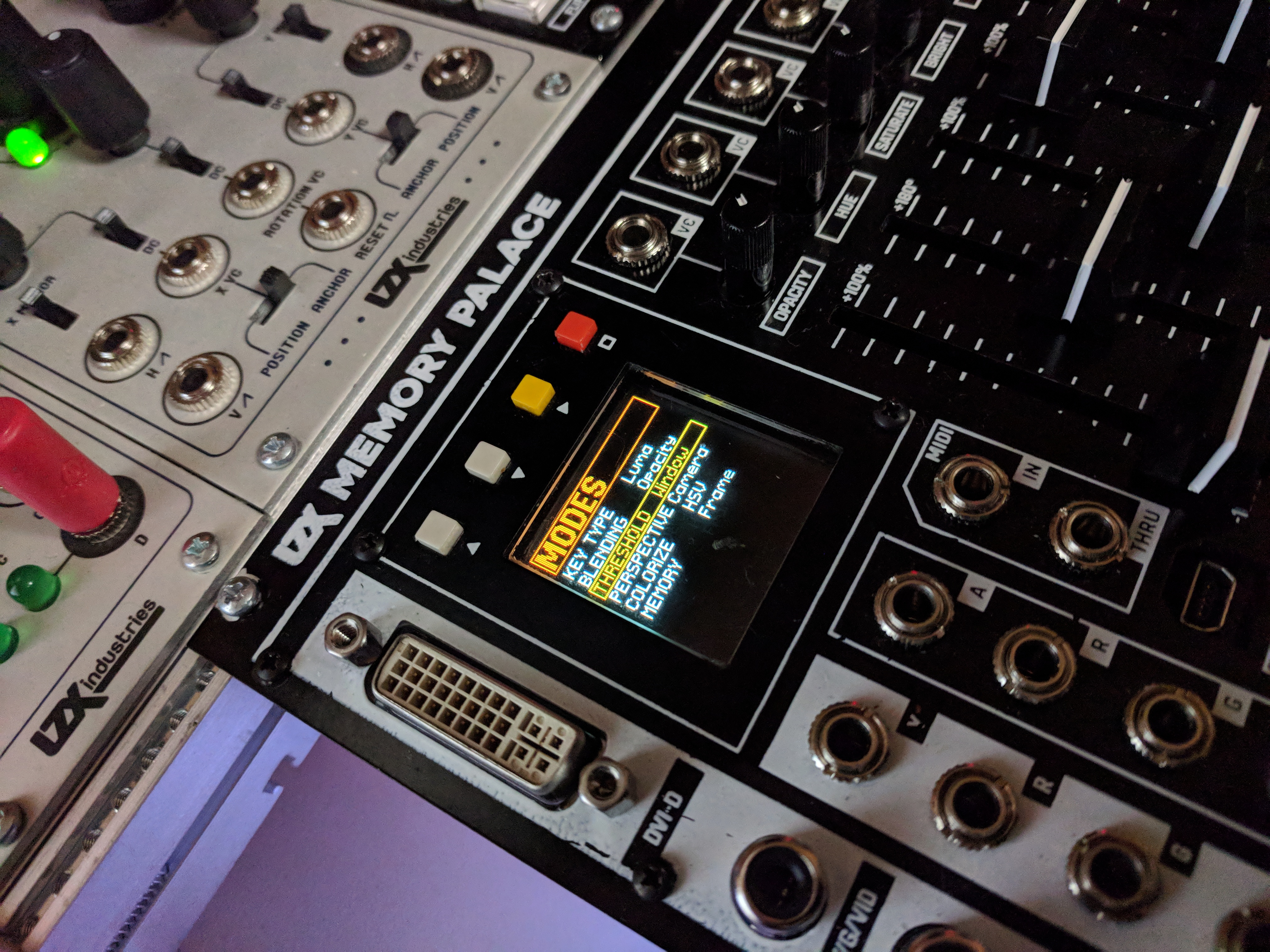
That display looks fantastic! Simple, E-Z to read layout. More and more psyched every time I get another glimpse.
Thanks! We just finished making custom fonts today. This view shows the current version of basic parameter selection screens, but some pages will also have animated elements (that respond to the sliders) and we’re hoping to get full speed video preview going as well. The OLED really looks stunning in person.
looks very nice thanks for sharing
Is the soften circuit similar to edge feathering or even across whole image?
That’s the edge softness of the key.
Memory Palace Specs & Feature List
Basic lists of features and specs, as well as some simplified routing diagrams have been posted here:
Memory Palace will have the same user reference card type of document as recent Expedition modules posted in PDF format before release. Please feel free to comment here with any questions.
Thread Replies
I would like to know if all buttons are toggle or if make sense or ita possible to have some buttons as momentary (effect its only active wjile button its been pressed, when release the video returns to original state) another question I have is effects/mode buttons can be used with some sort of transition or easing or instantaneous the change when the button is pressed? if so th transition speed could be configured?
I would like to know if all buttons are toggle or if make sense or ita possible to have some buttons as momentary (effect its only active wjile button its been pressed, when release the video returns to original state)
By default they are all 2-state toggle based parameters, but I don’t see a problem with putting momentary behavior as a configuration option on our development list.
another question I have is effects/mode buttons can be used with some sort of transition or easing or instantaneous the change when the button is pressed? if so th transition speed could be configured?
No, all of the transition based parameters are on the sliders with CV inputs already. The buttons are only used for parameters that have a binary state. If you want to transition from one of the binary effects to unaffected input, this is what the keyer (and alpha channel input) are designed to do. Or external compositor.
I do like what you’re suggesting – it’s similar to the intention behind the pushbutton control for the animation generator on Visual Cortex (push to transition, use rise/fall to set easing and transition speed.) But in terms of the LZX system architecture, it’s something to put on an animation envelope / sequencing module to be used as a CV source.
With the internal feedback loop, each control cascades to a series of related actions in the buffer repetitions – so there are many very performable transitions just with slow slider movements; especially moving two sliders at once, or moving one slider with LFO modulating another, etc. With analog we are used to creating or altering just a single element at once when a knob is turned, whereas in the buffer feedback context the echoes create a whole sequence of complex movement based on simple input motion.
I’m curious about powering the Memory Palace via 12V DC auxiliary power connector to “reduce drain on your EuroRack”. Does that mean you can power it entirely via auxiliary power, or would you still need to connect it to your main PSU for additional power?
I’d love to know too
with the liquid tv you can power it externally but it still needs to be connected up to the euro power rails
I’m pretty sure I read somewhere that the 12v dc is for the logic board and you still need to power the control board from eurorack rails, but I might be wrong
My understanding, which might not be full, is that the Liquid TV needs to be attached to euro power for sync purposes, even when powered by an external 12V DC connection.
You still need connection to EuroRack rails. Using the external 12V connection is for cases that might otherwise be strained on power load – when used, the EuroRack power draw drops from +450mA/-40mA to +/-40mA. If you have a EuroRack power supply that takes a 12VDC brick (like Malekko Power) you can use the same brick to power the Memory Palace and your Euro supply (Vessel makes this easy, with its internal DC barrel connector, you can just use a 1 ft’ 2.1mm barrel cable, like used on guitar pedalboards.) So essentially it’s the same deal as with Liquid TV; a way to offload the excess current taken up by the displays and digital circuitry.
I have a couple of these and imagine they are up to the task.
You will only need 12V 1A or so, for external 12VDC adapter. Look for the ones sold for CCTV systems. This one for example, looks great:
Those Johnny Woods intro videos are really nice! Always great to see someone step through features one-by-one.
So many interesting possibilities with MP!
Just a heads up, the link in the OP no longer works.
+1 on the intro videos. Those got me drooling. Very easy to follow, I wish he could make videos like this for every LZX module!
Hi @creatorlars! Memory Palace is amazing. Great work.
Feature request: Would it be possible to configure its YRGB outputs to send ramps and sync (2x ramps, 2x sync)? Especially when using MemPal as the last step in the chain, this would be a super handy way of getting these signals w/o needing those extra modules in the case (for me anyway :D).
@giantmecha No I’m sorry, that feature is not possible. The YRGB outputs will always be showing the same color video source as the CVBS/S-Video outputs (it’s the same encoder chip for the YRGB and CVBS/S-Video outs, they’re not individually addressable). Memory Palace is not a standalone module, it is an expansion module for a system that assumes Visual Cortex as the core module.
Ah okay, gotcha. Thanks for the speedy reply! I’ll figure something out.
You could get a Cadet I Sync Gen + Cadet IV Ramp Gen to get those functions in 8HP.
As a standalone unit, the MP’s stills loader could replace the ramp gen in some ways.
Here is another feature suggestion for the ‘stills’ menu.
Currently when selecting the image still, with the arrows you select/toggle between folders and the image sections, and then if you press the yellow square button you change either the folder value or go to the next image on the current folder.
My suggestion is to swap the controls, to use the up and down buttons to move between images or folders, and the square yellow button to toggle between folder selection or image selection. Its a bit (not a lot) annoying to do a lot of clicks on the yellow button when the images you just loaded is the previous one since you need to fully cycle all the images in the current folder… the same will happen when we have too many folders.
will/can the memory palace accept HID messages? I suppose I could wrap something in max or PD to output MIDI instead
Is there a “hard reset” button combo for the MP for when it crashes? Or just best to turn the case power off and on again?
Why or when is it crashing? Make sure your case has enough current and that there is ample airspace around the rear fan. The only crashes unrelated to power we’ve had so far have been related to the SD card interface.
I think it’s happened twice now. Not sure what prompted the first one, but today’s was a patch with lots of feedback, and then (accidentally) hitting the A/B button…it crashed on a very feedback-y frame and I couldn’t get it out of that state. Added up the power and it should be okay, and I think there’s plenty of airspace.
Cool, that does sound like an SD card interface related glitch (when you hit any button, there’s an SD card access and save state.) We should have some of that cleared up in the next release, but admittedly distracted by production and end of year accounting right now. Can’t wait to get back to Memory Palace.
Okay cool, good to know. Will keep you posted on any more crashes as they arise…
MemPal is so dang cool, thanks for your amazing work. Barely scratching the surface.
@wednesdayayay One of the big sprints this year on Memory Palace will be to get some USB host drivers running for USB MIDI, USB HID (I want a trackball!), and potentially USB Video Class. So not yet, but it’s on the agenda. A lot of this stuff will be developed in tandem with TBC2 and future Orion Class III modules, as it’s one of the ways we’re able to fund development, is to treat it like a group project for the whole series.
A trackball would really tie the room together.

Single link. Dual link is used by graphics cards that can use a splitter to send separate video feeds to two different monitors.
DVI doesn’t take audio, that’s just for HDMI. If you need audio, you can use one of those HDMI audio splitter thingies (haven’t tried this one, but there’s lots out there):
@creatorlars what about statut leds in the back panel, could you describe fonctionnality?
In my mind the straigh way to do it is using an arduino, mixing PS/2 and midi librairies… If I’ll get some time I’ll try to make something (I’m working now on a Nunchuck Wii controler to midi hiRes to drive MP)
The status LEDs are for Power, FPGA Config (turns on once FPGA has booted up) and USB activity.
That’s the Deadband value in the slider settings adjust page. Larger value will increase the size of “zero” in the middle of the range. You can adjust s-curve response and slew on that page as well. We’ll have the ability to disable or reposition the colorspace converter in a future firmware update.
Memory Palace Firmware Update Guide
A new Memory Palace Firmware Update Guide has been posted below. This should explain the extra steps required to update from V18 to V19 clearly. Please comment below if you have any problems at all with the update process. If you already have V19 and are upgrading to a newer firmware, simply copy over the BIN file to Memory Palace and select “Update Firmware” in the System menu (then choosing the location of the new BIN file).
Thread Replies
Hello ,
I followed the instructions on the pdf and my module still gets stuck in the SYSLOG loop.
No matter how many times I turn off and restart the module holding down the Boot MicroSD button on the back.
I am using a MacBook and read To use a app to clean the Mini SD card.
I have done that and it still does not work.
I noticed that my Memory Palace PCB is marked 2018. I don’t know if that has anything to do with it?
As on the instructions it says Upgrading from 2019 Production Units.
I have done all the procedures of taking the SD card out and loading the software on it. Also loading the firmware from the front USB port. I see it gets written on the card.
Might be best to send your unit back to us so we can see if there’s something else going on! It sounds like you’re doing everything correctly. Please send an e-mail to support@lzxindustries.net to arrange an RMA.
How to tell which firmware version I have?
Does it start up in the PARAMS menu? Do you have Ghost mode? If so, you have V19.
Yes and I have Ghost mode; thanks
Ive downloaded the upgrade onto my mac.
It didnt recognise MP through the USB connection so I was forced to take out the sd card and download it onto that.
I followed the instructions, deleted old files and loaded new files.
While placing the sd card back in the holder the metal flap dislodged. I was able to get it on again and the card is situated where it should be.
I followed instructions to update firmware:(Press the hollow square orange button)
It stalls for about 4minutes and then goes to the main screen, doesnt restart.
I navigate back to Update firmware and the menus contain undecipherable icons. Something is corrupted!?
I have a 2019 unit and I dont see any messages that internal memory must be initialised.
What can I do?
Could you include a photo of the weird icons you are seeing?
Ive reloaded the Sd card from the downloaded file. Is it supposed to look like this?

The funny characters dont appeat anymore but when I upload new firmware in the menu it stalls then shuts down for about 3minutes. The fan and lights on the back are still on though.
I took a video of it but this forim doesnt allow vids. Maybe put that up on fb community?
When it comes back on it doesnt go through the Memory Palace splash screen but goes straight to the menu.

I wish I could do the usb method, opening up the metal door on the sd card gives me anxiety, I fear Ive damaged it already, it doesnt click into place as well as it used to.
Did you run CleanMyDrive2 on the SD card after reformatting?
Did you power on the module while holding down “Boot from SD” and the red and yellow buttons (simultaneously)?
It seems reformatting and cleaning the drive was the guidance I needed. Its working now, thankyou.
Perhaps its obvious to do this but for me it would have helped to have this info in the update guide .pdf so I didnt need to waste your time.
Thankyou
Sorry about that. It isn’t always necessary, but seems to help some Mac users.
The clean my drive solved a bunch of issues for me as well.
i never got this new firmware working/ loaded .i just gave up on trying to update it.
As i am using a Apple and tried the clean my drive app and everything i could think of.
Mailing it to lzx just for a update during covid19 and the postal service being sketchy is a bad idea
You can send it in with FedEx or UPS
Is there a way to tell what firmware version one currently has in memory palace?
Could you share a photo of the System screen? The current V2.0.1 beta firmware will show the version on the system screen, but V19 does not.
I figured out I have V19 and will soon try V20. In any event, I was surprised to see that an earlier version is much easier to read…
Hi friends,
I have a 2018 Memory Palace, an early preorder unit. Attempted to update the firmware today on windows, via the USB port on the front. Followed the .pdf instructions, and am stuck in the SYSLOG loop, pressing and holding the Boot from SD button doesn’t seem to help.
Has anyone resolved this issue? Much appreesh.
Resolved the issue by holding the Boot from SD button, and the yellow and orange buttons, while having my significant other power on the case. Perhaps this could be added to the guide for us crustly old 2018 folks.
So I am still trying to update my old 2018 memory palace to the v.19 firmware. I keep getting stuck on the SYSLOG loop.
I tried you method of holding down - Boot Micro SD button ,Yellow and Orange buttons on startup.
I saw new screen saying updating “firmware will take a few moments” after that the module goes back into the same SYSLOG loop.
I don’t feel like sending my module to LZX due to slow shipping system of Covid.
And I really want to try out this new to me settings on the V.19 firmware.
How did you get past the SYSLOG loop?
please help.
I feel like smashing this module with a bat everytime I see that SYSLOG message
Let’s get you out of the woods. First, do you have the module set to internal sync, with nothing patched to it? Did you use a Mac or PC to update the firmware?
Hello,
I am using a MacBook Pro (13-inch, 2017 - 3.1 GHz Dual-Core Intel Core i5
I have nothing plugged into the back of the module besides the power connecter.
I have set the sync to internal sync - external. Whatever setting I still get same result
I followed the pdf on updating firmware exactly as described . I get same result.
I have tried the sd card method . Same result.
I tried holding down Boot Micro SD on start up. I tried holding down yellow and orange on start up. I tried hold all 3 of them down on start up. Same SYSLOG message.
I have formatted the SD card using the “Clean my drive” app. I trashed every single thing inside the folder.
Still get the dreaded SYSLOG

here is a picture of the switch setting if it would help:


you might try terminating your sync by setting the EXT SYNC switch to terminate (rather than loopthrough)
since you aren’t sending it anywhere in this instance
I don’t think that should be causing this issue though
I am using the sync signal coming from Visual Cortex which is going to Memory Palace and then Navigator.
Would I still have to set the EXT SYNC to loop thru though? or Terminate?
I guess I’m confused how can you have nothing but power but also sync coming in from VC and going to nav?
you can totally using memory palace like this in fact that is how mine is set up (not master and passing sync through)
but if you are troubleshooting I would unplug all of that and just try to MP by itself 100%
when i am using the memory palace as a normal module doing video synth stuff. i have the Visual Cortex as the master sending the sync signal to Memory palace. The sync through rca jack is then connected to Navigator where the sync signal ends.
When doing the firmwarw update i unplug all the rca cablesand set memory palace to internal
The error message makes me think that there is some other issue with your Memory Palace. Could you send an email to support@lzxindustries.net so we can set you up with an RMA?
Is it possible to downgrade firmware? Many of the tutorials are using the v1 and I’d like to match whats being shown.
Orion Series New Modules 2018: Memory Palace, TBC2, Escher Sketch and Diver
We’ve been waiting to reach some operations/production/restock milestones before officially opening Orion Series preorders, and we are finally at a comfortable point there. First article units along with exhaustive details on specs/feature sets will debut at KnobCon 2018, September 7th-9th. This is a soft launch – no sales pitch, no special prizes (other than being first in queue) – the promotional push begins at KnobCon. If you have the ability and desire, your preorders will make a huge difference in helping us make the bulk components purchases we need to make in the next few weeks to ensure strong launches in October/November. While the HP sizes, pricing and core layout decisions are locked in at this stage, we still appreciate your questions or discussion about features and workflow on these new video synthesis tools (discussion always helps us understand how you are understanding!) This is an exciting announcement for me personally, as these concepts have been at the end of a development project list I wrote down nearly 10 years ago now and that we have been aiming at ever since. More info at https://www.lzxindustries.net/shop
!


Thread Replies
Yes indeed… the alpha channel input and the internal keyer can both be routed this way.
Can any plastic stylus work with the Escher sketch (I assume a finger could work as well?) additionally curious what range of cv the xy outputs?
on the facebook page I remembered seeing this info for escher sketch
"36HP, 5.7 inch touchpanel
We’ve selected a touchpanel that is very high quality (Fujitsu) and is both pen and touch compatible."
Yes, any plastic stylus (spring loaded tip ideally) will work. The module will ship with one we’ve selected. Sensitivity control will adjust for lighter or heavier pressure ranges depending on how you draw. The threshold sets the minimum amount of pressure required to trigger the gate out
Yes we normalize all CV I/Os regardless of frequency range (video, clocks, audio, etc) to 0-1V DC scale. However in some cases we include switches for normal Euro ranges if the module is likely to be used by audio synth users as well. This is a case where we might include those on the rear, for 0-5V and +/-5V options.
Thank you, my plan was to draw images into a cv recorder and then split the output for audio modulation as well as xy for the Cyclops (drawn laser animations). For the sake of precision +/-5V would be ideal but I can work with what you guys give me!
Escher preordered and Rack designed!
Holy shit, that rig is going to be an amazing time.
Some new renders of the interfaces today as we polish all the little details while waiting for our RevA boards to arrive. We’re still unsure if we’ll be silkscreening icons onto the illuminated buttons or not at this stage – right now we’re just trying to get everything ready for flight.


What kind of sliders/faders are you using in the Orion series? I think you mentioned it somewhere but I cannot find it.
Lars, the ‘thing’ right bellow the wave label is a led strip or a wheel or any sort of touch thingy? wondering I will be able to select the wave if its just a led strip/bar
We’re using high quality sliders from ALPS, the same exact part as used in Visual Cortex. ALPS also makes the gray D-Shaft pots in use throughout Expedition series commands.
The bank select button will switch between preset ramp shapes vs live sampling mode using the LED bar as a selection interface.
Yay! ALPS is all i need to hear.
Quick TBC question – will the DVI input be capable of some sort of downscaling? There’s quite a lot of digital gear that does not output SD (mixers, cameras, etc), and it would be ace to not need external scalers for that sort of thing – but of course, I realise that this might be beyond the scope of the module
Yes, they definitely will be capable of downscaling. As for exact specs on input formats I don’t know yet, but up to 1080i at least. (And remember, this will also receive HDMI via included HDMI -> DVI adapter dongle.)
there was talk of a sync distribution type module that was possibly coming out around the same time as memory palace is this still potentially happening?
it sounds like vidiot production has been pretty intense
Yes we’re still planning a panel, but it may get de-prioritized since we got the overall power consumption for Memory Palace back down within our typical +/-10mA per HP budget (meaning it is coming, but it may come later since everyone should be spec’ing their LZX cases for that power budget anyway.) Everything’s intense right now!
DJing with live visuals
Hey folks! I’ve been DJing since the mid 90s, and just started integrating my video synthesis system with live Twitch streams.
Here are some highlights, enjoy them while they last. I’ll upload full copies someday after they expire in the coming weeks. Expect to hear Braindance, Acid, House, Techno, DrumFunk, and some Jungle. 
808 Day
Acid House focused stream from 8/07
FRC 2020 virtual campout
Thread Replies
Hey Dr Rek, Dr M here from Tremendm Labs, clicked your link to check ya out and aparently we already follow you haha, I turned on the notifications to catch your next live session. We do live hardware visuals with music on Twitch also, if you have the time check us out at Tremendm LabsTV on Twitch. Cool content, thanks for posting!
Hey folks, I did another live AV mix for the Unison 8 streaming event. Mixing tracks in Serato and creating live visuals with my video synthesis rig. Check it out when ya can, good time party vibes with some House and Acid and tings. Dr. Rek - AV mix - Unison 8 on Vimeo
Doing an AV set again tonight. 7 pm PST on Ambient Mafia twitch. Expect downtempo, braindance, and ambient with live video synthesis.

Archive here, this went great! FKG3 killing it on the compositing magic with two memory palaces and a vidiot. Also Diver, Pendulum, Hypno, Structure, Bajascillator, Fluxus Duo, and AutoWaaave all up in the mix. Enjoy!

Another live stream coming up Sunday with a short live DJ and visuals set, and the premiere of Rek’n It 003 with RELMS debut live performance and my visuals.

Archives are up on YouTube


Playlist for a full day of entertainments
Did visuals for DJ CZ at Chillits last weekend. My personal AV set from Chillits post coming next week. Both sets feature DSG3 and other Gen3 modules throughout. Very happy with the DSG3 and Mapper combo, infinite rainbow shapes!

Looking good! Nice to see DSG3 and MemPal hanging out with the AI Furbies.
Lots of DSG3 Mapper rainbows in my set from Chillits, I used a less complex patch with Sensory Translator, Baja and Pendulum mixed in Submixer into DSG3 > Mapper > ESG3 to focus on rainbows for this Friday Night performance the night before the above CZ set.

First test, trying to add to the forum thread, adding a current live test of some of my lzx stuff,… please delete my post and let me know where to post if this is out of form. thanks again
(12) LZX - YouTube
that should work for the yt link
Welcome. Your flower power video looks great!
This thread is for discussing “DJing with live visuals”, so you might consider sharing in the gallery thread:
I need a solid recommendation for a converter for ESG3 to HDMI projector for an upcoming live gig, (Component/YPbPr to HDMI). Performing at the Music Box in Nola, if anyone’s been. I saw photos of the projections for the Meridian Bros. a couple weeks ago and the place looks amazing.
Hey! Probably better threads for that discussion, but best thing I’ve found so far (if you are fine with 30 fps, which is fine for almost all live performance situations) is this one: CVH-01 V2 - SmartAVI
A converter that supports 60 fps and 10-bit color, I’m still on the hunt
I need a component to HDMI converter, from ESG to projector.
Yes you will find most component inputs on converters and video mixers need the vga to rca component cable. This box should work with one of those. They come in 3ft and 6ft Monoprice 6ft VGA to 3 RCA Component Video Cable (HD15 - 3-RCA) - Monoprice.com
Confusing. So is a cheap RCA to HDMI converter not a good option? Does the ESG3 have problems w the YPbPr outs v. the composite out? Do most venues have projector setups w HDMI inputs only? The handful I’ve encountered recently do. What is the solution for VJing w ESG3?
Or there are lots of cheap Chinese options like this on Amazon
Color is 8-bit, and I’ve no idea about quality, but probably worth checking out one model or another with free Amazon returns.
I can’t confirm it will work with esg3 but could. Anyone tried these type?
That’s the HDMI to Component converter (if you use this for input, you probably want to use the version that has a built in scaler). They also make a Component to HDMI converter.
I use both. From what I have seen, the Portta HDMI to Component converter (with scaler) is a bit soft. The Portta Component to HDMI looks good, but I’m only working in PAL.
I’m planning on getting a Retrotink 5X soon for live projections. It’s core purpose is for retro gaming with old SD game consoles on modern TVs which prioritizes low latency and has upscaling capabilities. I know some people on the Discord were discussing there’s recently.
I have a retrotink 2x and it works great for SD to HDMI stuff. FYI The 5x doesn’t support 1080p source resolutions, and is pricey, so I decided against it.
From New Years Eve,
High quality HEVC download: EditTraxNYE22-DrRek.mp4 - Google Drive
or the lower quality youtube: Dr. Rek - EditTrax NYE Full AV mix - YouTube
YouTube is really bad at 60 fps video synthesis compression…  Interesting the forum doesn’t preview the link anymore
MIDI (or OSC!) to CV?
I notice that Memory Palace has MIDI in. This got me thinking about the possibility of integrating some sort of MIDI CC to CV module into a system to expand modulation possibilities. Or, better yet, OSC to MIDI since that would allow for much greater resolution (though I am surprised that I can’t actually seem to find an audio-focused module that does this at all; maybe I am just getting tripped up because searching for “OSC” brings up a load of oscillators?). Better still: wireless OSC.
Anyone use MIDI at all in their systems? Or OSC, if possible?
Thread Replies
AS a VDMX Ninja i have had the Exact same unge: to integrate control for the moduler video synth from my Control setup, using the step sequencers and waveclock audio sync etc…
But have found no osc modules(almost impossible to google OSC in the moduler World AS it gives Me all oscillators, so perhaps there is something out there…
I have had some succes With the befaco MIDI Thing module. It Can be set up to output 4 CV channels, and have midi in on the old DIN connctor.
But it is quite a hazzle: from computer to midi usb interface, to midi thing, to skaler, on to the actualmcv input, and Then it only gives about 60 steps of resolution because of the onde octave Per volt principle for the midi thing. But i have 4 CV outs, which is something.
I have begun developing a usb midi to CV module with a friend. He just pinged me he have an early breadboard prototype giving 0-1v cv from pitch Bend, which is 12 bit, meaning 4096 steps of resolution, and no scaling Nessecary.
A Lot of channels out should be possible in this architecture, but dont yet know If this Will be a private project, or made info a published module yet.
Making the osc version is beyond my friends knowledge.
Disclaimer: this written on an iPad with Danish autocorrect turned on, giving all fonds of Strange Words and grammeR infused to the message.
Theres a couple of modules able to do that.
OSC: https://www.rebeltech.org/product/open-sound-module/
https://github.com/hdavid/ports
or even: https://github.com/mxmxmx/terminal_tedium
For MIDI there’s of course many options, CVPal being the cheapest, easiest to build https://www.thonk.co.uk/shop/cvpal-kit/
I’m developing a small 1u utility as a ‘midi host’ to Orion Midi converter, meaning connecting a Midi controller and changing parameters internally in the Orion series modules that accept that.
btw, @creatorlars , theres two Midi TRS standards (A and B) widely used, which one is the one present in Memory Palace. this one i guess: https://www.midi.org/articles-old/trs-specification-adopted-and-released.
To adapt that 1u module as a USB-midi device would be pretty easy.
great idea more 1u modules for the video folk
Hi, MemPal user manual just release : Memory Palace User Guide
CC message will be in high resolution (14 bits) CC hiRes. If someone’s interested, I work on esp8266 (esp12 wifi board / arduino ide compatible), I made Osc controller over wifi (udp for live control) and OSC receiver. It will be relatively easy to make a simple OSC to midi HiRes converter! waiting my memPalace, I will share my work. Here is my git of a close project where I send a kind of “super Hi res midi” style control (27 bit) to DSP axoloti from OSC message through a esp12 (wemos mini) : https://github.com/gaeljaton/OSC-Esp12-Axoloti
For MIDI TRS, Memory Palace has “Type A/ Type B” switches for each MIDI jack on the rear of the module.
Connecting Visual Cortex to Memory Palace
There is a DIY thread about a board to expose the RGB levels before encoding on the Visual Cortex output (see below), but what about other methods for the impatient (me) and DIY averse.
Would a Triple Video Interface (synced to the VC via 14 pin) work to convert component to 1V RGB?
Any other ideas?
Visual Cortex pre-encoder expander:
Thread Replies
Yes, TVI would do it if you have one, or a second Cortex.
But I’m curious why you want to do this. I would say that the best way to use Memory Palace with Cortex is inside the Cortex compositor. You could use it to key your original source (dry) over your modified image (wet, from Memory Palace out.) You can also use it to layer analog gradients and solarization back in with your Memory Palace output (looks wonderful!) Or to introduce a secondary feedback loop around Memory Palace using the analog compositor.
Those are all wonderful ideas, and perhaps better than what I had in mind, though I had envisioned the Memory Palace at the end of the chain. The keyer/animator/compositor on the Cortex is so amazing that I would like to have a second one to run everything through at the end!
One of the secondary benefits of the Memory Palace is the digital output, so I can hook it up to an HDMI display. I could always do that externally, with a component to HDMI converter off the Cortex.
FYI, Analogue Heaven has the TVI in stock. I ordered one earlier, but I don’t know how many Sean has. I think it’s the last Visionary module in stock. I think there was a triple filter until recently, but I missed the boat on that. Curtains for me!
TVI is a cool module. We need to get the TBC2 out, and it really solves lots of issues for the system, but TVI will always be best if you have genlockable external sources, like some older cameras. I used it for a triple monochrome CCTV cam rig for a long while, Pelco MC3710s
Sean says the TVI listing was a mistake so that options out. Looks like the Cortex DIY board is the best option for MP last in chain, short of buying another Cortex or TBC(2). I’ll likely be getting a TBC2, but envision it at the front of the chain
Yeah, TBC2 won’t work for an output module anyway (it’s just an input.)
My recommendation is to play around with it with Cortex as your main output first. You may find it makes most sense that way, and that you use the Memory Palace for preview outputs.
A Keying Dictionary
Describing the diverse range of activities in a video synthesizer that involve the word key can be a challenge. Here’s a list of definitions that we’ve used – this is certainly not the only way to categorize or apply these terms, but I hope it makes the intentions behind our own usage of them in relation to LZX modules clear.
- A key is any video signal used to control a transition between two or more other video signals. As such, any signal patched to a key input becomes a key.
– A hard key is a boolean logic signal which switches between two signals.
– A soft key is an analog voltage representing the mix ratio between two video signals. - A key generator is a module designed to condition an input for the purpose of keying operations.
– A hard key generator is typically implemented as a differential analog comparator.
– A soft key generator is typically implemented as a high gain differential amplifier with black and white level clipping.
– A chroma key generator processes the chroma components (PbPr) of a component video signal, allowing key extraction based on Hue and Saturation of the video source.
– A luma key generator processes the luma component (Y) of a component video signal, allowing key extraction based on the overall brightness of the video source.
– A component key generator acts on one color channel at a time, but still includes the entire colorspace in its output function. For example – a red component key is active when areas of red appear in the image in the absence of any green or blue.
– A multi level key generator produces multiple key signals from a single source, and are often used as the frontend for colorizers and sequencers.
– A window key generator has dual threshold controls, either Upper/Lower or Span/Center - A fader or switcher is a module which performs a transition between two video sources. Typically it has a direct key input, without much local control over the key itself.
- A keyer is a module which has both a key generator and a fader or switcher. Typically the output of the key generation function is tied directly to the driving circuitry for the fading or switching function.
- A linear colorizer or multi level keyer combines multiple faders with a multi level key generator function to produce a transition across more than two inputs. If we feed static color offsets to the inputs, and drive the key input with a video source, this is a linear colorizer. If other video sources are used instead, it becomes a sequencer or compositor.
To drill down on some of the relational terms:
- A keyer is both a key generator and a fader.
- Keying is always fading, but fading is not always keying.
- Any signal can be a key, even those not processed by a key generator.
- A key is created whenever any connection is made to a key input.
- Keying is what is happening to a fader’s input signals when the fader is controlled by a key. At the fader’s output, are the keyed results.
And, to apply these to various LZX modules:
– Triple Video Fader & Key Generator (Visionary Series) is a triple hard key generator + triple fader. Due to its semi-modular signal flow, it can be also used as a single hard keyer for RGB signals.
– Cadet VIII Hard Key (Cadet Series) is a single hard key generator.
– Doorway (Expedition Series) is a single soft keyer.
– FKG Keyer (Gen3 Series) is a single RGB/Luma soft keyer.
– Topogram (Expedition Series) is a five band multi-level key generator.
– Visual Cortex (Expedition Series) contains an integrated single hard keyer / output encoder.
– Polar Fringe (Expedition Series) is a soft chroma key generator
– Memory Palace (Orion Series) contains a discrete digital implementation of a soft window keyer
– Keychain is a triple hard key generator
Please let me know if I can help clarify or further define the language we’ve used in this context.
If this seems overwhelming I wouldn’t worry about memorizing all these terms – these are complicated ways to describe something that’s already probably intuitive to you if you patch the system. This post is here to serve as a disambiguation guide, so that it’s clear what’s meant across a history of different modules, different series, and different approaches to keying.
Thread Replies
I’m now going to have this in my head all morning…
I’ve got the key, I’ve got the secret
I’ve got the key to another way…
regarding the window key what kind of math is used for the span/center controls?
what kind of math is used for the span/center controls?
You need a Span/Center processor that generates the Upper/Lower thresholds.
Upper Threshold = Center + (Span / 2)
Lower Threshold = Center - (Span / 2)
Is there any reference circuit for this implementation? Would be interested in breadboarding something!
Thank you for posting this Lars!!! Luckily we have lots of keying module options but sometimes not all transparent regarding the specifics of each? Wondering if a spreadsheet with all the differences or overlap would help? Nonetheless this post helps clarify differences. I think I have all the ‘keys’ for now so I’m good.
Can we add to the list above?: “Keychain” (Gen3 Series) is a triple hard key generator.
I haven’t published a reference circuit, but a block diagram is fairly straightforward.
Here’s how I do it after trying many ways:

I tried lots of specialty high gain parts or integrated high gain VCA parts that were expensive and troublesome over the years. What works best in the end is just doing multiple stages after the VCA block, with 4x - 5x per gain stage, and use a separate op amp per stage. Two 5x stages in series it gives you a total gain of 25x, which gets a decently hard edge without going too crazy (this is about where Topogram sits for example.) Cadet II RGB Encoder is a good reference for a precision Black/White clipping circuit.
Thanks so much for sharing this, very helpful!
Memory palace feature request:MIDI
I’m diving into midi control of memory palace and will catalogue some observations as I run into them.
Currently I am using a cirklon for control, mp v18
midi note numbers trigger buttons with the button status associated with note length.
It would be useful instead or as an option to have a midi note number trigger on and the right adjacent note# trigger off
If this is possible, it would be more natural and lend itself to performance
Thread Replies
I have not dived in yet but just trying to wrap my head around this. Does the button currently toggle via MIDI with note offs? I can see that with this approach it may be difficult to control things accurately in time or toggle multiple buttons on and off at the same moment. With adjacent notes it might be a bit confusing as the number of controls doubles and then it’s necessary to keep track of which notes are related. Keeping on/off on the same note message does simplify things. There is the possibility to use velocity. But why not just use CC values instead of notes I wonder? It’s best if the MIDI device controlling it actually knows the on/off status.
I have a Cirklon too, but I haven’t hooked it up to my video rig yet. So many options with MIDI and the CVIO / dmux breakouts.
yes currently the buttons toggle with note on/off respectively.
This is contrary to the way the buttons work on the unit. i.e. once activated button effects remain in on state until button is depressed again.
In a midi sequencer scenario(especially live) the current set up requires more midi information to be stored and limits the ability of the sequencer to activate the button functions on the mp in a pseudorandom and/or generative manner.
Example: spin: a 6 step bar with a button on signal on step 1 and button off signal on step 4.
In the current way the mp responds to midi notes and the buttons, note length determines the length of the engaged effect. This means that must be programmed into the sequencer which means more time programming and more midi data to store. Also the length the button affect was engaged in a pseudorandom mode would always be the same.
If the mp had midi note c4 trigger spin on and c#4 off, now running the sequencer running in a pseudorandom mode would trigger on and offs at different intervals. e.g. sometimes the spin effect would stay on for 2 steps and others 12 or more possible.
I don’t see remembering the note#s being a problem. They would go in order just like they do now except the right adjacent note# would be off to its respective on. And once you get these values programmed into your sequencer or controller, you are really not going to mess with it. I have midi gear with on/off buttons that are controlled in the manner I described.
cc# would be fine but it would require that a certain cc# value range be on and off which seems more difficult to change but who knows.
My suggestion is just that the mp buttons respond to midi control in the same manner as they react on the mp surface. I have tried to imagine many cases where one may use a midi keyboard or other controller to remotely trigger the mp buttons in the current configuration and it seems cumbersome to use in each case.
cc#'s would be better for my particular case as I could control 4 buttons on one pattern
but the note#'s are fine if they triggered the mp in the way the mp buttons operate stand alone.
I just need to use a new pattern for each button which is not that big of a deal.
The mp gets overwhelmed fairly quickly with moderate amounts of midi information coming into it.
When triggering the slider values via midi, the slider slew is not recognized. I am not sure this can be changed. The edirol v4 is the same with the cross fader being controlled, the cross fader is triggered in a “steppy” way because it is jumping to each of the 128 cc# values with no slew control. One the v4 you can set the cross fader to receive midi control on the pitch control # and get more smooth results but its is always an “effect” and never quite what you will get by manual control.
That is all to say, I expect a certain amount of limitation in midi control but the change I proposed would just be for the midi control to mirror the way the front panel controls on the mp already act.
I’ve implemented this request into V19. Do you want CC# control over boolean parameters as well?
MIDI control is very easy to modify or add if there’s something you want. The trick is just finding an effective way to navigate the settings in the UI. I am planning a global MIDI settings/monitor page and eventually a “subject -> verb -> object” style event list programming interface so that you can generate events in the system from any source. So for example, we could generate an “X Mirror On” event based on the value of X Position crossing a threshold of user defined 66%, etc.
Awesome. I am trying to think of cases where cc# control over the boolean parameters would offer anything. I am not sure if it is possible but if the cc# that controls a slider position could use the slew settings for said slider. The 128 increments makes control “steppy”.
One work around I have used with other devices in the past is to use the cc# for pitch as it has more resolution. I can also simulate a midi slew rate by using “tie” and “length” however if it could just use the mp’s slew settings it would be easier/intuitive to program.
I can add slews for CC values and CV inputs too. They do respond to the 14-bit Ableton spec, by the way. (MSB in CC #n and LSB in CC#n+32). So there’s 14 bits of resolution there if your controller can be set up to send that.
Sounds like this is going in a good direction. Using Ming Micro as an example, I find it very easy to look up the parameter I want to control since they are in a simple sequential CC list, including booleans (0 = off, 1+ = on). For me, I really appreciate simplicity and consistency having it all on CCs. One huge benefit of this is that I can store all these settings externally and send it all out at once like presets.
Ming Micro offers an option to use pitch for parameters that need finer control - that part I have struggled with because it only uses a couple hundred of the 16383 possible pitch values and is more difficult to debug if values are being received outside of that relatively minuscule range. It still gives you the option to use 0-127 CC if you’re ok with the steppy-ness. I usually bite the bullet and use pitch but it’s a pain in the ass IMO.
What I’m concerned about, is Ebbflos comment about MP possibly being overwhelmed with MIDI data. This is exactly what happens with Ming Micro, especially when it is receiving high resolution data. I control it with Teensy so I’ve had to be very careful to program in logic to minimize what I’m sending to it, basically measuring MIDI traffic and tossing the least important things out like recent adjacent values when things get thick, ignoring duplicates, etc. Ming Micro is unusable in many cases without implementing this. Could MP have some of this traffic control built in? 14 bit CC is only going to make the situation worse.
Memory Palace is a dual core ARM processor, it’s not going to be blinking at MIDI data any time soon! All the video processing is done in the FPGA, so the ARM is entirely free for UI/parameter/MIDI management.
I like the idea of putting booleans on CC#. Maybe we start those at CC#64, since CC#0-#63 are reserved for 14-bit transmissions.
Here’s what I can do… I’ll keep MIDI notes active as “event trigger” behavior, and CC# > 0 as on/off can just be a XOR invert with the current state.
That sounds good. Either is fine with me. In my experience the use of note# for boolean parameters is on old midi controlled(or partly controlled) audio mixers.
The cirklon does handle LSB in the same way, I think it is reserved for program changes.
For me though the linear parameter retaining its slew(s-curve,etc) setting when triggered via midi is optimal.
Sounds good to me.
Re traffic. Unless I’m misunderstanding it, which I certainly could be, MIDI overflow is a problem with the MIDI spec itself - there’s only so fast the data can move down the pipe. Eventually the buffer gets full and everything is backed up. Maybe there isn’t any way to remedy that on the receiving end. I’ve only handled it by sending less.
Interesting. Yes, I imagine Memory Palace has no problem receiving and handling MIDI messages as fast as they can be sent. Out of curiosity I just did some timing. A MIDI byte takes about 320uS, so in a message containing 3 bytes like a CC# update, that’s 3 bytes or just under 1ms per message.
The way Memory Palace works is based on a frame rate update. So MIDI messages are collected for 1 frame, and then during parameter update, the messages are processed and routed/summed with various parameter values.
So at NTSC frame rate the period is 33.3ms, meaning you could send up to 33 MIDI CC # updates per frame (the maximum update rate.)
If we want to update all 12 slider parameters at 14-bit depth, that’s 24 updates per frame. So no problem. Beyond that though, it does sound like you’re going to be limited by the MIDI transmission rate.
Now, we’re actively working at USB MIDI Host and USB MIDI Device drivers for Memory Palace, and I imagine lots of expansive possibilities there.
Yes, in my experience every device has limits but its fairly a great amount. Usually when I get a lock up on any device receiving midi it has more to do some major function change while receiving a bunch of midi data. However this is always in experiment mode and for performance you get it locked down. Many devices have a midi panic button for when this happens.
That addition of having the cv inputs hold onto the slew settings is awesome too.
I would use CC values < 64 as off, and >= 64 as on for buttons. That is kind of standard and avoids the problem of many controllers not being able to deliver a full 0 value when old, etc.
yes this would be a good thing for sure <64 off >64 on for buttons
with the
I can imagine it would be quite fun to make preset sliders that would turn on multiple buttons and set settings as it traveled from 0 - 127
I used to have a bunch of fun with using one slider to do multiple things split up across its full throw in Max/msp. Whether it was playing different drum sounds with or changing settings it made them feel very different than your standard slider.
instead of a preset button it would allow you to slowly change into a preset to some degree
if there was the ability to also save your current parameter settings via this event style programming interface you could do a button press to save and a very low threshold to return to current settings of all those parameters being changed that way you could slide in and pop out of your preset back to normal
or set up another slider as your “slide out of preset” back to whatever you had saved with the button press. Then if you had multiple presets setup this way you would just need one master return to previous parameter settings
fun to think about
I would use CC values < 64 as off, and >= 64 as on for buttons.
Yep, that’s what I’m going to do. Starting at CC#64 (first 32+32 reserved for 14-bit MIDI params.)
I’m going to switch MIDI notes to controlling media frame/delay frame offset, so you can do frame sequencing via MIDI.
installing an Orion Memory Palace
Question…
i am considering acquiring a Memory Palace and i was wondering if anyone could tell me if there are any issues with installing it into a somewhat standard modular case.
i have an old 6U Enclave case that looks like it has more than the required 50mm worth of depth for the Memory Palace requirment.
but of course…i need to consider the space lost by an Intellijel PSU.
any insight regarding any issues anyone has had installing one would be very helpful!
thanks!
Thread Replies
The issues to consider are mounting depth and most importantly, clean power headroom.
Personally, I’ve had no issues installing it into three different cases: Vessel, Doepfer, & a Goike custom. Each of them has properly specified power supplies that are on the LZX approved power supply list which you can refer to here:
An added wrinkle is that the Vessel makes it easy to power the MP from an auxiliary 12v DC power connector on a barrel jack between the Vessel power supply and the MP. This removes the MP power draw from the Eurorack power bus.
A word of warning: Intellijel power supplies have been reported by some users to NOT be ideal for video synthesis with noise issues being a primary concern. Read this thread for more details:
https://community.lzxindustries.net/t/cases-power-portability/284/4
thanks for the thorough response!
ugh…
modular keeps costing me more and more…
so after a few months of trying to be patient…my Memory Palace arrived!
WOO!!!
weird initial question…
(i may have a few more soon as well)
i have a DU-NTSC in the system and when i turn it on the Memory Palace will reboot.
this case has the Malekko Power power in it.
any ideas as to what is going on?
here is a Modular Grid pic of the setup:

a link to the actual rack in modulargrid is 10000 times more useful
I suspect the problem is related to power - maybe you are trying to use too much
doesn’t memory palace have an external power socket? have you tried that?
Hmm. I wonder what the DU-NTSC is doing that the Palace is sensitive to.
i haven’t tried the additional PSU connection.
thanks for the suggestion!
Can Memory Palace Take External Video Source
I’ve been playing with some source material for the memory palace. I tried loading a 720x480 video clip to the SD card. Folder appears with clips but no video file. Will a video plug-in become a feature down the line?
Thread Replies
Welcome, Mike.
Memory Palace can animate a video clip as frames, with a 64 frame limit. You would have to split your video into frames and then put the frames (in numbered order) together in a folder. The A/B button will cycle through the frames in every mode except Warp. The Delay slider controls the animation speed.
You can send external video sources into Memory Palace using TBC2, Visual Cortex, or Vidiot.
Thanks for the info. I looked at the modules and TBC2 looks like the best solution. Just to clarify to use the module I’d use the sync in ports in the back with a video cable correct? And the TBC2 takes any video source?
TBC2 + Memory Palace will be a very powerful combo. TBC2 accepts composite, S-Video, Component YPbPr and Component RGB inputs. Memory Palace will sync to TBC2 via the rear RCA connections.
Hi. I am finally trying to get this video sync to work. I am running sync out from TBC2 to Memory Palace Sync In with a composite RCA cable. The signal is black coming out of Memory Palace. On both module UI menus Sync is not selectable. TBC2 Sync is false. Memory Palace sync is internal. Is the firm ware issue or am I running the cables wrong? From what I see there is no video out for TBC 2 except sync out and the A/B yrgb out ports.
Memory Palace should be set to external sync. Try that first.
also what resolution are you running TBC2 at?
with memory palace in its current state you’ll have to be running NTSC or PAL
I can’t access the option in the UI menu. Is there a mode I am not seeing?
NTSC. Right now I am just trying it with a 480p signal.
It might need to be 480i
On the back side of Memory Palace there are two dip switches; one for external sync to pass though or terminate (if it’s the final module in that sync chain), and another for setting sync to internal or external. If you’re only connecting TBC2 and MemPal, then you should set MemPal to external sync and terminate.
480 is not working as well as NTSC
Flipped the switches and the menu reflects sync external NTSC! But I still can’t see whatever is feeding into TBC2 to appear in the output of Memory Palace.
In PARAMS window not seeing much in the way of source options other than media and RGB. In the key mode there is an option for alpha masking ext source. Route options don’t include an ext source. The only imagery I can access is whatever is loaded from media.
I know this is probably more of an outside chance kind of suggestion, but have you tried moving the faders around? Depending on some settings, faders can have different assumed default positions… a lot to say that if you’re confident TBC2 is properly receiving and passing signal, and MemPal seems to be set correctly now, next time you get a black screen try moving a bunch of the faders around and see of you can see the image you intended. This may not be super scientific, but it has worked for me before when I found myself stuck.
Hey Mike, you have to select the RGB mode in the source menu to see external imagery that’s plugged into the MemPal’s input jacks.

Here is what the menu looks like in the current firmware. The second square down on the left controls the input.

That did the trick! Video signal on A and B busses is streaming into TBC2. Thank you for the final key. I had been fiddling with rgb ports earlier before I learned about the sync switches on the back of the module. The rest is up to me now for implementing MP whatever way.
I’ll remember this one too
Memory Palace: Screen Burn-In, Replacement, and Screen Saver
To not get lost in another thread…The Memory Palace screen has been susceptible to burn-in when left on for hours and no screen saver mode. Is there an option to replace the screen? And not sure replacing the screen will help w/o a FW update that has a screen saver feature?
Thread Replies
I had this issue in 2020 and am getting close to needing to replace it AGAIN!
Lars suggested replacements from BuyDisplay.com. It was about $11. it’s listed under 1.5 inch color OLED.
I asked LZX Jason, who has built and repaired quite a few Memory Palaces. He says, “It’s not too difficult to replace the screen, but it does require disassembling the unit pretty far. We used double stick VHB tape to mount the screen, which can be quite difficult to remove. But it is possible.”
Feel free to contact support@lzxindustries.net to arrange an RMA, if yours needs replacement.
I don’t see the point in replacing the screen if it just get’s burned-in again in a few years? I wouldn’t replace it until the FW catches up with screen saver mode after 10min of inactivity.
We will definitely add screensaver option to the next release of MemPal firmware, and will try to get a bugfix release out with this change in the short term.
No customer should be taking apart a mempal like this.
Agreed. I have no intentions of taking my MP apart for screen replacement. I also have no intent on requesting an RMA until the FW with screen saver is released and then send in for the updates.
Unless it’s me  but ANYTHING with ‘VHB’ should give one pause…
Just curious for the sake of issue data collection – do any of you with screen burn have a rough estimate on number of runtime hours on the module before it was noticeable?
I for sure can’t give an exact estimate of hours. I’ve left the MP on for 2-4hrs at a time in a static state 2-3days a week over the course of a few years. Definite screen burn after 1yr, not deal breaker so never raised but hoping for a future fix.
Maybe a stopwatch/timer can be added to the firmware so just how long a unit has been on/used can be recorded & later checked if required.
That’s a perfectly useful estimate! Thank you. I just need a rough range. Sounds like maybe 400-500 hours is when the issue starts to present itself. That’s probably just beyond the maximum time we had any unit powered on during the development period, and explains why we didn’t notice it until post-release. I want to see if that’s expected lifetime of the display, or if there’s something I can change in our SSD1351 driver that might prevent this in the future.
Mine is right about 2 years old - I noticed burn in, maybe, November or December. It was on 3-5 days a week, 2-3 hours a day.
Seen this a bit in broadcast gear, vhs decks, displays, etc… would be nice to see in mempal,tbc2,etc…
Could a brightness setting be possible too?
Just sharing a photo of screen burn-in. Wish screen saver mode was implemented  TBC2 owners should expect the same down the road w/o screen saver mode.

that’s sad.
To be honest, I don’t play with MP as much as I would like, just because f being afraid of this.
I’d be up to port the screensaver from TBC2 into MP if it was available… 
I installed a dedicated power module (4ms Row Power 45) for Memory Palace to prevent screen burn-in.
When Memory Palace is not in use, I turn it off…
I hope that the TBC2 screensaver will be implemented in Memory Palace as well. 
Memory palace faders settings problems and more
Hi,
I’m using the Memory palace sync with a Visual Cortex and some others modulars. Sometimes (±1 time on 5), my Memory Palace bug, it still and show no respond for any control And my visuals are motionless too. When this happens, after I restarted my modular, all my faders settings (DB,SC,ect.) return to the original setting which cause me trouble in some live set I did, cause the faders are very hard to use in it’s original setting.
Do you have any Idea on what cause this and how I can get over it?
I’ve tried several version of the program but the problem seem to still there.
Thanks for your help!
Thread Replies
what is your full sync chain including where it starts and is terminated?
is your video synth all within one euro case or spread over multiple?
what kind of power supply/supplies are being used?
what firmware is your memory palace currently on?
is there ventilation in your case?
can you check temperatures in the case reliably if this were to happen again?
I would think it could be an overheating thing but that is just pure speculation
I don’t think I’ve ever had the MP just freeze up in this way sorry to hear that!
In it’s current iteration, the memory palace behaves how ever it wants, when ever it wants.
The only solution rn is to just reboot it and power cycle. Eventually it will work, and cut back out whenever it decides to, even if that means once every 10 to 30 minutes, like at my last gig. thoroughly annoyed, but honestly, it’s whatever. I just use the palace sparingly as possible until the firmware is revised once again.
@cinema.av Sounds like you should send us a support ticket, what you are describing is not anything close to normal behavior. Have you tried augmenting your case’s power with a 12VDC wall wart?
it’s not a power thing. only consuming 2875ma of a 3500ma power supply with the full live system. it occasionally acts like it’s missing a sync connection, even though everything is wired up correctly. palace will become unresponsive and drop it’s output whenever, and where ever it sees fit. happened far more often in the hotfix firmware, than the stock, so i reverted back.
still unpredictable, but from what i understand, far more common with the handful of artists i know who also have a palace in their system.
Are you feeding sync directly from Visual Cortex? Have you tried powering it off of an external 12VDC wall wart in augment to your case’s supply? What’s the power supply? Many Euro supplies perform horribly when under that high of a load, especially switching supplies with no linear regulation. We included the 12VDC input option so you can solve problems with Euro supplies. It sounds like power instability to me, or a module that needs to be tested here in the lab to determine if it has a hardware problem. We’ve seen issues with an occasional latchup that happens after the unit has been on several hours, and also sometimes randomly – that will be fixed in the next update – but we’ve also had it running several days at a time with not a single hiccup. It should definitely not be giving you the trouble you’re describing at all, unless there’s a power issue, a sync issue, or something mechanical about your build that is faulty.
It’s literally the last half of that reply. But yea sync passed through the CVE, to the structure, thru to the palace.I’ll try offloading some power at the gig tomorrow though and see if that solves anything.
Using one of the last 12u monorocket cases though. Most of the time it is fine. Just somehow it just decided to throw a fit at one show. I had it on for several hours days earlier without fuss.
It is 12VDC, I have a Malekko power board.
the Sync line is : Cortex --> Navigator --> MP
could it be the wallwart ?
I can try directly Cortex to Mp to Navigator?
MP V18.
Can the Escher and Memory palace be used to draw animation frames with the Cyclops?
I imagine saving animated xy info with the memory palace and feeding to a cyclops could be used to produce a cohesive laser drawing? And if so could it be each drawn image be saved as a “frame” and played back for laser animations?
Admin note: This question was originally asked by alexk on the former LZX Knowledgebase
Thread Replies
Very cool
Check out this @creatorlars https://vimeo.com/65929618
there is some openframeworks code here https://github.com/memo/ofxEtherdream
Has anyone tried this? Blanking is always an issue with shapes, though
What can be used with the Escher Sketch and how does it function without a screen memory module?
Admin note: This question originally asked by Ian Ross on the former LZX Knowledgebase
5 questions regarding the Escher Sketch:
-
Can I use the Vidiot for brush shape control with the Escher Sketch or would I require other modules as well?
-
Without something to manage frame memory what affect does the Escher Sketch have and is it momentary? If I draw a line or something to that effect would it show up momentarily without something to manage frame memory? And to what extent.
-
Is the Escher Sketch capable of drawing only lines and arcs or can you draw pseudo-geometric shapes with it freehand (without mirroring)?
-
What are the actual limitations of drawing on it?
-
If I got a Vidiot and an Escher Sketch what would be the best thing to mange frame memory? Other than a Memory Palace, what options are there for this function?
Please advise. Thanks.
Thread Replies
Escher Sketch is a control voltage generator module, similar to a joystick or a trackpad. Its function is to produce control voltages based on XY positions, Pressure, Velocity (movement speed), and gate voltages derived from these parameters, or manually triggered. It is the first ingredient in a video drawing/painting workflow.
A video painting workflow needs:
(1) Position Control aka “The Paintbrush”. This is Escher Sketch, but you could also control position with LFOs, joysticks, anything that generates CV.
(2) Shape/Brush Generator aka “The Paint/Texture”. This can be a function of frame memory (i.e., Memory Palace can work this way) but you can also use analog textures, patterns, and other shape generators (like Navigator + Shapechanger) to generate brush shapes.
(3) Frame Memory aka “The Canvas”. This would be a module such as Memory Palace, which has keying based input control
A basic patch for video painting:
– Escher Sketch X Out into Memory Palace X VC In
– Escher Sketch Y Out into Memory Palace Y VC In
– Escher Sketch Pressure Out into Memory Palace Opacity VC In
– If desired, analog shape/texture/key pattern into Memory Palace Alpha In
– The pressure of Escher Sketch now controls the transparency of lines being drawn into the buffer.
– The “Zoom” on Memory Palace controls the size of the brush as applied to the dimensions of the screen.
– The Hue/Saturation/Brightness on Memory Palace control the color of the brush shape.
And here are the answers to your questions:
-
If combined with Memory Palace (for frame memory and positioning) you could use the Vidiot to generate analog textures that could be used as brush shapes. Vidiot could also control the color of the brush using its RGB outs.
-
You need frame memory (Memory Palace) in order to do video painting. You can use the Escher Sketch XY outputs to control any voltage controlled parameter in the system, but Memory Palace is the paper onto which images are drawn and stay on the screen.
-
There is a constrain mode that will snap your movements to 45 degree angle increments while holding the button. If you want to draw freehand geometric shapes, that can be done by combining it with Memory Palace’s functions for mirror, tiling, etc. Memory Palace has a mode that applies the effects only to the incoming image stream. So you can for example mirror your painting movements without changing what’s already in the buffer.
-
I’m going to need more information to answer this question. Escher Sketch itself is quite simple in concept, all the complexity and different drawing modes/limitations come into play when you combine it with Memory Palace and other modules in a video painting application patch.
-
Memory Palace is currently the only option for frame memory and has been designed specifically with this purpose in mind. We’ve discussed a smaller buffer module, but it will likely be grayscale only and optimized for in-patch-use rather than as the primary interface for a video painting instrument.
@creatorlars just to be clear moving forward the opacity control is now AUX on the memory palace right?
I’ve been having a hard time getting anything to happen with it
in this video painting context or otherwise
Correct, the only aux function is Opacity in the current firmware. You need to have the “Alpha” key mode selected in order to use it this way.
Settings for Memory Palace passthrough?
Is it possible to have Memory Palace not effect anything that is being input to it? IE a dry, unaffected passthrough of the original signal being input into it?
Thread Replies
Yes. kinda
You want to move most settings to the middle. The display will give you feedback of the levels.(you can also adjust the deadband for these settings so its easier to find the middle, on page 2 of the menu).
for instance.
Hue = 0 centered
Saturation = 100 centered
Contrast = 100 centered
Width and Center are the ones I can’t recall off top of my head. but try to put them at opposite extremes. These adjust the keying. and you don’t want any keying for pass through
Softness = *ultimately doesn’t matter, this affects the key softness, and our aim is no key
Delay = *ultimately doesn’t matter, this affects the delay of the keyed buffer
Zoom = centered (cant remember how the value is referenced)
Aspect = centered (cant remember how the value is referenced)
Rotation = centered 0
X position = centered 0
Y position = centered 0
IIRC this is the closest to a pass-through. although the signal will have been digitized (ADC to DAC). so technically not a pass-through i think?
please feel to correct my mistakes, and i will update
Best way to do this is with Cortex. send your main feed to cortex and send it to MemPal. Then send the output of MemPal to the other side of the cortex
what about just using a cadet crossfader?
Cadet crossfader solution would need to be triplicated to support and RGB signal path though right?
Additional details from Facebook thread:
Lars Larsen “Hit restore defaults from second menu page and set all bipolar sliders at 50%”
You can use the opacity/aux slider to fade between dry and wet signals when in Alpha key mode with softness set fully 100%, and modulate the aux input to add video rate crossfading as well.
Memory Palace Micro SD Connector
I was unsuccessful with updating the firmware on my MP, on boot up it stalls on the opening screen. System recovery needed I suppose.
The manual explains the system recovery procedure as having to remove the MicroSD card from the back of the MP and manually downloading the update onto the card through a reader connected to my computer.
I cannot seem to work out how to remove the card from its connector in the MP.
Manual states:
“remove the MicroSD card from its hinged connector. To do this, push gently upward on the hinged connector (away from the power connector), and then lift it upwards to access the MicroSD card.”
Ive pushed in all directions (including away from the power connector) and need assistance with which way is “up” when looking at the back of MP. Im used to the regular sliding card connectors.
Id really like to get to using my Memory Palace and don’t want to brick it beforehand.
Any help?
Thread Replies
Here’s a link to a thread on the FB group page which may be of use to you:

Thanks.
Leslies tip with the fingernail on the metal casing did the trick.
The problem previously was that I was pushing on the actual card… the card doesnt move at all hense the concern something might break.
The metal outer casing moves quite easily however.
Cheers
Memory Palace - sd card failure & other issues :[
hi guys,
got a memory palace lately. it’s was a display unit and seems to had some nasty wigglers on it
sorry if these problems have already been solved somewhere else, couldn’t find it
first of all it runs on version 2.0.1
1st problem:
- SD card is not found
tried to format it and use some others, but without success - tried to enter via usb-port, which gives me access to the device folders /jsn with media.jsn & system.jsn
- tried to install a recent firmware but the device crashes at boot time
- also cleaned the SD slot :[
visibly the device seems to be in good condition

2nd problem
the faders seem to be out of calibration and wiggle by themselves slightly
- is there any way to recalibrate them? :B


Thank you very much for your tips and advice
sincerely
KaltwaßerTV - Leo
Thread Replies
Sorry the MemPal is giving you trouble. What are the specifications of the SD card(s) you are using?
You can recalibrate the sliders by selecting Restore Defaults in the System menu. If they are still misbehaving after default restore, please send a message to support@lzxindustries.net to arrange for repair.
My unit has that same slider behavior when loading default settings. It appears that the SOFTNESS slider has S Curve setting on Heavy that causes it to sit at 73.48%. Changing the S Curve to Off puts it at 50% (centered)


Regarding the my AUX slider, the bottom half of slider is a dead zone. Only the top half of slider changes the value. Not sure if this is intended behavior. Hitting the Yellow button on value screen causes the unit to hard lock too.
For what its worth, this is serial #35 Memory Palace purchased new from pre order has been used lightly and stored carefully over the years.
These are definitely firmware issues. The AUX slider bug is on our list of issues to fix in the next firmware. Apologies for the issues–we’re excited to dig back into Memory Palace, leading up to its reintroduction.
feels

also very looking forward to it, but it’s painful that we have to wait for mk2 dev to start up for these fixes on something released so long ago. of course I’m understanding and sympathize with all the set backs that have happened, wishing a firmware engineer happens soon
Right there with you. We’ll get there. All the TBC2 development time will make MemPal upgrades so much easier.
yeha, thanks for all the replies. so seems the slider issue is fw based. the softness slider is from time to time completely locked, a “restore defaults” unlocks it again but with the implied misbehavior. @Entropist S-curve to Off fixes this indeed. The AUX value lock i can also confirm.
my main problem is still the unfindable sc card
SD cards i tried:
San Disk edge 8gb hc1
san disk ultra 16gb hc1 (10) A1
san disk extreme 32gb v30 hc1 (3)A1
Toshiba 64gb xc1
toshiba 8gb hc1 (4)
netac 8gb hc (6)
In that case, it sounds like a broken SD card slot.

Its at my dealers place now for repair. Looking forward to finally integrate it to my system. Tbc2 is about to arrive too, hehe.
Cheers
Insert frame into framebuffer
Hi there-
I was just watching the Jones framebuffer DVD from the ETC ‘Early video instruments’ set. One interesting feature is the ability to add a single image into a specific frame of the frame buffer (i.e., frame 12/30, repeating once each second). I’m going to start trying the new memory palace firmware beta today, but I was wondering if the ability to insert a frame into the framebuffer is a possible future firmware feature.
Thread Replies
Moved your comment here:
Fortress troubleshooting?
Hello,
I recently added a Fortress to my rack (in addition to a Bridge and a Memory Palace) and cant tell if I’ve missed a step in setup or if I need to configure the Memory Palace a certain way to display the Fortress’s oscillators, but I cannot get the fortress’s oscillators to create any patterns.
I’ve zeroed all of the switches and faders on the fortress and connected the fortress’s RGB output to the Memory Palace’s RGB inputs but the oscillator faders do not appear to be doing anything (no horizontal or vertical bars from osc 1 / osc 2, no lfo output from osc 3). If I adjust the ADC faders the fortress will output various solid colors but there does not seem to be any pattern generation.
Is there a way for me to troubleshoot this effectively? I just received the module and don’t want to assume that the unit is faulty and want to believe that I just need to tweak a setting somewhere either on the fortress or MP.
Thanks!
Thread Replies
How are you connecting the Sync I/O on the back of Fortress with your Memory Palace?
I initially had the sync out from the memory palace (sync source: internal) connected to the upper sync in rca jack on the fortress (loop thru: sync), but have since tried the other sync in jack on the fortress and the other jack/switch options on the memory palace to no avail. Just a white screen when I connect fortress rgb to memory palace rgb. My understanding is that an rca cable is an rca cable and that there aren’t special types, so I swapped out a different cable and still didn’t have any luck. I tried both in PAL and NTSC, same result. Thoughts?
The three ADCs are normalled to the three oscillators, via the attenuator above the slider.
Set the left two sliders halfway up, third slider down, then turn the 4th and 5th knobs to full - see what you get now.
You can also take the separate oscillator outputs and run them in to something else, just to see what they’re doing too.
Huh, after trying just about every combo of slider/knob values I could imagine last night, I just shut the rack down and came back this morning, tried what you described and seem to be getting pattern generation. Not sure what changed between last night and this morning but thank you for the suggestion!
The correct sync settings are:
Memory Palace - set to internal sync; sync output to either rear RCA jack on Fortress; in menu, source set to RGB
Fortress - sync from Memory Palace to either input; switch set to terminate
After that you can patch any of Fortress’s outputs to the RGB inputs on Memory Palace
Thank you! So if I were to flip the switch on fortress from terminate to loop thru and then add another module to my rack that needs to receive a sync input (ie. diver or tbc2), would I be able to use the other sync jack on the fortress as a thru jack to connect to additional modules? How would I go about syncing additional modules? Sorry if this has been covered a million times already!
Yes, you are correct. That is one way you could additional commands. You could also add modules between the MP and the Fortress. Some modules send stronger sync signals than others. That is why it is recommended to sync the Fortress to the MP and not the other way around.
Fortress doesn’t generate sync on its own. It has to receive it from a sync signal and you can then chain it to another module from there.
Word. Or no sync at all.  Because of the termination switch, I keep Fortress at the end of my sync chain. I know it’s not necessary. FWIW, I haven’t had any issues with it set up that way.
Use trigger input to load next image
Hello!
I’m looking for some guidance on using the trigger input on the memory palace to step through images loaded in memory. For a little context, I am working on a live A/V set with a friend and I’m hoping to use their kick drum to trigger loading of the next image in a folder. I’m getting their midi kick sequence and converting it into a step function and can hit the trigger input just fine; my issue is what to do with the trigger in the memory palace settings.
The closest path I’ve found is triggering the A/B param in ghost mode, but this less than ideal for two reasons. First is that it’s not actually stepping through images; it’s restarting playback every other beat. The second is it looks pretty awkward. The memory palace doesn’t persist the last displayed image when the param is toggled off, and instead jumps back to the first image in the folder (or wherever the delay slider is positioned).
I also tried leaving A/B toggled on while triggering the Freeze param in ghost mode, but that just straight up doesn’t work. If I press the Freeze button by hand I’m able to freeze on basically a random frame, but the trigger input doesn’t seem to work on Freeze. This would actually be an okay workaround; I’d lose any sense of order in the folder, but I could at least update the displayed image to the beat of the kick.
I found this older post that seems to be asking for the same feature, but the thread is dead with no resolution. It gives me hope that there is a way to do this, or at least a better way than what I’ve tried.
Any help would be much appreciated. Cheers!
Thread Replies
Skip the trigger input on Memory Palace altogether for this use case.
You need to route that trigger into a sequencer and then route the sequencer’s output into the Delay CV input on Memory Palace in the modes that support frame sequencing (Paint, Ghost, Scene). It will take a good bit of tweaking to hit the intended frame, especially if the number of frames per folder is different. The less images per folder, the less precise you have to be in making sure your sequencer’s voltages hit that voltage window for each frame. Ideally you can scale your sequencer’s output to 0-1V range.
You could also consider running your trigger into an AND circuit along with Frame Sync so the trigger always hits at the top of a frame update. It may not matter with how MP updates on a new image load, though.
That makes a lot of sense, although it’s admittedly a bit frustrating that it takes another bit of gear to get this effect out of something as comprehensive as the memory palace. Thanks for the advice!
That said… I’m also not sure if I’ll be able to procure a sequencer in time, so I’d be open to other workarounds. Any idea on why triggering the Freeze param doesn’t work? It would be a great alternative, but I’ve fiddled around quite a bit and as far as I can tell the trigger just doesn’t actually toggle Freeze.
Sure, I feel you on that. It would be wonderful if that was implemented in the firmware at some point but that’s what the feature set is for now. I don’t think it’s been advertised anywhere that you can frame sequence with the trigger input. Definitely one of the joys and woes of modular gear, there’s always that one extra function you need…
I haven’t messed with this myself but have you attempted to control Memory Palace with MIDI? If you can get the Delay parameter under MIDI control, then you may be able to avoid having to procure a modular format sequencer for now and use whatever hardware/software MIDI controllers you can get your hands on.
Not sure about the issue you’re having with the trigger input routed to Freeze in Ghost mode as I haven’t tried that myself, sorry.
Freeze works in tandem with Clear, so externally triggering the Freeze button alone doesn’t have the same effect. It’s not ideal. There is some discussion about Freeze, Clear, and triggering in the firmware suggestions thread, so we should see some better options for those functions in the forthcoming firmware update.
Interference / distortion with either Visual Cortex or Memory Palace
I seem to be getting scrolling horizontal lines with my LZX setup, which just consists of the Visual Cortex and Memory Palace. I can’t tell where the interference is coming from— is it the component inputs on the Memory Palace, something happening with the sync between the two, etc?
I was hoping maybe someone here has seen this before and knows what the issue is.
Thread Replies
Likely culprit is power. What is your power supply?
TipTop Happy Ending rack.
1 x µzeus 4hp psu with 2 x flying bus boards
1 x 15v DC 1000ma Triad external power adapter (for 110v only)I’ve used uZeus before and it gives really unsatisfactory results for video synthesis, unfortunately. Their Studio Bus solution works pretty well.
Could you share a photo of your patch?
Hey y’all, just want you to know that I solved this problem!
The uZeus supports two ribbons, I had a second ribbon plugged into the uZeus with nothing else attached to said ribbon. I removed it, no more distortion.
Did I mention I’m new to the whole video synthesis thing? I’m new to the whole video synthesis thing.
Memory Palace output is in Black and White
Hey folks i got v.19 firmware and i powered up MP today and all my output is in Black and white. Help.
Thread Replies
It is advisable to upgrade to V2.0.1. Could you try that? Also, how are you displaying the output of Memory Palace (CVBS, DVI, monitor, capture card)? What is your sync setup? What is your Memory Palace patch?
I have this problem when using MP rca/s-video out while Vidiot is sync source. DVI is in color though. Havent checked if this is fixed for me in latest beta firmware yet. Gotta dig out and dust off my CRT
I put the newest firmware on it and its putting color out again but I haven’t a clue why it was doing it. My master sync is Cadet 1
Memory Palace Image Buffer Problem
2weeks ago,My MP was go bad.
Keyed-out images buffer are not output when the SCAL option is CAM. And cannot use zoom.Only one color is displayed at the keyed-out location, not a continuous image.
I tried resetting and updating the firmware, but it did not improve.
Does anyone know a solution to this problem?
Thread Replies
Sorry to hear you’re having trouble. What case/power supply are you using? Are you monitoring directly from the Memory Palace? PAL or NTSC? What is your sync source?
Thank you for reply.
I use MP for 6 month.
Case/Power:TIPTOP μZeus(MP only)
Using NTSC
Sync from VisualCoretex(Another Power supply)
Memory palace ghost media
Hi there-
I’ve been using the RGB inputs for a while and neglected the media loader.
Returning to the media loader I’ve found that several folders of images no longer work.
Moreover, they no longer appear on the card.
I’ve tried to remove (in the hopes of later replacing) the media, but with no luck.
I’ve formatted the card, refreshed the firmware, and reset to defaults.
However, the references to the ‘ghost’ media remain.
Any suggestions?
Thread Replies
Is it possible that you placed image folders on MemPal’s internal drive?
Have you tried resetting MemPals defaults and firmware, using the System menu?
I had this happen once too after deleting and adding new media via USB using Window 10, all the deleted folders and images still showed up on the MP menus even though the card showed them gone via USB connection. But in my case, power cycling the MP made the deleted media fully disappear.
Does resetting the defaults or firmware replace the original NTSC images on the card?
I’d got rid of them for PAL versions but they seem to have come back.
Could you try resetting the defaults and/or firmware, to see if it helps?
Also, it would be worth checking both the internal drive and MicroSD card to make sure files have been removed from both.
Funny story, took the physical memory card out and all the files were still there. Seems like the drive was just corrupt. Reformatted and back in action.
Vidiot as sync generator to MP = B/W analog out image?
Hoping everyone is doing well with all that is going on.
Got a question on some behavior that seems peculiar.
When my MP is getting sync from Vidiot with composite or s-video output plugged directly into CRT the image is in black and white. The DVI/HDMI out is color though. Unfortunately new MP firmware did not fix this if that is even the issue.
If I run MP composite output into Structure then have Structure composite plugged into CRT the image is in color. ?!
Is this expected and the Vidiot just not a suitable sync generator for MP? Or is there some kind of trick to make MP output color in this scenario. I find image quality on s-video notably better and in general would like to use MP as output. Also, the primary reason I’m using Vidiot as sync generator is to get a camera patched into my system (I don’t have a Cortex & waiting on TBC2)
Thanks for any help or clarification on this!
Thread Replies
Losing color is a strange behavior. What camera are you using? Do you have Vidiot’s sync loop through turned on? Are you patching the Vidiot rear RGB outputs to the RGB inputs on Memory Palace?
If you have Palace set to internal sync, is S-video still black & white?
After some more testing tonight, it seems the black and white MP analog video output is caused by using Vidiot as master sync source for MP. Everything seems fine when Vidiot gets sync from camera(or anything else).
For example, if my cheap mini security camera is plugged into RCA video in on back of Vidiot with loop thru switch on or off, and system is getting sync from the back panel RCA sync out/loop thru, luma or chroma, MP analog outs are in color.
If no camera or other sync source is plugged into Vidiot, using it as master sync for system causes MP to be in black and white when analog outs are going directly into TV (but color if patched into Structure)

I have the Vidiot patched to MP with 1vRGB and when internally synced, MP behaves as expected.
I can certainly work around this if its normal, just seems weird. Hopefully this explanation makes some sense. It’s gotten late
On a somewhat related note, is it possible to get rid of or adjust the borders around tiled image as seen in attached image?
Thank you!
Excellent. Glad you found the path!
Aside from the black & white issue, everything sounds normal–including the borders, which are an anomaly of the Vidiot/Memory Palace combo (and are a byproduct of Vidiot’s sync output).
Memory Palace DVI-D Capture
I’m trying to capture video from my Memory Palace through the DVD-D port. I am using a DVI-D to HDMI cable which outputs a picture signal to a monitor fine. But when I’ve send an HDMI signal to both an Elgato Capture Card and BM UpDownCross all I get is black picture on 480p, 720p, and 1080p 59.94 video modes using switches.
I understand the MemPal is not meant to output HD video and is still sending a 480p signal but to send black video into premium convertors is frustrating. So what am I missing here? Is a firm ware update useful, but to be honest the documentation for firm ware is messy on the website for LZX, so I don’t bother.
Thread Replies
It is unusual that you can get video to your monitor, but not to the converter. How is your MemPal synced? If internal, is it set to NTSC or PAL?
Updating the firmware is easy. Which firmware are you currently using?
Hey! Thanks for responding to my question,
The MemPal is set to External Sync NTSC. I have set that way so my TBC2 can feed into it.
The MemPal is set to the original firm ware when I received it in 2023.
Thanks for the details. You should be able to see the firmware revision in the System menu. What does it list? I don’t believe that the firmware will make a difference in the case of your HDMI signal issue, but the most recent firmware is always the best.
I don’t see any text for firmware version in System.
Then it is recommended that you upgrade your firmware. Here is a link to the current firmware:
Here are the upgrade tips:
Unfortunately, the entire Blackmagic Mini Converter line lacks support for 480p input. Not sure about the Elgato.
You might try using an upscaler that supports 480p before capturing, but most upscalers I’m aware of that support 480p input also assume analog input, so you might need to convert DVI to RGB or VGA first.
Memory Palace External Sync via Cadet I
Hey folks, I’m trying to sync a Cadet I and III with a memory palace and it is not working in the least. When I choose “external sync” and route a video signal from the cadet (into I, into III, out the rca jack) into the memory palaces sync input, anything on the DVI connection isn’t able to sync at all and the analog video out is a wild mess of gltiches with rarely any picture from the cadet visible.
If I choose “internal sync” the memory palace behaves fine but obviously, anything coming from the cadet is out of sync.
If I slave the cadet to the memory palace then ramps, etc are fine but anything coming in through the Cadet III video input (like a signal from a VCR) is totally out of sync, obviously.
If I omit the memory palace and just route video from the Cadet I to the III and then out the Cadet II, things look fine so it appears that the cadet I is able to correctly sync things.
Is there something I’m missing? Is it possible that this memory palace is damaged? Are there schematics availble so I can do some troubleshooting?
Thread Replies
VCRs have notoriously inconsistent sync signals. Do you happen to have a video mixer? I find running a VCR through a video mixer (which usually has a TBC on its inputs), provides a more consistent sync signal.
Memory Palace Questions
Hello
I’m wondering if I will need any additional modules to process a video signal sent from the vidiot’s RGB outputs into the memory palace?
I also am curious about the midi implementation of the memory palace. Is it possible to change the CC#’s that control the sliders of the memory palace?
Unfortunately the controller I would be using sends specific cc#s and only two(3&9) are able to control the default cc’s for the MP’s sliders.
Thanks!
-J
Thread Replies
You can patch right out of Vidiot’s RGB jacks into Memory Palace.
You won’t be able to change the CC#'s with the current firmware. Later versions may make it possible though.
That would be perfect for my setup. I’m trying to control my current setup for solo A/V gigs with the MPC Live but seemingly it won’t let assign certain cc#’s.
Does LZX have or plan on making more modules with midi implementation?
Discuss on the Orion series overview · Search forum for Memory Palace · Search forum